YSI_Prog_E - 第80页
2-9 2 Creating inspection pr ograms 2. Creating inspection programs T his section describes how to create inspection programs for inspection mac hines from mounter mount data. 2.1 Flowchar t for creating an inspection pr…
2-8
2
Inspection data creation and tuning
1.3.2 Inspection with X-ray camera
n
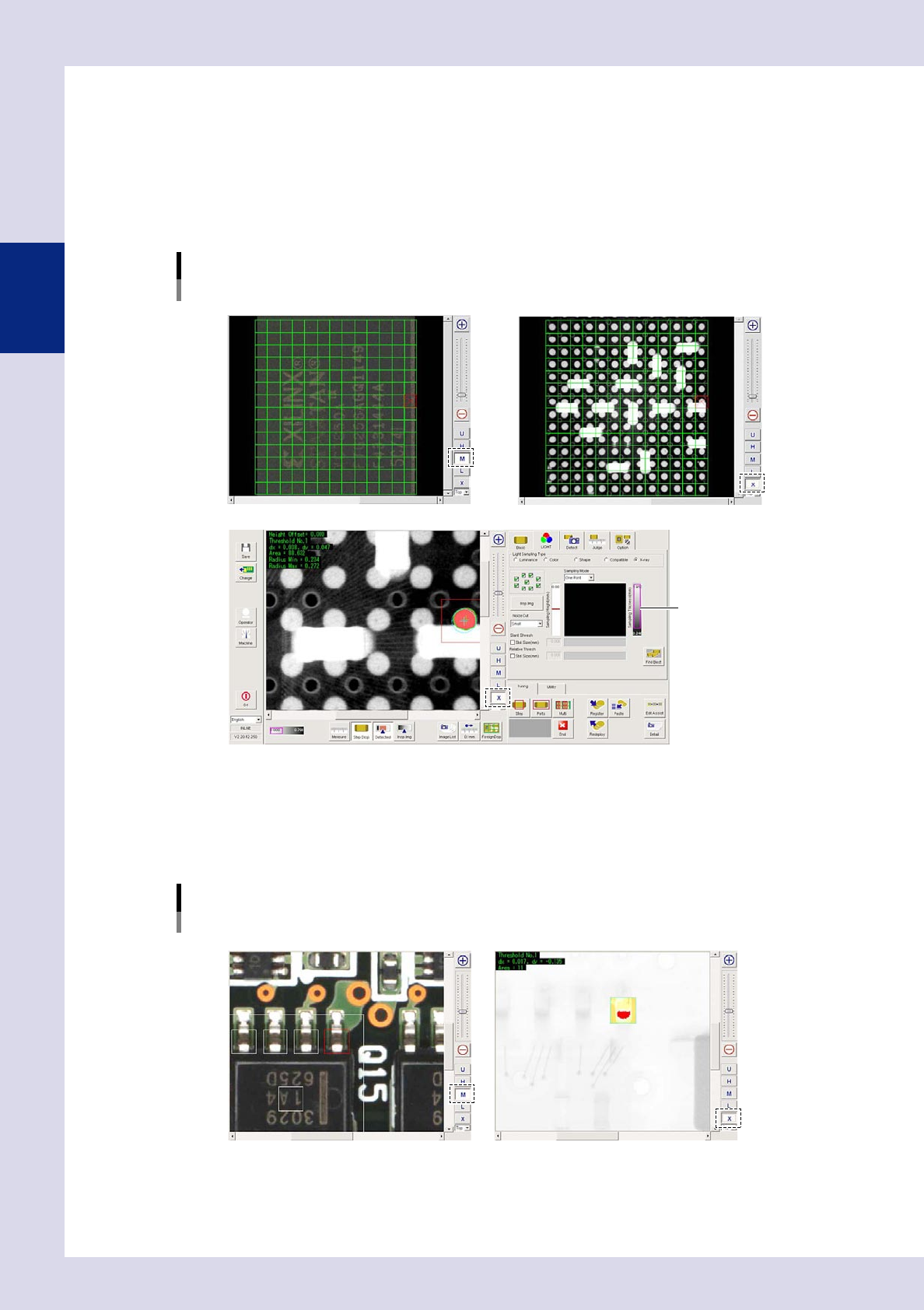
Solder inspection of lower surface electrode parts
•
Ball joint check
Inspection is performed with X-ray horizontal tomographic images obtained with digital laminography. Solder is detected
from X-ray horizontal images of joint surfaces on lower surface electrode parts, and judgment is made based on the
detected surface area and radius.
Ball joint check
Optical M lighting image: Displays BGA upper surface
X-ray image: Displays parts on upper/lower surface of board
X-ray image: Balls only detected by setting solder ball height for inspection height
Threshold slide bar
24203-P6-00
n
Back fillet
Inspection is performed with X-ray images taken from above.
•
Solder quantity check
Lead parts back fillet is detected from X-ray images, and judgment is made based on the detected surface area.
Solder quantity check
Optical M lighting image X-ray image: Back fillet detection
24204-P6-00
2-9
2
Creating inspection programs
2. Creating inspection programs
This section describes how to create inspection programs for inspection machines from mounter mount data.
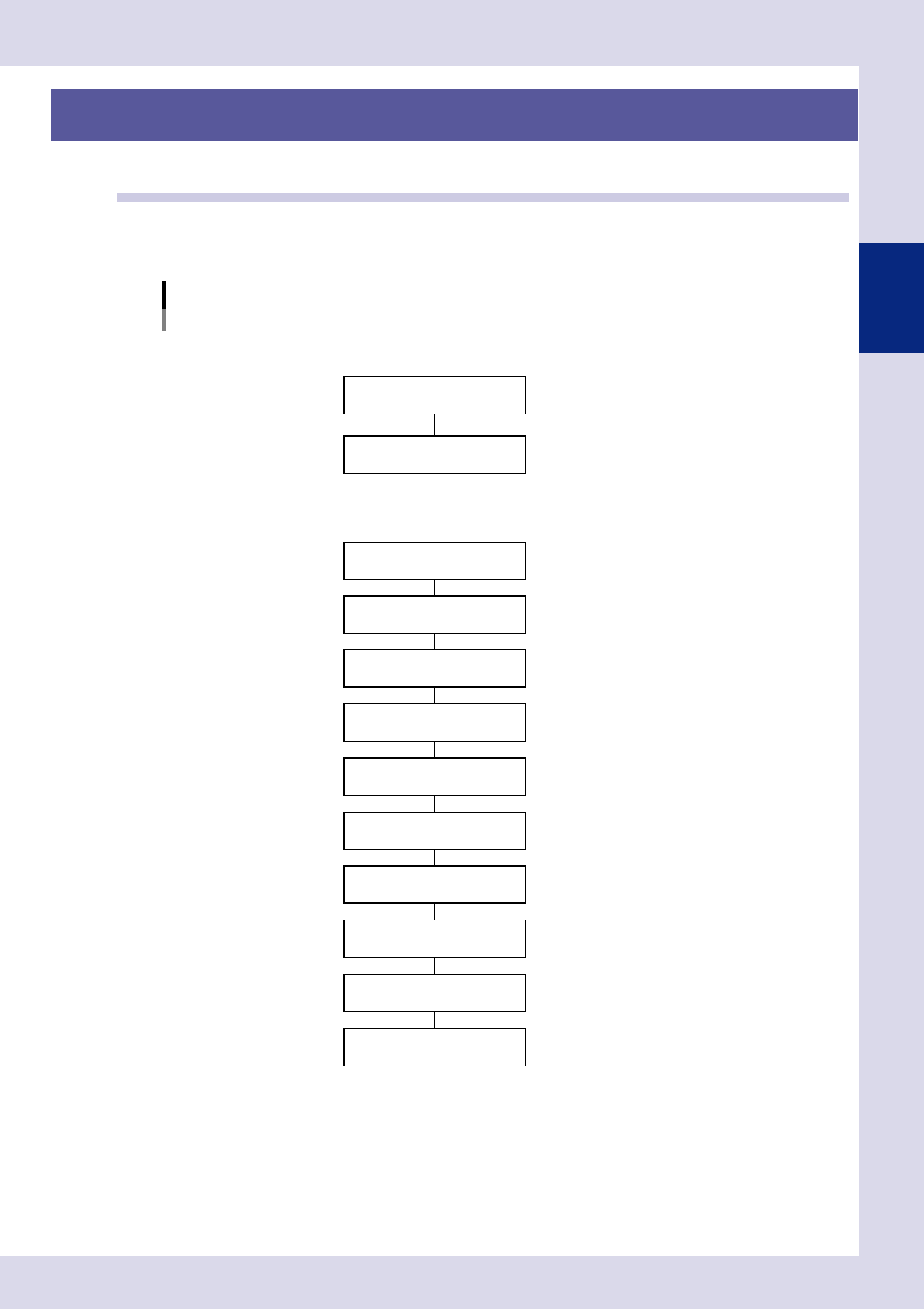
2.1 Flowchart for creating an inspection program
Press the [Convert] button at the "Setup" screen to convert YAMAHA mounter mount data to an inspection
program. Inspection programs are created by pasting parts libraries to mounting positions. Mount data for third
party mounters is converted to inspection programs after first converting it to YAMAHA mounter data format.
Flowchart for creating an inspection program
Convert to inspection data
Create full board image
Conversion to YAMAHA mounter data
NConversion from YAMAHA mounter data
Font file creation
NConversion from third party mounter data
* Set libraries if not all parts have been registered in libraries.
F"Common Factory Tools Function" manual
Set fiducial marks
Set views
Set bad marks
Set steps (inspection areas)
Library deployment *
Inspection data complete
Check board inspection
Data tuning
F See Chapter 2, "2.2 Data conversion".
FSee Chapter 2, "2.3 Creating a full board image".
F See Chapter 2, "2.4.1 Fiducial mark settings".
F See Chapter 2, "2.5.2 Bad mark settings".
F See Chapter 2, "2.6 View settings".
F See Chapter 2, "2.7 Step settings".
23212-P6-00
2-10
2
Creating inspection programs
2.2 Data conversion
Mounter data for YAMAHA mounters is converted to inspection programs using a data conversion function.
n
NOTE
Before performing this operation, it is necessary to refer to Chapter 5, "2.7 Data conversion settings", and set the
required items at the "Data Conversion Setting" screen in the machine settings.
1
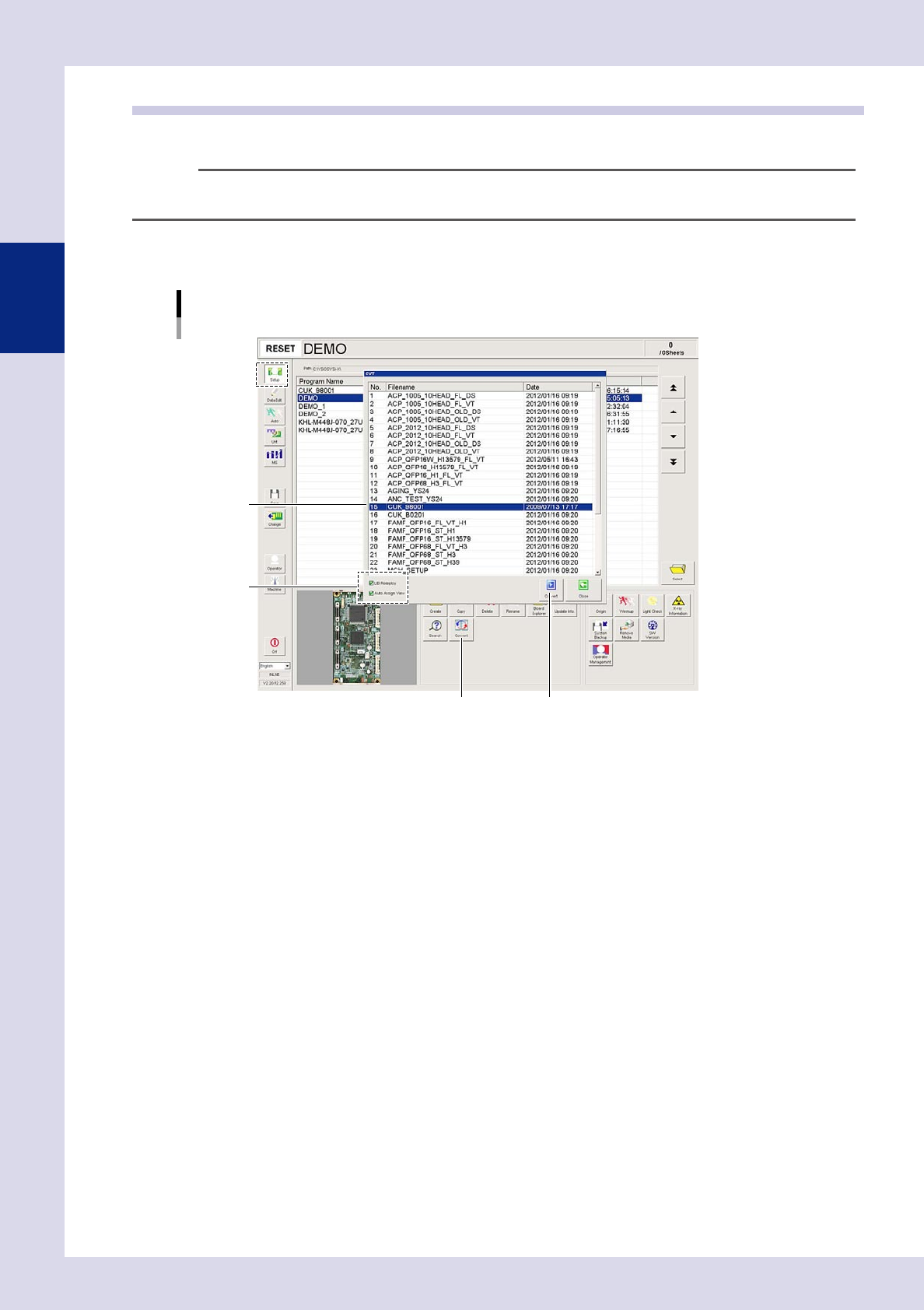
Open the "Setup" screen and press the [Convert] button.
A "CVT" screen appears.
[Setup] screen
Data conversion
[Convert] button [Convert] button
Step2
Step3
24205-P6-00
2
Set the conversion conditions.
Select both check boxes to enable the conversion conditions.
LIB Redeploy
By selecting this check box, libraries corresponding to the names of parts to be converted are deployed
to mounting positions based on the library table. If the selection is cleared, or parts name have not
been registered in the library table, steps are created for parts mounting positions without performing
library conversion.
Auto Assign View
By selecting this check box, views are created and assigned based on steps.
If the selection is cleared, views are not assigned.