YSI_Prog_E - 第94页
2-23 2 Creating inspection pr ograms 5 Pr ess the [Reduced Light] button to select the reduced light. By pressing the [Reduced Light] button, a light sampling type screen appears. If required, select a single image to be…
2-22
2
Creating inspection programs
2.4.3 Setting fiducial mark CUSTOM lighting
If unable to clearly recognize fiducial marks in the "lighting list image", use "CUSTOM lighting".
1
Set the "D. Light Type" in the basic parameters to "CUSTOM".
A "Light Detail" tab is added to the screen.
2
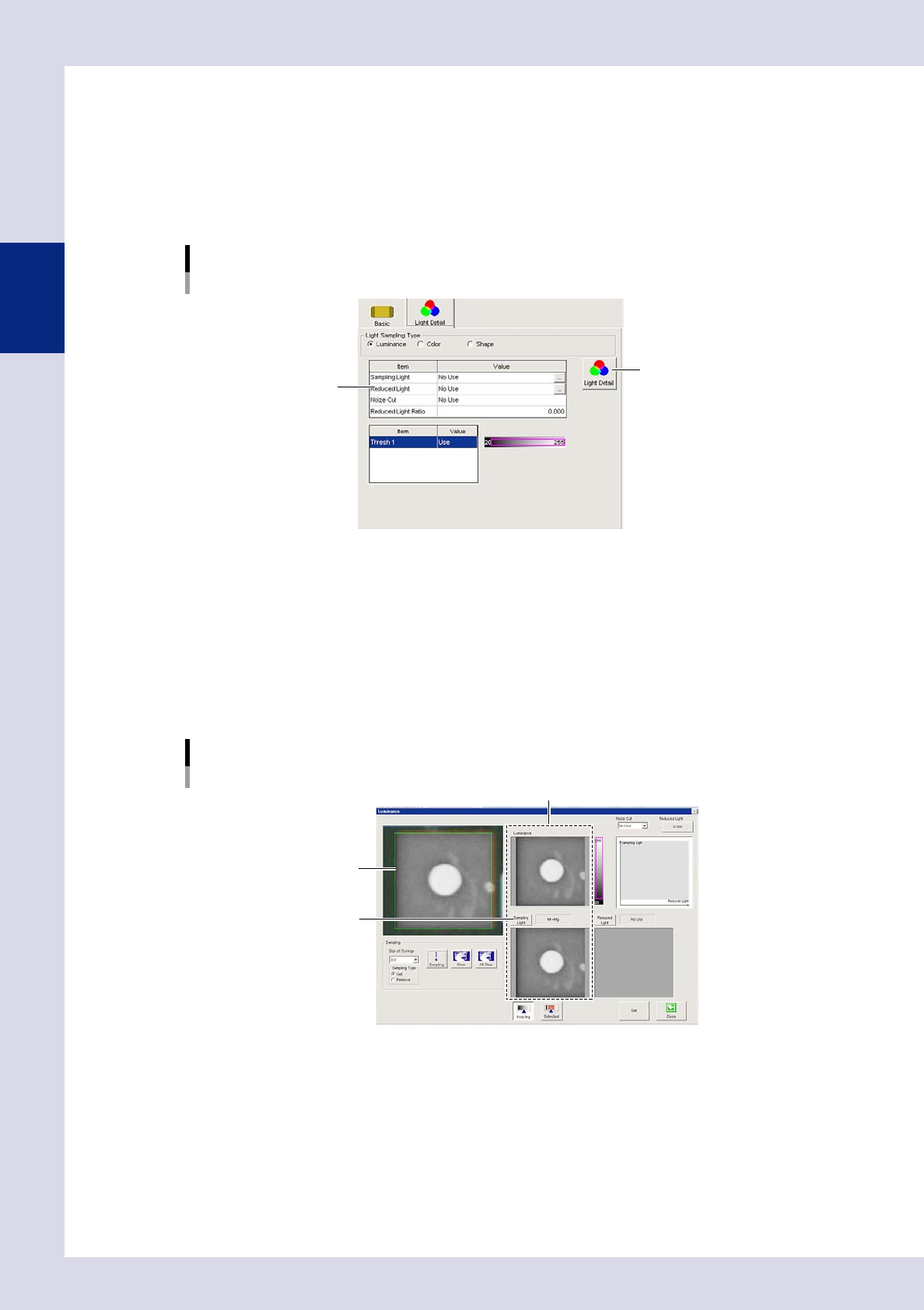
Open the "Light Detail" tab and select "Luminance" at the "Light Sampling Type".
CUSTOM lighting
[Light Detail] tab
[Light Detail] button
Setting value list
24217-P6-00
3
Press the [Light Detail] button.
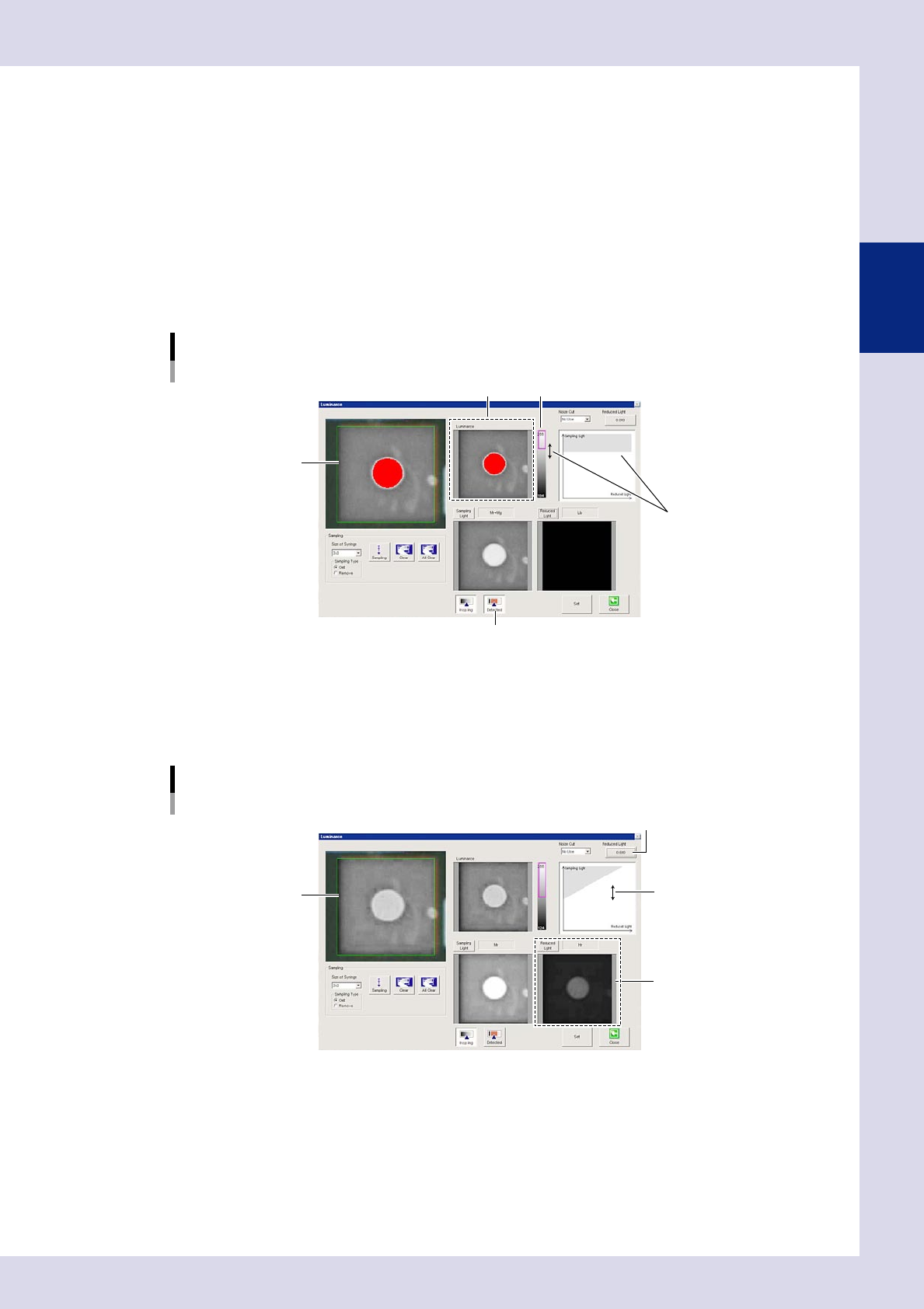
A "Luminance" screen appears.
4
Press the [Sampling Light] button and select the sampling light.
By pressing the [Sampling Light] button, a sampling light type screen appears. Select the image in which
the fiducial mark appears clearest from the sampling light list. (Up to two images can be selected.)
Press the [OK] button when selection is complete. The display returns to the "Luminance" screen, and
the image is displayed with the selected sampling light.
Luminance setting screen
Sampling type selection
Sampling light image
[Sampling Light] button
Sampling light image
24218-P6-00
2-23
2
Creating inspection programs
5
Press the [Reduced Light] button to select the reduced light.
By pressing the [Reduced Light] button, a light sampling type screen appears. If required, select a single
image to be excluded from the reduced light list. (There is no need to make a selection.)
6
Select a noise cut filter.
This is used to eliminate noise. When noise is present, select the size to be averaged from the drop-down
list.
7
Press the [Detected] button and set the threshold value.
1. By pressing the [Detected] button, the detection range is displayed in color.
Adjust with the threshold slide bar and change the upper and lower limits to set the threshold so that
only the mark appears red.
Threshold value setting
Set by dragging the mouse.
Threshold value image
Threshold value image Threshold slide bar
[Detected] button
24219-P6-00
2. If reduced light is selected at Step 5, set the reduced light magnification. Set the magnification for
the reduced light selected when performing image processing to show only the mark in red. Press
the magnification button and enter the magnification, or drag the gray area on the monitor with the
mouse to set.
Reduced light magnification setting
Reduced light magnification setting button
Set by dragging the mouse.
Sampling light image
Reduced light image
24220-P6-00
8
End lighting setting.
To save settings, press the [Set] button followed by the [Close] button. To end without saving, press the
[Close] button. By pressing the [Close] button, the display returns to the fiducial screen.
2-24
2
Creating inspection programs
2.5 Bad mark function
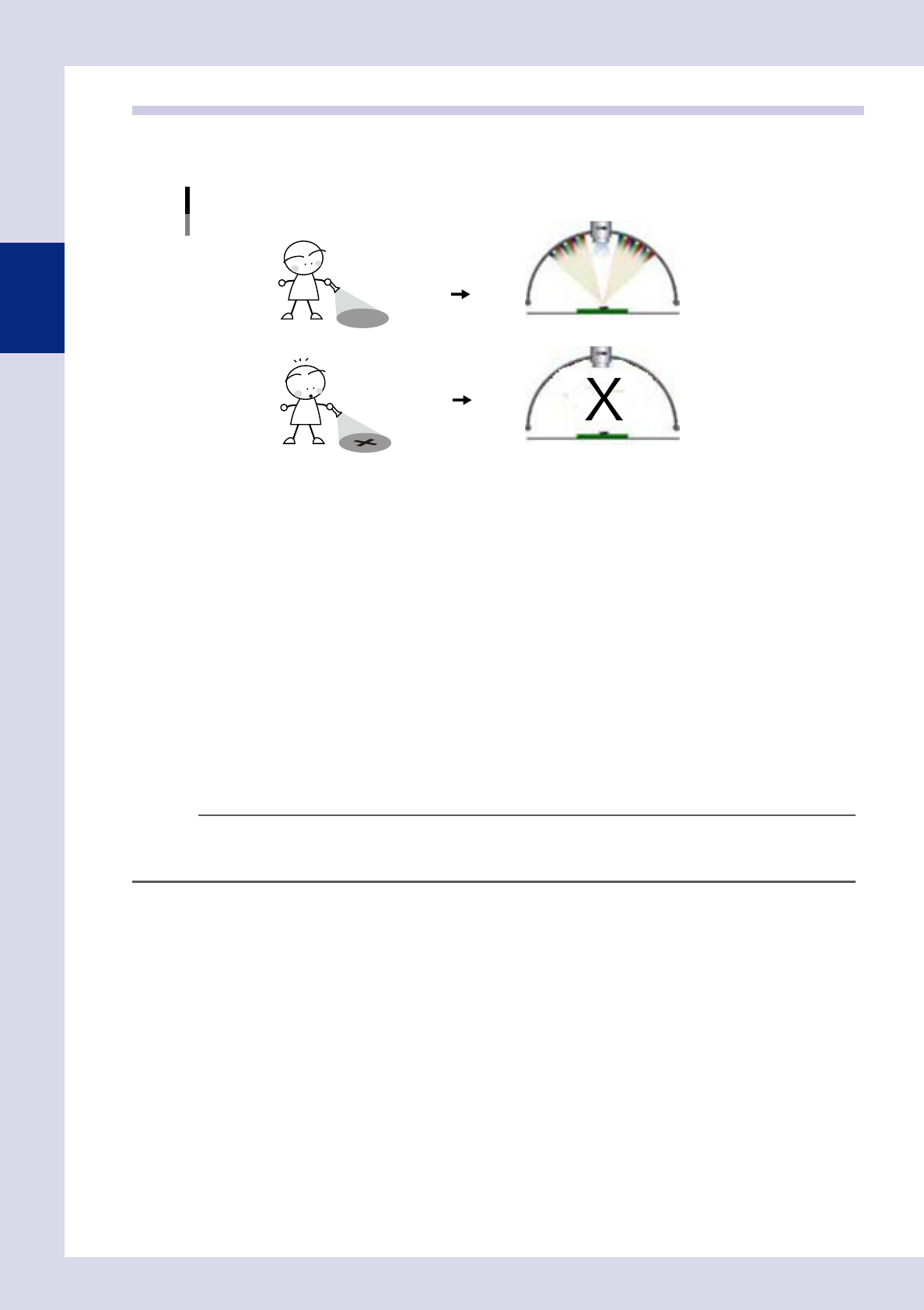
The bad mark function involves affixing a mark (bad mark) to a set location on the board in order to cancel
parts inspection when the mark is recognized by the inspection machine.
Bad mark function
Parts are inspected when no bad mark is detected.
Parts are not inspected when a bad mark is detected.
23215-P6-00
The following three types of bad mark are available. Use these bad marks accordingly depending on the
purpose.
n
Board bad mark
A bad mark is assigned to each board, and is used to judge whether the inspection machine searches for a bad mark. If,
for example, there is a mix of multi-board panels, some with defective blocks and some without, being transfered on the
conveyor, it will be a waste of time to search for bad marks on all boards even when there are no defective blocks. By
using the board bad mark function, a search is only performed for bad marks if a board bad mark is recognized. When
not recognized, an unconditional parts inspection is performed for all blocks.
n
Block bad marks
Bad marks are set for each block, and block inspection is skipped if the machine detects a bad mark. If, for example, no
parts have been mounted on block B (defective block) on a multi-board panel comprising blocks A, B, C, and D, a bad
mark is affixed to the board for block B. The inspection machine searches for bad marks on all blocks prior to inspection,
inspection of block B on which the bad mark was recognized is canceled, and parts inspection is performed only for
blocks A, C, and D.
TIP
If block bad marks exist in the inspection view field-of view, by performing mark recognition in the same view as step
inspection without performing axis movement only for bad mark recognition during auto inspection, inspection tact
time is reduced. When editing data, the camera moves to all bad mark positions to perform recognition.
n
Local bad marks
Bad marks are set for each step, and step inspection is skipped if the machine detects a bad mark.