00197597-02_IM_Station_Programming_1.1_EN.pdf - 第10页
Station Programmi ng 1.1 / Installation M anual 05/2015 Edition 10 The following dial og is displayed. Figure 4-4: Starting i nstallation ► Click the Install button to s tart the installati on. The following dial og is d…
Station Programming 1.1 / Installation Manual 05/2015 Edition
9
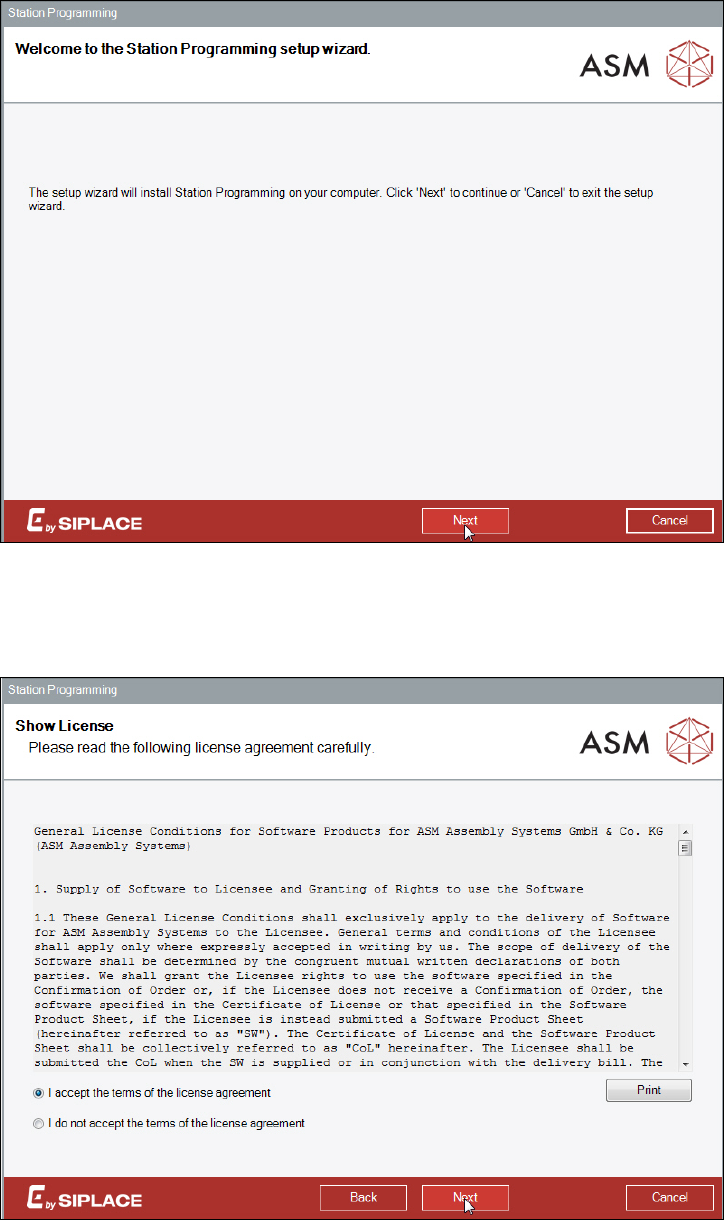
The setup wizard dialog of Station Programming is displayed.
Figure 4-2: Setup wizard
► Click the Next button.
The following dialog is displayed.
Figure 4-3: Accepting license agreement
► Select I accept the terms of the license agreement to accept the licensing conditions.
► Click the Next button.
Station Programming 1.1 / Installation Manual 05/2015 Edition
10
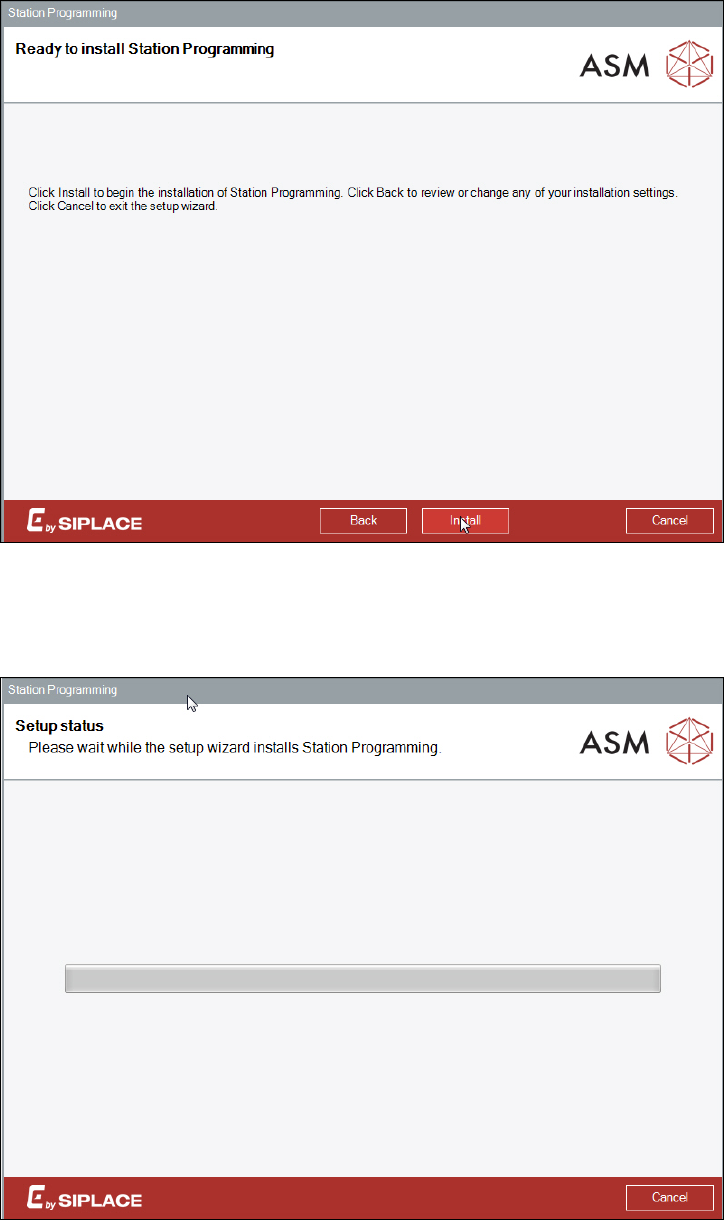
The following dialog is displayed.
Figure 4-4: Starting installation
► Click the Install button to start the installation.
The following dialog is displayed.
Figure 4-5: Installing Station Programming
The installation of all components may take a while and one system restart will be performed
automatically.
Station Programming 1.1 / Installation Manual 05/2015 Edition
11
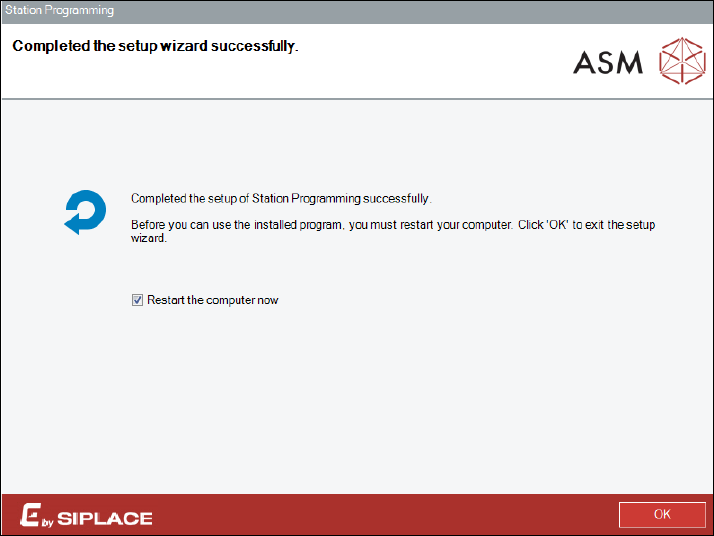
After successful installation, the following dialog is displayed.
Figure 4-6: Finishing installation
The station computer has to be restarted before Station Programming can be used.
► Ensure that the Restart the computer now check box is tagged (default).
► Click the OK button to exit the setup wizard.
After restart, the station computer logs in automatically using the Operator account and the station
software including Station Programming is started.