00197597-02_IM_Station_Programming_1.1_EN.pdf - 第13页
Station Programmi ng 1.1 / Installation M anual 05/2015 Edition 13 5 Removing Station Pr ogramming ► Log in as administr ator using the ASM_Admin account on t he station computer. ► Insert the inst allation DVD into the …
Station Programming 1.1 / Installation Manual 05/2015 Edition
12
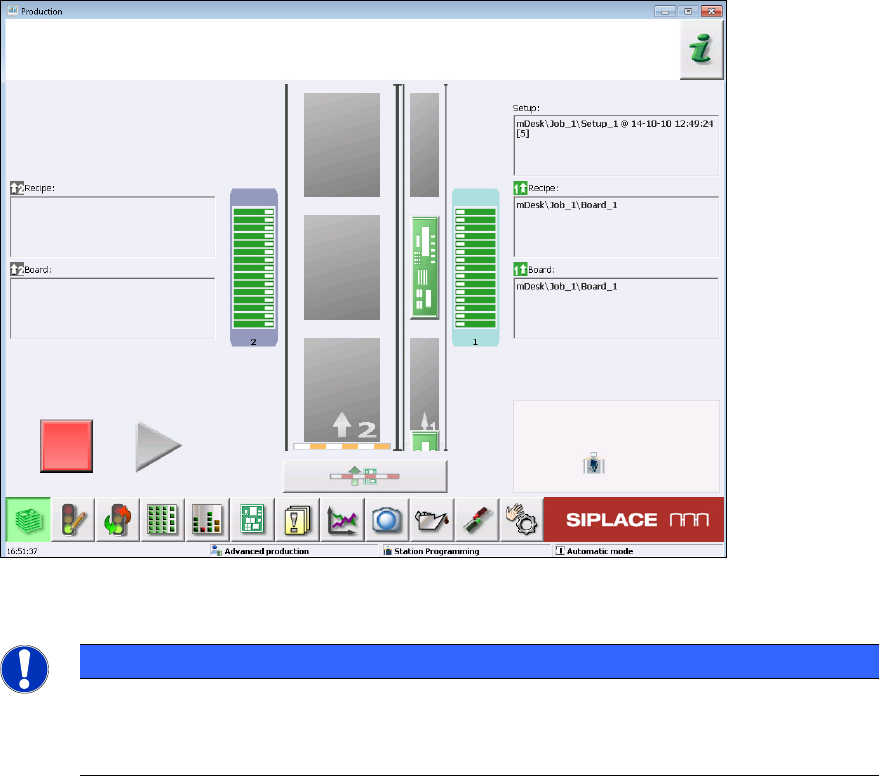
Figure 4-7: Station software with Station Programming
NOTICE
Modifying / Repairing the Installation
If necessary, the installation can be modified or repaired by restarting the Setup.exe file
and using the correspondent options in the setup.
Station Programming 1.1 / Installation Manual 05/2015 Edition
13
5 Removing Station Programming
► Log in as administrator using the ASM_Admin account on the station computer.
► Insert the installation DVD into the DVD drive.
► Open Windows Explorer.
► Double-click the Setup.exe file under drive E: to start the installation program.
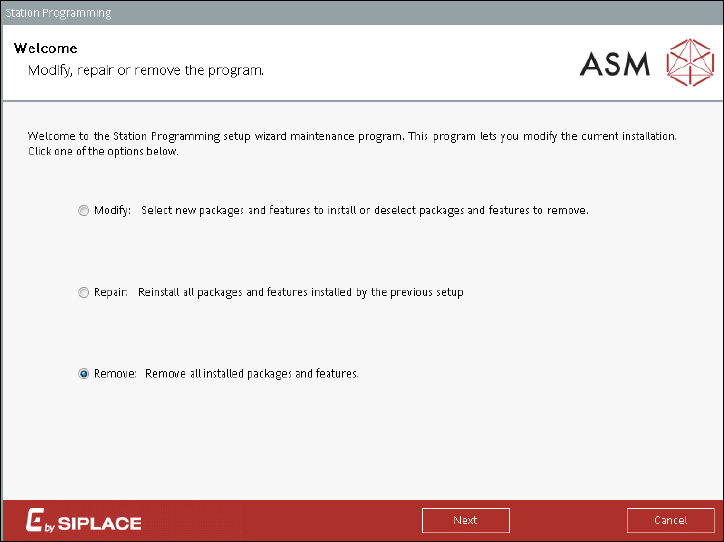
The following dialog is displayed.
Figure 7-1: Setup wizard maintenance program
► Select the Remove button to remove all installed packages and features of Station
Programming.
► Click the Next button.
Station Programming 1.1 / Installation Manual 05/2015 Edition
14
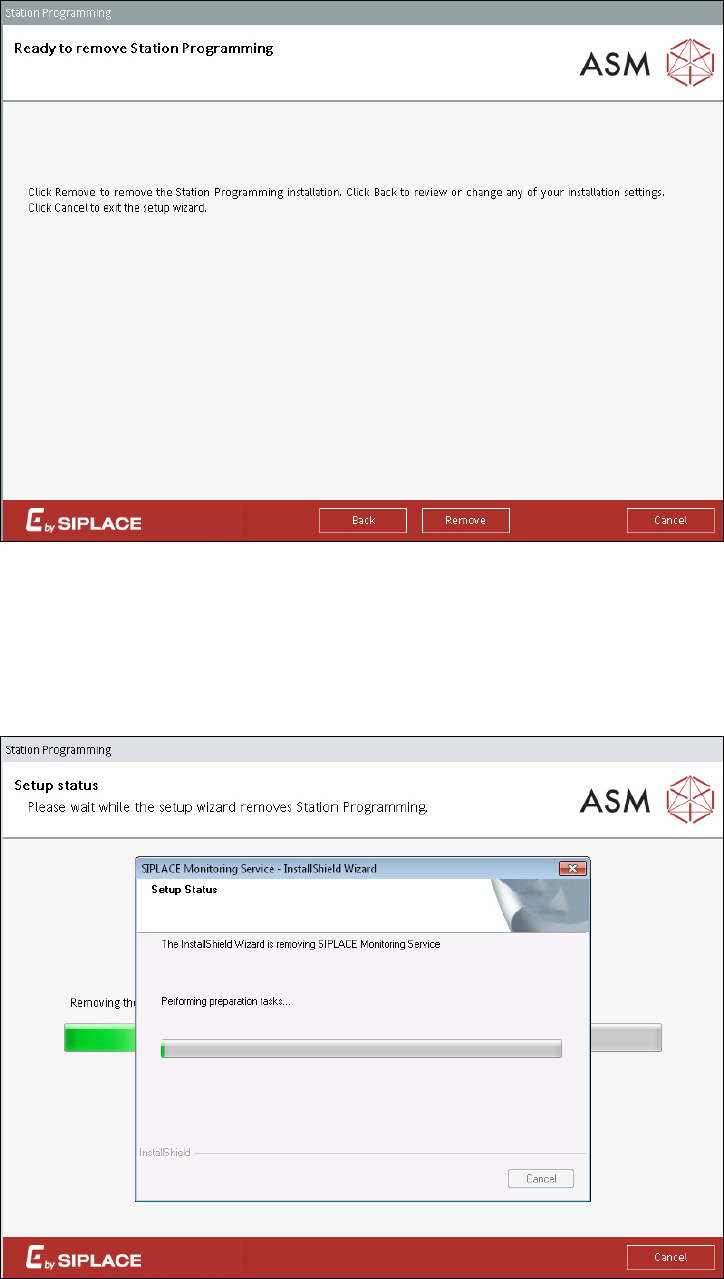
The following dialog is displayed.
Figure 7-2: Removing Station Programming
► Click the Remove button to remove the Station Programming installation.
Station Programming will be removed from the station computer. All other products and SQL
databases remain on the system.
During removal, the setup status is displayed.
Figure 7-3: Setup status