00197597-02_IM_Station_Programming_1.1_EN.pdf - 第15页
Station Programmi ng 1.1 / Installation M anual 05/2015 Edition 15 After the Station Programm ing installation has been r emoved, the following dialog is displayed. Figure 7-4: Removing Station P rogramming completed The…
Station Programming 1.1 / Installation Manual 05/2015 Edition
14
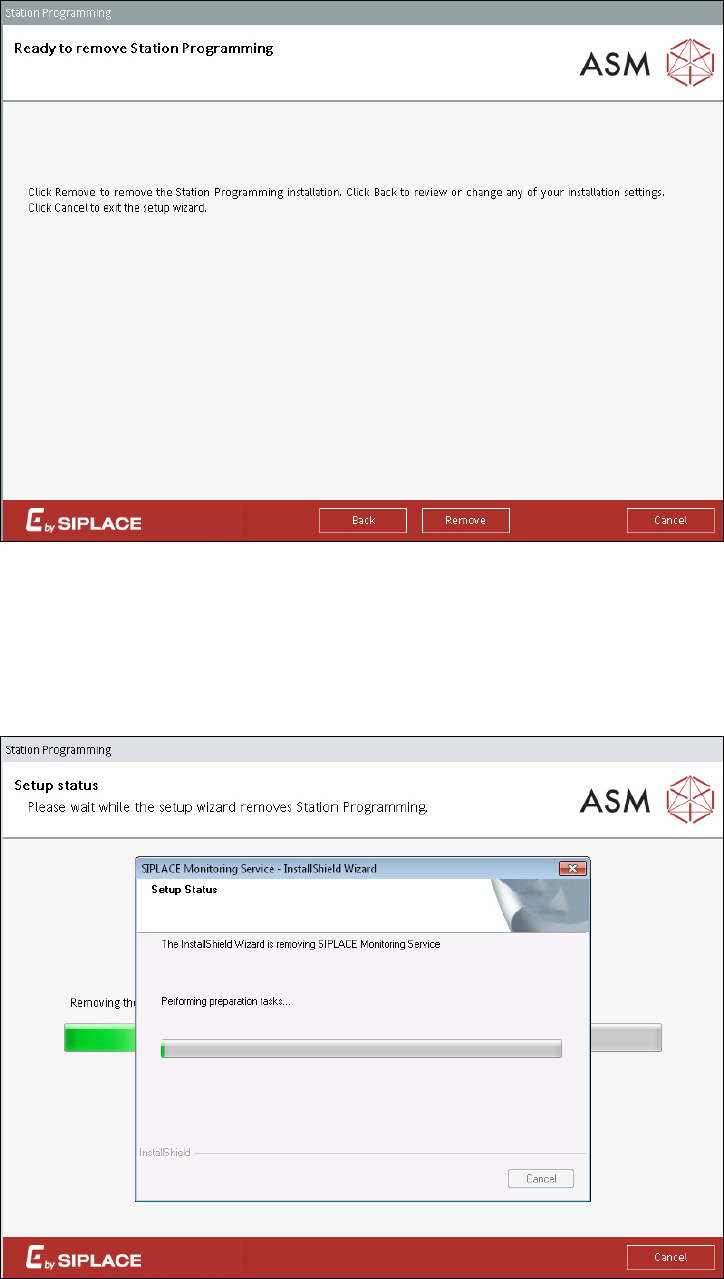
The following dialog is displayed.
Figure 7-2: Removing Station Programming
► Click the Remove button to remove the Station Programming installation.
Station Programming will be removed from the station computer. All other products and SQL
databases remain on the system.
During removal, the setup status is displayed.
Figure 7-3: Setup status
Station Programming 1.1 / Installation Manual 05/2015 Edition
15
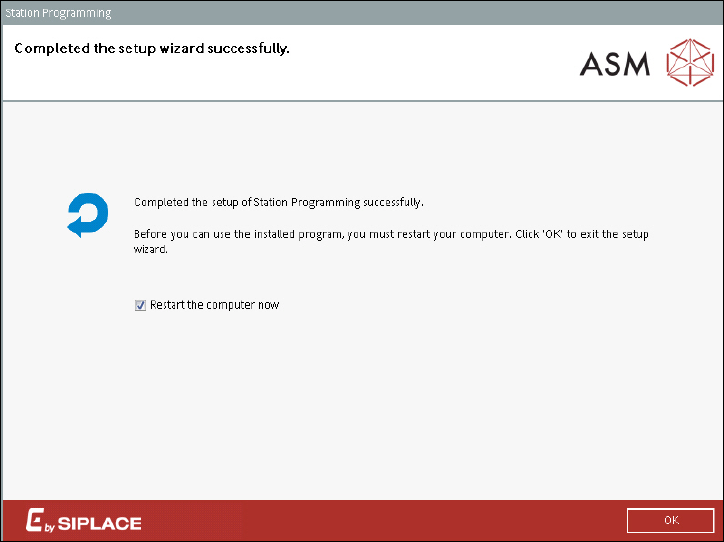
After the Station Programming installation has been removed, the following dialog is displayed.
Figure 7-4: Removing Station Programming completed
The station computer has to be restarted for the changes to take effect.
► Ensure that the Restart the computer now check box is activated (default).
► Click the OK button to exit the setup wizard.
After restart, the station computer logs in automatically using the Operator account of the station.
Station Programming 1.1 / Installation Manual 05/2015 Edition
16