00195346-0302_SM_WPC4_EN.pdf - 第101页
SITEST for WPC4 Teaching the Zero Point SITEST Machine Data Service Manual SIPLACE WPC4 101 5.10 SITEST Machine Dat a Menu field: Info WPC serial number: Shows the WPC serial number. WPC machine data: Shows the curre…
SITEST for WPC4
SITEST Lifting Axis Settings Teaching the Zero Point
100 Service Manual SIPLACE WPC4
5.9.2 Teaching the Zero Point
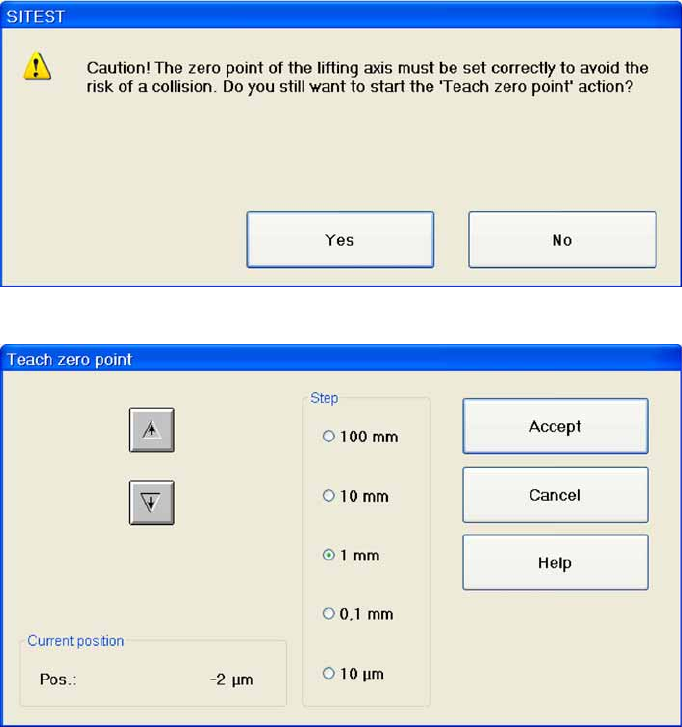
Teach zero point... Opens a dialog box with a warning.
Acknowledge this with
OK
and the following dialog box will open, in which you can teach the zero point.
Arrow pointing upwards: Each time you click on this button, the lifting axis will be moved one step
of the selected step size upwards.
Arrow pointing downwards: Each time you click on this button, the lifting axis will be moved one
step of the selected step size downwards.
Current position: Shows the position of the lifting axis approached during teaching.
Step: This is where you can set the required step size for moving the lifting axis.
Accept: Saves the current position and closes the dialog box.
You can now start a reference run.
To start the reference run, confirm the dialog box shown with
OK
.
Cancel: Closes the dialog box without saving any changes made.
SITEST for WPC4
Teaching the Zero Point SITEST Machine Data
Service Manual SIPLACE WPC4
101
5.10 SITEST Machine Data
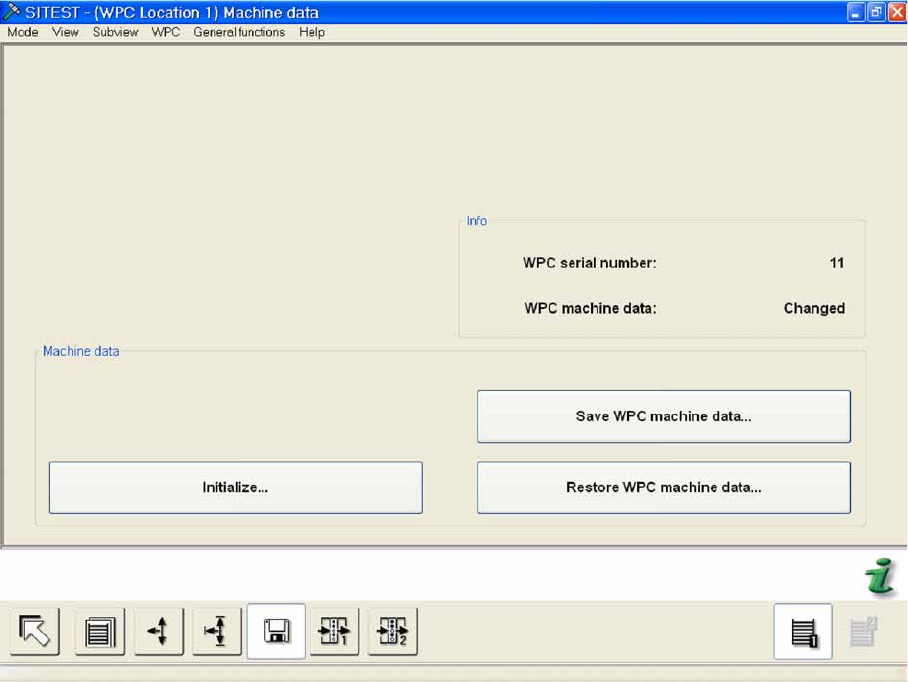
Menu field: Info
WPC serial number: Shows the WPC serial number.
WPC machine data: Shows the current status of the WPC machine data.
Menu field: Machine data
Initialize...: Opens a dialog box in which the WPC serial number can be entered.
Save WPC machine data...: Opens a dialog box in which you can save the WPC machine data as
a file, in a folder of your choice.
Restore WPC machine data... Opens a dialog box in which you can restore (import) the saved WPC
machine data.
SITEST for WPC4
SITEST Machine Data Initialize
102 Service Manual SIPLACE WPC4
5.10.1 Initialize
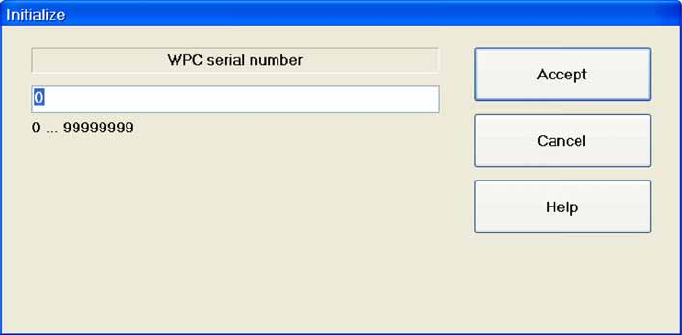
WPC serial number: Enter the WPC serial number here.
The serial number can be found on the WPC frame.
Accept: Confirms the entry and closes the dialog box.
Cancel: closes the dialog box and rejects the entry.