00195346-0302_SM_WPC4_EN.pdf - 第87页
SITEST for WPC4 Continuous Run SITEST Axes Service Manual SIPLACE WPC4 87 5.7.2 Continuous Run Start position [µm] : Shows the start position for the selected axis. Target position [µm]: Shows the target po sition fo…
SITEST for WPC4
SITEST Axes Positioning
86 Service Manual SIPLACE WPC4
Menu field: Machine data
Positions...: Opens a dialog box in which the various positions are shown for the selected axis.
Default values...: Opens a dialog box showing the default values for speed, acceleration and
removal speed.
Positioning data...Opens a dialog box in which you can enter the required speed and acceleration
values.
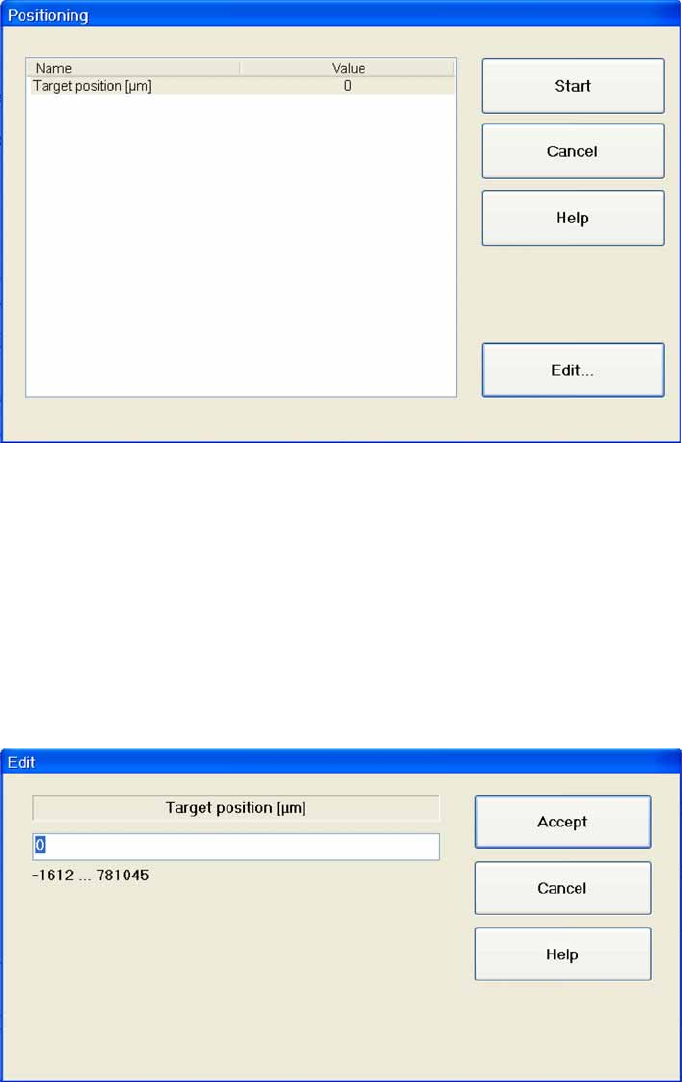
5.7.1 Positioning
Name: Shows the target position for the selected axis.
Value: Shows the target position in µm.
Start: Moves the axis to the specified target position.
Cancel: Closes the dialog box and rejects any changes made.
Edit...: Opens a dialog box in which the values for the target position can be entered.
Entering the target position
X Mark the line
Target position [µm]
X Select
Edit...
.
X Enter the required value in the input field. Make sure the value entered is within the permissible limits.
X Select
Accept
to confirm your entry or
Cancel
to reject the entry.
SITEST for WPC4
Continuous Run SITEST Axes
Service Manual SIPLACE WPC4
87
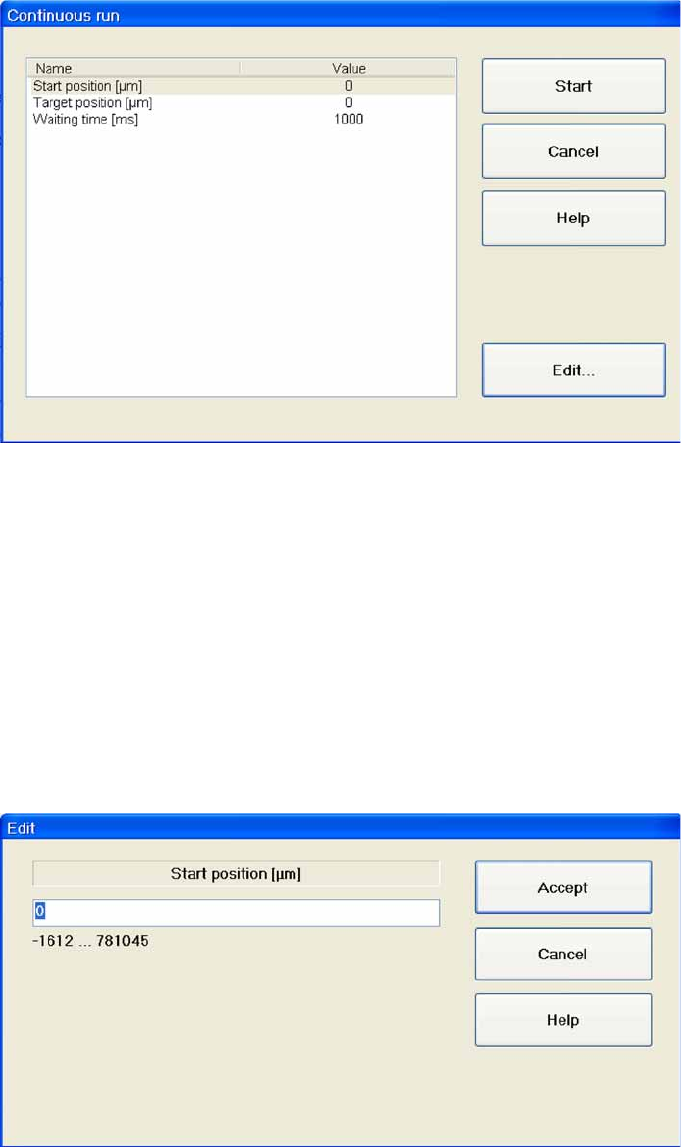
5.7.2 Continuous Run
Start position [µm]: Shows the start position for the selected axis.
Target position [µm]: Shows the target position for the selected axis.
Waiting time [ms]: Shows the time which the selected axis should wait in the start or target position
during the continuous run.
Start: Moves the axis in a continuous run between the specified start and target positions.
Cancel: Closes the dialog box without saving any changes made.
Edit...: Opens a dialog box in which the relevant value can be entered for the level.
Setting values
X Mark the line with the parameters which you want to set.
X Select
Edit …
.
X Enter the required value in the input field. Make sure the value entered is within the permissible limits.
X Select
Accept
to confirm your entry or
Cancel
to reject the entry.
SITEST for WPC4
SITEST Axes Continuous Run
88 Service Manual SIPLACE WPC4
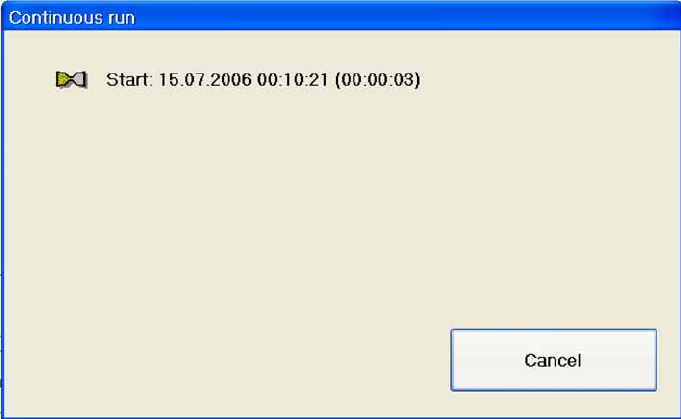
Starting a continuous run
X Select
Start
.
A dialog box shows the date and time at which the continuous run was started. The continuous run
continues until
Cancel
is selected.
Cancel: Terminates the continuous run.