00195346-0302_SM_WPC4_EN.pdf - 第91页
SITEST for WPC4 Standard Values SITEST Axes Service Manual SIPLACE WPC4 91 5.7.5 St andard V alues Default speed [0.0 1 m/s]: Shows the maximum speed of the selected axis. Default a cceleration [0.1 m/s²]: Shows th e…
SITEST for WPC4
SITEST Axes Lifting Axis Positions
90 Service Manual SIPLACE WPC4
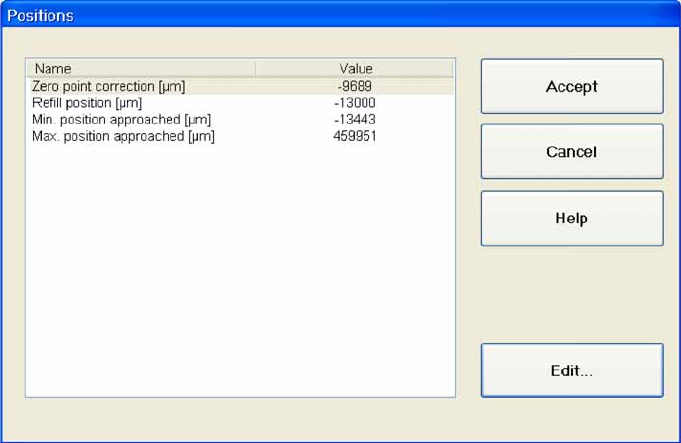
5.7.4 Lifting Axis Positions
Zero point correction [µm]: Shows the reference point for calibration of the zero point.
Refill position [µm]: Shows the position of the lifting axis in which the waffle pack tray carrier can
be removed.
Min. position approached [µm]: Shows the minimum position reached by the axis.
Max. position approached [µm]: Shows the maximum position reached by the axis.
Accept: Confirms the entry and closes the dialog box.
Cancel: Closes the dialog box and rejects any changes made.
Edit...: Opens a dialog box in which a value can be entered for the parameter in the selected line.
If you want to alter a position, proceed as follows:
X Mark the line with the parameters which you want to edit.
X Select
Edit...
.
X Enter the required value in the input field. Make sure the value entered is within the permissible limits.
X Select
Accept
to confirm your entry or
Cancel
to reject the entry.
SITEST for WPC4
Standard Values SITEST Axes
Service Manual SIPLACE WPC4
91
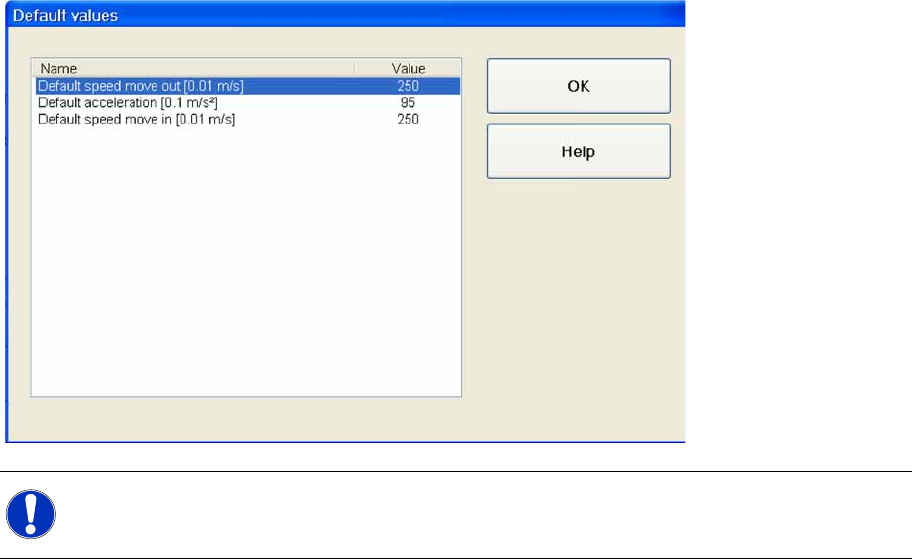
5.7.5 Standard Values
Default speed [0.01 m/s]: Shows the maximum speed of the selected axis.
Default acceleration [0.1 m/s²]: Shows the maximum acceleration with which the feed axis moves
out of the tower.
Default removal speed [0.01 m/s]:Shows the maximum acceleration with which the feed axis
moves into the tower.
OK : Closes the dialog box.
NOTE:
The following parameters are for information purposes only and can not be edited.
SITEST for WPC4
SITEST Axes Positioning Data
92 Service Manual SIPLACE WPC4
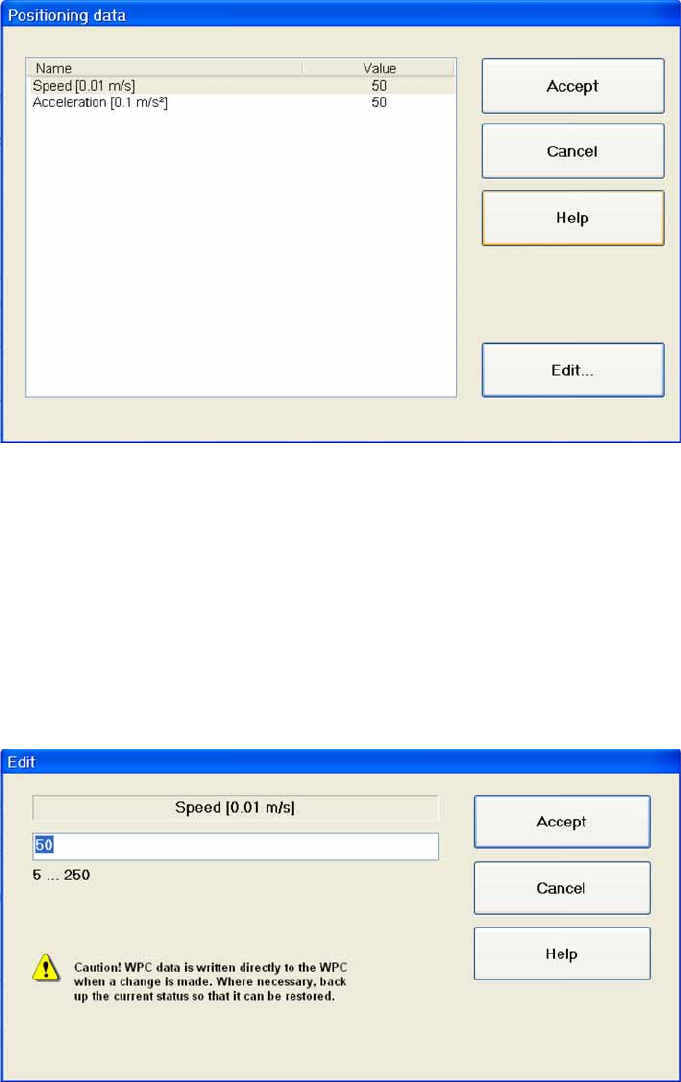
5.7.6 Positioning Data
Speed [0.01 m/s]: Shows the current speed of the selected axis.
Acceleration [0.1 m/s²]: Shows the current acceleration of the selected axis.
Accept: Confirms the entry and closes the dialog box.
Cancel: Closes the dialog box and rejects any changes made.
Edit...: Opens a dialog box in which you can enter the required speed and acceleration.
Setting values
X Mark the parameter which you want to change.
X Select
Edit..
.