KE2020-Instruction-Manual-ver1.30.pdf - 第630页
8 − 39 Note: When you change the setting of t his "Units of delay", the set ting of the it em ① "Delay for conveyor sensor " is cleared. ③ Under Limit f or conveyor − Specif y the value in the rang e …
8 − 38
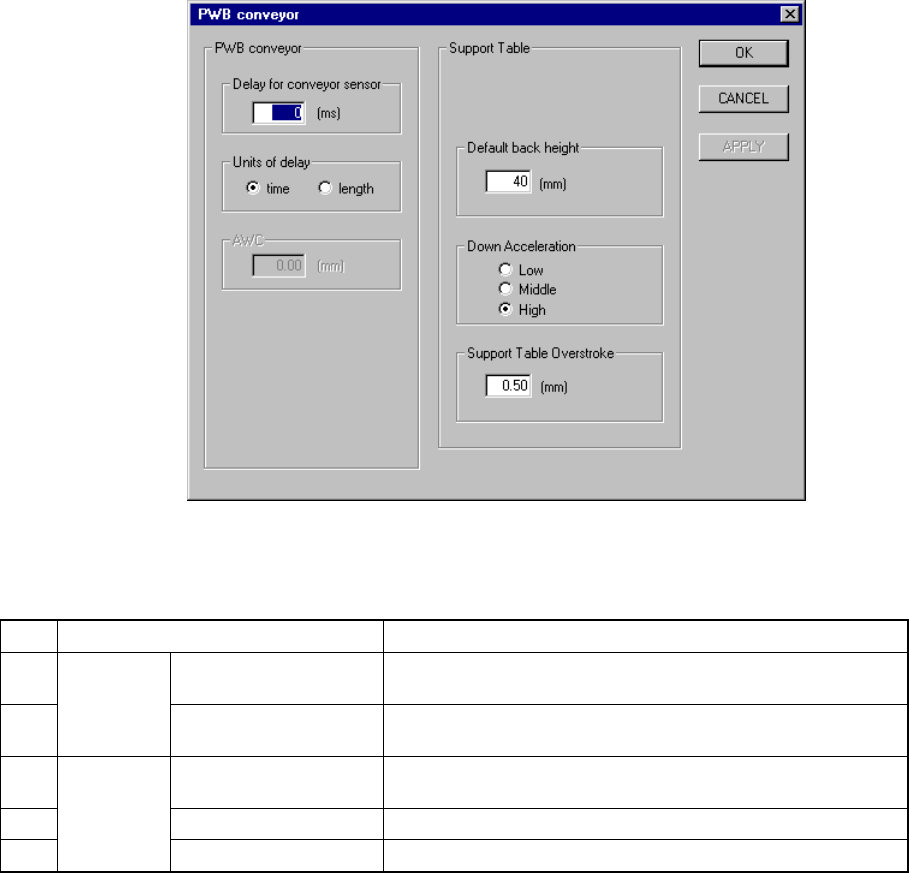
8.2.2.12 PWB conveyor
A screen appears as shown in Figure 8.2.2.12.1 “PWB conveyor setting dialog box”
when [PWB conveyor] is selected from the [Setting Group] menu.
Figure 8.2.2.12.1 PWB conveyor setting dialog box
(1) Setting items
No. Item Description
1 Delay for conveyor
sensor
Sets the delay time or distance of the board conveyor sensor
for a cut out board or punch hole board.
2
PWB
Conveyor
Units of delay Sets the unit used for the delay of the board conveyor sensor
specified with the item “Delay for PWB conveyor sensor”.
3 Under Limit for
conveyor
Sets the PWB position lower limit on the backup table.
4 Down Acceleration Sets the acceleration of the backup table.
5
Back Up
Table
Press In Sets the stroke pressure of the backup table.
(2) How to set
① Delay for conveyor sensor
− This can be set in the range from 0 to 1000.
As a guide, set "60 ms" for a cut out board.
② Units of delay
− With using the radio button, select the unit for delay.
− When you select “time”, the value you selected with the item “Delay for
conveyor sensor” is handled as the “delay time” in the unit of ms.
− When you select “length”, the value you selected with the item “Delay
for conveyor sensor” is handled as the “delay distance” in the unit of
mm.

8 − 39
Note: When you change the setting of this "Units of delay", the setting of the item
①
"Delay for conveyor sensor" is cleared.
③ Under Limit for conveyor
− Specify the value in the range from 5 to 30 (Unit is fixed to mm.).
④ Down Acceleration
− With using the radio button, set one of three steps: Low, Medium, and
High (default setting: High).
⑤ Press In
− Specify the value in the range from 0.00 to 5.00.
8 − 40
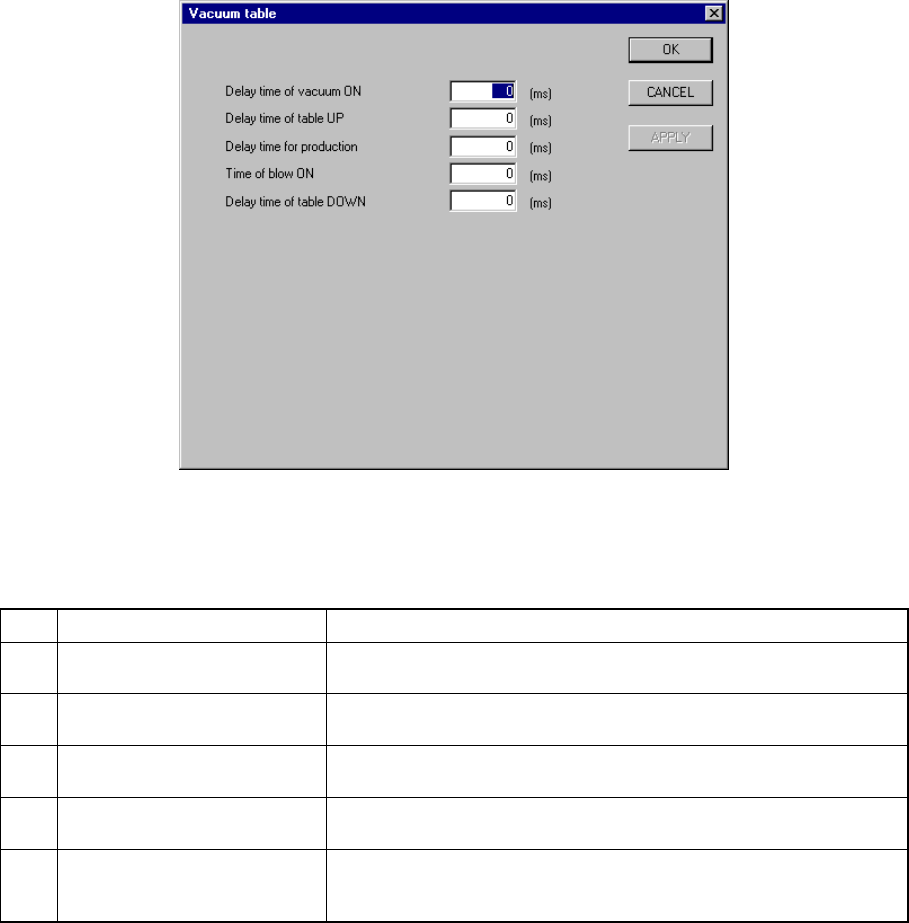
8.2.2.13 Vacuum table
When you select [Vacuum table] from the [Setting Group] menu, the “Vacuum table”
dialog box appears as shown in Figure 8.2.2.13.1.
Figure 8.2.2.13.1 “Vacuum table” dialog box
(1) Setting items
No. Item Description
1 Delay time of vacuum ON Sets the time of period since the STOP sensor is activated until
vacuum is turned on when a board is clamped.
2 Delay time of table UP Sets the time of period since vacuum is turned on until the support
plate starts moving up when a board is clamped.
3 Delay time for production Sets the time of period required to detect the ON status of the vacuum
sensor when a board is clamped.
4 Time of blow ON Sets the time of period while the blow function is set to ON when the
clamped board is released.
5 Delay time of table DOWN Sets the time of period since the system detects the vacuum sensor
OFF status until the support plate starts moving down when the
clamped board is released.
(2) How to set
− Enter a value directly form a keyboard.
− The input range is from 0 to 1000.
− The unit is fixed to “ms”.
− The defaults of all the items are “0 ms”.
− When the “Vacuum table” is set to “disable” on the “Option Device enable”
tab, these menu items are dimmed.