Ersa-VERSAFLOW-4-XL-en - 第4页
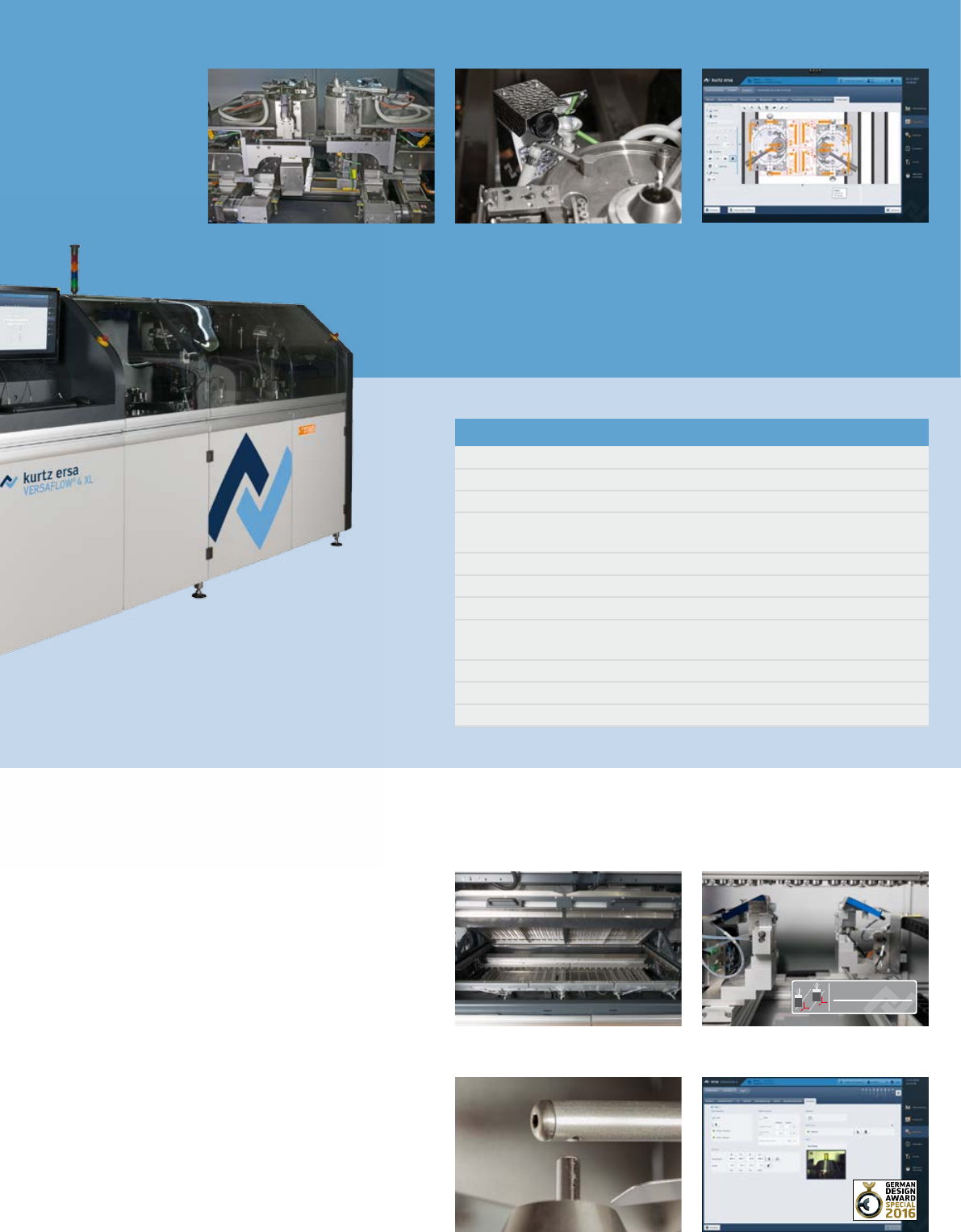
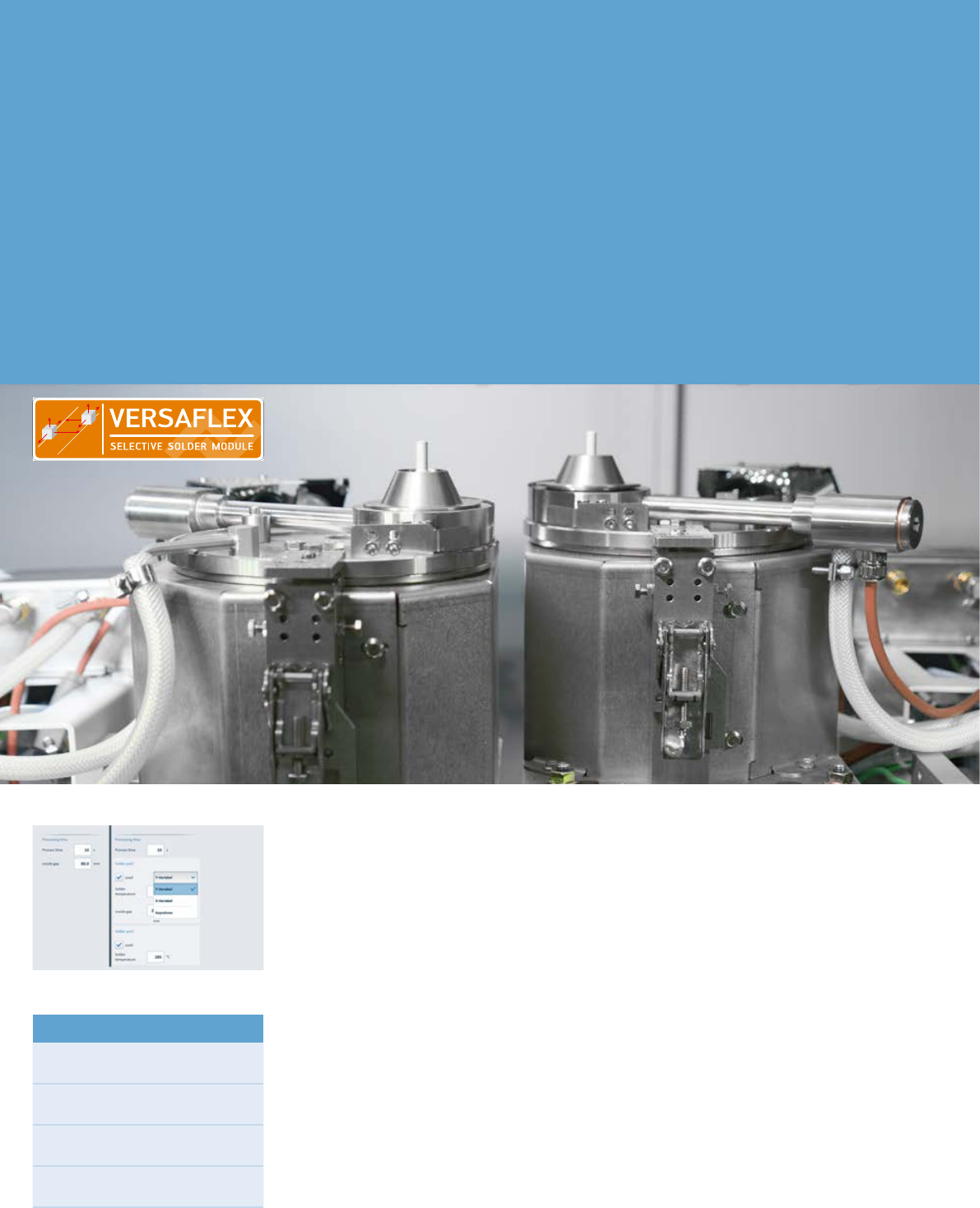
4 VER SA FLUX & V ER SA FL E X The new freedo m for fluxin g and so ld eri ng With the all-new VERSAFLUX and VERSAFLEX modules, Kurtz Ersa is setting benchmarks in quality, flex- ibility and throughput. As the name a…
3
SELECTIVE FLUX MODULE
VERSAFLUX
VERSACAM
VERSAFLEX soldering module
Basic configuration
Roller conveyor
Side fixing in flux module
ERSASOFT 5
High-precision spray flux system with spray test function and flux level
monitoring
Bottom-side IR preheater
Maximum PCB size 610 x 1,200 mm
PC control with touch screen monitor
Process visualization including solder protocol, process data writer, monitoring
function, maintenance and error message indication, password protection
Exhaust air monitoring
Solder bath with electromagnetic solder pump
Solder level- and solder wave height monitoring
CAD Assistent 4
Preheating VERSAFLUX fluxing module
Automatic nozzle activation
ERSASOFT 5
operation. Up to two solder modules can
be integrated in the VERSAFLOW 4 XL.
The VERSAFLOW 4 XL incorporates an
interesting feature for the processing
of smaller boards with a max. length of
330 mm. Thanks to an additional stop
-
per in the flux, preheat and solder
module, two assemblies can be pro
-
cessed simultaneously, thus doubling
throughput. This does away with dual
track conveyor systems. The complex
machine movements are controlled us
-
ing the intuitive operator software ER-
SASOFT 5. The modern and future-ori-
ented CAD Assistant 4 is integrated in
this software, which means complex
programming of the solder parameters
is a thing of the past.
4
VERSAFLUX & VERSAFLEX
The new freedom for fluxing and soldering
With the all-new VERSAFLUX and
VERSAFLEX modules, Kurtz Ersa is
setting benchmarks in quality, flex-
ibility and throughput. As the name
already suggests, VERSAFLUX is the
flux module and VERSAFLEX is the
solder module available in the new
VERSAFLOW 4 XL.
Both modules work with two mutually
independent axis systems, allow-
ing the pots and spray heads to be
adjusted and moved individually in x-,
y- and z-direction. Assemblies can
thus be fluxed or soldered synchro-
nously or asynchronously. In synchro-
nous mode, the two axes with the flux
heads or pots move in parallel at a
predetermined fixed distance to one
another – ideal for panel processing.
In asynchronous mode, each axis fol-
lows its own travel path. This means
an assembly can be processed with
two different nozzle diameters at
the same time, for example. Through
this, and through operation with
different solder alloys and/or fluxes
without changeover necessary, they
also create a tremendous added value
for production an offer maximum
flexibility.
The complex machine movements are
controlled using the intuitive operator
software ERSASOFT 5. This incorpo-
rates the future-oriented editor CAD
Assistant 4 which the operator uses
for the fast and simple creation and
management of solder programs.
Highlights
Simultaneous fluxing and soldering
on PCB panels in x- or y-direction
Highest flexibility coupled with
shortest cycle time
Automatic optimisation of cycle
time through CAD Assistant 4
VERSAFLUX: Double supply with the
same or alternative flux
5
CAD Assistant 4
The future in soldering program creation
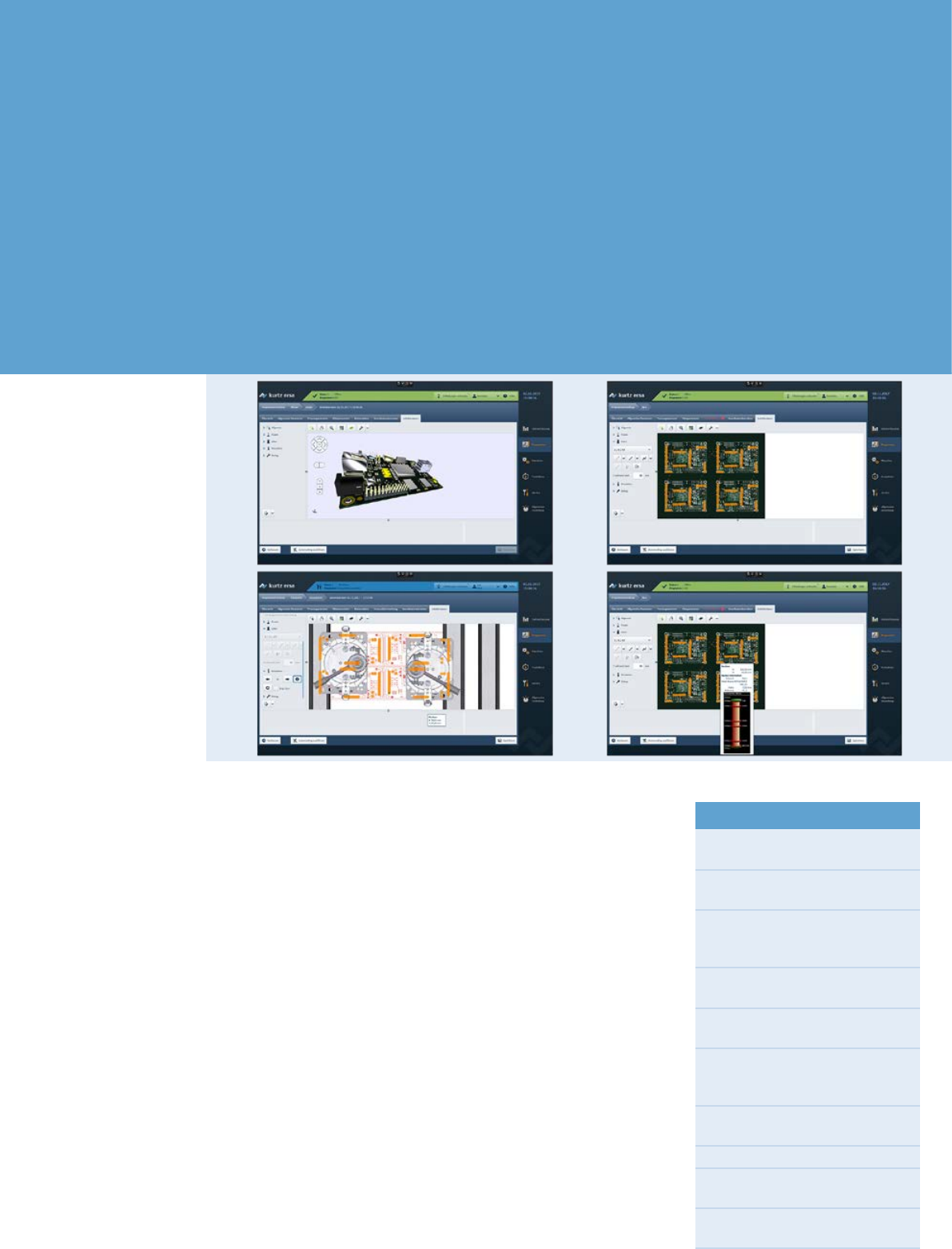
The efficient generation of complex
solder programs is of great importance.
The Ersa CAD Assistant 4 provides for
an offline program generation while the
machine is in operation! This ensures
highest machine availability.
CAD Assistant 4 considers the specific
equipment configuration in the genera
-
tion of a solder program. Furthermore,
it supports modules with two indepen
-
dent axes (VERSAFLUX & VERSAFLEX).
The data sets of the CNC axes are pro
-
cessed using Drag&Drop. Furthermore,
CAD Assistant 4 includes pre-defined
data sets the user can easily adapt to
his specific application. Errors during
the program creation are prevented by
a plausibility check. Both CAD files of
PCBs and image files can be used as
basis in the program generation with
CAD Assistant 4.
All movements of the fluxer and the
solder pots are graphically entered on
the image of the board, after which
the process data is added. Program
files created with the CAD Assistant 4
can easily be verified by means of
process simulations and can immedi
-
ately be used in the selective soldering
machine.
During programming the user selects
the operating mode: x/z-variable or
y/z-variable for synchronous process
-
ing of PCB panels or the asynchronous
mode where the axes move inde
-
pendently in x-y-z. Due to the new
auto-routing feature, the generation
of complex solder programs is super
easy: The user only enters the tracks or
single joints to be fluxed and soldered.
CAD Assistant 4 then automatically
sets the machine movements in the
most efficient way.
Highlights
Intuitive programming due to
graphic user interface
Optimized cycle times by means
of auto-routing
Automatic and optimized assign-
ment of fluxing and soldering jobs
to the available modules
Prevention of crashes by the
definition of exclusion areas
Program simulation to verify
settings
Support of modules with two
independent axes
(VERSAFLUX & VERSAFLEX)
Management of up to 3 solder
modules
Simple scaling of the assembly
File import of CAD formats:
ODB++, IPC 2581, GenCAD
File import of image formats:
.jpg, .bmp, .png, .tif, .gif