ISM-1100_INM - 第11页
Quick reference handbook Barcode Reader software Quick reference handbook Barcode Reader software rev_6 Edition 06/2017 - Reproduction forbidden Page 11 Focus Area: it is possible to choose the area to adjust the focu s.…
Quick reference handbook Barcode Reader software
Quick reference handbook Barcode Reader software rev_6 Edition 06/2017 - Reproduction
forbidden
Page 10
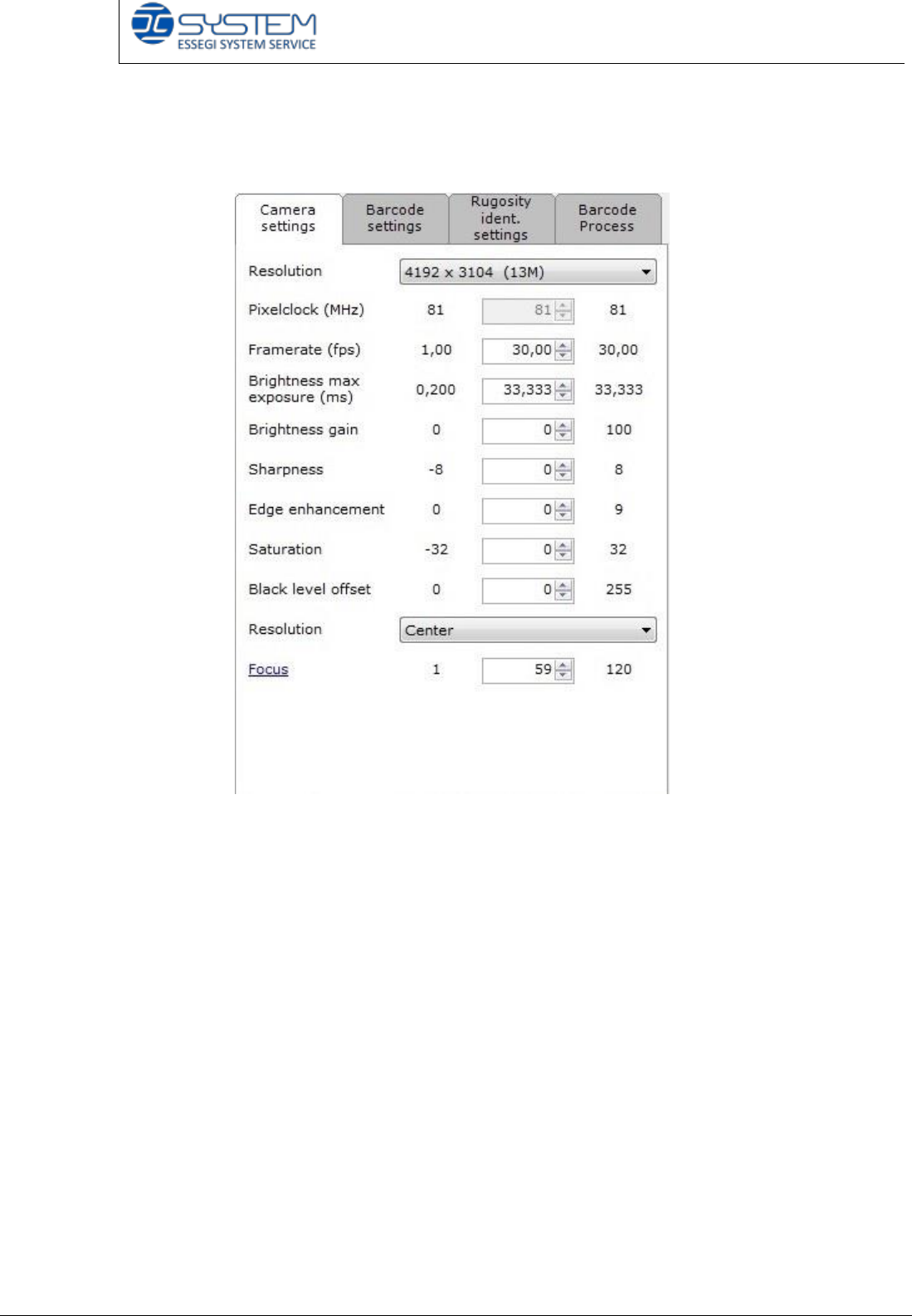
CAMERA SETTINGS TAB
In this tab, you can change the parameters of the camera to adjust the image.
Resolution: it is the number of distinct pixels in each dimension that can be
displayed. It is usually quoted as width × height, with the units in pixels.
Pixel clock: it is the speed at which the pixels are transmitted.
Frame rate: it is the number of frames which are transmitted every second.
Brightness max exposure: it indicates the time of exposition to the light. More
time of exposition means to get a brighter photo
Brightness gain: it indicates the amplification of signal. More Brightness gain is
equivalent to have an image brighter.
Sharpness: quality of an image indicating clear or distinct reproduction of details.
Edge enhancement: it is needed to improve the definition (sharpness) of outlines.
Saturation: this parameter can modify the vividness or richness of colour.
Black level offset: it is needed to blacken the dark colours.
Quick reference handbook Barcode Reader software
Quick reference handbook Barcode Reader software rev_6 Edition 06/2017 - Reproduction
forbidden
Page 11
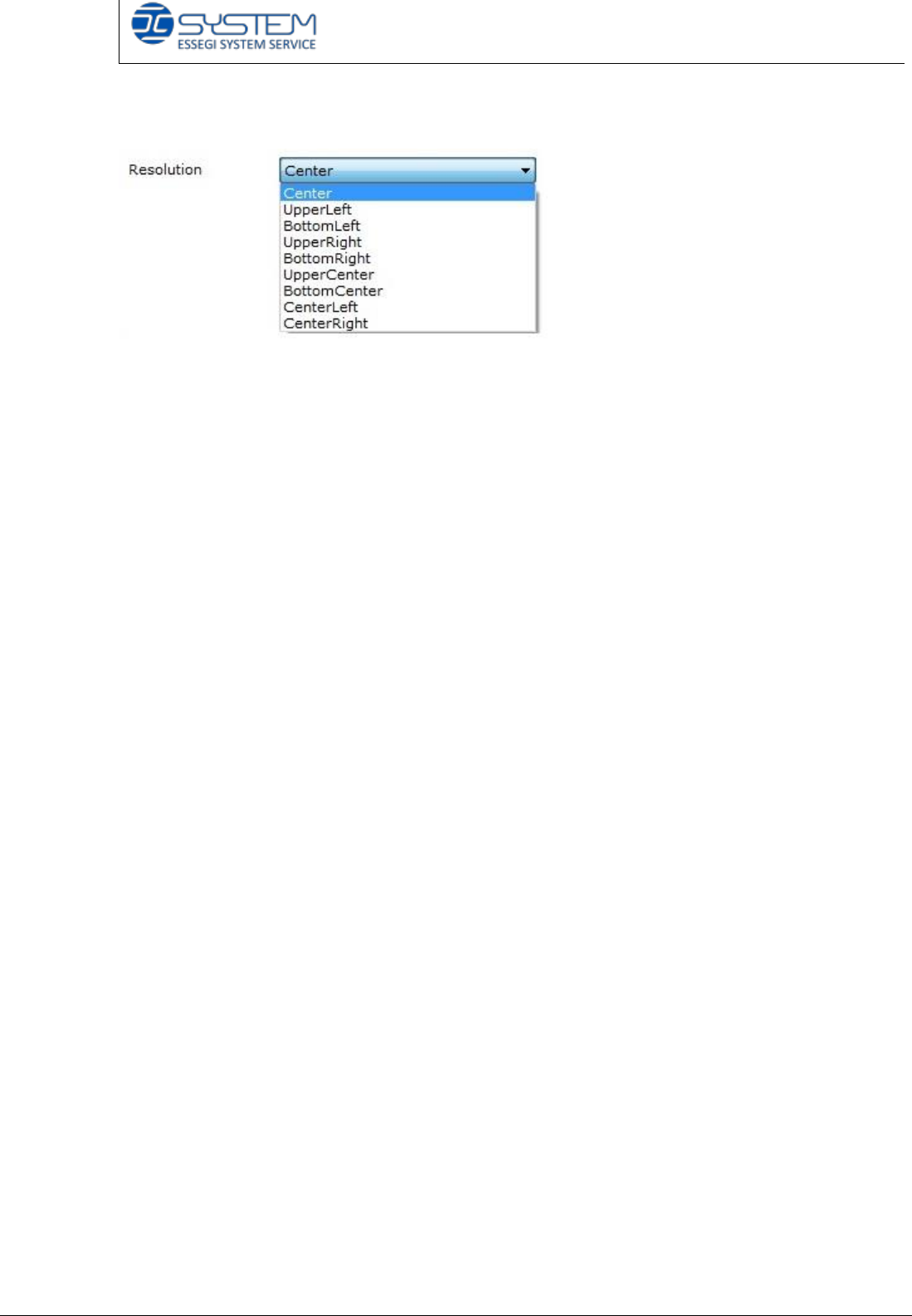
Focus Area: it is possible to choose the area to adjust the focus.
Focus: the adjustment of an optical device that is necessary to produce a clear
image
Please note that the parameters you will find are already set up (it is possible to
change them).
Quick reference handbook Barcode Reader software
Quick reference handbook Barcode Reader software rev_6 Edition 06/2017 - Reproduction
forbidden
Page 12
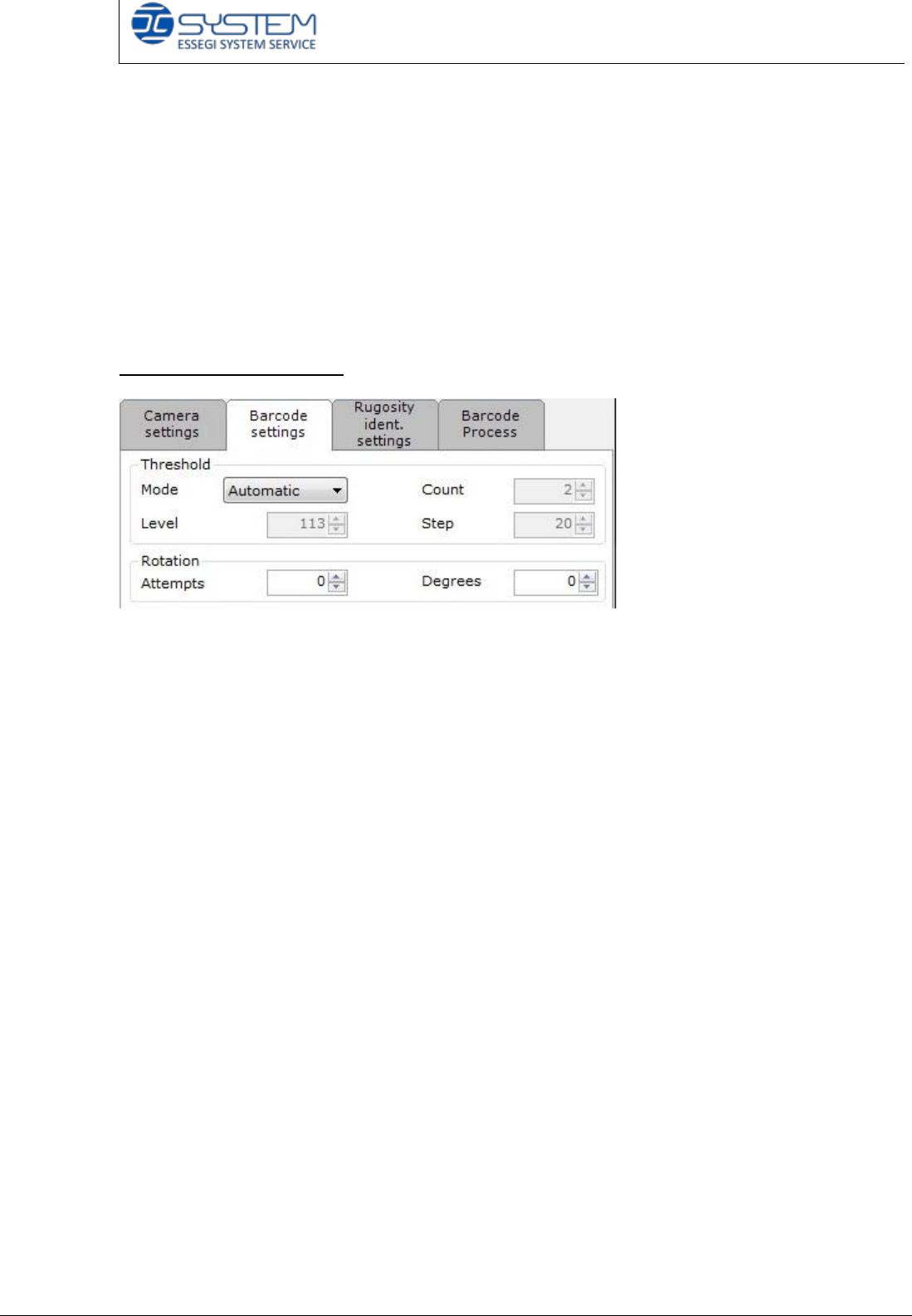
BARCODE SETTINGS TAB
In this tab, you can set up/verify the parameters of the camera for the code
identification. You can see information about:
- Threshold and rotations
- Identification area
- Rules.
Threshold and Rotations
It indicates the “threshold number” to change the brightness of vision of the
camera. It is possible to select the following modes: Automatic, fixed or multiple.
Automatic Threshold: the camera will automatically find the brightness value to
read the barcode every time you insert a reel. This method can result slower than
other ones.
Fixed Threshold: the camera will use a fixed brightness value to read the
barcode. This value will be used for every insertion.
Multiple Threshold: the camera will use the initial threshold value to read the
barcode. If the barcode will not be recognized, the software will make so many
attempts as selected in the Count value, by increasing the brightness value as
selected in the Step value.
Attempts number: it indicates the number of attempts the software makes to
recognize the codes.
Degrees: it indicates the rotation degrees of every attempt.