00194994_01.pdf - 第21页
SIPLACE Software Guide Version 408.xx 3 Graphical user interface Issue 03/06 EN 3.2 Components of the user interface 21 3 Abort processing 3 This icon is active after an error oc curs which leads to a machine standstill.…
3 Graphical user interface SIPLACE Software Guide Version 408.xx
3.2 Components of the user interface Issue 03/06 EN
20
3.2.1 Icons in the working or display area
In main view, certain operating statuses (processing, error etc.) are indicated by different icons or
by changes in the color of the corresponding graphic in the display area. 3
Meaning of the icons for the various different operating statuses 3
3
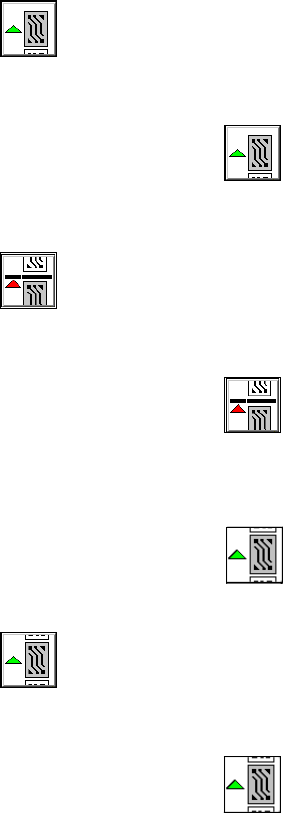
Processing PCB 3
This icon is active when the machine is ready to place or if processing was interrupted. 3
3
Æ Click the icon.
Processing is started.
3
Stop processing PCB 3
This icon is active during processing. 3
3
Æ Click the icon.
The machine is stopped as soon as the board in the intermediate conveyor has been comple-
tely assembled and moved into the output conveyor.
Then the
icon becomes active.
3
Continue processing 3
This icon is active after "Stop processing PCB" or after an error produces a machine standstill. 3
3
Æ Click the icon.
The board in the intermediate conveyor continues to be processed after the error has suc-
cessfully been eliminated.

SIPLACE Software Guide Version 408.xx 3 Graphical user interface
Issue 03/06 EN 3.2 Components of the user interface
21
3
Abort processing 3
This icon is active after an error occurs which leads to a machine standstill. 3
3
Æ Click the icon.
The current processing operation is aborted after you confirm the dialog box which appears.
The incompletely assembled PCB is transported to the output conveyor and the operator is re-
quested to remove it by hand.
3 Graphical user interface SIPLACE Software Guide Version 408.xx
3.2 Components of the user interface Issue 03/06 EN
22
Meaning of other icons and markings 3
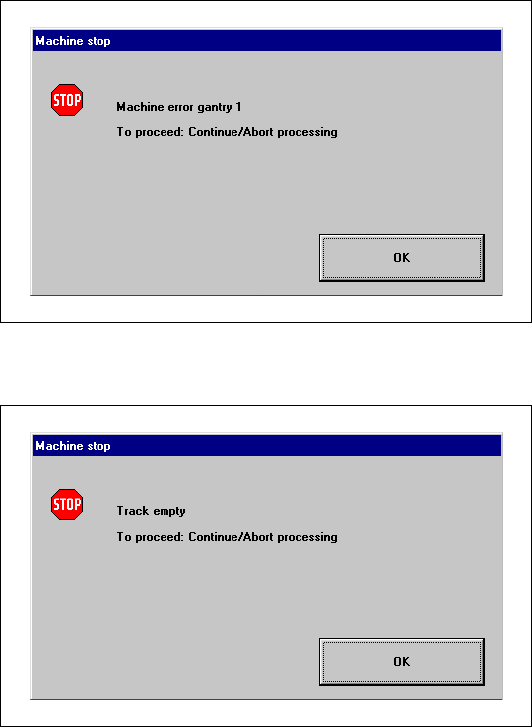
If a track error, machine error or conveyor error occurs, a corresponding information box is shown
(see examples below). 3
Machine error gantry 1 3
3
3
3
3
3
3
3
3
Track empty error 3
3
3