00194994_01.pdf - 第51页
SIPLACE Software Guide Version 408.xx 5 Error informatio n Issue 03/06 EN 5.2 Calling error information 51 5.2.2 Displaying information about a selected error 5 Æ Click the icon in the to olbar in the Main view . The use…
5 Error information SIPLACE Software Guide Version 408.xx
5.2 Calling error information Issue 03/06 EN
50
5
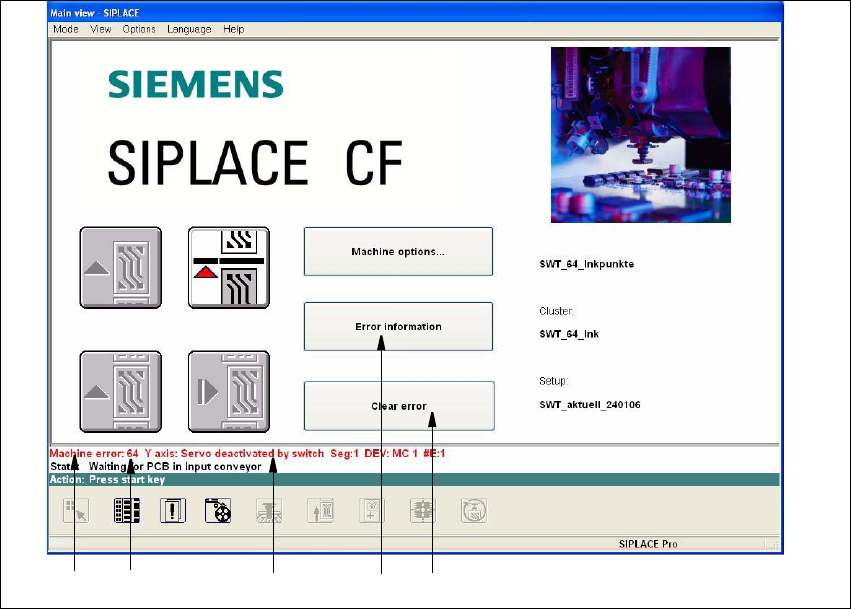
Fig. 5.2 - 1 Main view with error message (Example SIPLACE CF)
Key to Fig. 5.2 - 1
(1) Type of error (Track, machine, transport or general error)
(2) Error number (The error number assigned to the error)
(3) Error message (Short information about the error)
(4) "Error information" button (Used to call up help on the current error)
(5) "Clear error" button (Used to acknowledge the error after the cause of the error
has been eliminated)
5.2.1 Displaying information on the current error
Æ
Click the Error information button in the main view.
The main Help system window is opened with information on the currently selected error (see
example in Fig. 5.2 - 3).
12 3 4
5
SIPLACE Software Guide Version 408.xx 5 Error information
Issue 03/06 EN 5.2 Calling error information
51
5.2.2 Displaying information about a selected error
5
Æ Click the icon in the toolbar in the Main view.
The user interface switches to the error display for the last error type to be active. All errors of
the current error type that have occurred are displayed in the display area.
Æ Use the appropriate button on the view toolbar to switch to the type of error you require.
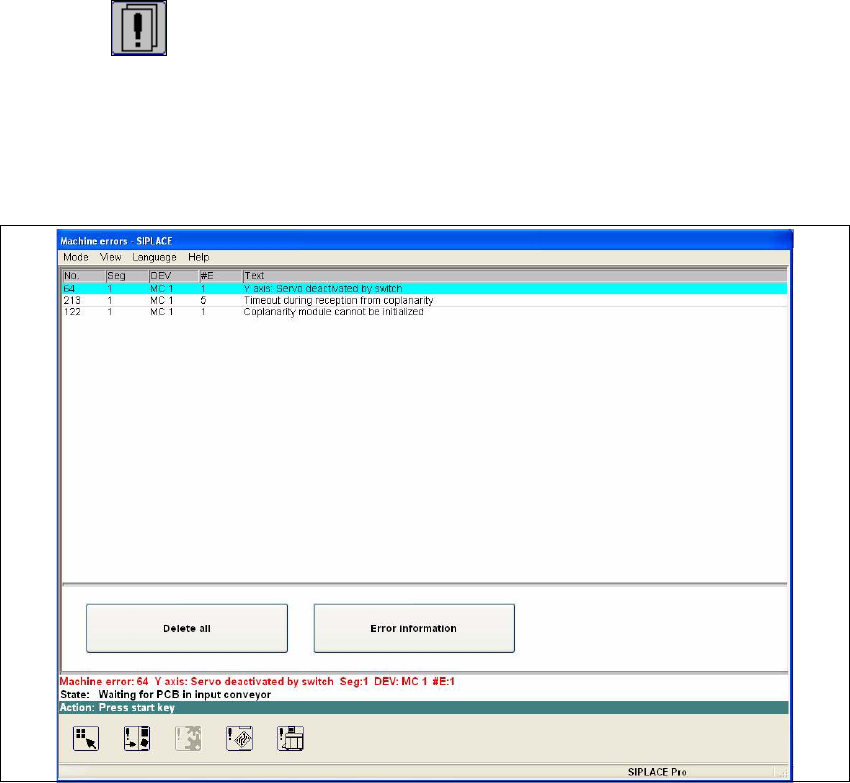
The display area is switched to the selected error type (see the example in Fig. 5.2 - 2).
5
Fig. 5.2 - 2 Example: Error of type "Machine error"
Æ In the error table, select the entry for the error about which you want to be informed. The line
selected is highlighted in light blue in the table. The "Error information" button is now active.
Æ Click the Error information button.
The main Help system window is opened and displays information on the currently selected
error (see Fig. 5.2 - 3).
5 Error information SIPLACE Software Guide Version 408.xx
5.2 Calling error information Issue 03/06 EN
52
5
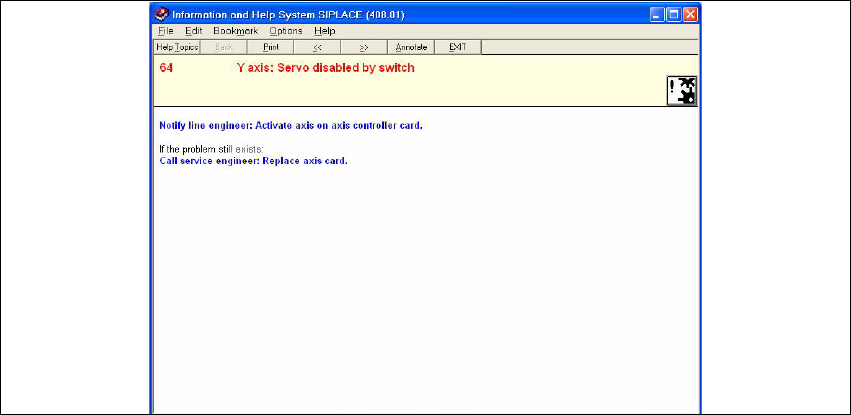
Fig. 5.2 - 3 Example: Error information on the current error
Meaning of the colors in the error information display 5
– Red text Error number and error message
– Black text Possible cause(s) of the error
– Blue text Instructions on how to eliminate the error
– Green, underlined text Click to call up additional information
5