00194994_01.pdf - 第60页
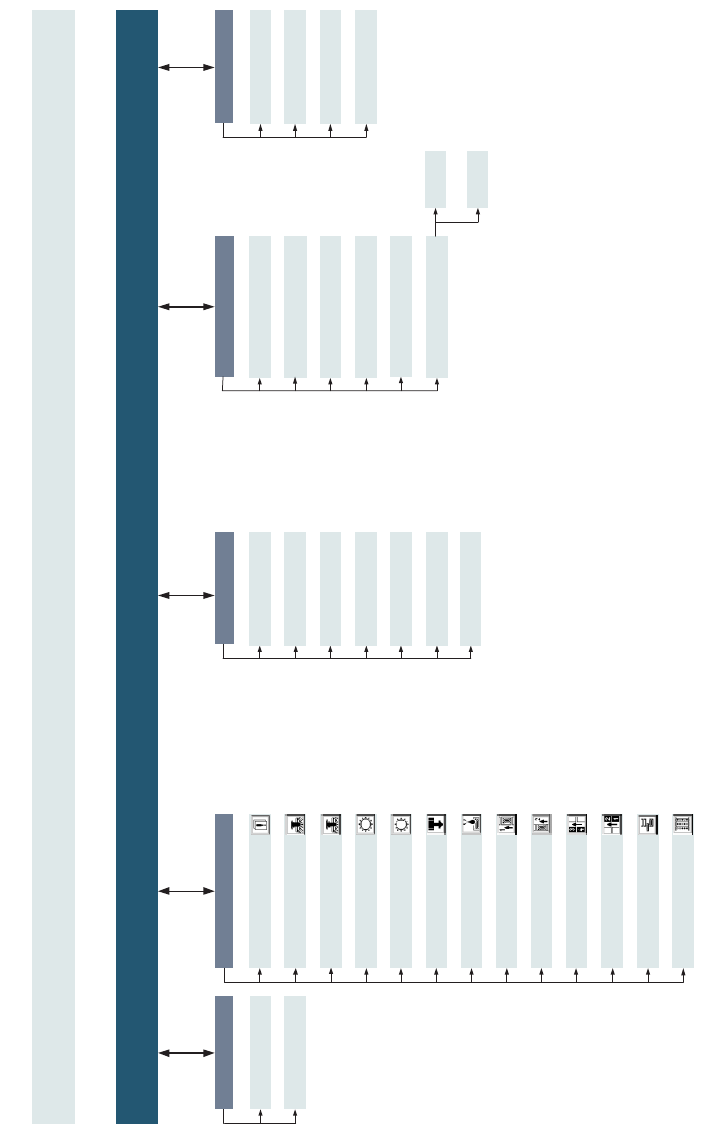
7 Additional programs SIPLACE Software Guide Version 408.xx 7.1 Test program "SITEST" Issue 03/06 EN 60 main view [F1] [F2] [F3] [F4] Functions Axes Settings Maschine data Inputs WPW [F9] [F10] Flux dispenser F…
SIPLACE Software Guide Version 408.xx 7 Additional programs
Issue 03/06 EN 7.1 Test program "SITEST"
59
GUI SITEST Version 408.xx
SIPLACE CS, CF, F5 HM, S23
Edition 03/20
0
(only SIPLACE F5 HM and S23)
main view [F1]
Access level ...
Save WPC maschine data
Copy maschine data ...
Language
Save maschine data
Maschine configuration ...
Settings
(only SIPLACE S23 and CS)
Test functions ...
Cycle mode ... - Alt+t
General functions
RV camera P1 - Alt+6
IC camera - Alt+7
Flip-chip camera - Alt+8
PCB camera P2 - Alt+3
PCB camera P1 - Alt+4
View
Error - F2
Wafflepack changer - F11
Gantry 1 - F3
Gantry 2
RV head 1 - F4
RV head 2
IC head - F5
Flux dispenser - F6
PCB conveyor 1 - F7
PCB conveyor 2 - F8
Table, left - F9
Table, right - F10
In-/outputs - F12
(only SIPLACE F5 HM and CF)
(only SIPLACE F5 HM and CF)
German
English
Help
Content - Ctrl+F1
Help - Alt+F1
Use help
Info ...
(only SIPLACE F5 HM)
(only SIPLACE S23 and CS)
(only SIPLACE S23 and CS)
Mode
Exit - Alt+F4
Shut down computer
7 Additional programs SIPLACE Software Guide Version 408.xx
7.1 Test program "SITEST" Issue 03/06 EN
60
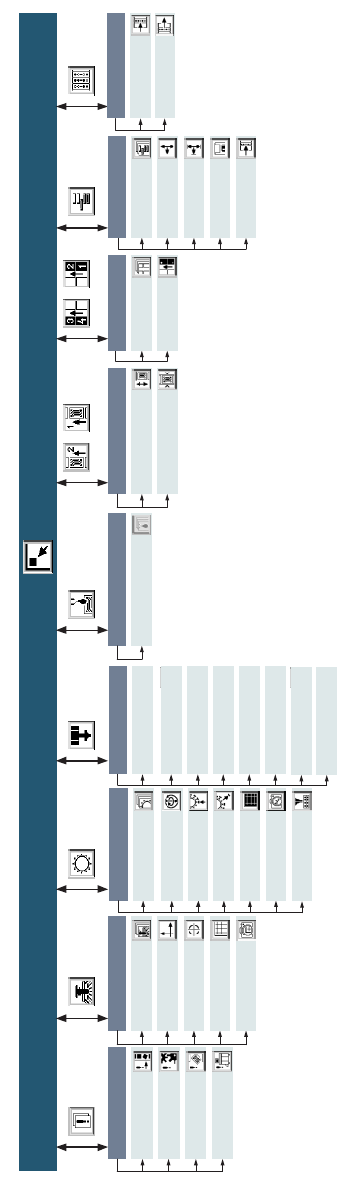
main view [F1]
[F2] [F3] [F4]
Functions
Axes
Settings
Maschine data
Inputs
WPW
[F9] [F10]
Flux dispenser
Functions
[F5] [F6]
[F8] [F7]
[F11]
[F12]
Error
Track errors
Maschine errors
Transport errors
General errors
Functions
Gantry
Axes
Calibrate position
PCB mapping
PCB camera
PCB conveyor
Conveyor functions
Conveyor width
Table
Functions
Calibrate
pick-up position
Inputs
In-/Outputs
Outputs
Revolver head
Functions
Axes
Holding and reject
circuit/ turning station
Placement and
pick-up circuit
RV mapping
RV head/ camera
Nozzle changer
IC head
Functions
Axes
Head board
IC mapping
IC head and
camera
Flip-chip camera
Nozzle changer
Coplanarity
SIPLACE Software Guide Version 408.xx 7 Additional programs
Issue 03/06 EN 7.2 Operator Information System "OIS"
61
7.1.5 Terminating the SITEST user interface
You can terminate the SITEST user interface in the following manner:
Æ In the main view of the SITEST user interface, click the button, or
Æ select the Exit menu item from the Mode menu,
or
Æ press the Esc key and confirm the dialog box with Yes.
7.2 Operator Information System "OIS"
7.2.1 Purpose
"OIS" is an operational data capture system which allows you to obtain information on the opera-
tional behavior of a complete line or of individual stations at any time during production. 7
7.2.2 Description
NOTE
Please refer to the OIS – Getting Started User Manual and the online Help for a detailed
description of this option. 7
7