00197674-01-UM-E-Series-EN-02-2015.pdf - 第218页
5 Working with the machine User manual SIPLACE E 5.8 Indicator lamps with buzzer From software version SC 708.0 1 2/2 014 Edition 218 5.8 Indicator lamps with buzzer 5.8.1 Overview These indicator lamps are used to signa…

User manual SIPLACE E 5 Working with the machine
From software version SC 708.0 12/2014 Edition 5.7 Messages and online help
217
5.7.4 Context-sensitive online help
To see information about the current view, click on the icon to start the help system for the
station computer. The main window of the help system will open with alert information. The infor-
mation refers to the view currently shown and from which the help function was started. Use the
list of contents, index and the search function to view the contents of the Online Help.
5 Working with the machine User manual SIPLACE E
5.8 Indicator lamps with buzzer From software version SC 708.0 12/2014 Edition
218
5.8 Indicator lamps with buzzer
5.8.1 Overview
These indicator lamps are used to signal operating statuses and malfunctions of the machine. The
buzzer indicates when an alert has occurred. SIPLACE machines can either be fitted with a two
or three color indicator lamp. The relevant indicator lamp system (two or three color) is set in the
auto configuration, see installation guide for station software, Item No. 00196771-xx.
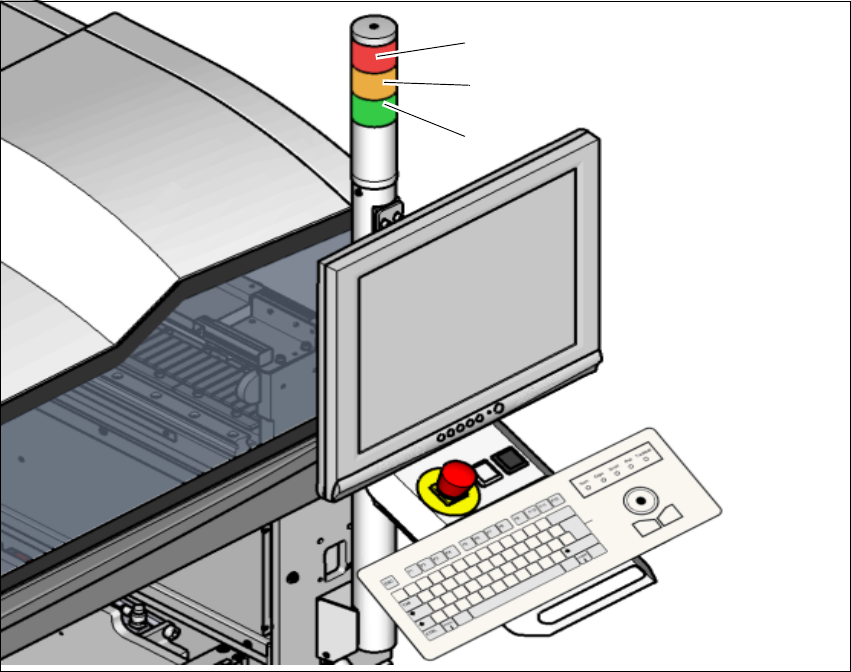
5.8.1.1 Triple color signal lamp (Standard)
Fig. 5.8 - 1 Indicator lamps for operating states
L1 Red indicator lamp
L2 Yellow indicator lamp
L3 Green indicator lamp
(L2)
(L1)
(L3)
User manual SIPLACE E 5 Working with the machine
From software version SC 708.0 12/2014 Edition 5.8 Indicator lamps with buzzer
219
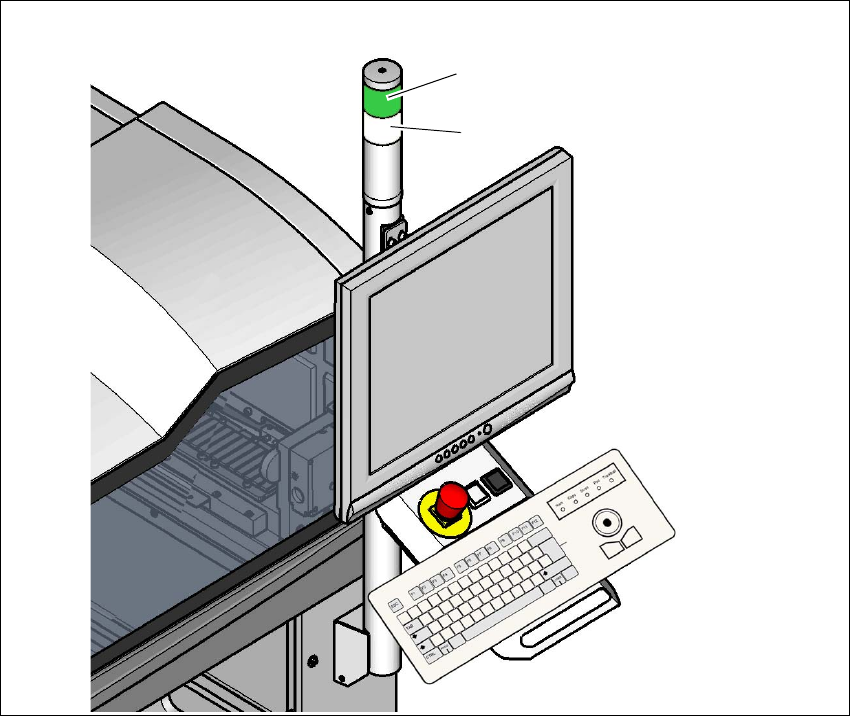
5.8.1.2 Two color indicator lamp (optional)
Item no. 03110193-xx Indicator lamp, 2 lights
Fig. 5.8 - 2 Indicator lamps for operating states
L1 Green indicator lamp
L2 White indicator lamp
(L1)
(L2)