00195722-0102_UM_X-Serie_SR605_EN.pdf - 第315页
User Manual SIPLACE X-Series 4 Setting up and commissioning From software version SR.605.xx 07/2008 EN Edition 4.6 Adapting th e used tape channel 315 4.5.1.3 Setting the used t ape chute to PCB conveyor height s of 900 …
4 Setting up and commissioning User Manual SIPLACE X-Series
4.5 Adapting the used tape chute to the PCB conveyor height From software version SR.605.xx 07/2008 EN Edition
314
4.5 Adapting the used tape chute to the PCB conveyor
height
4.5.1 Adapting the SIPLACE X-series used tape chute to the PCB conveyor height
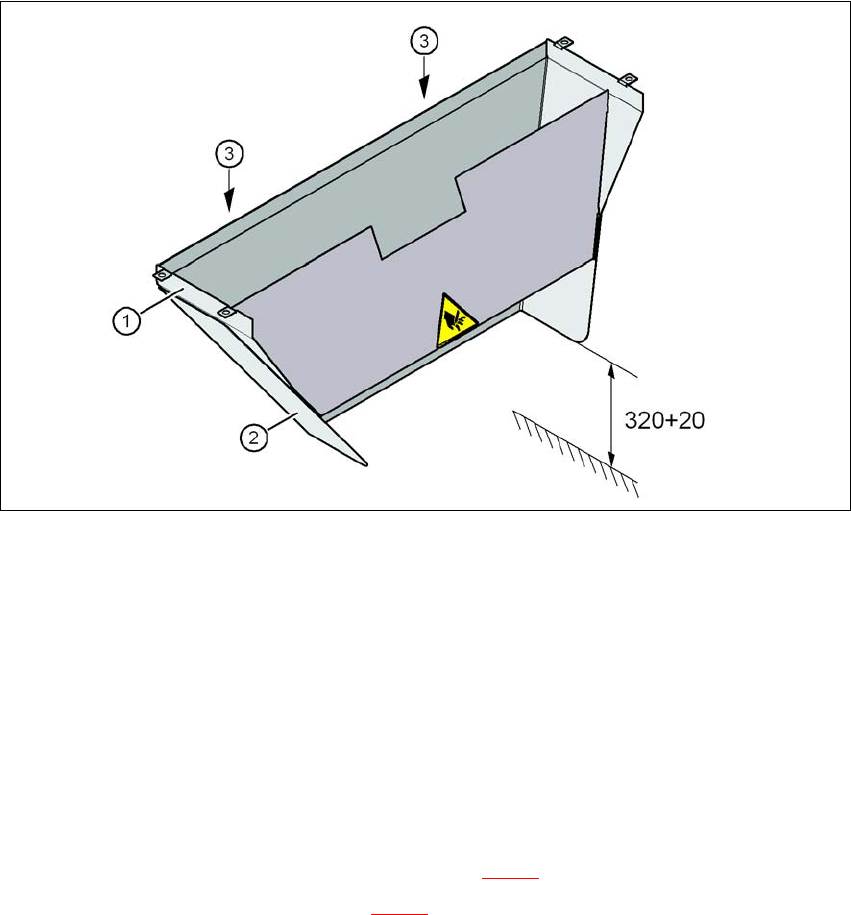
Depending on the PCB conveyor height, the length of the waste tape chute can be set so that the
pieces of tape are diverted directly into the waste tape container of the component trolley.
4
Fig. 4.5 - 1 Adapting the length of the used tape chute (X-series) - Dimensions in millimeters
(1) Used tape chute
(2) Extension
(3) Hexagonal nut M4, DIN 985, 2 x
4.5.1.1 Tools
– Fork wrench, size 7
4.5.1.2 Setting the used tape chute to PCB conveyor height of 830 mm
→ Loosen the two M4 hexagonal nuts (item 3 in Fig. 4.5 - 1).
→ Remove the extension (item 2 in Fig. 4.5 - 1
).
User Manual SIPLACE X-Series 4 Setting up and commissioning
From software version SR.605.xx 07/2008 EN Edition 4.6 Adapting the used tape channel
315
4.5.1.3 Setting the used tape chute to PCB conveyor heights of 900 mm - 950 mm
→ Loosen the two M4 hexagonal nuts (item 3 in Fig. 4.5 - 1, page 314).
→ Adjust the extension (item 2 in Fig. 4.5 - 1
, page 314) so that the distance between the bottom
edge and the floor does not exceed 320 mm + 20 mm (see Fig. 4.5 - 1
, page 314).
4.6 Adapting the used tape channel
4.6.1 Adapting the SIPLACE X-series used tape channel to the component height
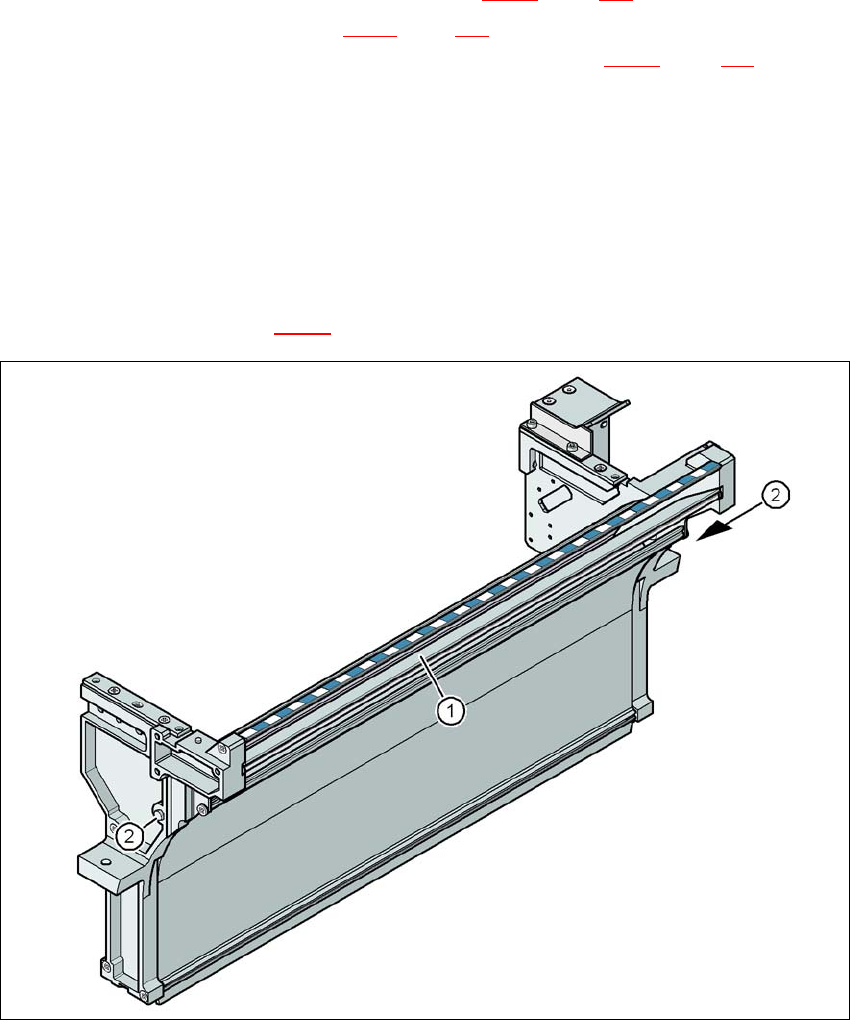
If X feeder modules are used, the component tapes work with a pocket height > 12 mm, so the
separating plate (item 1 in Fig. 4.6 - 1
) must be removed.
4
Fig. 4.6 - 1 Used tape channel, SIPLACE X-series
(1) Separating plate for tapes > 12 mm, removable
(2) DIN 93384 screw - M4x20, 2x
4 Setting up and commissioning User Manual SIPLACE X-Series
4.6 Adapting the used tape channel From software version SR.605.xx 07/2008 EN Edition
316
4.6.1.1 Safety instructions
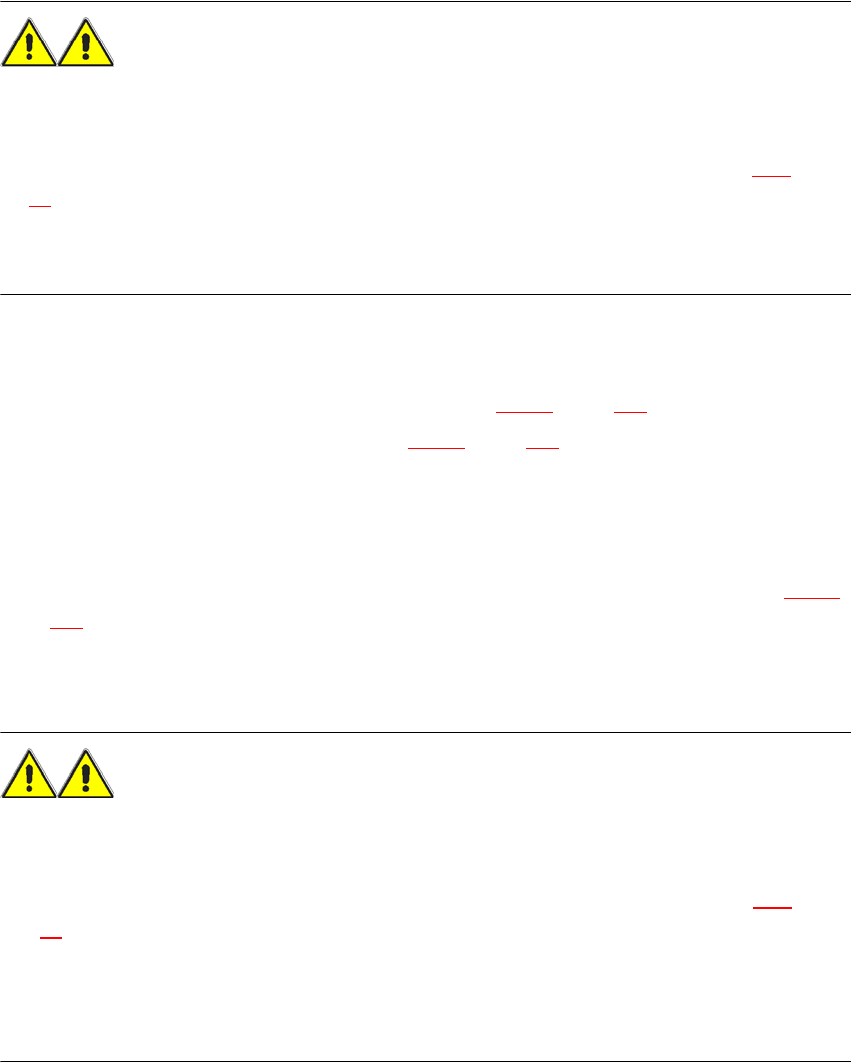
WARNING 4
→ Switch the placement machine off at the main switch to remove the dividing plate.
→ Disconnect the machine from the power and compressed air supply.
→ Secure the machine to prevent it being switched on again, as described in Section 2.10
, page
96
.
→ Wait until the operating pressure for the tape cutter has dropped to 0 MPa.
→ Do not reach inside the used tape channel.
4.6.1.2 Removing the separating plate
→ Loosen the two hexagon head screws (item 2 in Fig. 4.6 - 1, page 315).
→ Pull out the separating plate (item 1 in Fig. 4.6 - 1
, page 315).
4.6.2 Adapting the SIPLACE HF used tape channel to the component height
If S feeder modules that process component tapes with a pocket height > 17 mm are used, such
as, for example, the 44 mm S DP feeder module, then the separating plate (item 1 in Fig. 4.6 - 2
,
page 317
) must be removed.
4.6.2.1 Safety instructions
WARNING 4
→ Switch the placement machine off at the main switch to remove the dividing plate.
→ Disconnect the machine from the power and compressed air supply.
→ Secure the machine to prevent it being switched on again, as described in Section 2.10
, page
96
.
→ Wait until the operating pressure for the tape cutter has dropped to 0 MPa.
→ Wear robust protective gloves.
→ Do not reach inside the used tape channel.