00195722-0102_UM_X-Serie_SR605_EN.pdf - 第368页
5 Tasks for the operating personnel User Manual SIPLACE X-Series 5.12 Docking the component trolley in or out at the docking station From software version SR.605.xx 07/2008 EN Edition 368
User Manual SIPLACE X-Series 5 Tasks for the operating personnel
From software version SR.605.xx 07/2008 EN Edition 5.12 Docking the component trolley in or out at the docking station
367
→ Push the component trolley carefully into the docking station. This will raise the component
table.
→ Make sure that the component trolley is standing fully on the base plate of the docking station.
→ Apply the two horizontal tensioners at the same time (item 3 in Fig. 5.12 - 1
, page 366).
The component table is raised into its definitive position and locked.
→ Use the button (item 2 in Fig. 5.12 - 1
, page 366) to lock or release all the feeder modules on
the component table.
5.12.2 Docking out the SIPLACE X-series component trolley from the docking sta-
tion
WARNING 5
→ While undocking, do not reach into the areas between component trolley and docking station.
→ Release the two horizontal tensioners at the same time (item 3 in Fig. 5.12 - 1
, page 366).
The component table is lowered.
→ Now pull the component trolley out of the docking station.
5 Tasks for the operating personnel User Manual SIPLACE X-Series
5.12 Docking the component trolley in or out at the docking station From software version SR.605.xx 07/2008 EN Edition
368
User Manual SIPLACE X-Series 6 Station extensions
From software version SR.605.xx 07/2008 EN Edition 6.1 Nozzle changer
369
6 Station extensions
6.1 Nozzle changer
Nozzle changers can greatly increase the flexibility of the placement heads for processing differ-
ent types of component. If the placement program requires a nozzle change, then the placement
head automatically returns the old nozzle to the nozzle holder and picks up the new nozzle. Noz-
zles that were separated out during the vacuum check can also be quickly changed.
It is significantly more exact and faster to pick up nozzles from a nozzle changer than would be
possible manually. When placing small components, it is essential to minimize the radial eccen-
tricity during nozzle rotation.
6.1.1 Nozzle changer for the 20-segment Collect&Place head
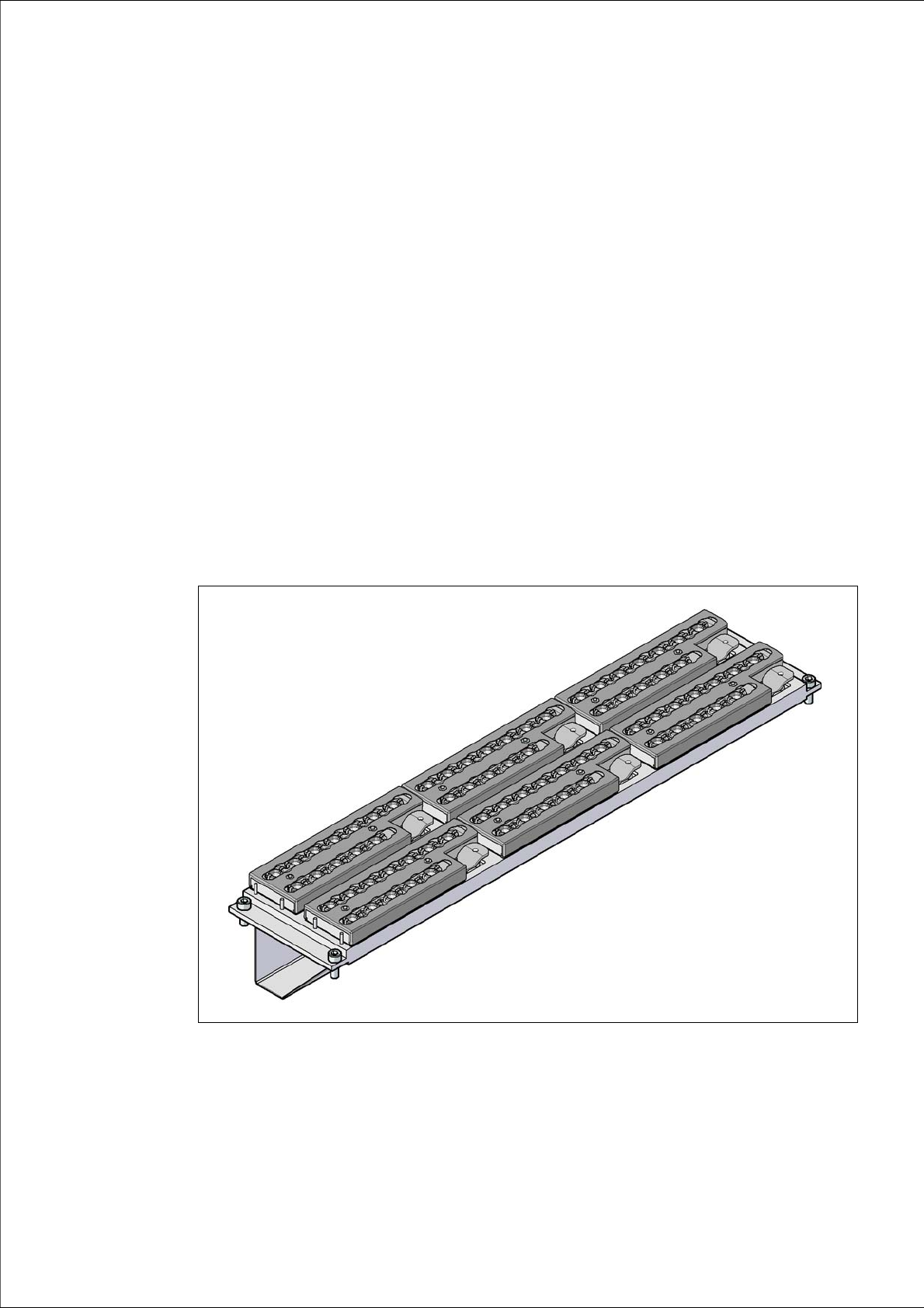
Item no. 00119715-xx Nozzle changer, X-series, C&P20A
6
Fig. 6.1 - 1 Nozzle changer for the 20-segment Collect&Place head