CP45松下驱动器部分.pdf - 第7页
9. Motor & Driver Ver. Date CP45 CP45NEO 00 2004/11 O O 9-2 9-2-3. Changing Setting Value * Agent or Customer Should no t Change Parameter w/o Permission of the Company and We do not Take Responsib ility for any Erro…
9. Motor & Driver
Ver. Date CP45
CP45NEO
00 2004/11 O O
9-2
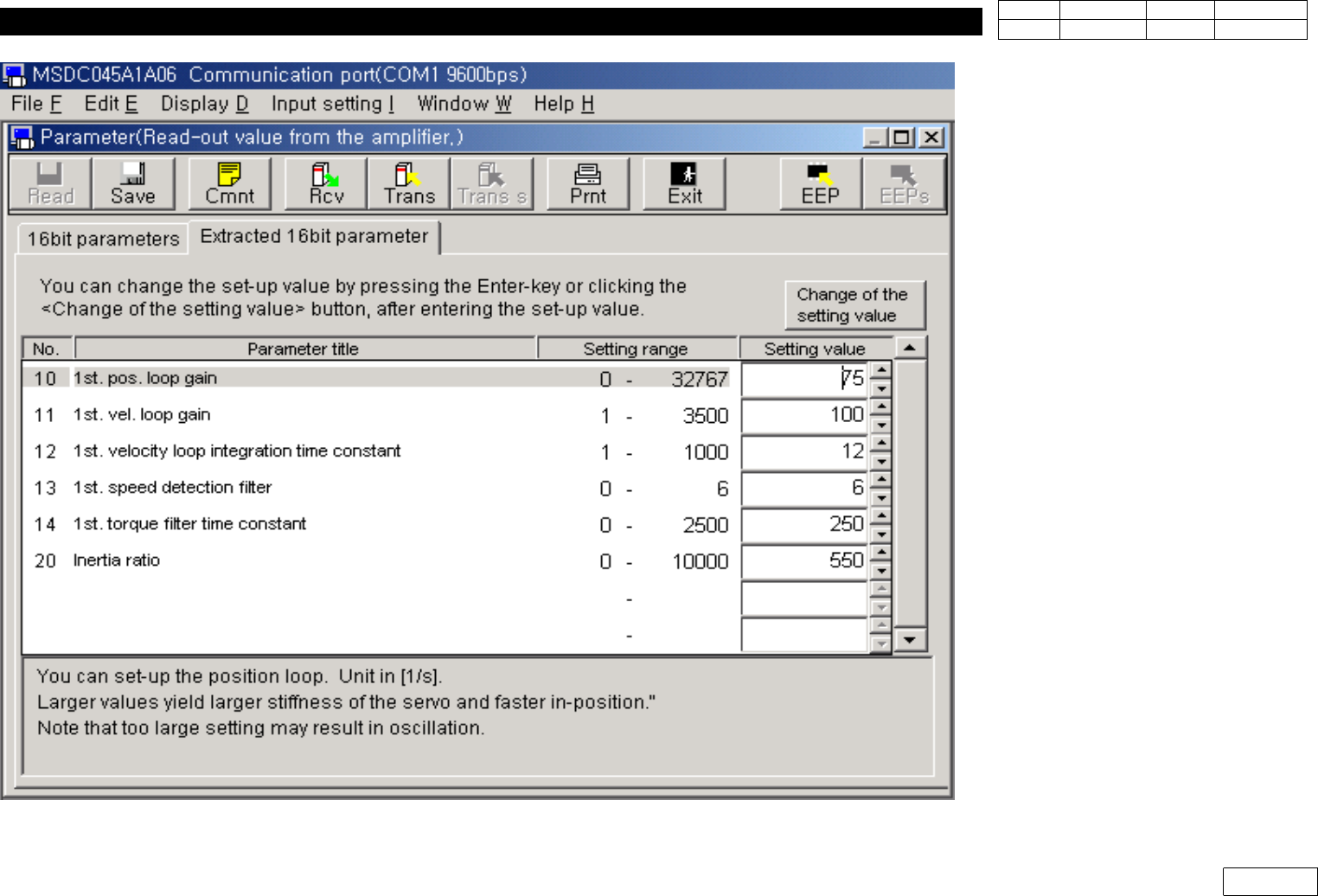
Fig.9-2-2-6 Communication with Amp.

9. Motor & Driver
Ver. Date CP45
CP45NEO
00 2004/11 O O
9-2
9-2-3. Changing Setting Value
* Agent or Customer Should not Change Parameter w/o Permission of the
Company and We do not Take Responsibility for any Error of Equipment by
this Change
1) Select the Parameter during Communication to be Changed, Change Value and Click
"Change of the setting value" as Fig 9-2-2-6
2) Click "Trans" Icon to Download to Amplifier, and be Sure to Click "EEPD" Icon to Change
ROM Value inside AMP
3) Be Sure to Turn Off the Power of Equipment and Turn On Again
(From that time, New Parameter Value is Normally Applied)
9-2-4. Downloading Designated File in Amplifier
* O ur Company Offers Designated Parameter by Each Amplifier
(Drive for Spare Part is Set and Released before Delivery to Agent or Customer)
1) To Download this Parameter to Amplifier, Run Procedure 9-2-1 and 9-2-2 to Read
Parameter of Amplifier First
2) In the State of Fig 9-2-2-6, Quit the Applying Window, or "Parameter(Read-out from the
amplifier)" to Return to the State of Fig 9-2-2-4
3) Select Parameter Here and Select "Read from the file" in Fig 7
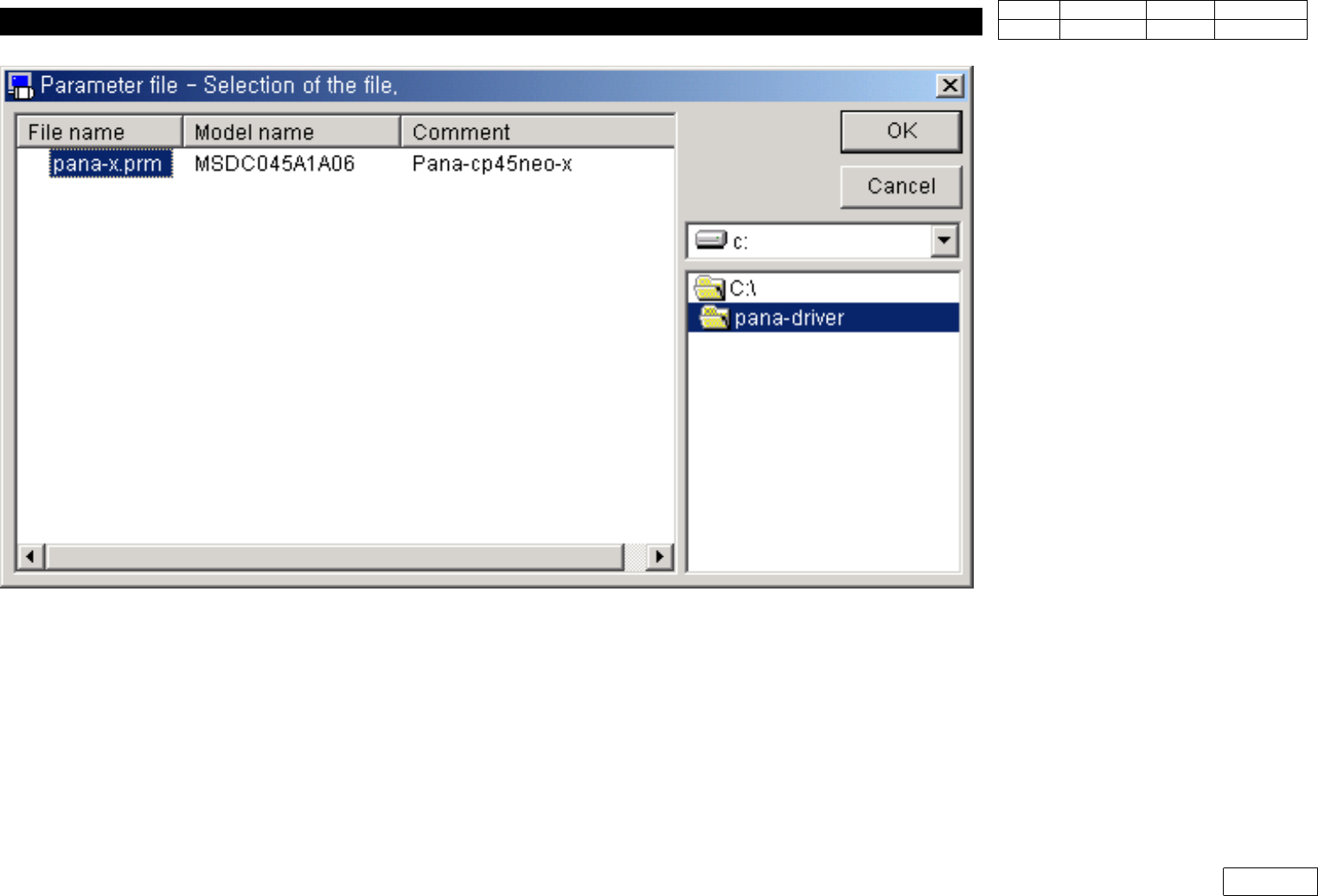
4) Select Proper File and Click OK as Fig 9-2-4-1
9. Motor & Driver
Ver. Date CP45
CP45NEO
00 2004/11 O O
9-2
5) W hen the File is Opened as Fig 9-2-4-2, Click "Trans" Icon to Download Parameter to
Amplifier
6) Click "EEPD" Icon
7) Turn Off the Power of Equipment or Applying Amp and Turn it O n Again.
Fig.9-2-4-1 Select the file