00193922-03.pdf - 第19页
User manual SIPLAC E HF series 1 Introduction Software Vers ion SR.50x.xx 01/2006 US Edition 1.3 General 19 1.3 G ener al 1.3.1 How to get information If you h ave a ny furt her questi ons con cerning this m anual or if …
1 Introduction User manual SIPLACE HF series
1.2 Serial number of the placement machine Software Version SR.50x.xx 01/2006 US Edition
18
1.2 Serial number of the placement machine
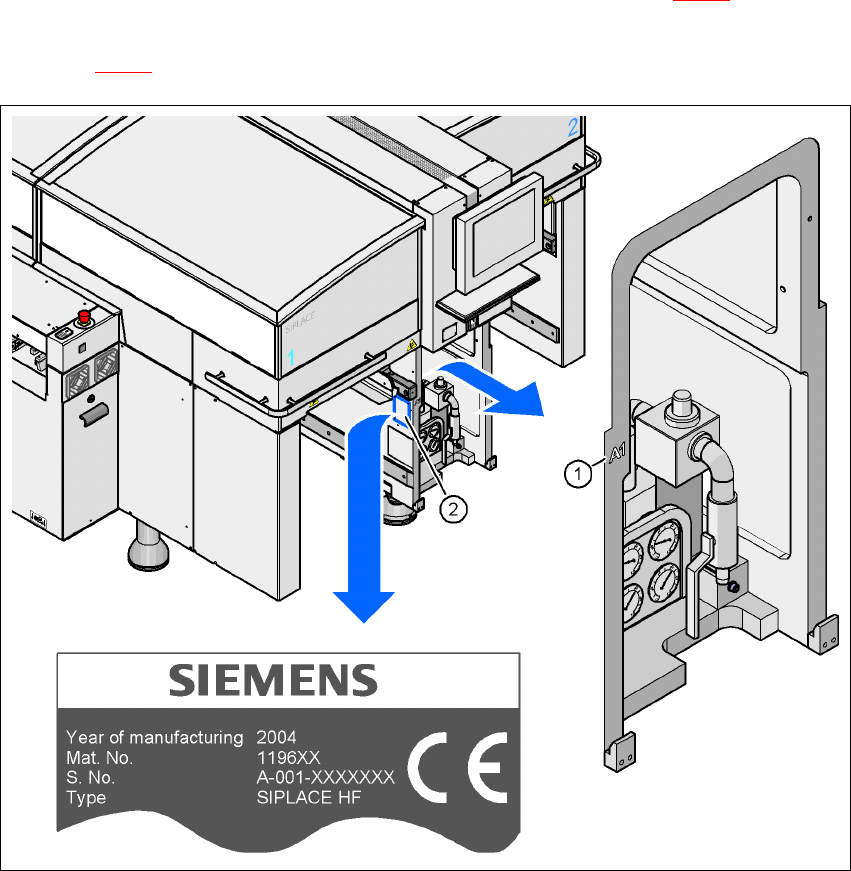
The serial number of the placement machine can be found in two different places. 1
– The serial number, without leading zeroes, e.g. A-1, is struck on the left-hand side of the ma-
chine frame, on the same side as the pneumatic unit (see item 1 in Fig. 1.2 - 1
).
– With leading zeros, e.g. A-001, the serial number is punched in the rating plate (see item 2 in
figure 1.2 - 1
).
1
Fig. 1.2 - 1 Places with the serial number on the machine
1
User manual SIPLACE HF series 1 Introduction
Software Version SR.50x.xx 01/2006 US Edition 1.3 General
19
1.3 General
1.3.1 How to get information
If you have any further questions concerning this manual or if you would like additional information
on a particular topic, please get in touch with your local SIEMENS dealer or contact us directly at:1
Siemens AG, Automation and Drives
Electronics Assembly Systems
Rupert-Mayer-Str. 44
D-81359 Munich 1
1.3.2 SIPLACE on the World Wide Web (WWW)
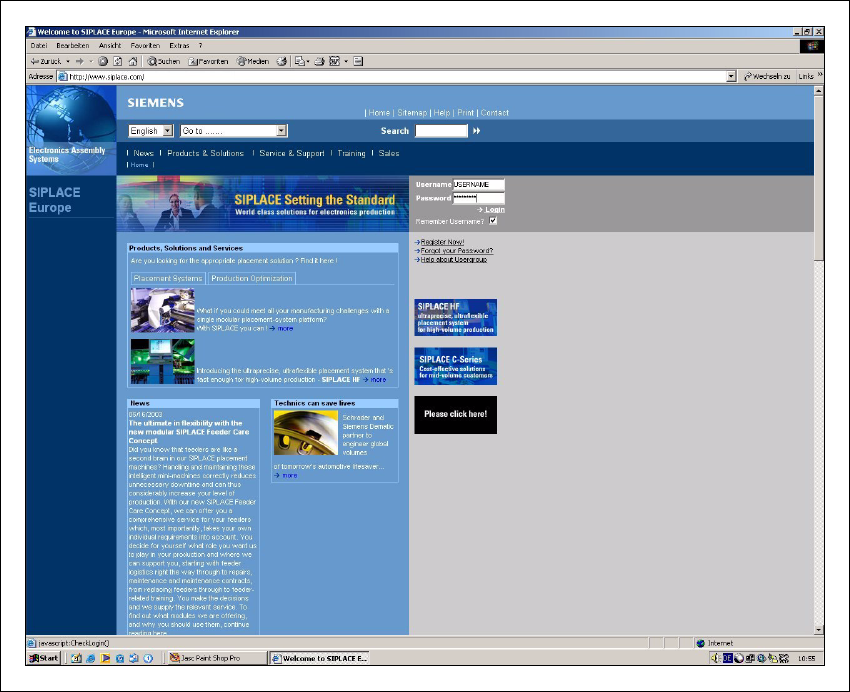
We also have our own site on the Internet. Why not log onto our SIPLACE home page at http://
www.siplace.com? 1
1
Fig. 1.3 - 1 The SIPLACE home page
1 Introduction User manual SIPLACE HF series
1.3 General Software Version SR.50x.xx 01/2006 US Edition
20
All the menus and other information are available in two languages: You can choose between the
German and English versions. 1
The various headings contain information on 1
– our products
– services
– contacts, etc.
1
Registered customers can also access the SIPLACE User Group. There you can call up special
information on our placement machines, such as 1
– technical documentation
– technical information
– spare parts lists, etc.
1
Registering for access to the User Group is sheer child’s play: 1
Æ Click on ’Register now’.
Æ Complete the registration form and just send it off.
You will then quickly receive access authorization with USER ID and a password. 1