X7056_Operating manual_en.pdf - 第109页
Software 109 Inspection system X7056 | Operating manual | Version 3.1 Rev.006| 2016-01-06 | 30.009.1930a Software This chapter describes the contro l software of the Viscom inspec- tion systems. It contains the fol lowin…

Installation
First use
108
Inspection system X7056 | Operating manual |
Version 3.1 Rev.006| 2016-01-06 | 30.009.1930a

Software 109
Inspection system X7056 | Operating manual |
Version 3.1 Rev.006| 2016-01-06 | 30.009.1930a
Software
This chapter describes the control software of the Viscom inspec-
tion systems.
It contains the following sections:
Viscom Vision Pilot (Page 110)
Automatic mode (Page 114)
Changing inspection plans (Page 141)
Advanced menu (Page 142)
Software
Viscom Vision Pilot
110
Inspection system X7056 | Operating manual |
Version 3.1 Rev.006| 2016-01-06 | 30.009.1930a
Viscom Vision Pilot
This section introduces the unified user interface for all Viscom
systems, the V
ISCOM VISION PILOT (VVP).
The following elements are described:
Start display (Page 110)
Log on window (Page 110)
System status information (Page 111)
Navigation (Page 112)
Start display
The log on window and the navigation buttons are on the start
display of the VVP.
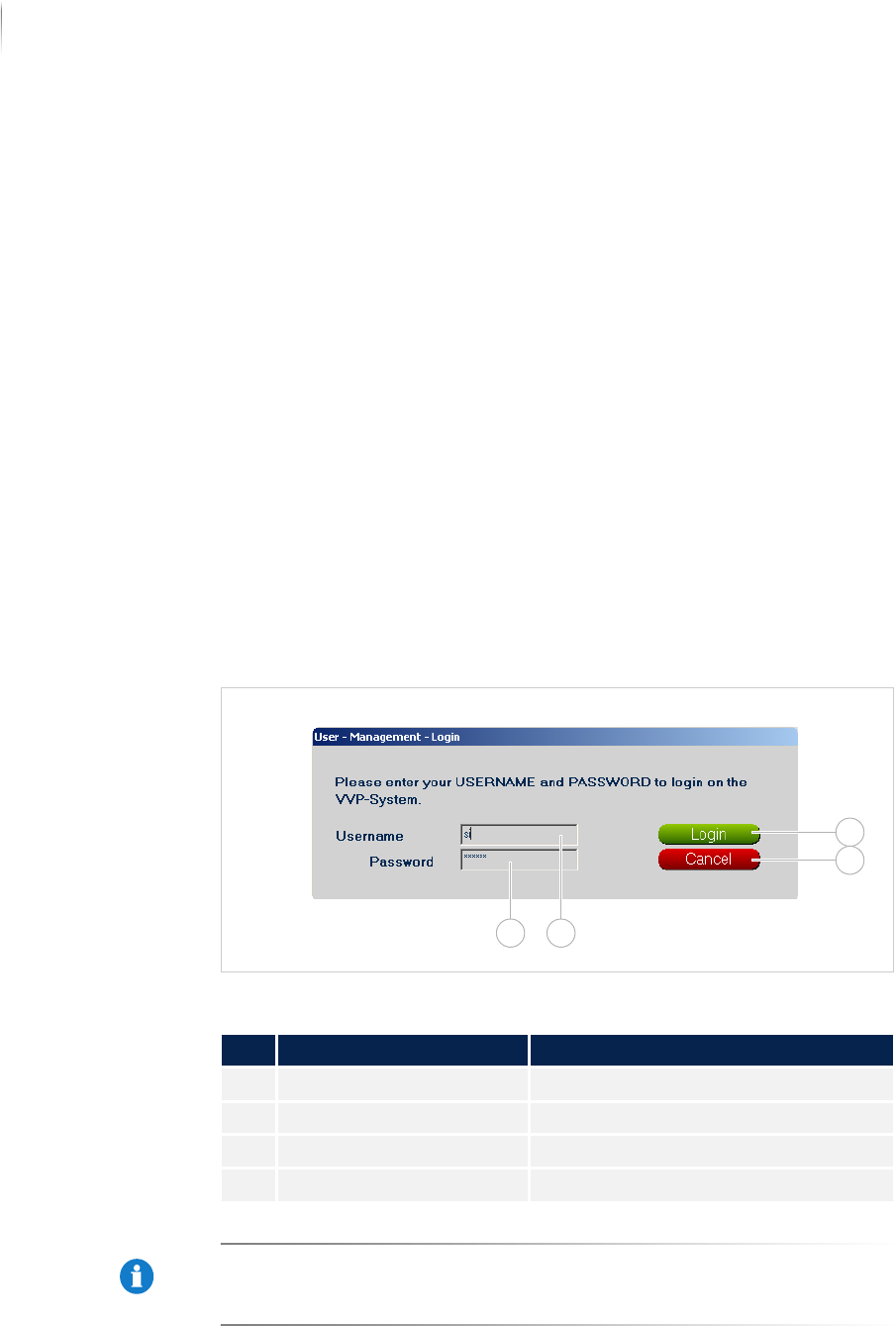
Log on window
The log on window is used to register to the VVP.
Log on window VVP
NOTE
The user name name si and the password viscom are default
settings. These settings can be customized. Adapting the configu-
ration must be done by Viscom service personnel.
Description of the registration window
No. Name Description
1 LOG IN Registers the user.
2 CANCEL Closes the log on window.
3 USER NAME Entry of the user name.
4 PASSWORD Entry of the password.
1
2
34