X7056_Operating manual_en.pdf - 第132页
Software Automatic mo de 132 Inspection system X7056 | Operating manual | Version 3.1 Rev.006| 2016-01-06 | 30.009.1930a System status The file tab S YSTEM S TATUS displays information about the trans- port status and th…
Software
Automatic mode
131
Inspection system X7056 | Operating manual |
Version 3.1 Rev.006| 2016-01-06 | 30.009.1930a
Feature over-
view
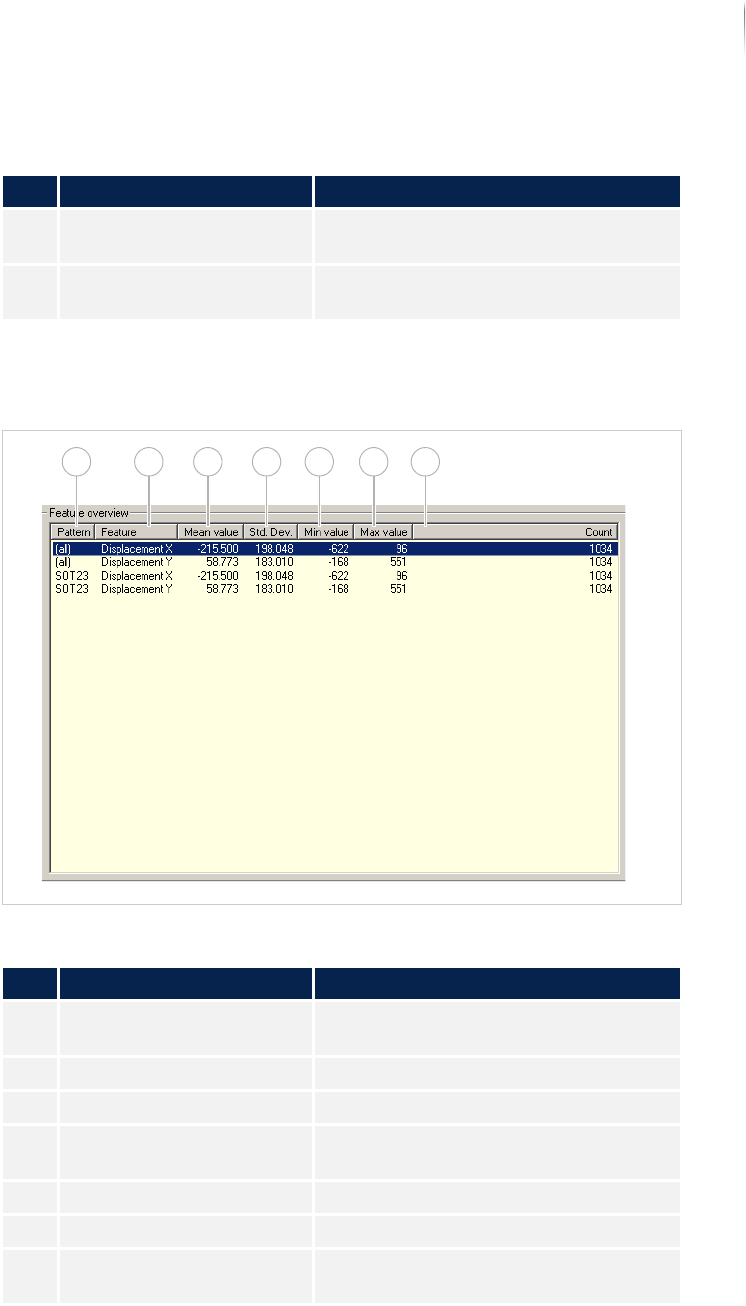
In the field FEATURE OVERVIEW, a list of the displacement and rota-
tion values for a specific component are displayed.
Field FEATURE OVERVIEW
3 Displacement/rotation Displays the displacement or rotation
values in hmm.
4 Percentage Displays the percentage portion of a
selected component.
Description of the fields
No. Name Description
Description of the field "Feature overview"
No. Name Description
1 PATTERN Displays the name of the component
type.
2 FEATURE Displays the defect feature.
3 MEAN VALUE Displays the mean value of the feature.
4 STANDARD DEVIATION Displays the standard deviation for this
component type.
5 MINIMUM VALUE Displays the minimum deviation.
6 MAXIMUM VALUE Displays the maximum deviation.
7 COUNT Displays the number of components
that are displaced or rotated.
1 2 3 4 5 6 7
Software
Automatic mode
132
Inspection system X7056 | Operating manual |
Version 3.1 Rev.006| 2016-01-06 | 30.009.1930a
System status
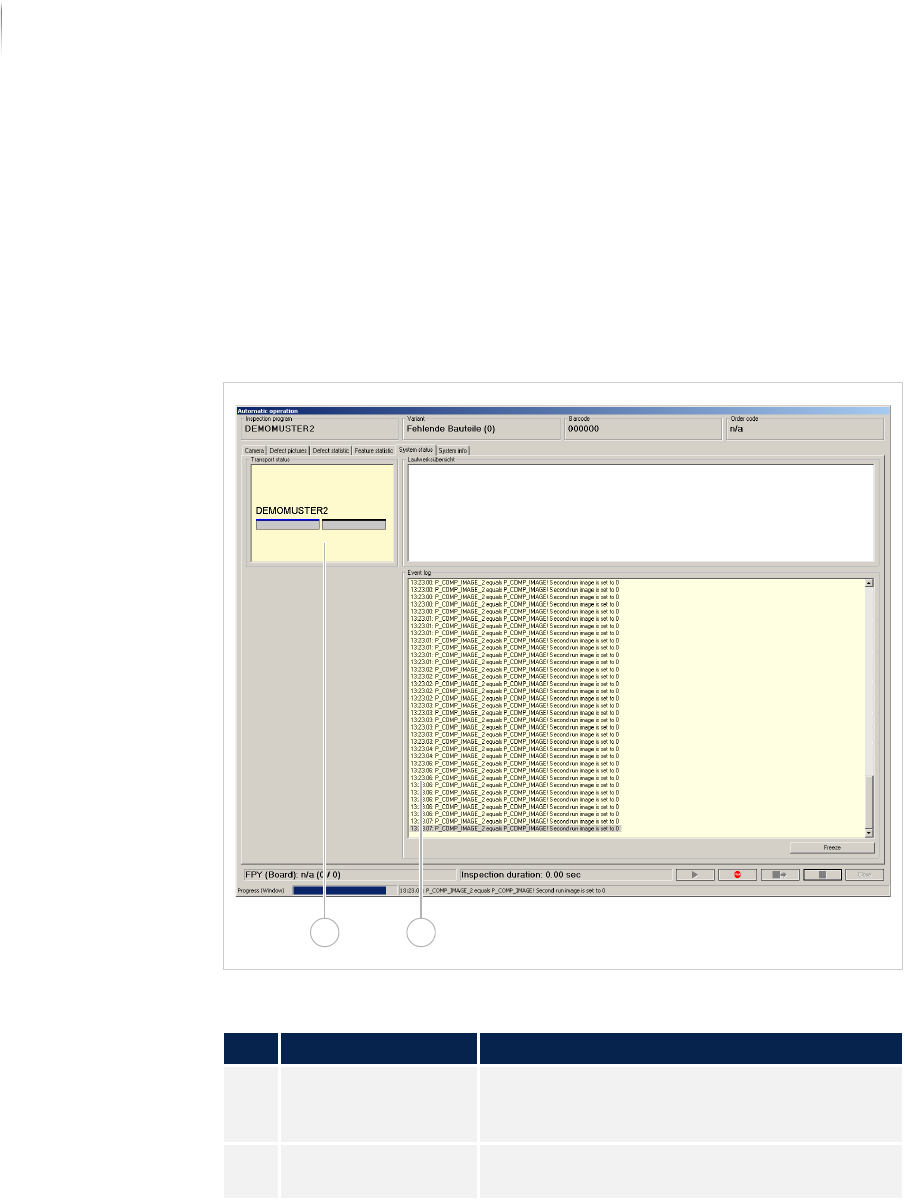
The file tab SYSTEM STATUS displays information about the trans-
port status and the system status.
The following elements are described:
T
RANSPORT STATUS (Page 133)
E
VENT LOG (Page 134)
Overview
File tab SYSTEM STATUS
Description of the fields
No. Name Description
1 TRANSPORT STATUS Displays the current transport status of the
inspection system. See „Transport status“
(Page 133)
2 EVENT LOG Co-writes all entries of the status line into
the SI software. See „Event log“ (Page 134)
21
Software
Automatic mode
133
Inspection system X7056 | Operating manual |
Version 3.1 Rev.006| 2016-01-06 | 30.009.1930a
Transport
status
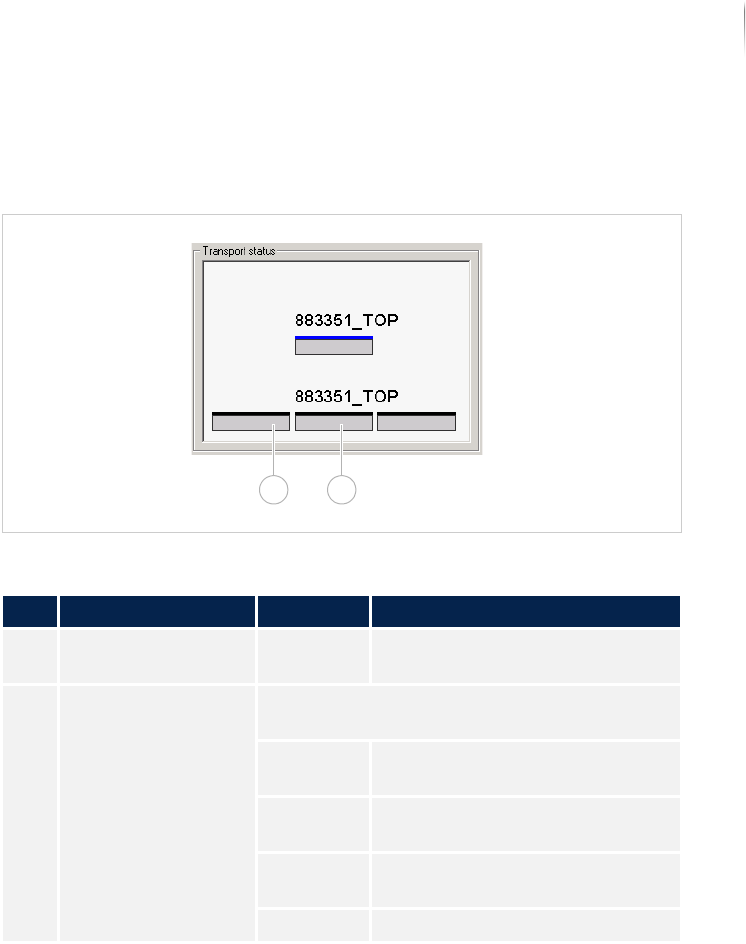
The field TRANSPORT STATUS displays the current transport status of
the inspection system.
Field TRANSPORT STATUS
Description of the field "Transport status"
No. Name Value Description
1 Printed circuit board - Displays the position of the PCB
in the transport system.
2 Transport status Displays the current transport status of the
inspection system.
Red PCB with defects in the transport
system.
green PCB without defects in the trans-
port system.
blue Uninspected PCB in the transport
system.
Black No PCB in the transport system.
1 2