X7056_Operating manual_en.pdf - 第133页
Software Automatic mode 133 Inspection system X7056 | Operating manual | Version 3.1 Rev.006| 2016-01-06 | 30.009.1930a Transport status The field T RANSP ORT S TATUS displays the current transport status of the inspecti…
Software
Automatic mode
132
Inspection system X7056 | Operating manual |
Version 3.1 Rev.006| 2016-01-06 | 30.009.1930a
System status
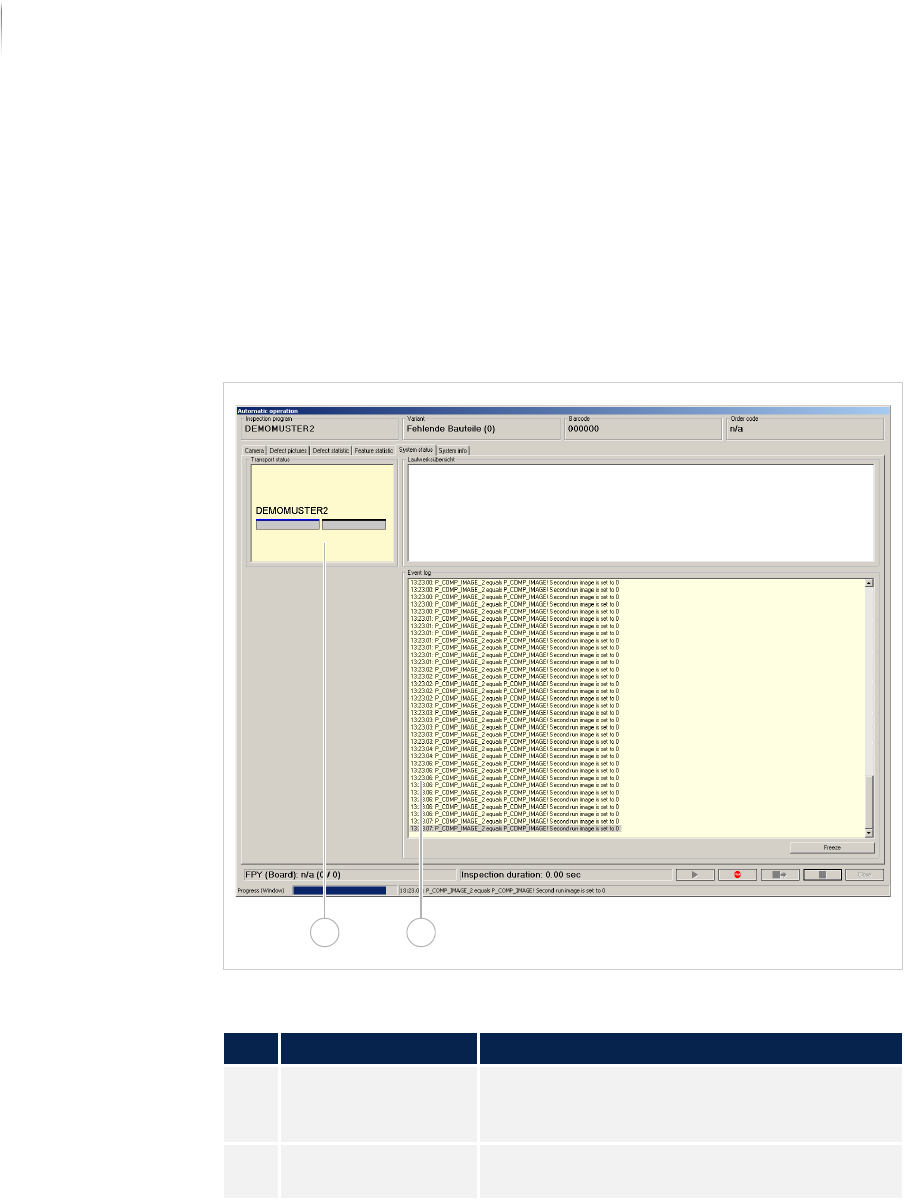
The file tab SYSTEM STATUS displays information about the trans-
port status and the system status.
The following elements are described:
T
RANSPORT STATUS (Page 133)
E
VENT LOG (Page 134)
Overview
File tab SYSTEM STATUS
Description of the fields
No. Name Description
1 TRANSPORT STATUS Displays the current transport status of the
inspection system. See „Transport status“
(Page 133)
2 EVENT LOG Co-writes all entries of the status line into
the SI software. See „Event log“ (Page 134)
21
Software
Automatic mode
133
Inspection system X7056 | Operating manual |
Version 3.1 Rev.006| 2016-01-06 | 30.009.1930a
Transport
status
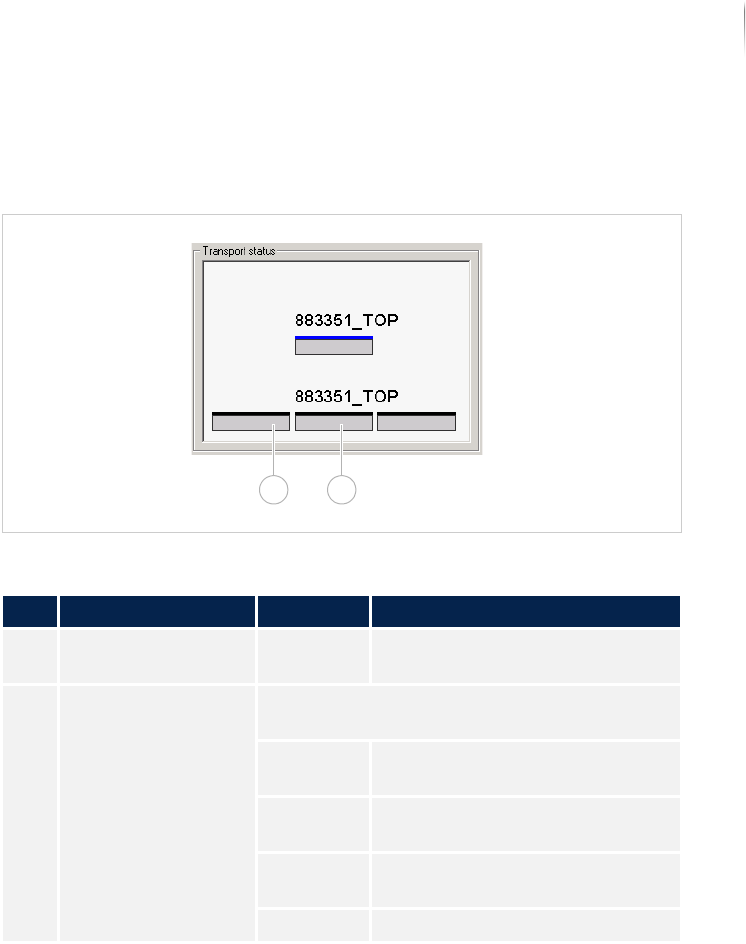
The field TRANSPORT STATUS displays the current transport status of
the inspection system.
Field TRANSPORT STATUS
Description of the field "Transport status"
No. Name Value Description
1 Printed circuit board - Displays the position of the PCB
in the transport system.
2 Transport status Displays the current transport status of the
inspection system.
Red PCB with defects in the transport
system.
green PCB without defects in the trans-
port system.
blue Uninspected PCB in the transport
system.
Black No PCB in the transport system.
1 2
Software
Automatic mode
134
Inspection system X7056 | Operating manual |
Version 3.1 Rev.006| 2016-01-06 | 30.009.1930a
Event log
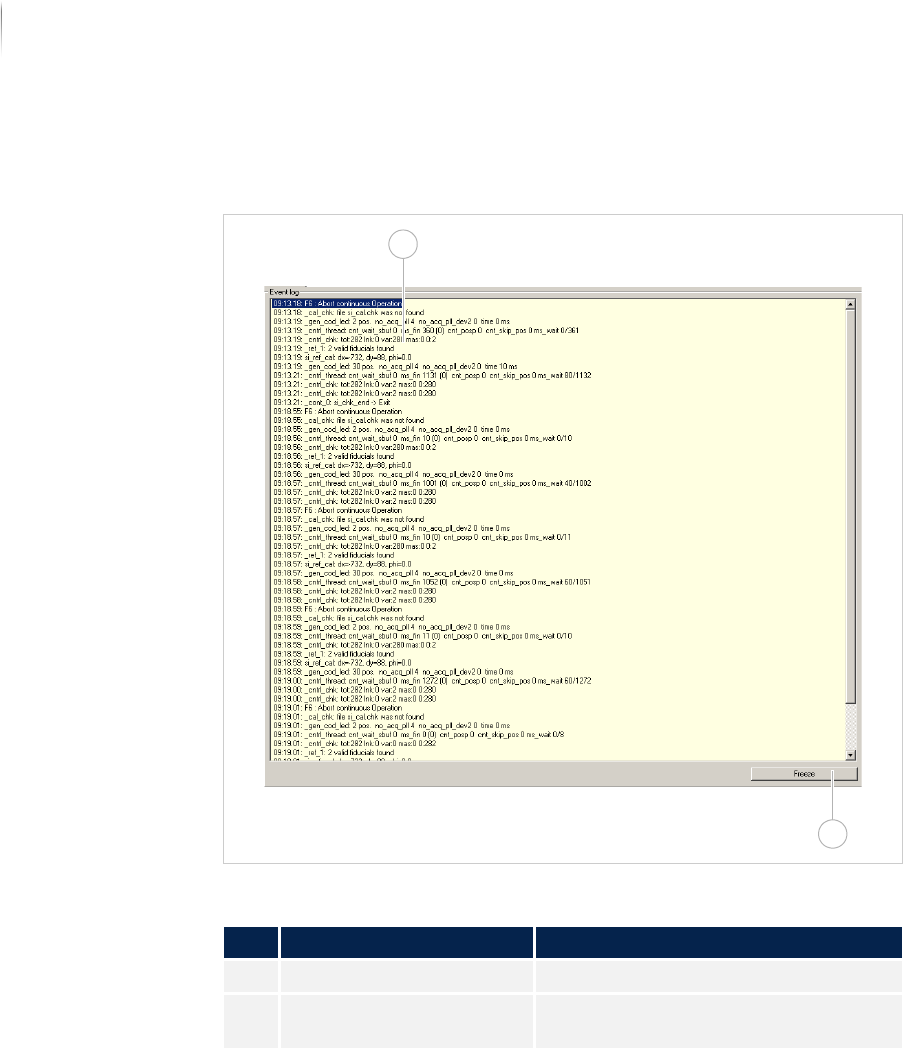
The field EVENT LOG co-writes all entries of the status line of the SI
software.
Field EVENT LOG
System info
All relevant information for the operation of the SI system is found
in the file tab S
YSTEM INFO.
The following elements are described:
P
ROGRAM INFORMATION (Page 135)
V
ISCOM INFORMATION (Page 137)
S
YSTEM INFORMATION (Page 138)
W
INDOWS INFORMATION (Page 139)
Description of the field "Event log"
No. Name Description
1 Entries Co-writes all entries of the status line.
2 FREEZE Holds the display. Co-writing continues
in the background.
2
1