X7056_Operating manual_en.pdf - 第209页
Maintenanc e Exchanging the AOI transport belts 209 Inspection system X7056 | Operating manual | Version 3.1 Rev.006| 2016-01-06 | 30.009.1930a 11. Place a PCB in the transport tr ack and check whether the end stop guide…
Maintenance
Exchanging the AOI transport belts
208
Inspection system X7056 | Operating manual |
Version 3.1 Rev.006| 2016-01-06 | 30.009.1930a
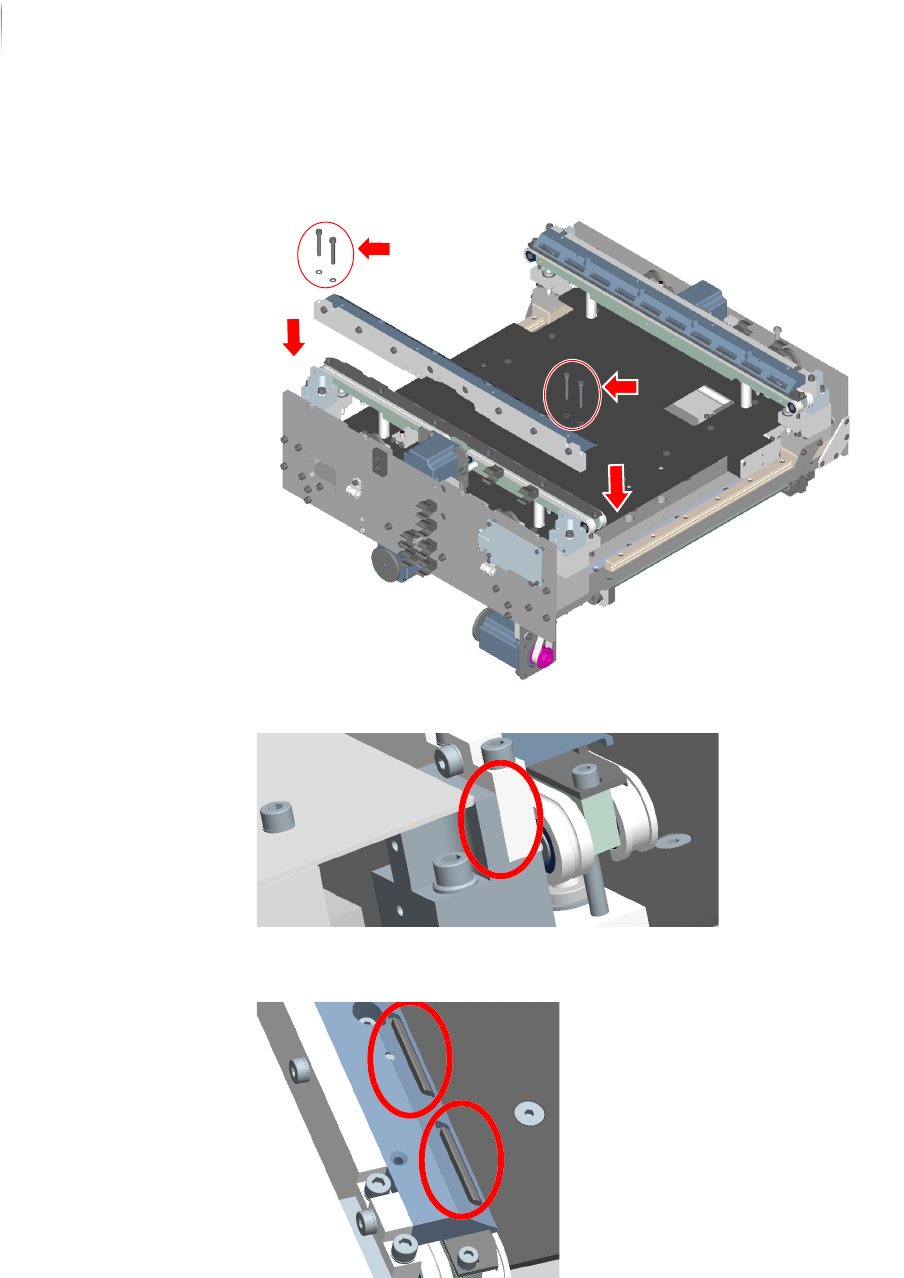
8. Mount the traverse by firmly tightening the 4 screws with the
socket wrench (5 mm Allen socket).
The traverse must lie against the end stop.
9. Make sure the end stop rail guide catches on the traverse
correctly.
10.Repeat steps 1 to 9 for the transport belts on the movable
transport plate.

Maintenance
Exchanging the AOI transport belts
209
Inspection system X7056 | Operating manual |
Version 3.1 Rev.006| 2016-01-06 | 30.009.1930a
11.Place a PCB in the transport track and check whether the end
stop guide rails of the movable and the fixed transport side
plates are parallel to each other.
The transport belts are installed.
The AOI transport belts are exchanged.
Maintenance
Exchanging the AXI transport belts
210
Inspection system X7056 | Operating manual |
Version 3.1 Rev.006| 2016-01-06 | 30.009.1930a
Exchanging the AXI transport belts
Required: Socket wrench with 5 mm Allen socket (short side shortened to
approx. 12 mm, long side shortened to approx. 8 mm)
Socket wrench with 5 mm Allen socket
Socket wrench with 4 mm Allen socket
Socket wrench with 3 mm Allen socket
Socket wrench with 2 mm Allen socket
Wire cutters
Cable ties
Removing the
transport belts
Perform the following work steps:
1. Move the transport track to the back and position it in the
middle of the AXI section. At the movable transport side plate,
start dismantling the transport belt.
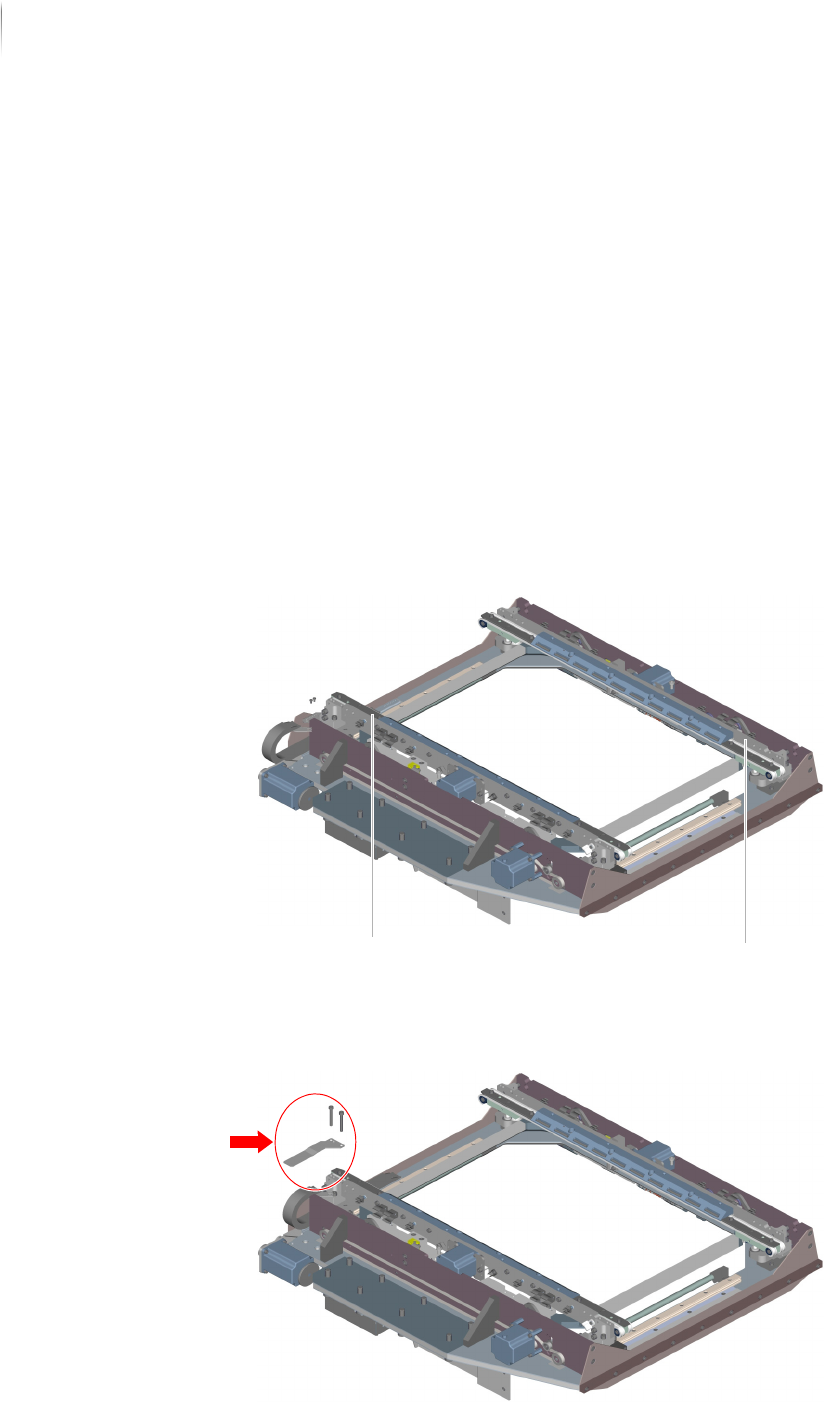
2. Use the socket wrench (4 mm Allen socket) to remove the
hold-down clamp.
Movable transport side plate Fixed transport side plate