X7056_Operating manual_en.pdf - 第231页
Decommissioning Take the inspection system out of op eration 231 Inspection system X7056 | Operating manual | Version 3.1 Rev.006| 2016-01-06 | 30.009.1930a Take the inspection system out of operation This section descri…

Decommissioning
Safety
230
Inspection system X7056 | Operating manual |
Version 3.1 Rev.006| 2016-01-06 | 30.009.1930a
Safety
Follow these instructions when decommissioning the system:
The decommissioning may only be done by trained specialists
or by Viscom AG service technicians.
The inspection system must stand on a surface that is suffi-
ciently large and protected from moisture.

Decommissioning
Take the inspection system out of operation
231
Inspection system X7056 | Operating manual |
Version 3.1 Rev.006| 2016-01-06 | 30.009.1930a
Take the inspection system out of
operation
This section describes the steps for taking the inspection system
out of operation.
The work steps in detail:
Switching off the inspection system (Page 231)
Disconnecting the Power Supply (Page 232)
Disconnecting the SMEMA/SV70 interfaces (Page 232)
Disconnecting the Interlock connections (Page 232)
Removing the signal lamps (Page 233)
Attaching the AOI transportation safety devices (Page 233)
Attaching the AXI transport locks (Page 235)
Removing the front door (Page 236)
Securing the power supply cables (Page 237)
Cleaning the Inspection System (Page 237)
Switching off the inspection system
Perform the following work steps:
1. Turn the main switch to
OFF.
2. Turn the key switch to OFF and remove the key.
3. Turn off the UPS devices.
4. Switch off the monitor.
The system is switched off.
Decommissioning
Take the inspection system out of operation
232
Inspection system X7056 | Operating manual |
Version 3.1 Rev.006| 2016-01-06 | 30.009.1930a
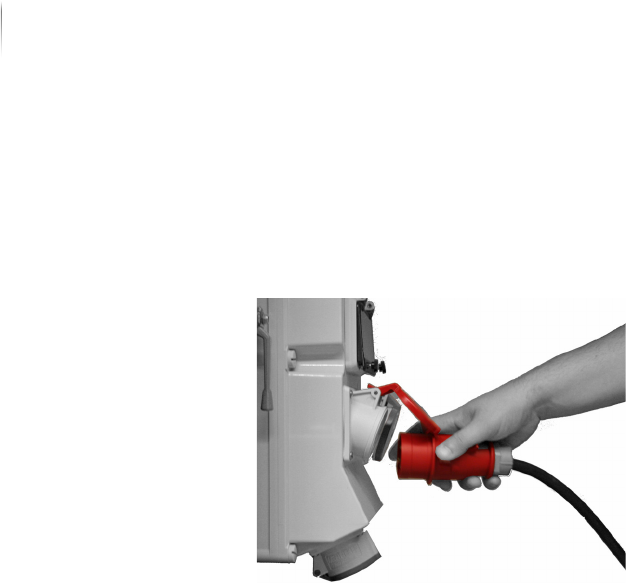
Disconnecting the Power Supply
Perform the following work steps:
Disconnect the inspection system from the main electrical
power supply.
The power supply is disconnected.
Disconnecting the SMEMA/SV70 interfaces
Perform the following work steps:
Disconnect the SMEMA/SV70 connections to the adjacent
devices.
The SMEMA/SV70 interfaces are disconnected.
Disconnecting the Interlock connections
Perform the following work steps:
Disconnect the Interlock connections to the adjacent devices.
The Interlock connections are disconnected.