X7056_Operating manual_en.pdf - 第31页
Product description General view 31 Inspection system X7056 | Operating manual | Version 3.1 Rev.006| 2016-01-06 | 30.009.1930a Rear view Inspection syst em, rear view 4 Pivoting fr ames Contains the electrical level of …
Product description
General view
30
Inspection system X7056 | Operating manual |
Version 3.1 Rev.006| 2016-01-06 | 30.009.1930a
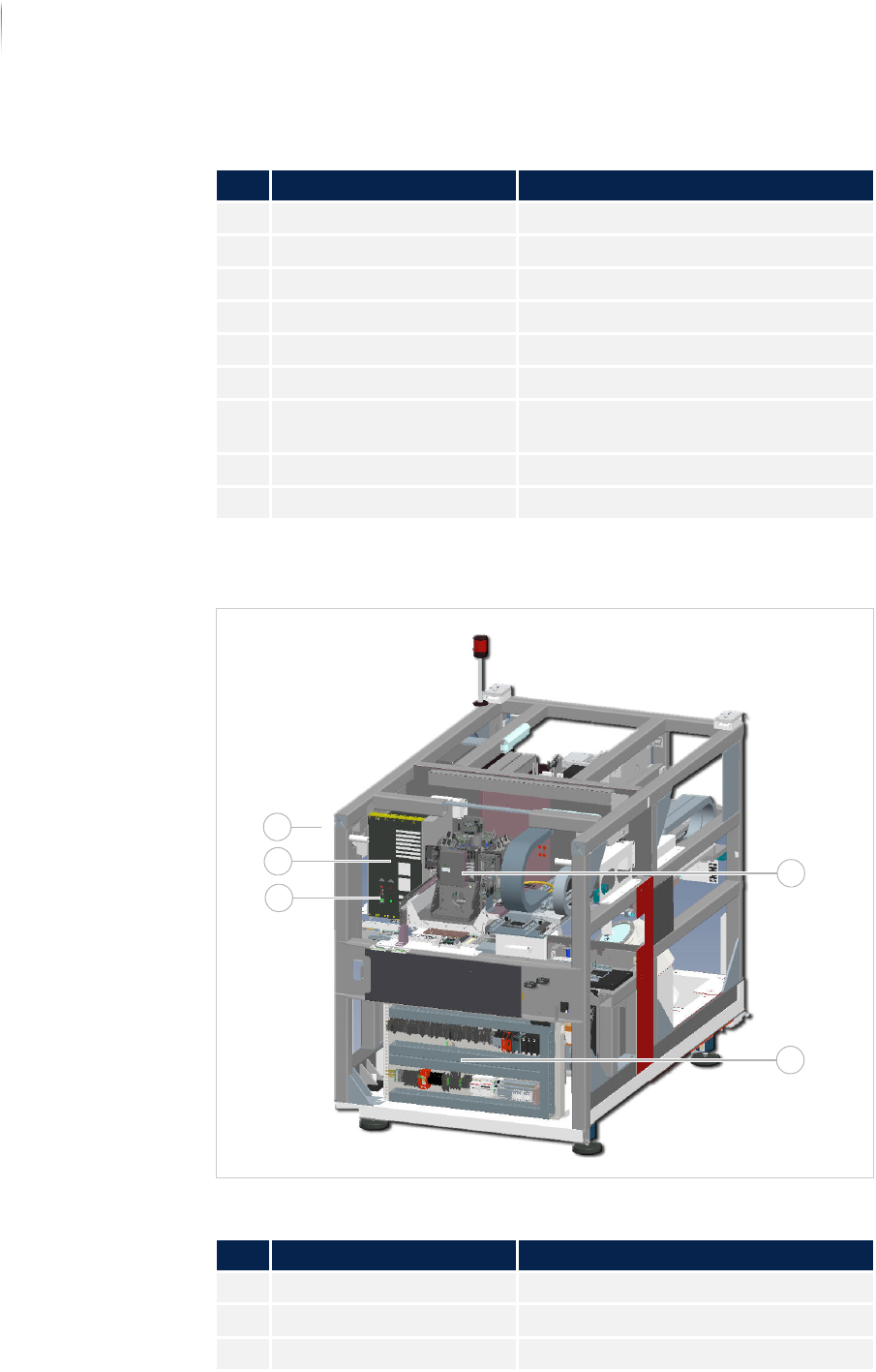
System components, front view
Inspection system components, front side
3 EMERGENCY STOP button See „EMERGENCY STOP“ (Page 51)
4 ON button See „ON button“ (Page 34)
5 X-ray warning lamp See „X-ray warning lamp“ (Page 36)
6 Light switch See „Light switch“ (Page 34)
7 Key switch See „Key switch“ (Page 53)
8 Power toggle switch See „Power toggle switch“ (Page 34)
9 Front door See „System components, front view“
(Page 30)
10 Keyboard and Mouse See „Keyboard and Mouse“ (Page 34)
11 Monitor See „Monitor“ (Page 34)
Legend
No. Name Description
1 System computer1 See „System computer“ (Page 47)
2 UPS 1 See „UPS“ (Page 37)
3 UPS 2 See „UPS“ (Page 37)
Legend (Forts.)
No. Name Description
1
2
3
5
4
Product description
General view
31
Inspection system X7056 | Operating manual |
Version 3.1 Rev.006| 2016-01-06 | 30.009.1930a
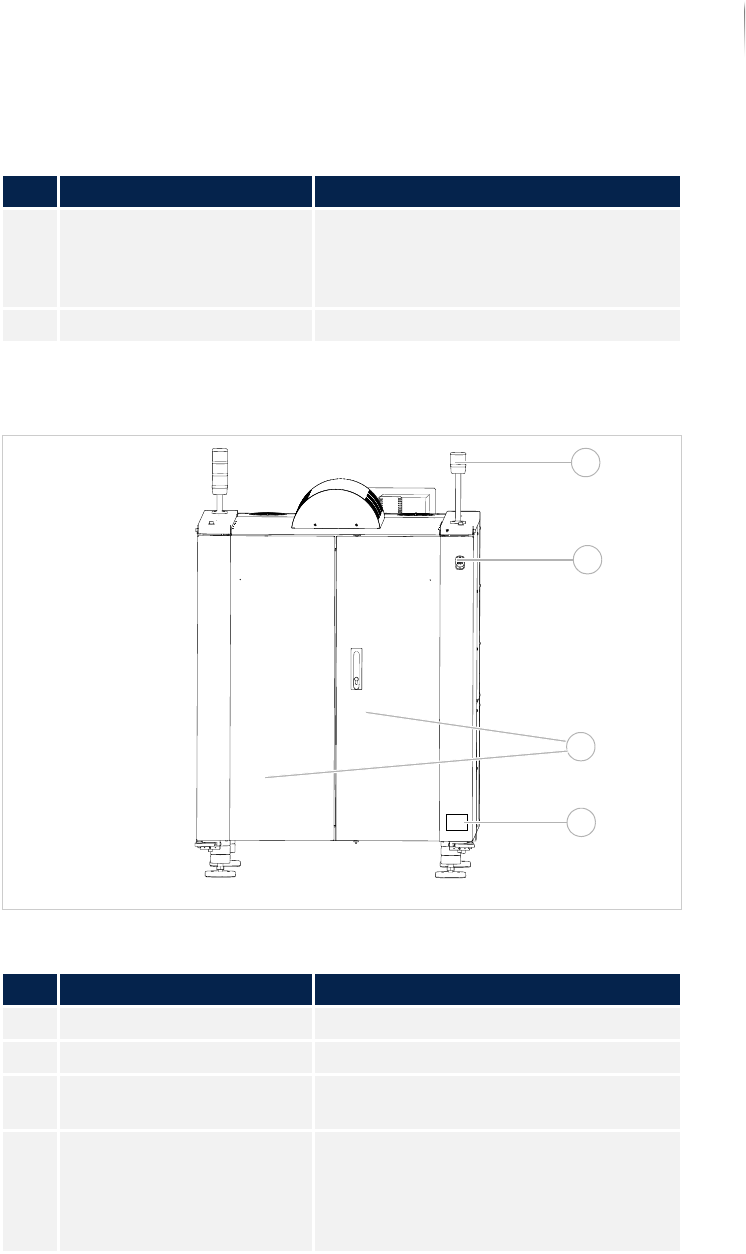
Rear view
Inspection system, rear view
4 Pivoting frames Contains the electrical level of the
inspection system. System computer 2
is behind the pivoting frame, see
„System computer“ (Page 47).
5 XM camera head See „XM camera head“ (Page 41)
Legend
No. Name Description
1 X-ray signal lamp See „X-ray signal lamp“ (Page 35)
2 EMERGENCY STOP button See „EMERGENCY STOP“ (Page 51)
3 Rear swing doors See „Protective barrier safety features“
(Page 53)
4 Type sign Contains important information about
the inspection system:
Serial number
Typ e
Connection data
Legend (Forts.)
No. Name Description
3
1
2
4
Product description
General view
32
Inspection system X7056 | Operating manual |
Version 3.1 Rev.006| 2016-01-06 | 30.009.1930a
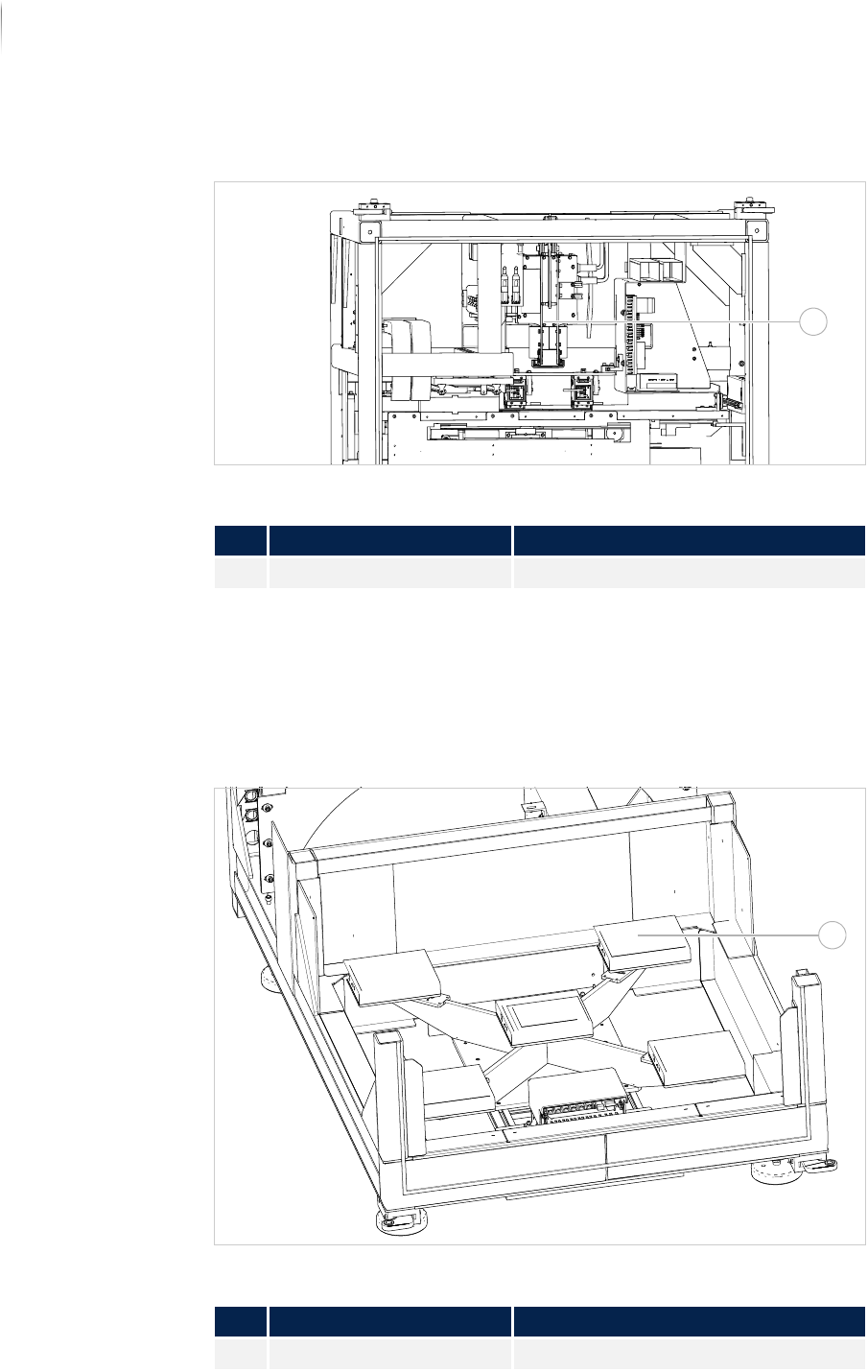
System components, top rear view
Interior, rear view
System components, bottom rear view
The system can be equipped either with a bracket which can
accept one or 5 flat panel detectors, or with a flat panel detector
which is moved in the x- and y-directions with its own positioning
unit.
Interior view: flat panel detector mounted on bracket
Legend
No. Name Description
3 Sealed X-ray tube See „Sealed X-ray tube“ (Page 44)
Legend
No. Name Description
1 flat panel detector See „Holder“ (Page 42)
1
1