X7056_Operating manual_en.pdf - 第64页
Delivery Unpacking the in spection system 64 Inspection system X7056 | Operating manual | Version 3.1 Rev.006| 2016-01-06 | 30.009.1930a ATTENTION Damage to the inspection system Temperature fluctuations cause condensati…
Delivery
Unpacking the inspection system
63
Inspection system X7056 | Operating manual |
Version 3.1 Rev.006| 2016-01-06 | 30.009.1930a
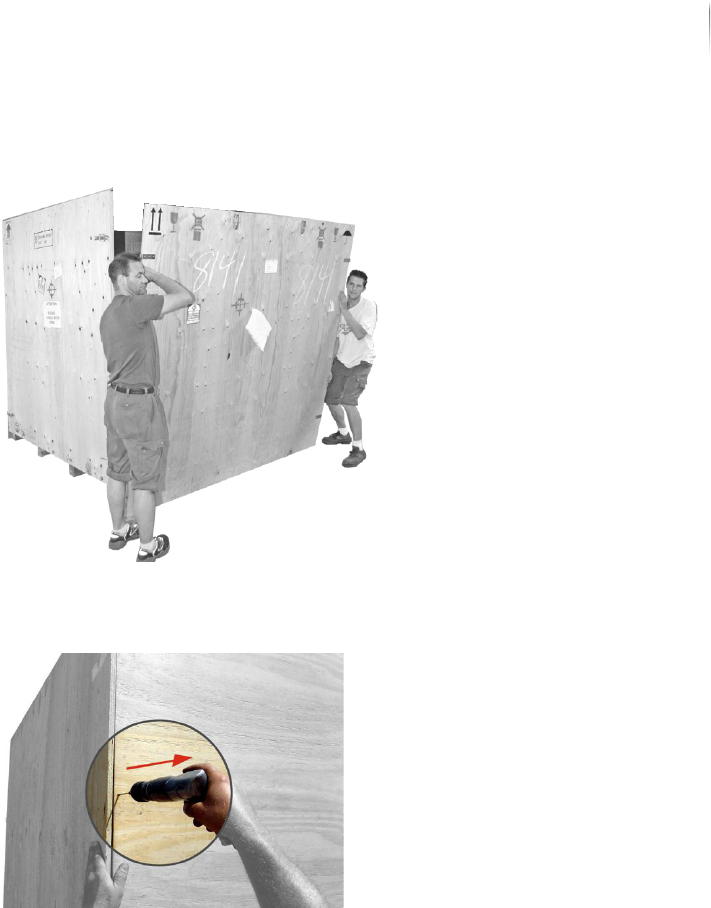
8. Set the front panel aside.
9. Support a side panel of the transport case.
10.Remove all screws from the back panel of the transport case.
11.Remove the side panel.
12.Repeat steps 9 to 11 for the other side panel.
13.Remove the back panel of the transport case.
The transport case is open.
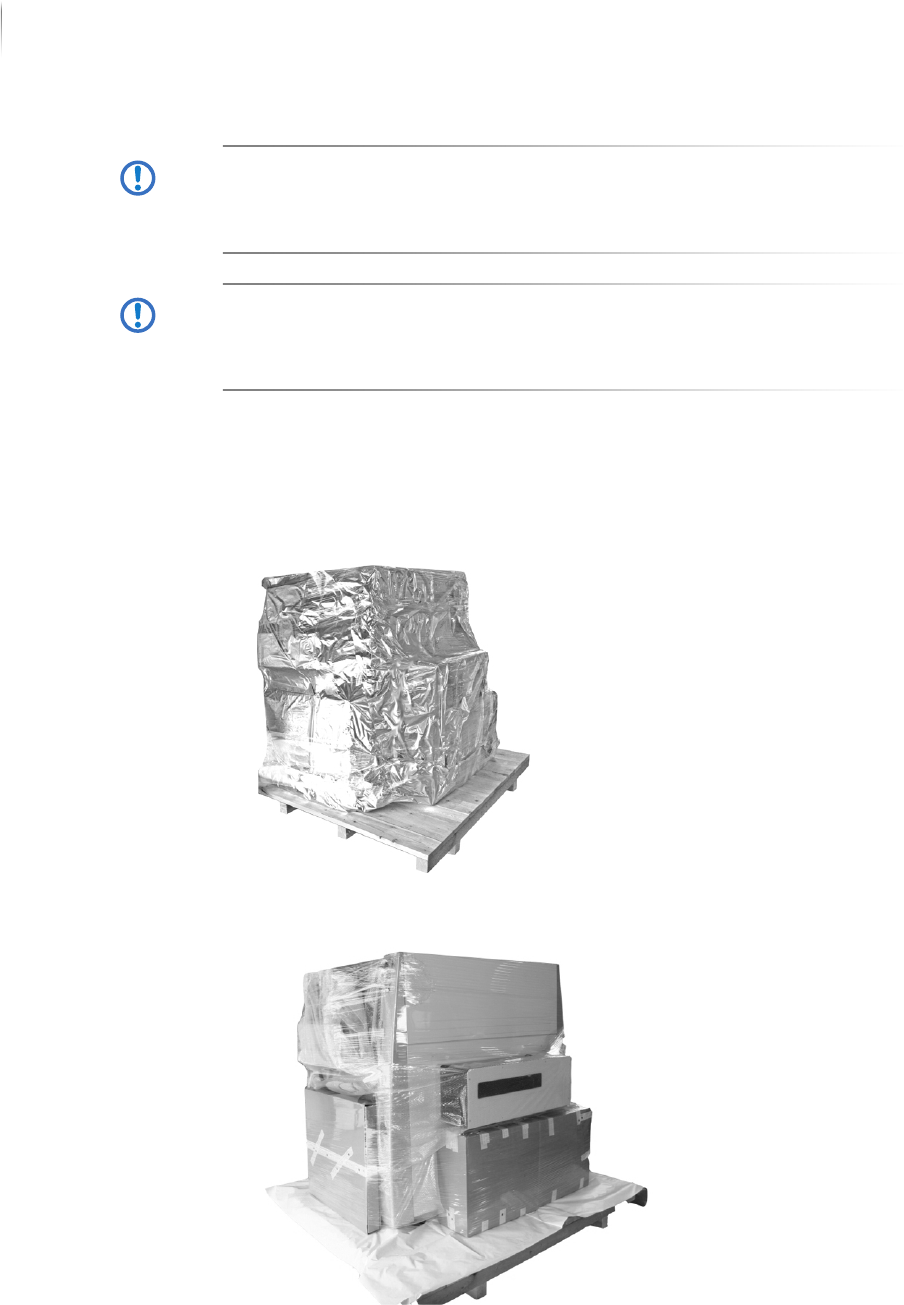
Removing the covering films
The inspection system is packed with several airtight films. This
section describes how to remove the films, step by step.
Required: Utility knife
Delivery
Unpacking the inspection system
64
Inspection system X7056 | Operating manual |
Version 3.1 Rev.006| 2016-01-06 | 30.009.1930a
ATTENTION
Damage to the inspection system
Temperature fluctuations cause condensation to form.
If there are strong temperature fluctuations, wait 24 h before
opening the vacuum packaging.
ATTENTION
Damage to the inspection system
The inspection system can be damaged during unwrapping, if the
utility knife is not used with caution.
Carefully use the knife when cutting through the covering films.
Perform the following work steps:
1. Check the transport indicators, see „Checking the transport
indicators“ (Page 61).
2. Unwrap the first layer of stretch wrap.
3. Remove the aluminum laminate bag.
4. Unwrap the second layer of stretch wrap.
5. Set the accessories cartons to the side.
Delivery
Unpacking the inspection system
65
Inspection system X7056 | Operating manual |
Version 3.1 Rev.006| 2016-01-06 | 30.009.1930a
6. Remove the bubble wrap.
The covering layers are removed.
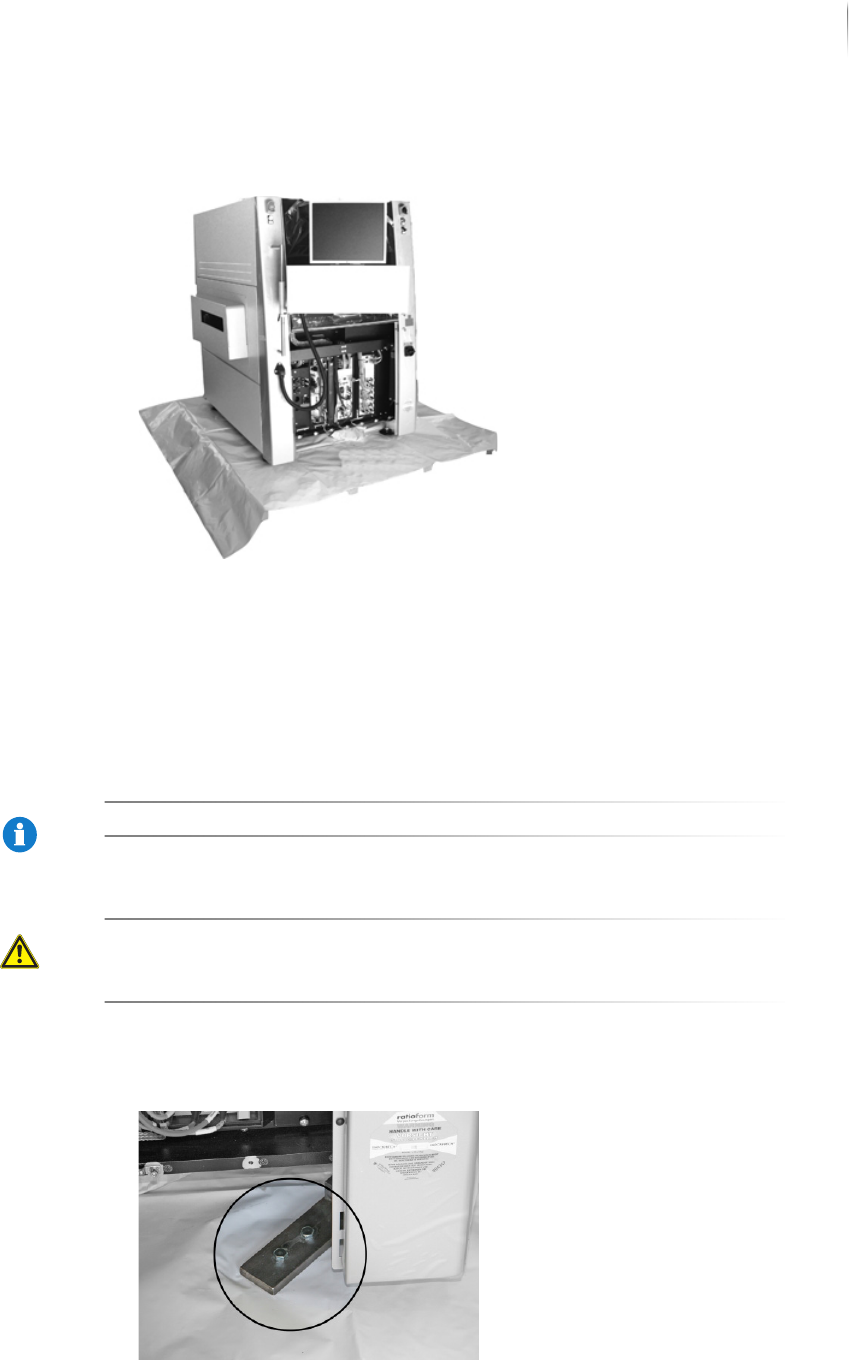
Removing the transport clamps
Four transport clamps secure the inspection system to the pallet.
Remove the clamps before lifting the inspection system from the
pallet.
NOTE
Store the transport clamps and screws for later use.
CAUTION
Hazard of injury from impact with the monitor
Fold the monitor and keyboard bracket to the inspection
system before removing the transport clamps.
Perform the following work steps:
1. Remove the transport clamp screws.