X7056_Operating manual_en.pdf - 第95页
Installation First use 95 Inspection system X7056 | Operating manual | Version 3.1 Rev.006| 2016-01-06 | 30.009.1930a 5. Under S TART MENU > M AINTENANCE PROGRAM , select the program JAT MAINTENANCE . The dialog S E…
Installation
First use
94
Inspection system X7056 | Operating manual |
Version 3.1 Rev.006| 2016-01-06 | 30.009.1930a
4. If the UPS devices were manually switched off, switch them
back on.
The axes initialize.
The inspection system is ready to operate.
5. Start the Viscom software, see „Starting the Viscom software“
(Page 155).
The AOI software starts.
The AXI software starts.
6. Repeat steps 1 to 5 for the rear EMERGENCY STOP button.
The EMERGENCY STOP is checked.
Checking the
lift gate func-
tioning
Precondition: The inspection system is switched on.
The AXI transport track must be in the AXI section.
Perform the following work steps:
1. End the Viscom software, see „Ending the Viscom software“
(Page 158).
2. Actuate the STOP mode, see „Actuating the STOP mode“ (Page
149).
The lift gate is opened.
3. Cancel the STOP mode, see „Ending the STOP mode“ (Page
150).
4. Under S
TART MENU > MAINTENANCE PROGRAM, select the program
X
RAYCLOSEDTUBECONTROL.
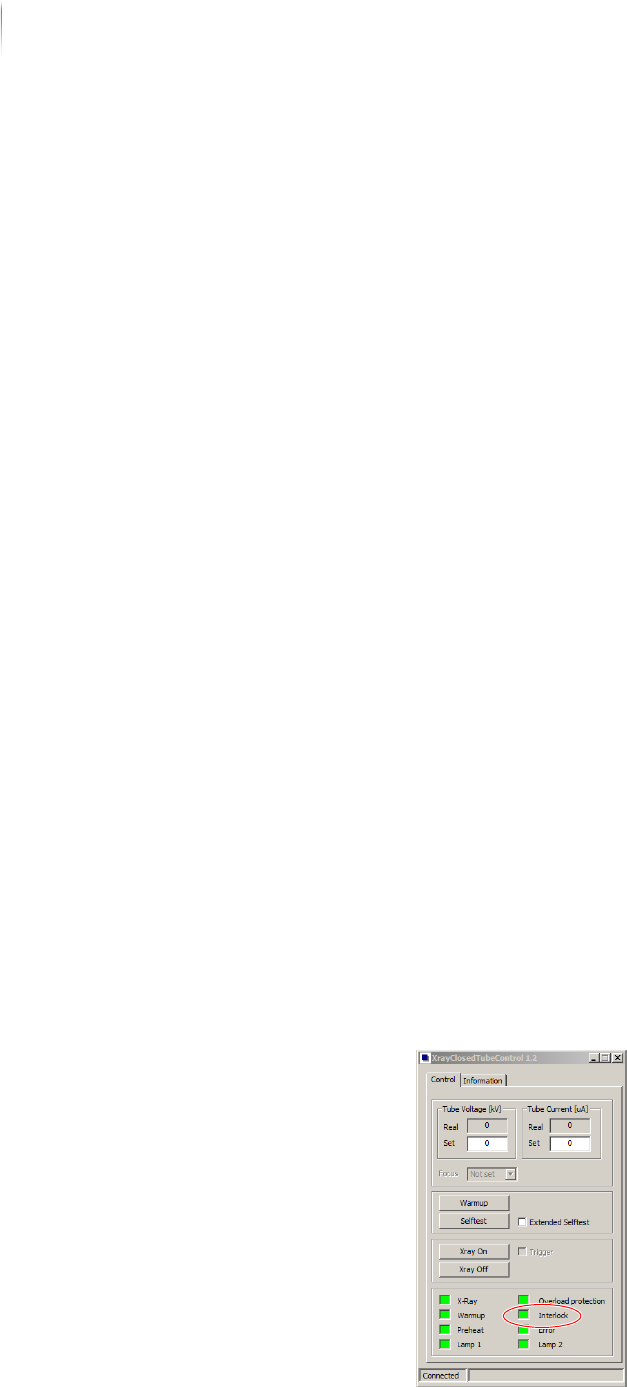
The start menu of the VXC software appears.
The Interlock connections are open.
Installation
First use
95
Inspection system X7056 | Operating manual |
Version 3.1 Rev.006| 2016-01-06 | 30.009.1930a
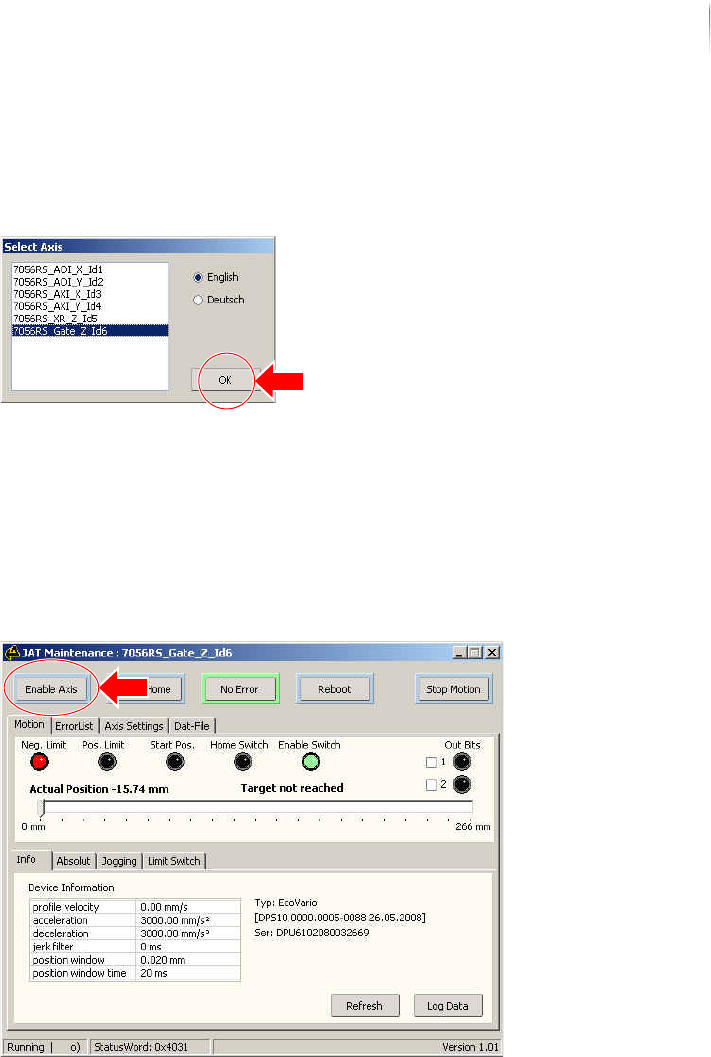
5. Under START MENU > MAINTENANCE PROGRAM, select the program
JAT MAINTENANCE.
The dialog SELECT AXES opens.
6. In the menu, select the lift gate from (G
ATE_Z); confirm with
OK.
The program JAT MAINTENANCE opens.
7. Select S
WITCH ON.
The lift gate motor switches on.
A commutation takes place the first time the motor is switched
on.
After the switching process is complete, the SWITCH ON button
is bordered in green.
Installation
First use
96
Inspection system X7056 | Operating manual |
Version 3.1 Rev.006| 2016-01-06 | 30.009.1930a
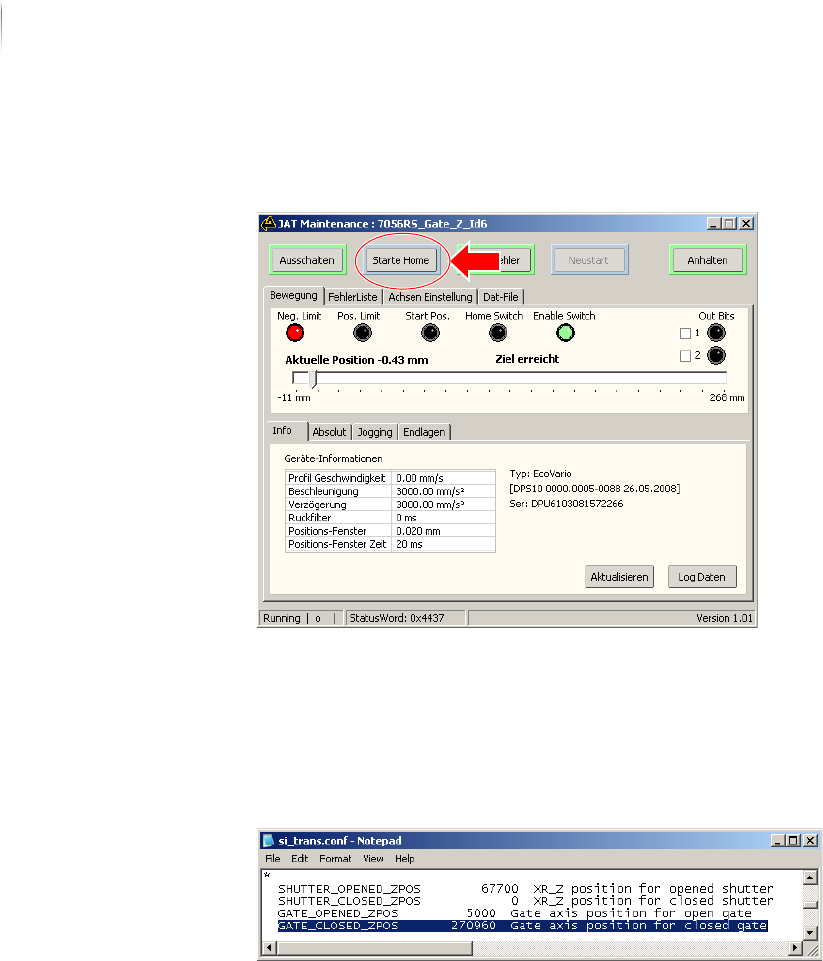
8. Then, select START HOME.
A reference run is made.
After the referencing is complete, the START HOME button is
bordered in green.
9. In directory select the file
si_trans.conf.
10.Read the value in parameter GATE_CLOSED_ZPOS.
The value gives the position of the closed lift gate in µm.