X7056_Operating manual_en.pdf - 第99页
Installation First use 99 Inspection system X7056 | Operating manual | Version 3.1 Rev.006| 2016-01-06 | 30.009.1930a 7. Select S WITCH ON . Th e shutter m otor swi tches on. A commutation takes place the first time …
Installation
First use
98
Inspection system X7056 | Operating manual |
Version 3.1 Rev.006| 2016-01-06 | 30.009.1930a
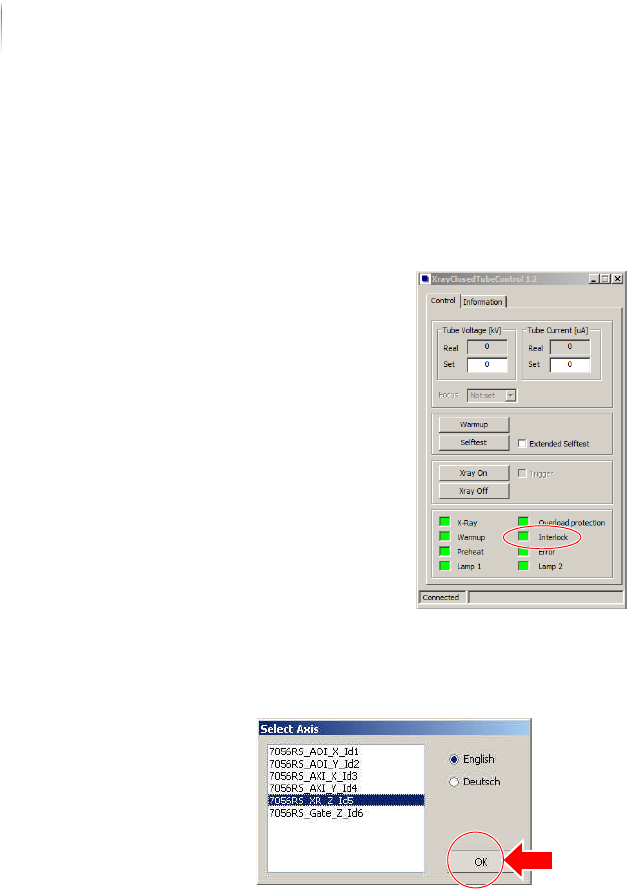
4. Under START MENU > MAINTENANCE PROGRAM, select the program
X
RAYCLOSEDTUBECONTROL.
The start menu of the VXC software appears.
The Interlock connections are open.
5. Under S
TART MENU > MAINTENANCE PROGRAM, select the program
JAT MAINTENANCE.
The dialog SELECT AXES opens.
6. In the menu, select the shutter from (X
R_Z); confirm with OK.
The program JAT MAINTENANCE opens.
Installation
First use
99
Inspection system X7056 | Operating manual |
Version 3.1 Rev.006| 2016-01-06 | 30.009.1930a
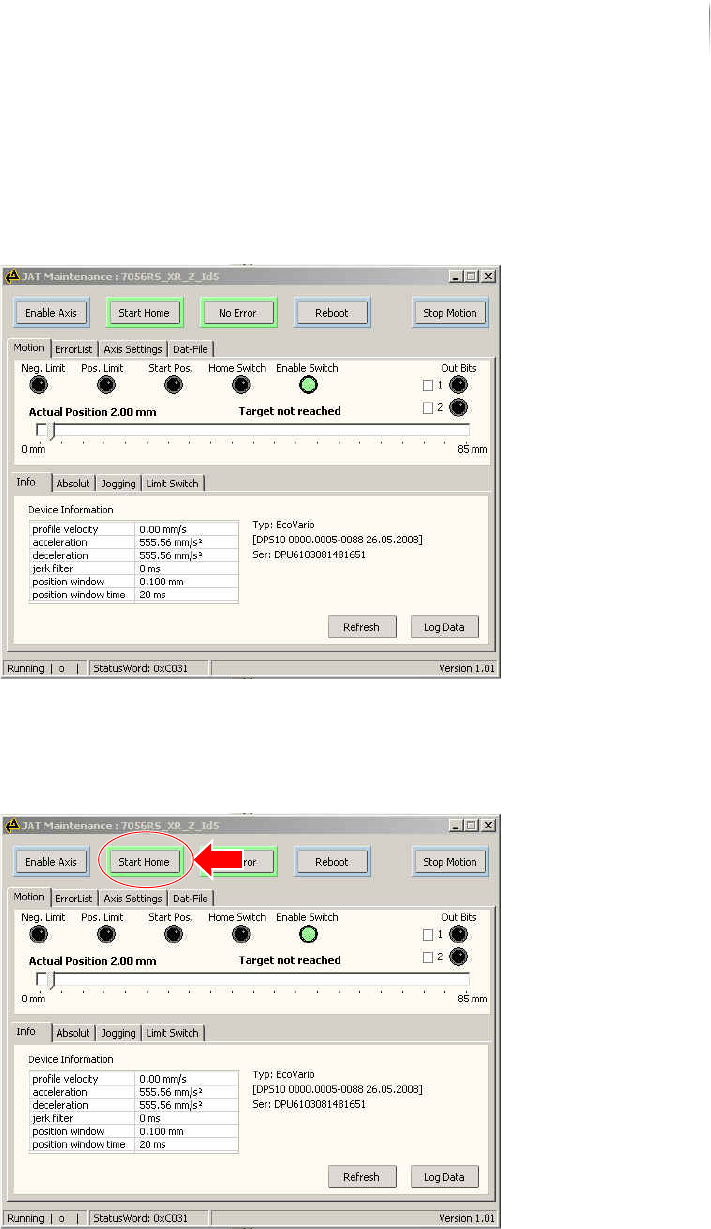
7. Select SWITCH ON.
The shutter motor switches on.
A commutation takes place the first time the motor is switched
on.
After the switching process is complete, the SWITCH ON button
is bordered in green.
8. Select S
TART HOME.
A reference run is made.
After the referencing is complete, the START HOME button is
bordered in green.
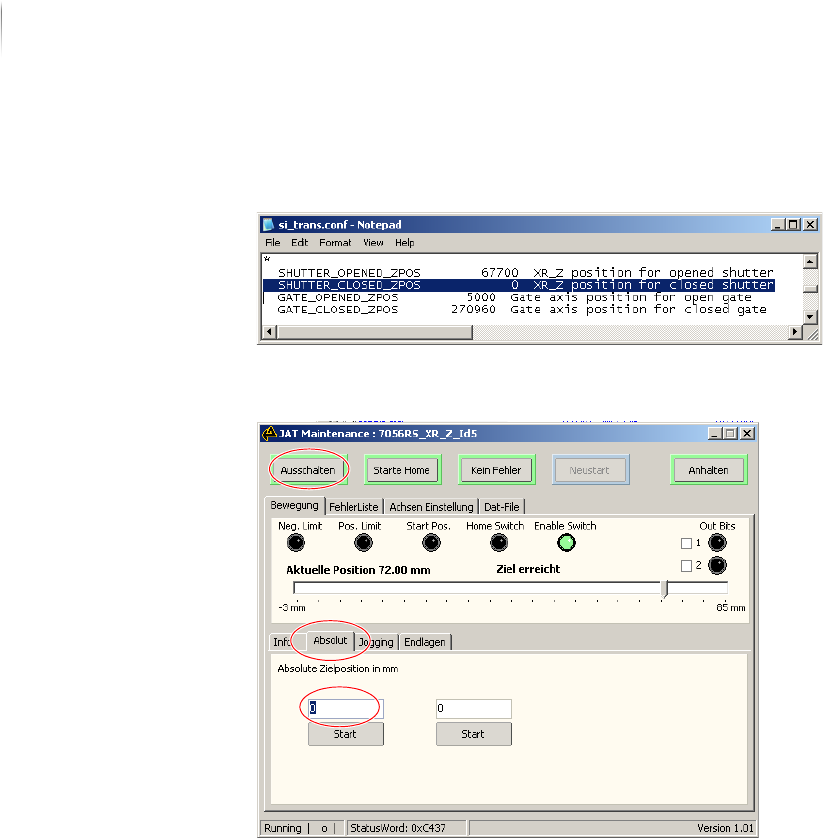
9. In directory select the file
si_trans.conf.
Installation
First use
100
Inspection system X7056 | Operating manual |
Version 3.1 Rev.006| 2016-01-06 | 30.009.1930a
10.Read the value in parameter SHUTTER_CLOSED_ZPOS.
The value gives the position of the closed shutter in µm.
11.Enter the value from si_trans.conf in mm in JAT MAINTENANCE
Tool in the tab Movement - Absolute.
12.Confirm with Enter; click the button START.
The shutter is closed.
The Interlock connections in the program XRAYCLOSEDTUBE-
C
ONTROL are closed.
The shutter functioning is checked
Checking the Interlock linkage
Precondition: The white ON button does not light up?