00196849-02 OG SIPLACE Operation of X and SX-Series without SSC (SW70x) - 第103页
SW 703 Option MTC - Refill Completed : 103 Refill Comple ted 1. Click on the bottom left icon to return to the main menu. 2. The machine is now rea dy to start production.
SW 703 Option MTC - Refilling the Trays :
102
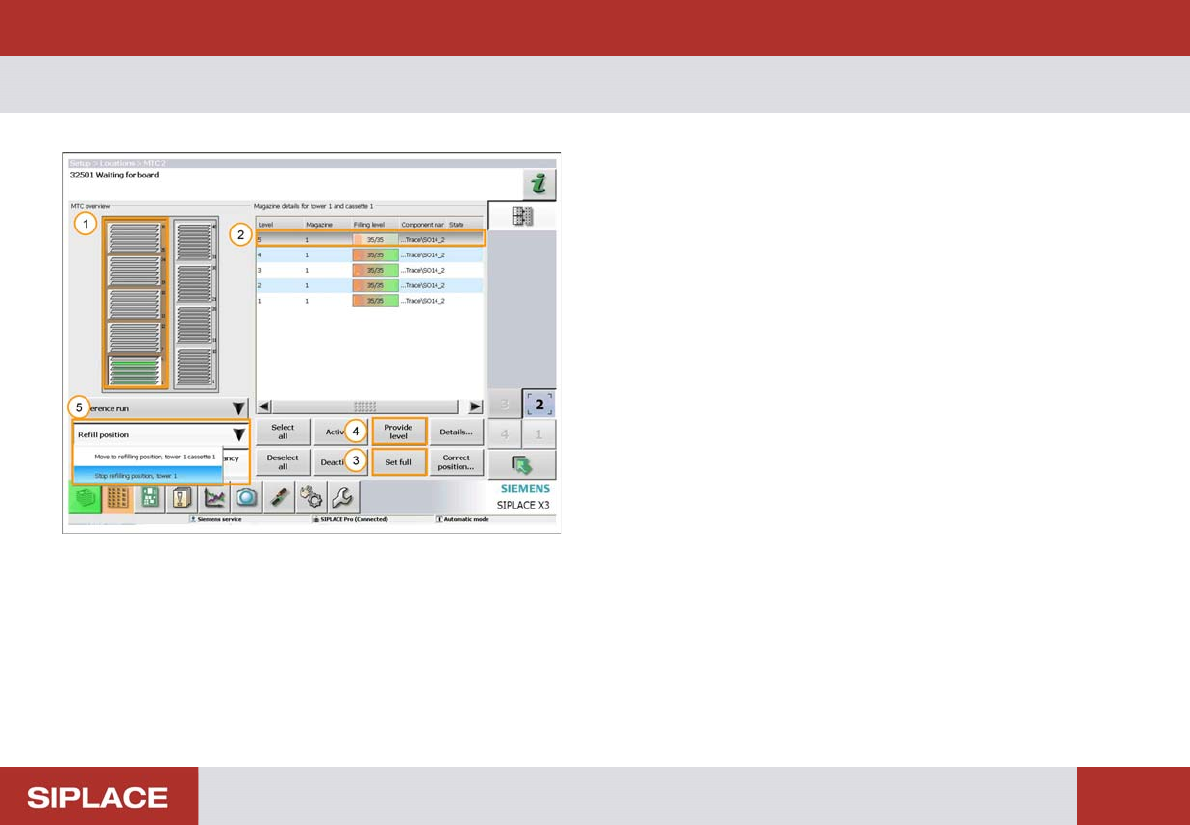
Refilling t he Trays
1. The orange color indicates that the tower is at the
refill position.
2. Click on the tray level that you wish to fill.
3. Click ‘Set full’ for a fully loaded tray.
4. Click ‘Provide level’ for a partially filled tray.
5. Once all the levels are filled click ‘Refill position’ and
then ‘Stop refilling position’.
SW 703 Option MTC - Refill Completed :
103
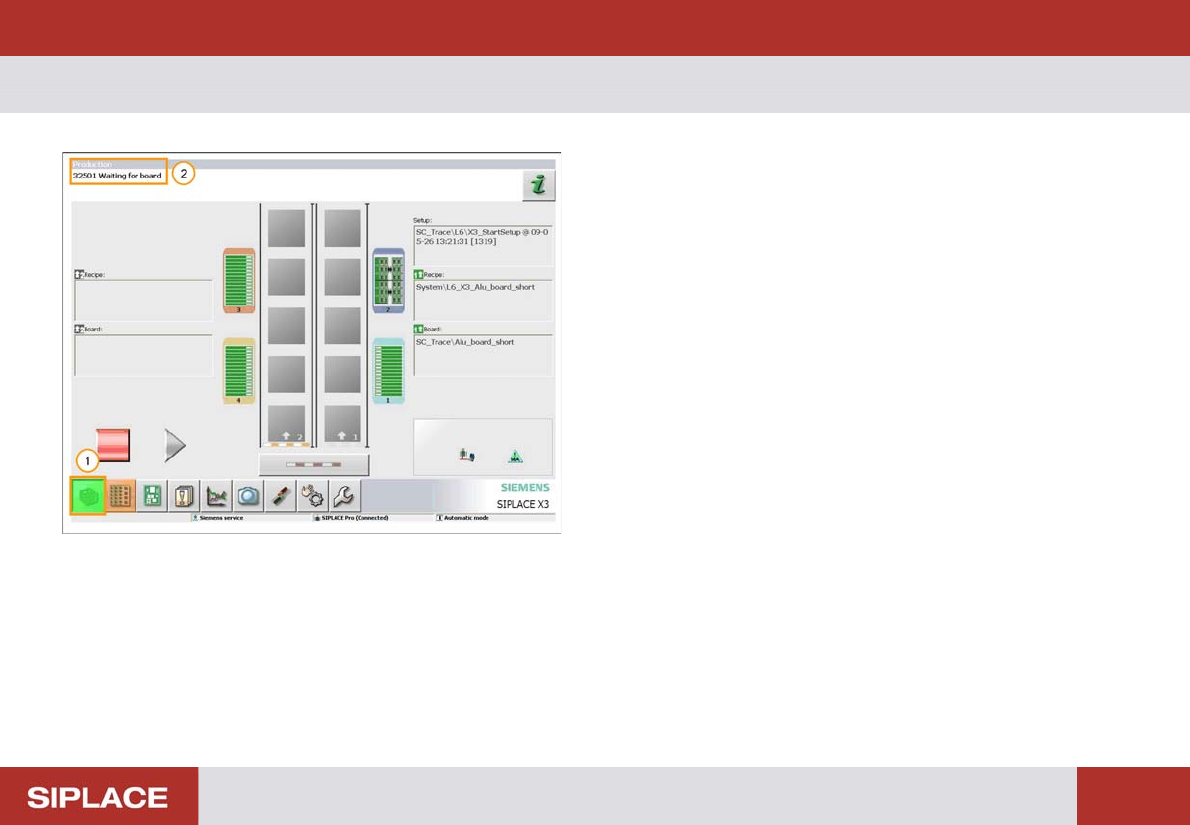
Refill Comple ted
1. Click on the bottom left icon to return to the main
menu.
2. The machine is now ready to start production.
SW 703 Option MTC - Checklist for MTC Preparation. :
104
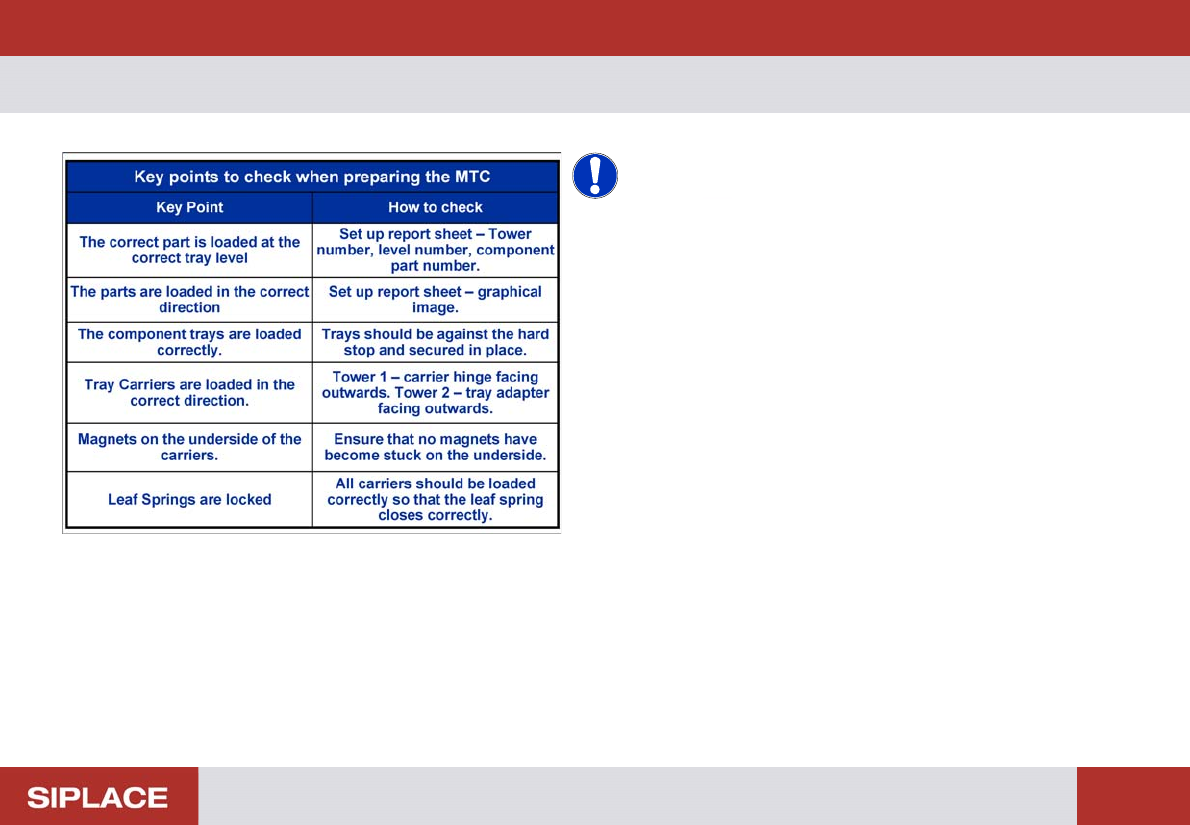
Checklist for MTC Pr eparation.
NOTICE! The table to the left lists the key points
that you should check when preparing the MTC to run a
product.