00196849-02 OG SIPLACE Operation of X and SX-Series without SSC (SW70x) - 第120页
SW 703 Option WPC - WP C fill completed. : 120 WPC fill complete d. The set up is now completed 1. The st atus message s shows that th e machine is ready to start production and is waiting for a PCB.
SW 703 Option WPC - WPC fill completed. :
119
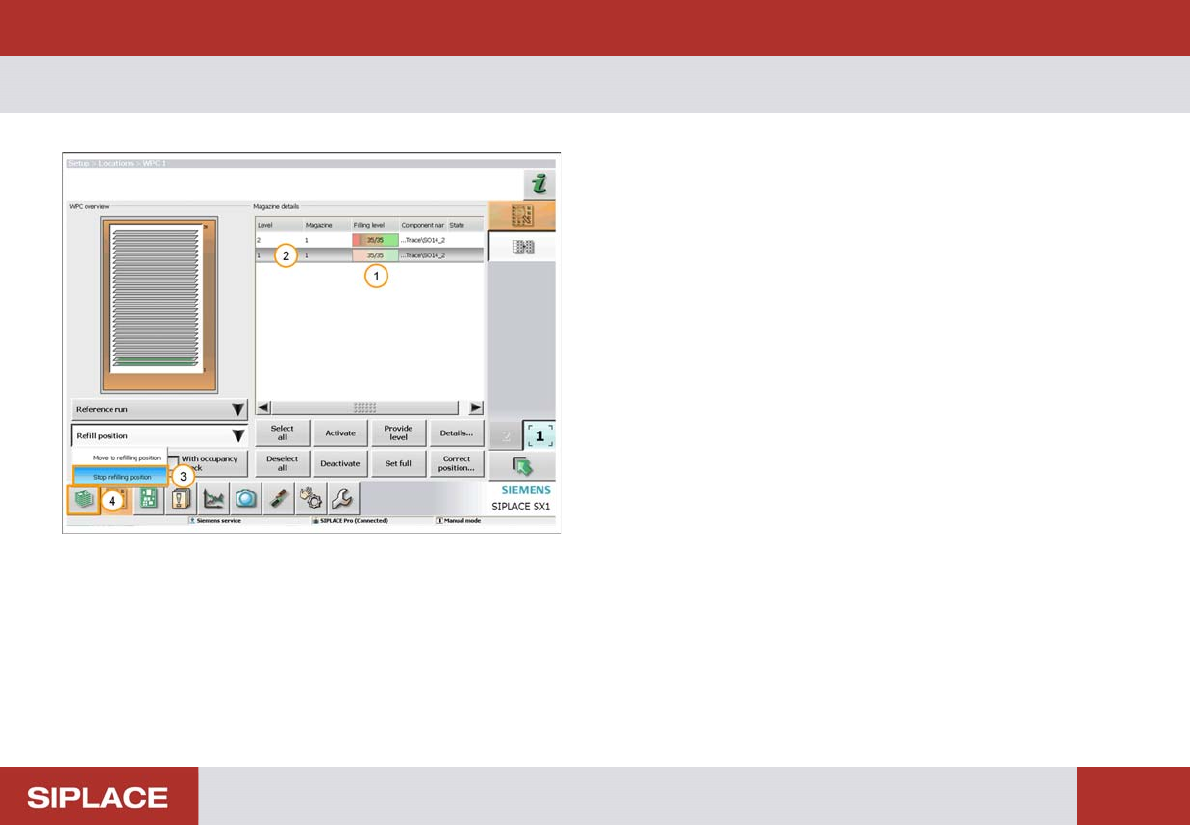
WPC fill completed.
1. Fill Quantity.
2. Level of the tray that has been filled (here the lowest
tray).
3. Select ‘Refill position’ – ‘Stop refilling position’.
The WPC will now move back to the operational position.
4. Click on the return to the Main Menu icon.
SW 703 Option WPC - WPC fill completed. :
120
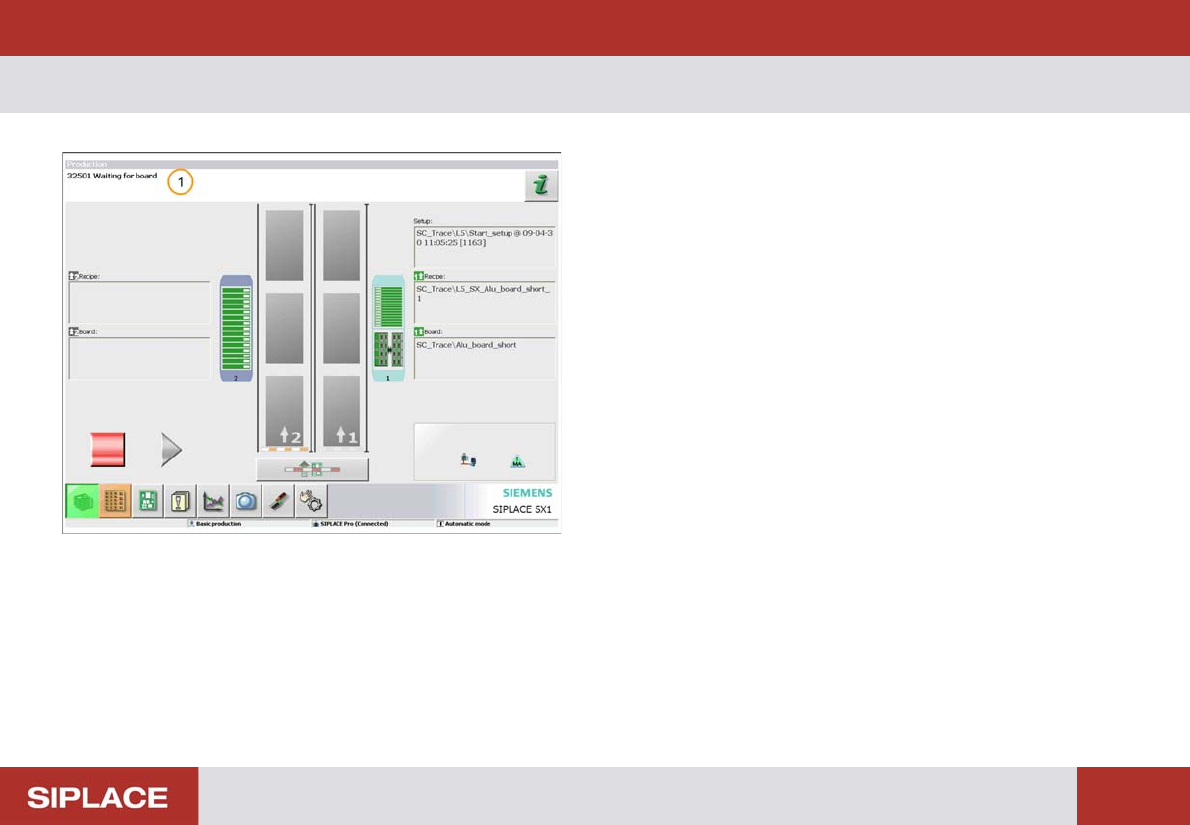
WPC fill completed.
The set up is now completed
1. The status messages shows that the machine is
ready to start production and is waiting for a PCB.
SW 703 Option WPC - Checks when loading the WPC. :
121
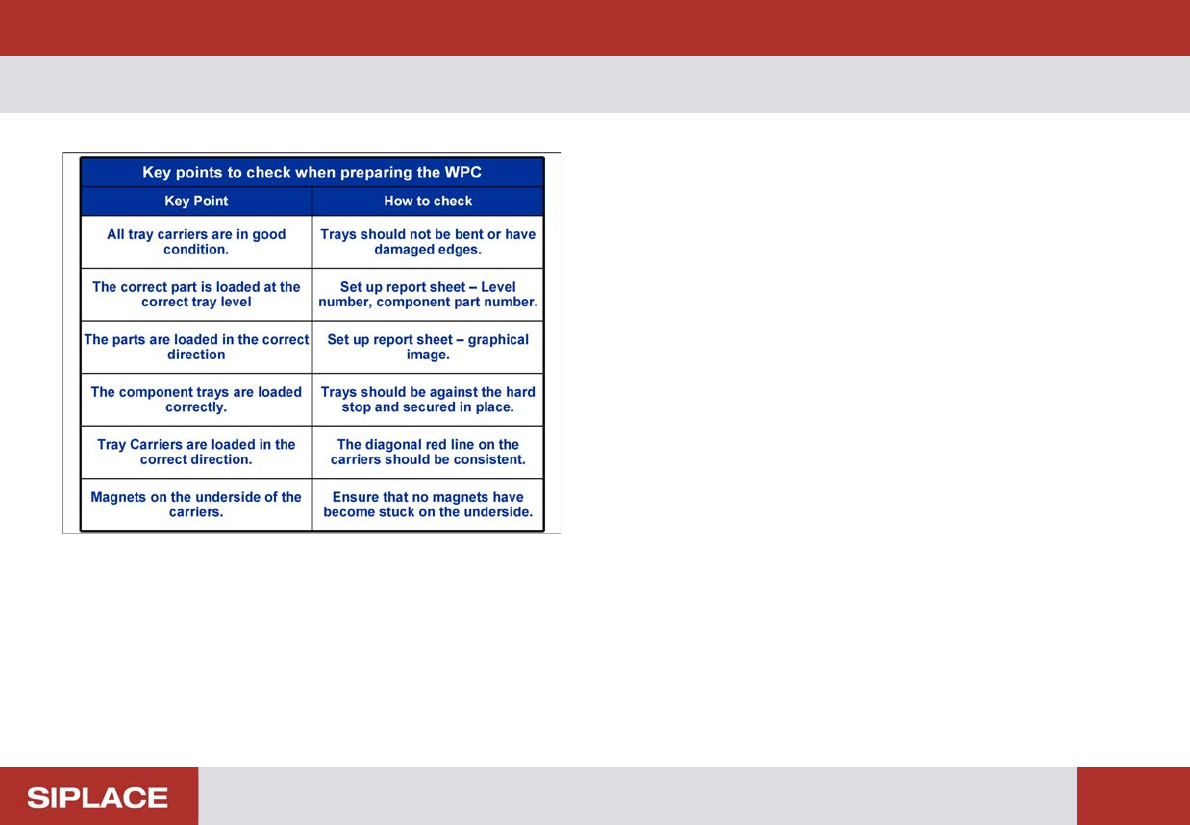
Checks when loading the WPC.
The table to the left lists the key points that you should
check at the WPC when preparing a product to run at the
line.