00196849-02 OG SIPLACE Operation of X and SX-Series without SSC (SW70x) - 第150页
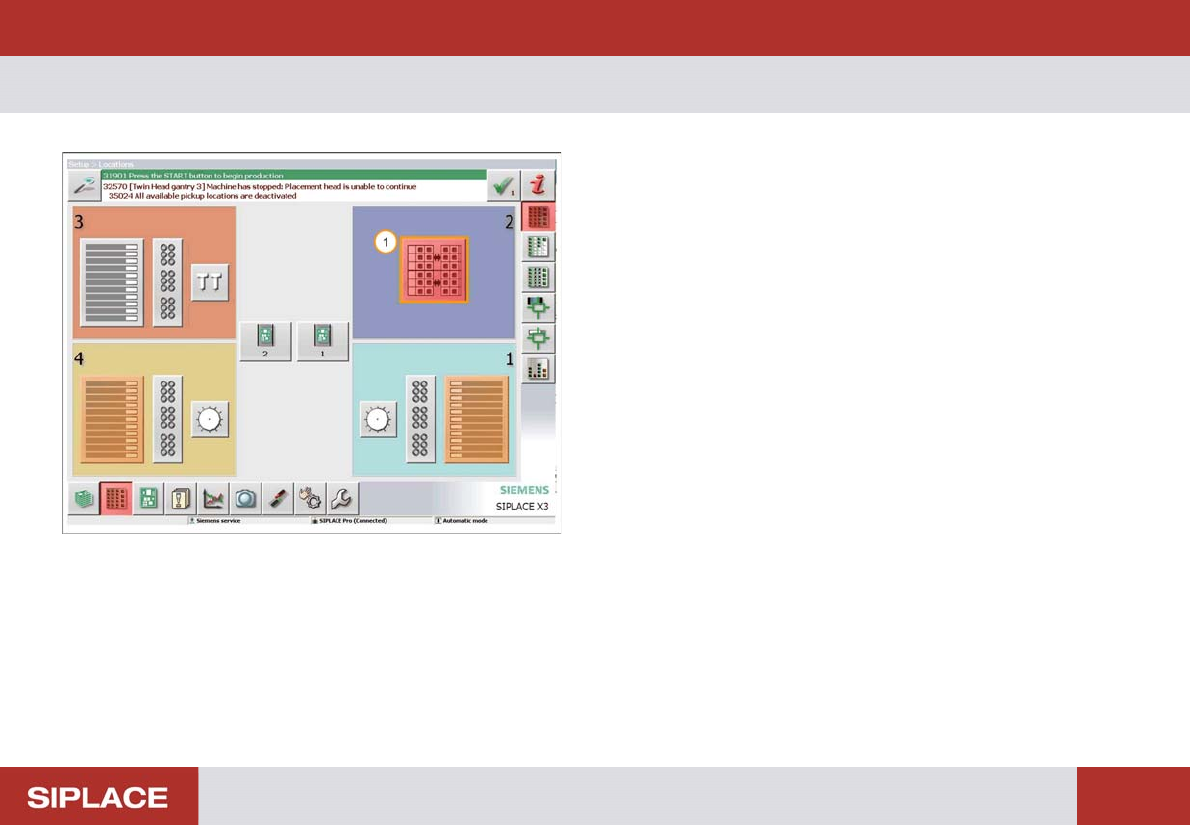
Option 703 MTC Refill - Refill the MTC : 150 Refill the MT C The locations menu opens 1. The Red color of the MTC ic on indicates it needs refilling – click here t o enter the MTC menu.
Option 703 MTC Refill - Refilling MTC :
149
Option 703 MTC Refill
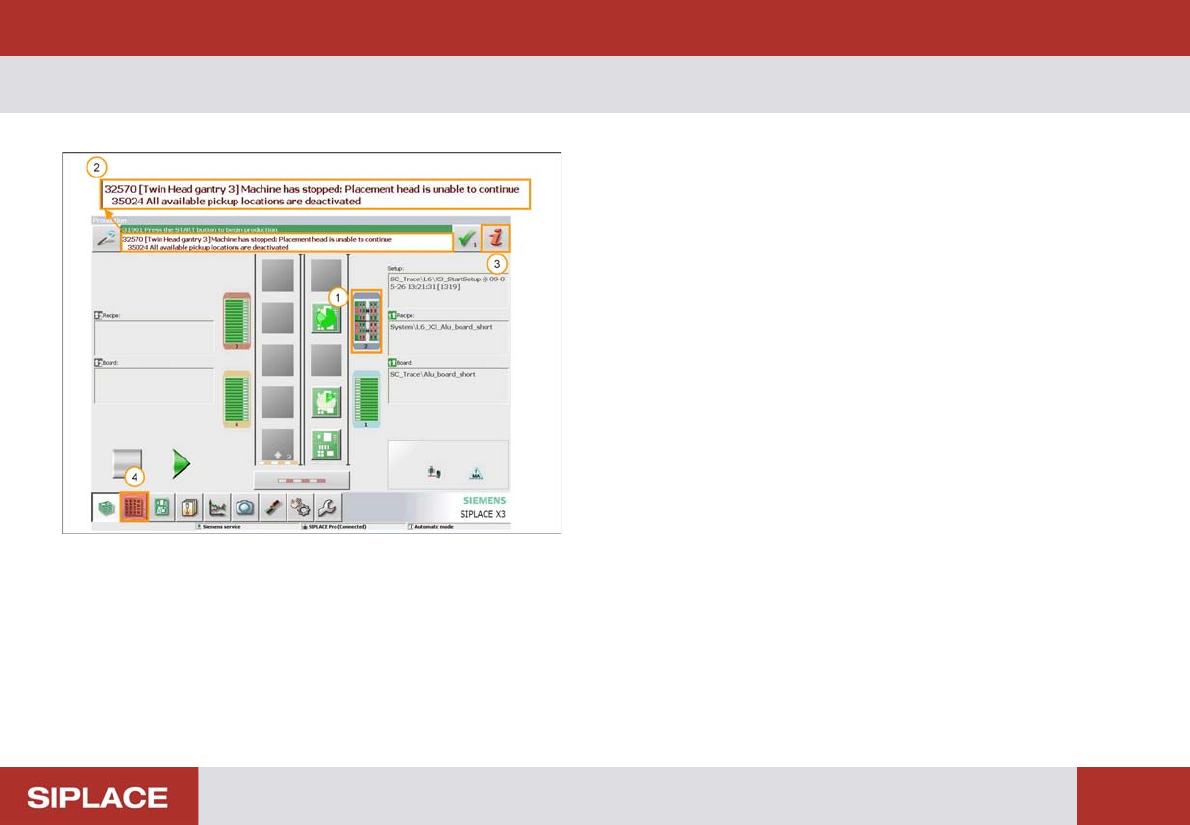
1. The indicators on the table turn red to show that there
is an empty track in Loc 2 (MTC -Matrix Tray
Changer).
2. Detailed error message.
3. Error Information icon (Click for more details).
4. Locations menu icon – click here to enter the
locations menu.
Option 703 MTC Refill - Refill the MTC :
150
Refill the MT C
The locations menu opens
1. The Red color of the MTC icon indicates it needs
refilling – click here to enter the MTC menu.
Option 703 MTC Refill - Refill the MTC :
151
Refill the MT C
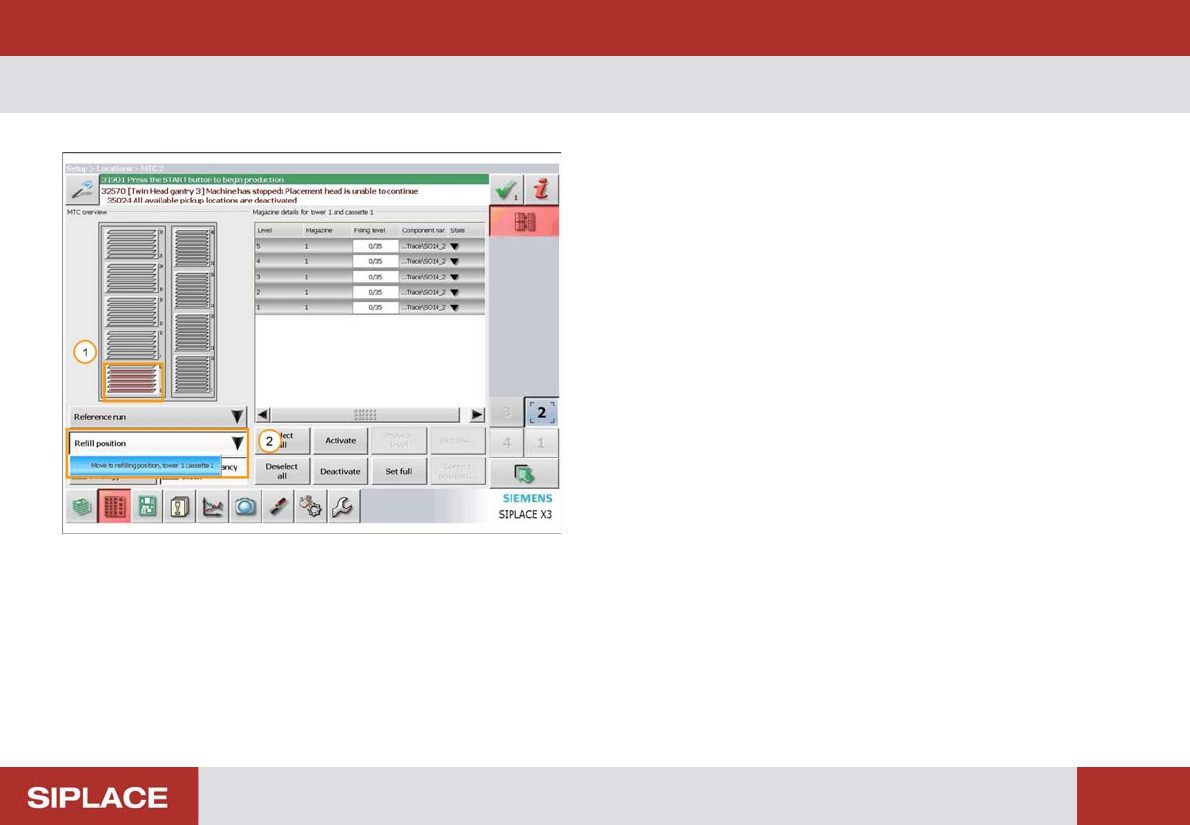
The MTC menu opens
1. The Red color of the trays indicates which need
refilling.
2. Select ‘Refill Position’ and then ‘Move to refilling
position’.