00196849-02 OG SIPLACE Operation of X and SX-Series without SSC (SW70x) - 第151页
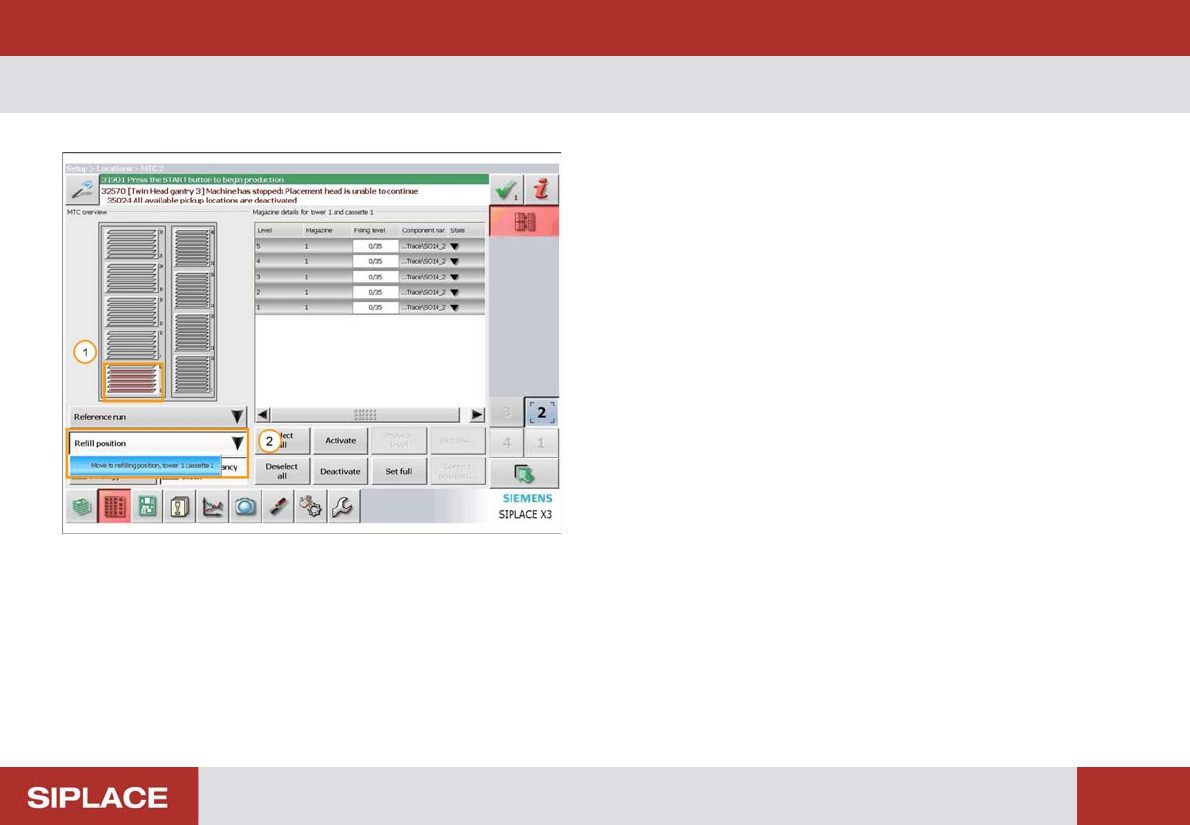
Option 703 MTC Refill - Refill the MTC : 151 Refill the MT C The MTC menu opens 1. The Red color of the trays indicates which need refilling. 2. Select ‘Refill Position’ and then ‘Move to refilling position’.
Option 703 MTC Refill - Refill the MTC :
150
Refill the MT C
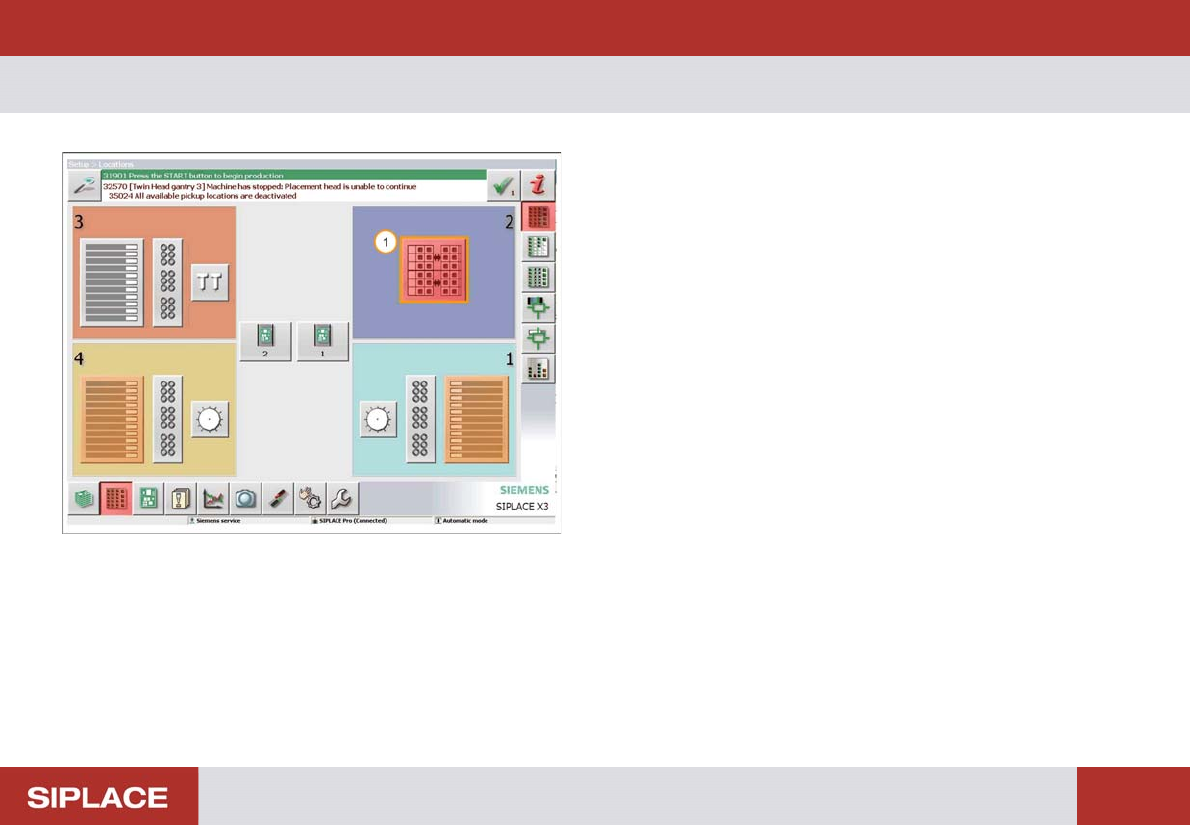
The locations menu opens
1. The Red color of the MTC icon indicates it needs
refilling – click here to enter the MTC menu.
Option 703 MTC Refill - Refill the MTC :
151
Refill the MT C
The MTC menu opens
1. The Red color of the trays indicates which need
refilling.
2. Select ‘Refill Position’ and then ‘Move to refilling
position’.
Option 703 MTC Refill - Loading the new tray. :
152
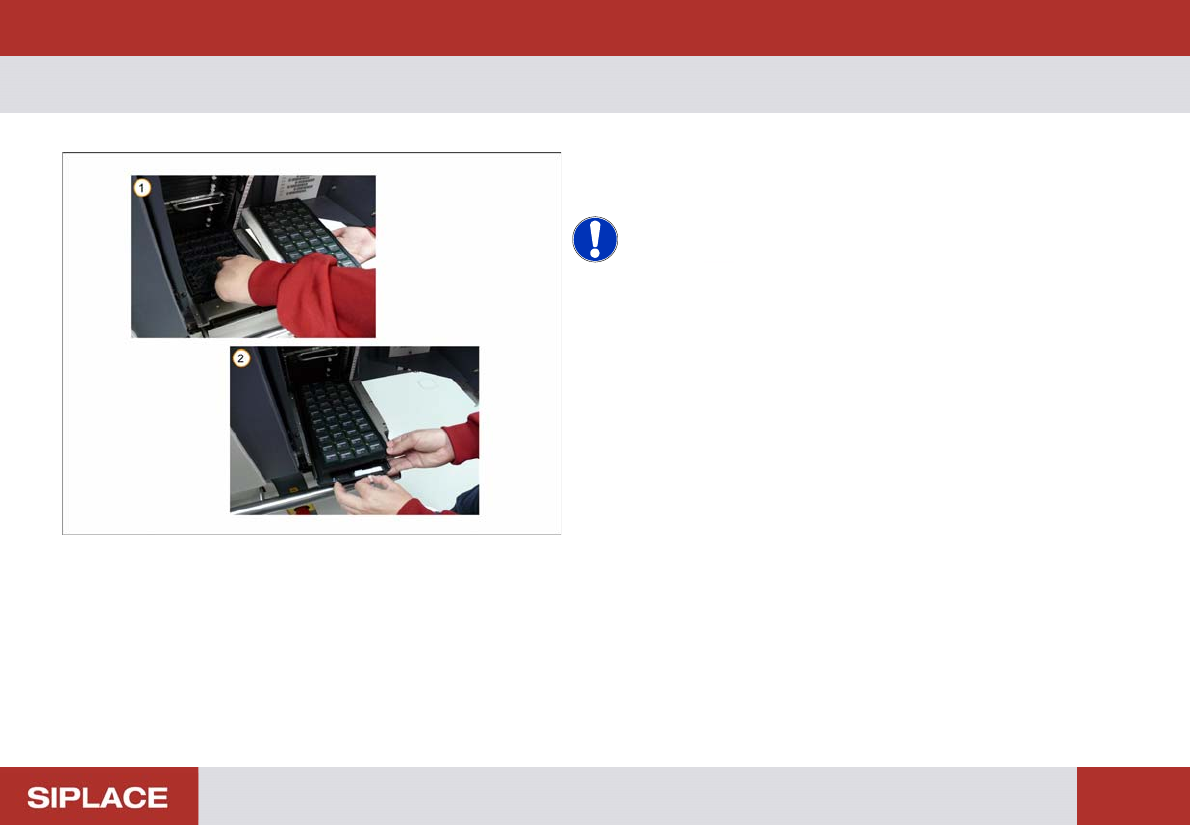
Loading t he new tray.
1. Remove the empty tray.
2. Load the new tray of components.
NOTICE! Ensure that the new tray of
components is loaded in the correct orientation and fixed
in place in the correct position.