00196849-02 OG SIPLACE Operation of X and SX-Series without SSC (SW70x) - 第173页
Weekly PM (70x) - Head v acuum test - graph : 173 Head vac uum test - graph 1. The vacuum test results ar e displayed as a ‘Spider’s Web’ graph. The r esults f or all nozzles should be within the green ar ea of the graph…
Weekly PM (70x) - Head vacuum test :
172
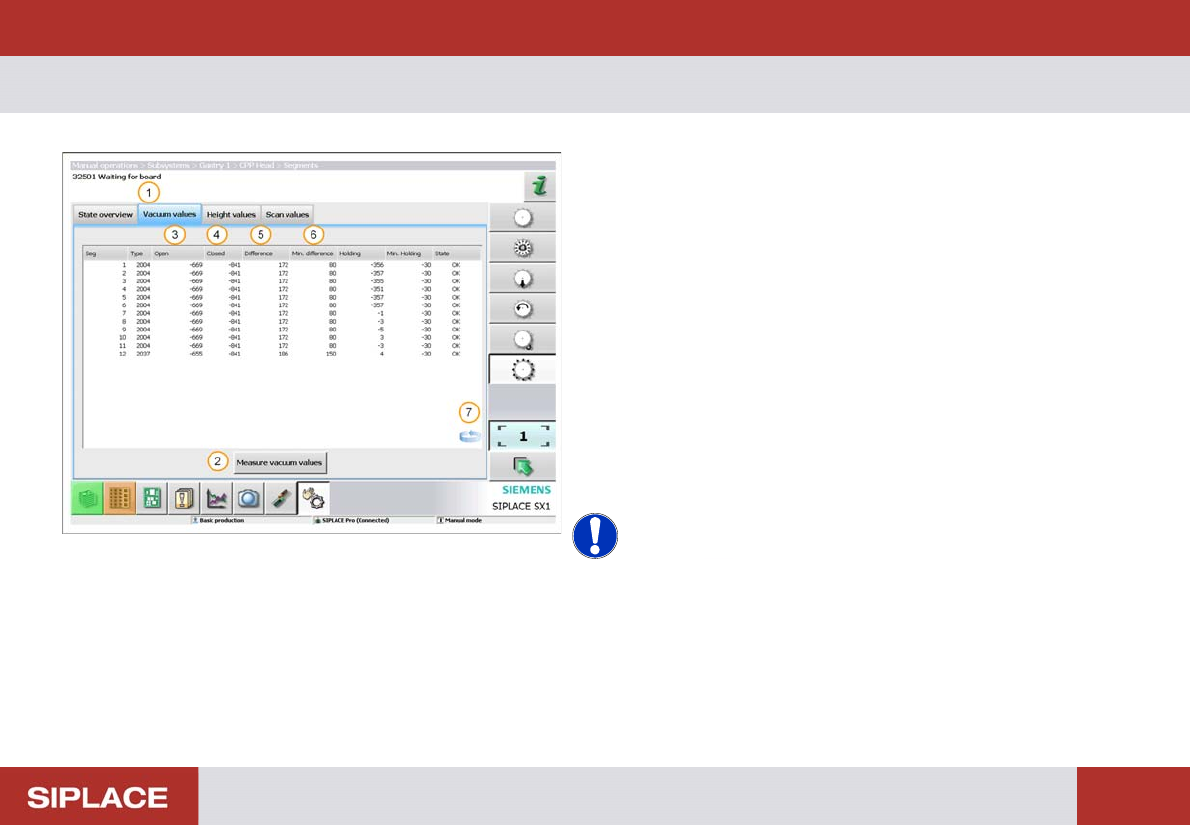
Head vacuum test
The vacuum test is used to check the condition of the
nozzles and segments.
1. Click ‘Vacuum values’ tab.
2. Click ‘Measure vacuum values’ tab.
3. The ‘Open’ results will vary depending on nozzle size.
4. All ‘Closed’ results should be about the same.
5. Difference = difference between ‘Open’ & ‘Closed’
results
6. Min difference = minimum required difference
between ’Open’ and ‘Closed’ results.
7. Click on the ‘Switch Screens’ icon to view a graph of
the results.
NOTICE! If the 'Difference' value for a segment
is not between the 'Min difference' values then an error
will occur. In this event – Contact your Supervisor!
Weekly PM (70x) - Head vacuum test - graph :
173
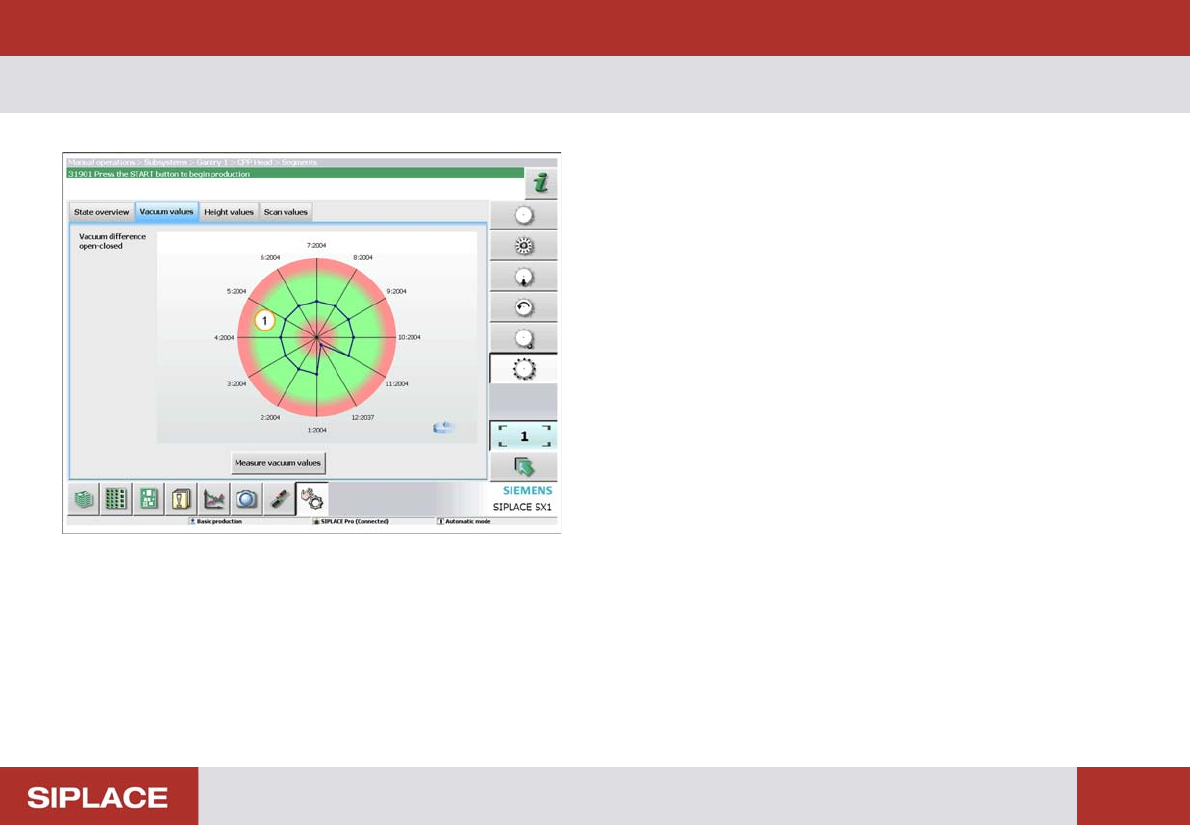
Head vacuum test - graph
1. The vacuum test results are displayed as a ‘Spider’s
Web’ graph. The results for all nozzles should be
within the green area of the graph.
Weekly PM (70x) - Return the nozzles to the nozzle changer :
174
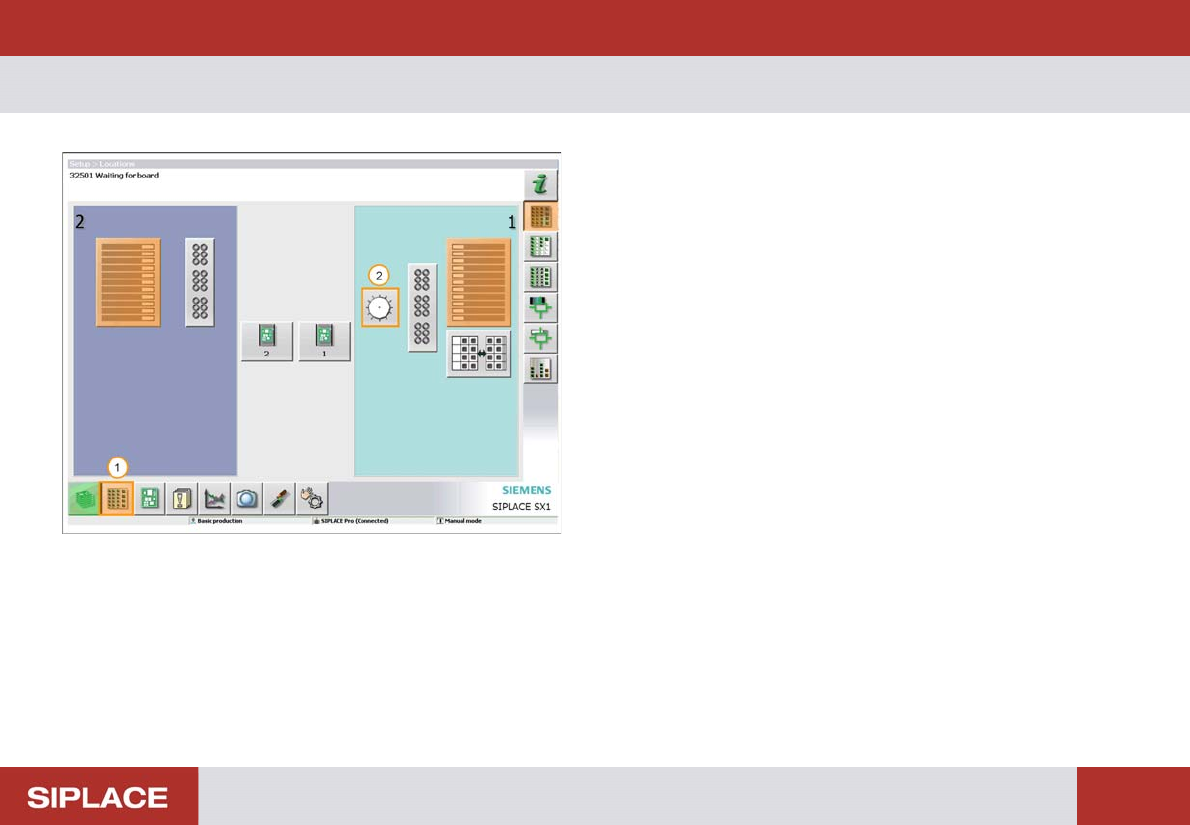
Return the noz zles to the nozz le changer
All the nozzles for all the heads of each machine should
be returned to the nozzle changers.
1. Select the ‘Locations’ icon.
2. Select the ‘Head’ icon.