00196849-02 OG SIPLACE Operation of X and SX-Series without SSC (SW70x) - 第178页
Weekly PM (70x) - SIPLAC E X - Remove Feeder Tables : 178 SIPLACE X - Remove Fe eder Tables 1. Press the Stop button. 2. Open the Sa f ety Cover . 3. Press the black button until the table is fully undocked.
Weekly PM (70x) - SIPLACE SX – Remove Feeder Tables. :
177
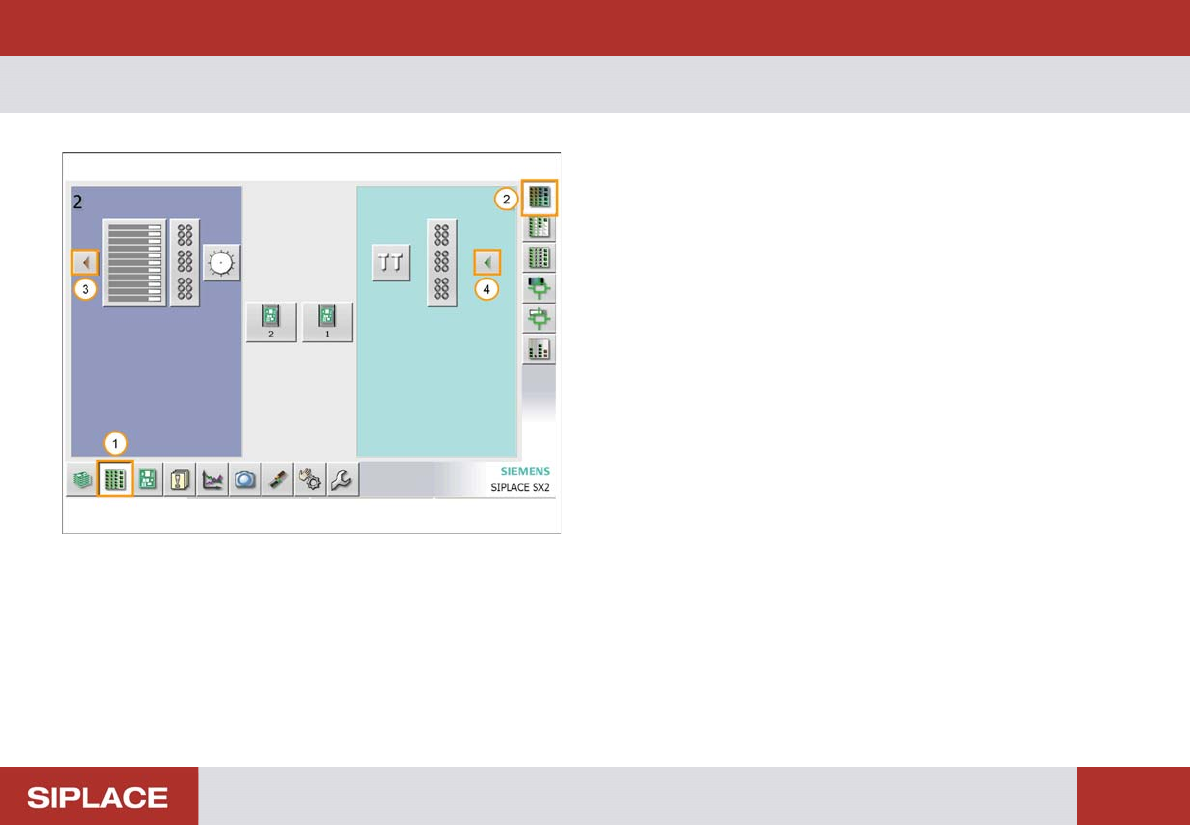
SIPLACE SX – Remove Feeder Tables.
With the SIPLACE SX machines the feeder tables can be
moved in and out of the machine using the GUI.
1. Select ‘Locations’ window.
2. Click ‘Display Feeders, Components and Nozzles’
3. Click the red icon to remove the table from the
machine. The table will now undock automatically.
4. Click the green arrow icon to reload the table into the
machine after the maintenance has been completed.
Weekly PM (70x) - SIPLACE X - Remove Feeder Tables :
178
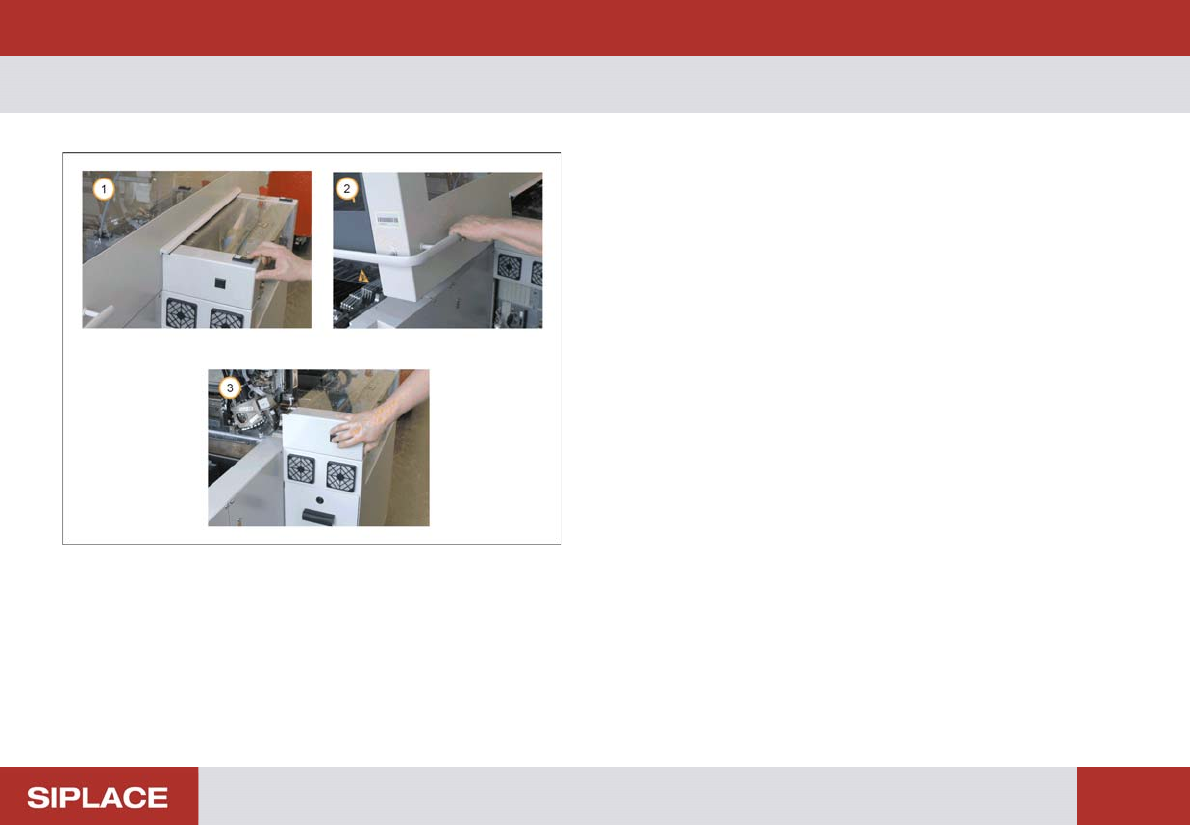
SIPLACE X - Remove Fe eder Tables
1. Press the Stop button.
2. Open the Safety Cover.
3. Press the black button until the table is fully
undocked.
Weekly PM (70x) - Remove Feeder Tables :
179
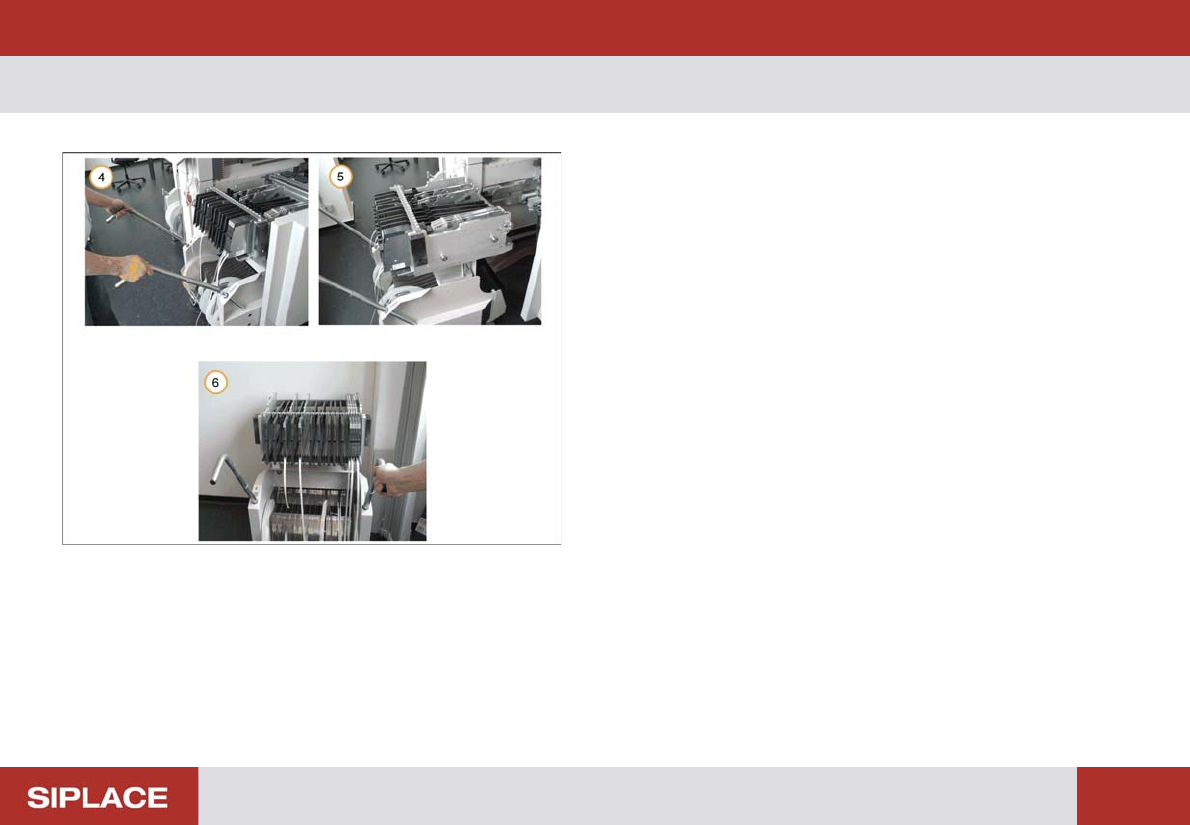
Remove Feeder Tables
4. Lift up the table handles and lock them in place.
5. Carefully pull out the feeder table.
6. Store the feeder table in the designated offline
location.
Repeat this operation for all tables on the line.