00196849-02 OG SIPLACE Operation of X and SX-Series without SSC (SW70x) - 第69页
Setting Up X-Feeders - Checking the Set-Up : 69 Checking the Set- Up 1. In order to ensure the co rrect set up on ea ch feeder table you should re fer to the set up sh eet and physically check. ▪ Component shape and numb…
Setting Up X-Feeders - 8 - 88mm X - Setting the transport speed :
68
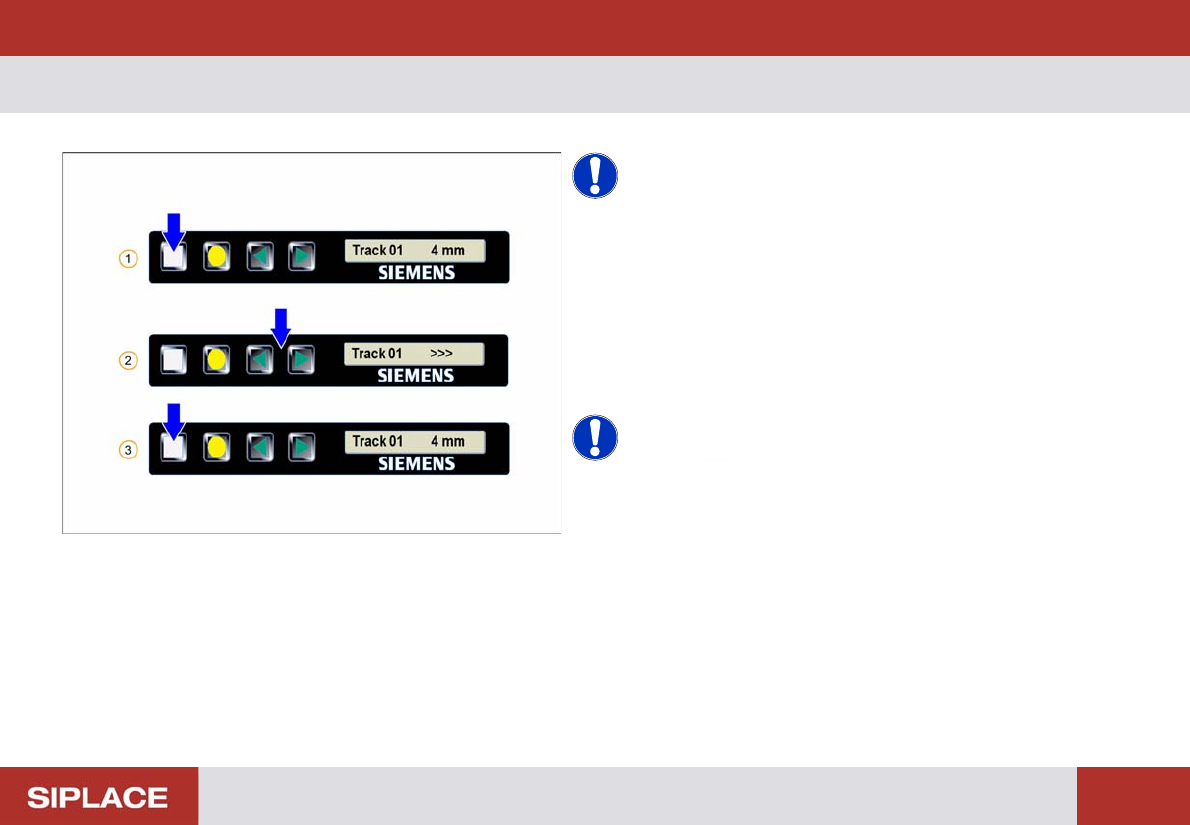
8 - 88mm X - Setting the tr ansport sp eed
NOTICE! Theses settings are set by the
machine automatically.
1. Start screen – press the Set button until the speed is
displayed
2. Set the required speed by pressing the Forwards or
Backwards buttons
3. Repeatedly press the Set button to return to the start
screen
NOTICE! > = very slow
>> = slow
>>> = standard
Setting Up X-Feeders - Checking the Set-Up :
69
Checking the Set-Up
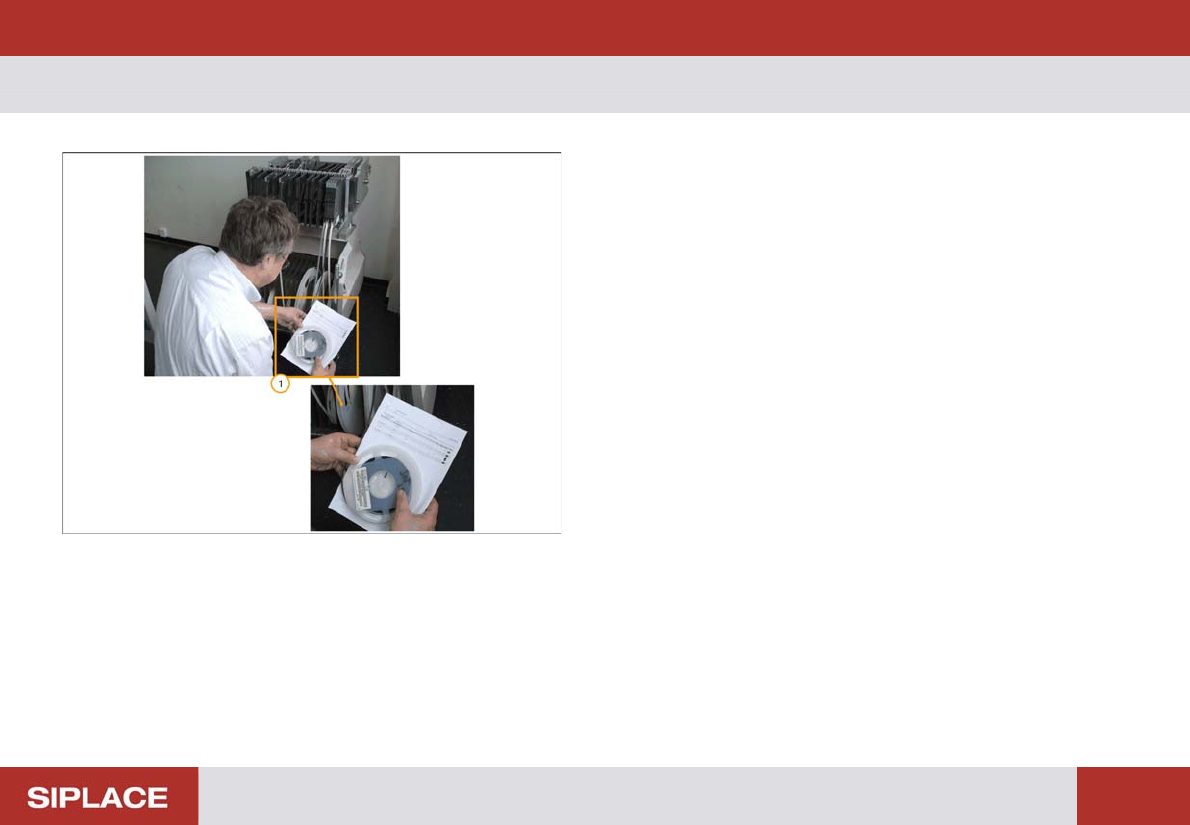
1. In order to ensure the correct set up on each feeder
table you should refer to the set up sheet and
physically check.
▪ Component shape and number.
▪ Feeder division number.
▪ Component Part Number.
▪ Size and type of feeder.
▪ Orientation of the component at the pick up position.
Setting Up X-Feeders - Supports for heavy component reels :
70
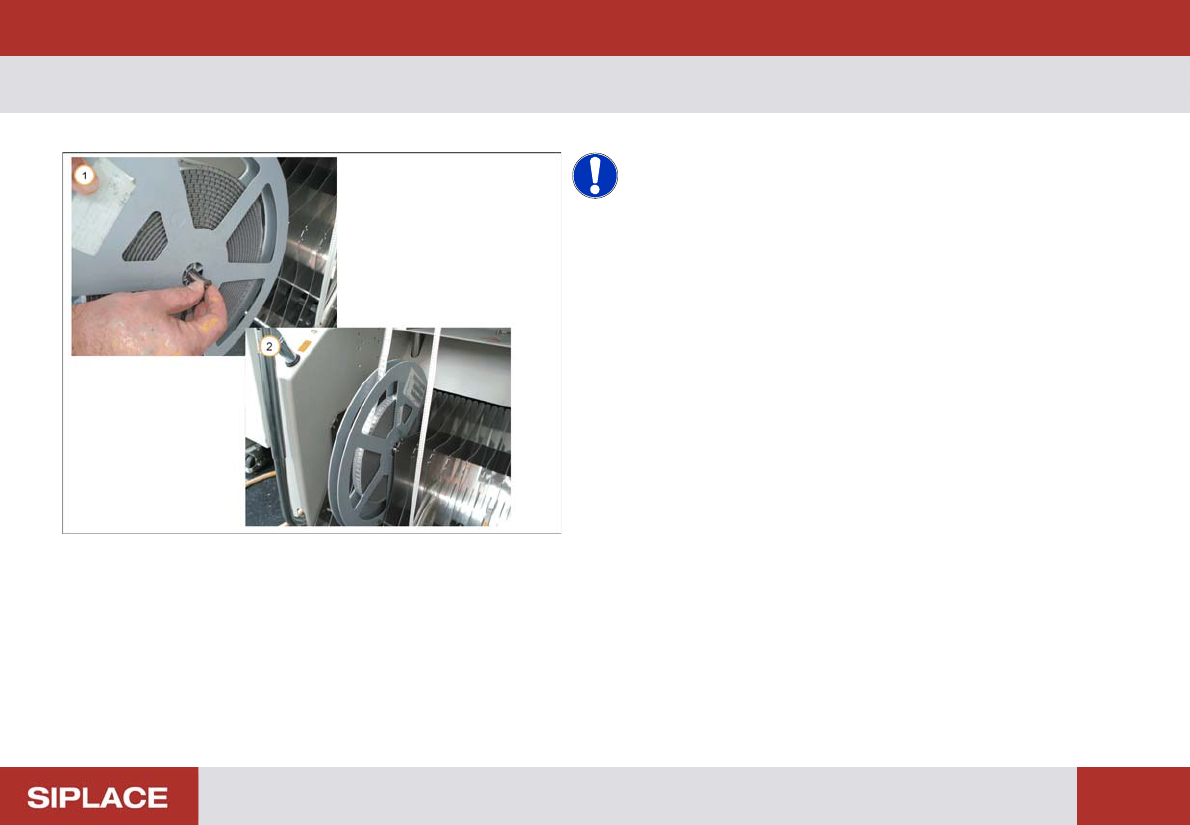
Supports for heavy component reels
NOTICE! Heavy component reels should be
supported using special pins.
1. Insert the pin into the hole in the center of the reel.
2. Fit the pin into the notches of the separator plates so
that the reel is suspended and can move easily.