00196849-02 OG SIPLACE Operation of X and SX-Series without SSC (SW70x) - 第85页
SW 703 Downloading a Recipe - C hanging the nozzle changer setup . : 85 Changing t he nozzle change r setup. 1. Select the ‘Locat ions’ icon. 2. The nozzle c hange icon will be shown in red, click on the icon to enter th…
SW 703 Downloading a Recipe - Unsuccessful Recipe Send :
84
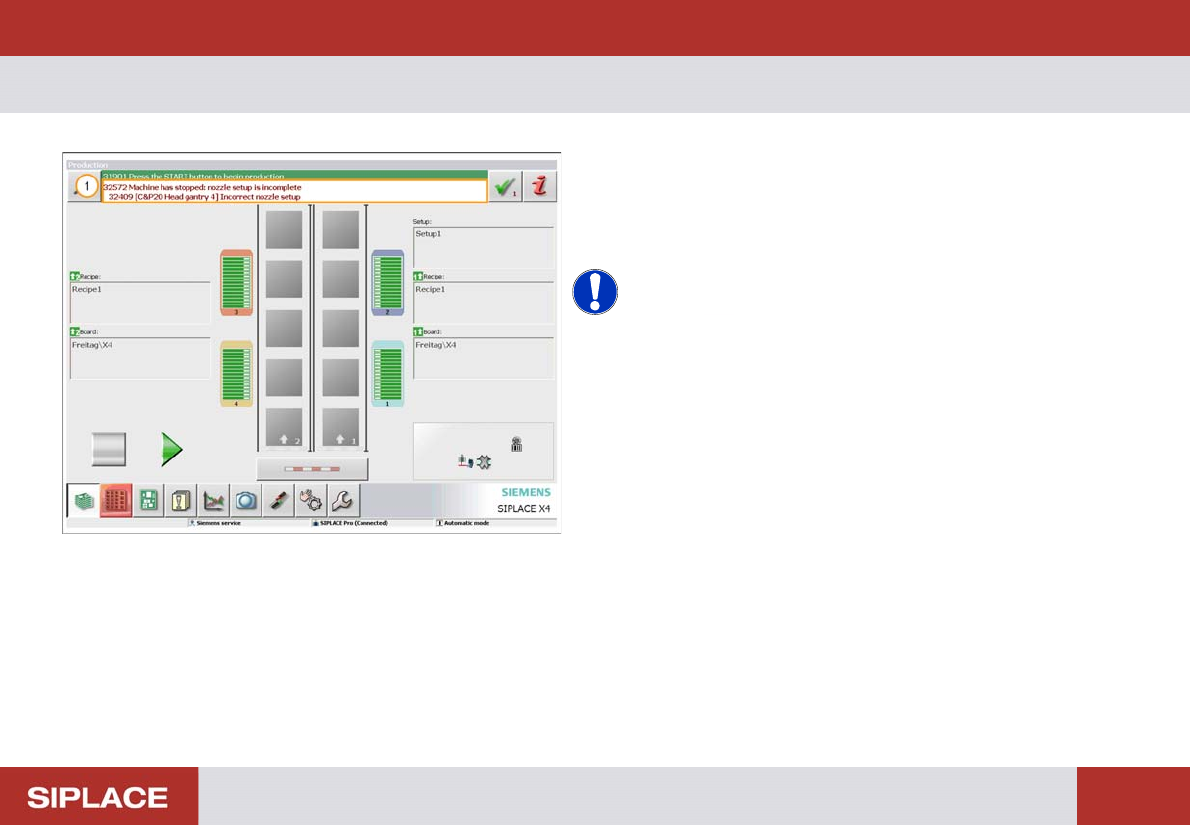
Unsuccess ful Recipe Send
1. If the is any problem with the download a message
will appear to notify you.
The most common reason is that a change is required for
the nozzle changer configuration.
NOTICE! If any other message appears then
notify your supervisor.
SW 703 Downloading a Recipe - Changing the nozzle changer setup. :
85
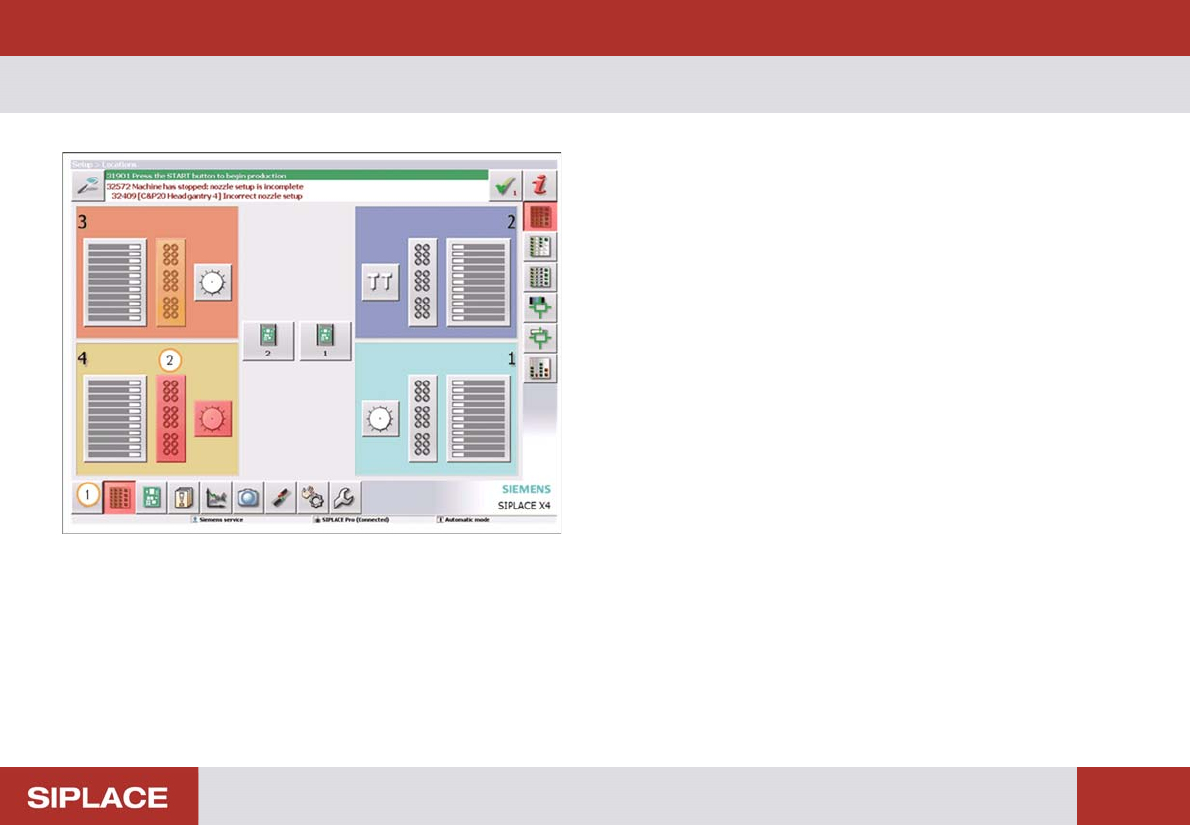
Changing t he nozzle change r setup.
1. Select the ‘Locations’ icon.
2. The nozzle change icon will be shown in red, click on
the icon to enter the menu.
SW 703 Downloading a Recipe - Changing the nozzle changer setup. :
86
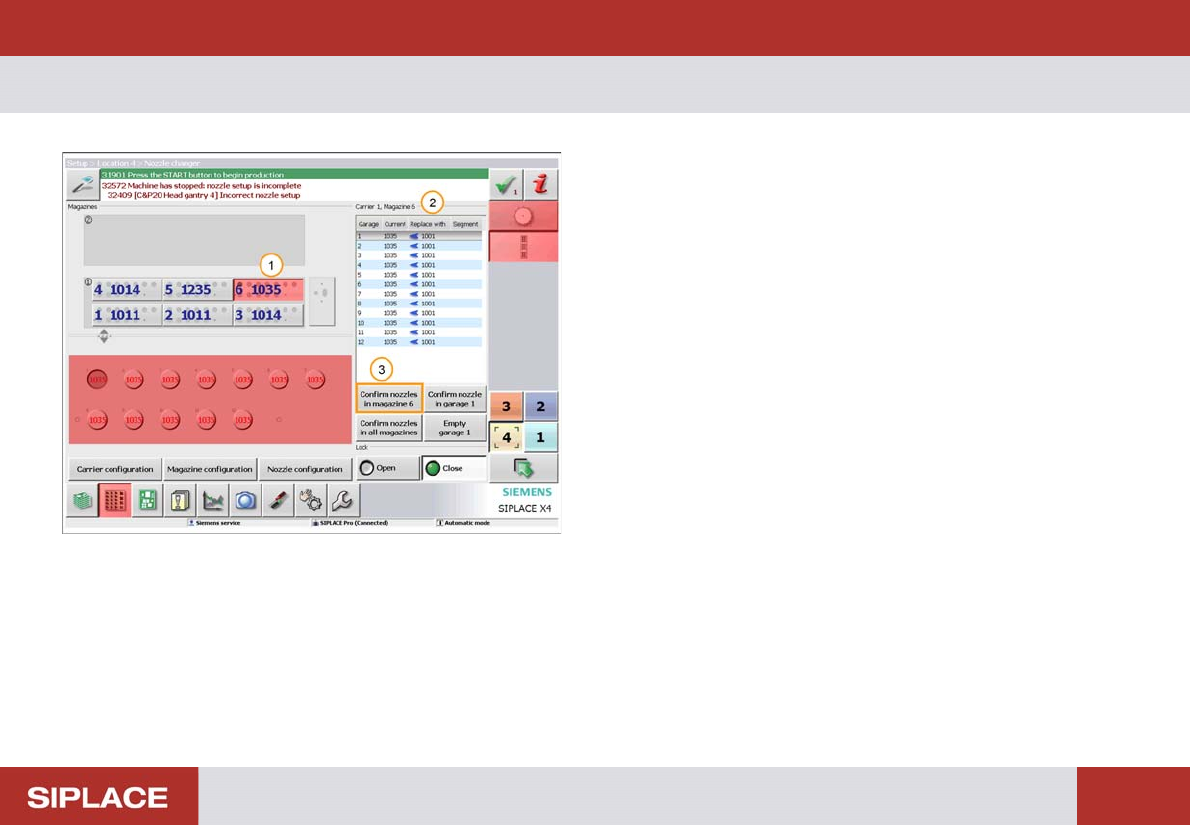
Changing t he nozzle change r setup.
1. The nozzle magazines that need to be changed are
shown in red.
2. The listing shows how the magazine should be
configured.
See the next page for how to change the magazines.
3. Once the change is complete click on ‘Confirm nozzles
in magazine x’.