AOI_RS_v85_en - 第12页
Chapter 1 Installation Pr ocess AOI Repair Station 8 Step2. S elect [Y es] to remove the program. Step3. After finishin g uninstallation, press [OK] to close the following window . 6 Server Model Networking 6.1 Model 1
Chapter 1 Installation Process
AOI Repair Station
7
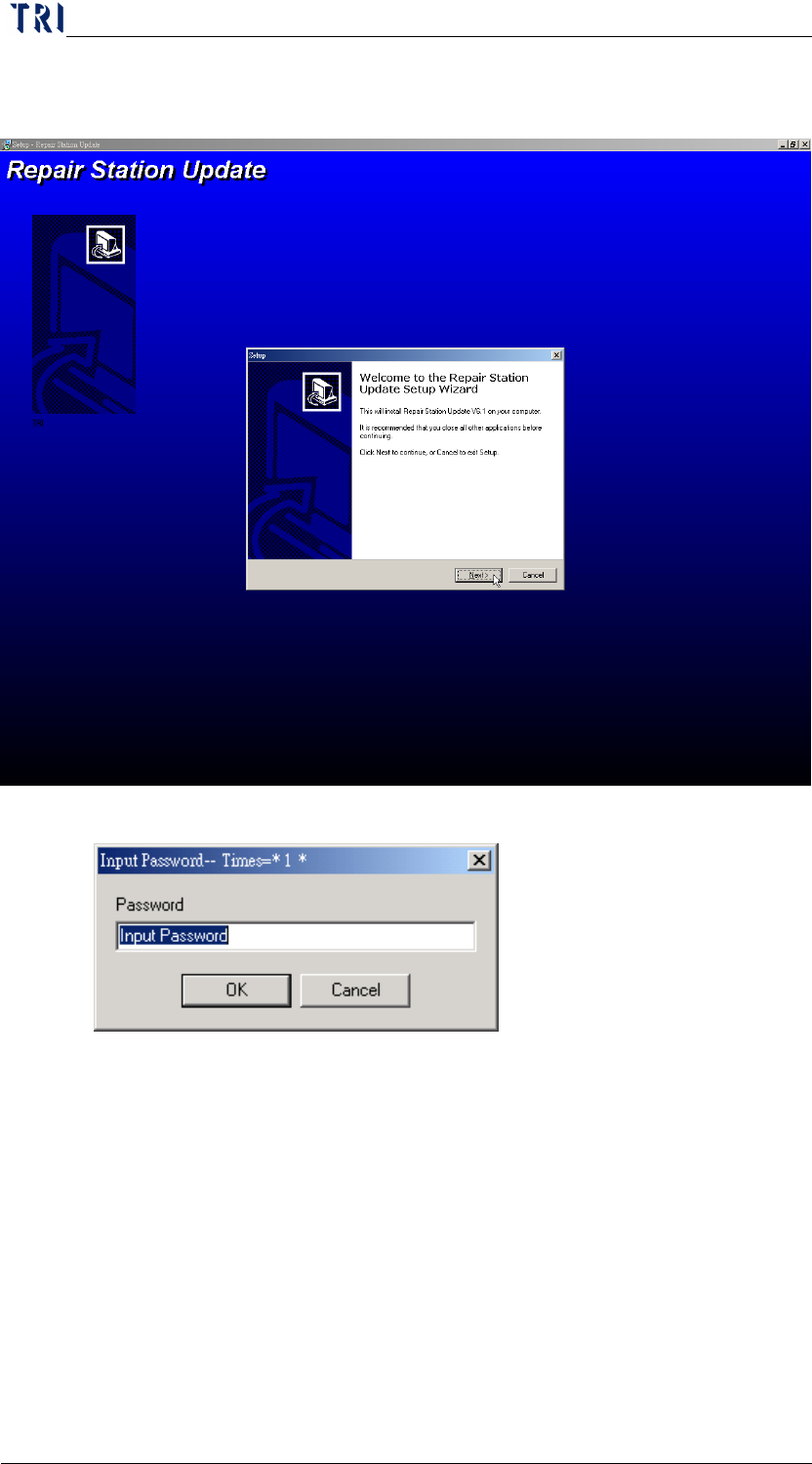
Step6. If there is any other question asked during the installation, just
select [Next], [Install] or [Next].
Step7. The installation password is [TRI].
Step8. You can start to use the program after installation and don’t need to
restart the computer.
5 Uninstallation
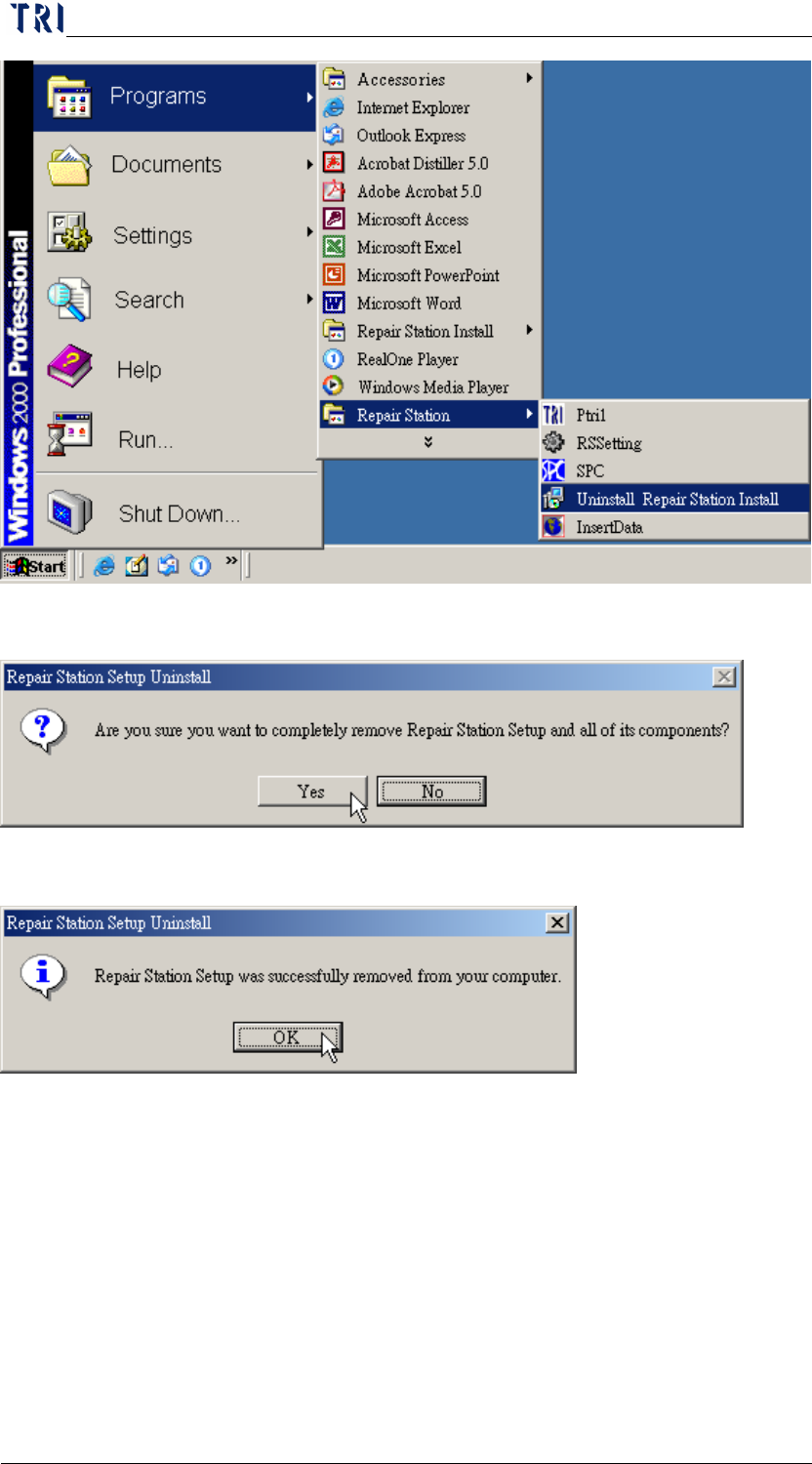
Step1. Select [Start/Programs/Repair Station/Uninstall Repair Station]
Chapter 1 Installation Process
AOI Repair Station
8
Step2. Select [Yes] to remove the program.
Step3. After finishing uninstallation, press [OK] to close the following window.
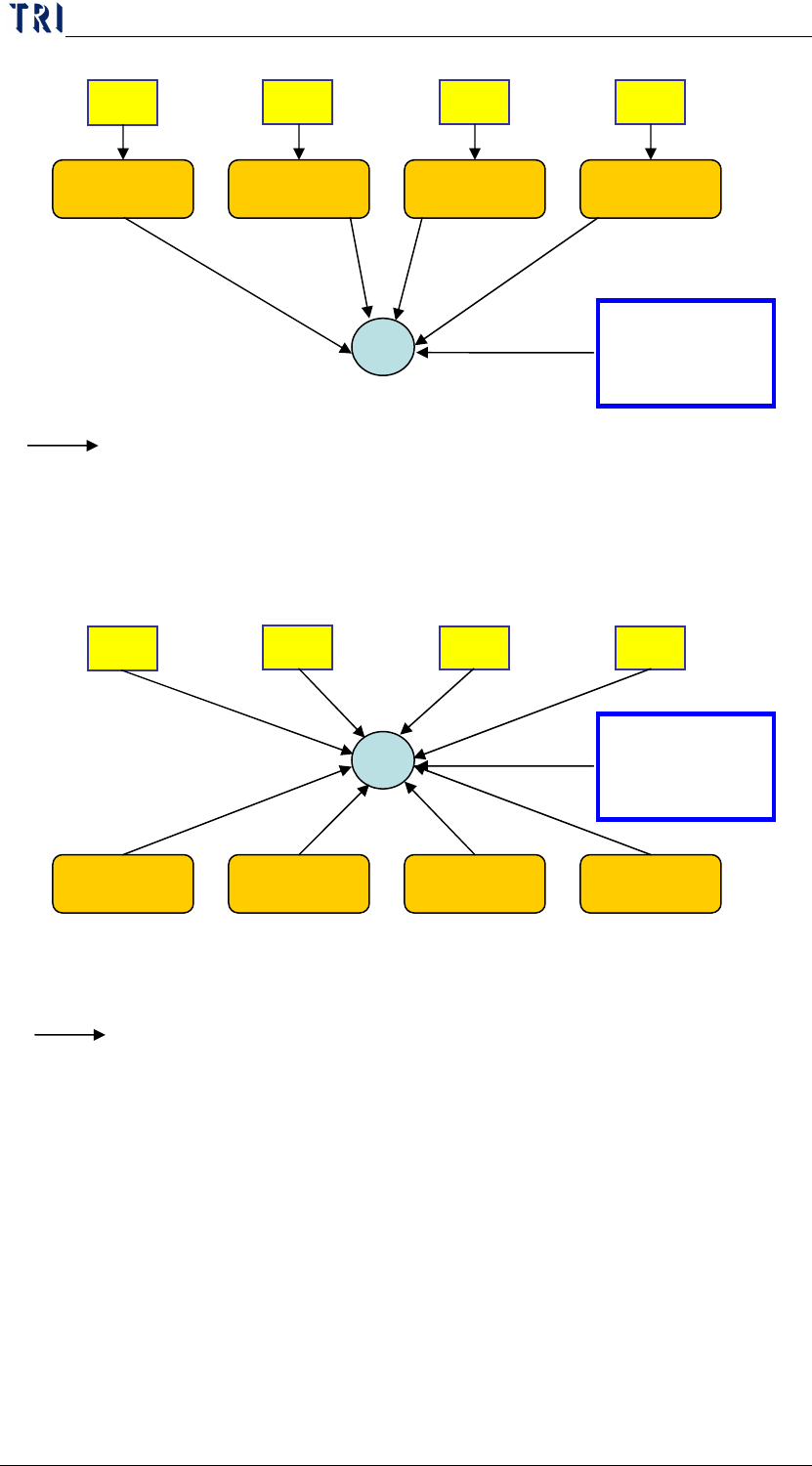
6 Server Model Networking
6.1 Model 1
Chapter 1 Installation Process
AOI Repair Station
9
6.2 Model 2
AOI1
AOI2
AOI3
AOI4
Repair Station
(STATION 1)
HUB
192.168.0.6
255.255.255.0
SERVER
192.168.0.1
255.255.255.0
At least 10 ports for Hub (4 for aoi, 4 for repair station, 1 for server)
Repair Station
(STATION 2)
Repair Station
(STATION 3)
Repair Station
(STATION 4)
192.168.0.7
255.255.255.0
192.168.0.8
255.255.255.0
192.168.0.9
255.255.255.0
Means the network cable
192.168.0.2
255.255.255.0
192.168.0.3
255.255.255.0
192.168.0.4
255.255.255.0
192.168.0.5
255.255.255.0
AOI1
AOI2
AOI3
AOI4
Repair Station
(STATION 1)
HUB
192.168.0.6
255.255.255.0
SERVER
192.168.0.1
255.255.255.0
At least 6 ports for Hub (4 for repair station, 1 for server)
Repair Station
(STATION 2)
Repair Station
(STATION 3)
Repair Station
(STATION 4)
192.168.0.7
255.255.255.0
192.168.0.8
255.255.255.0
192.168.0.9
255.255.255.0
Means the network cable