AOI_RS_v85_en - 第124页
Chap ter3 SPC User Ma nual AOI Repair Station 120 7.4.1.5 Clear All Setting Use this function to clear all current settings as shown below . Click on this function and the “Are you sure? ” prompt message will appear …
Chapter3 SPC User Manual
AOI Repair Station
119
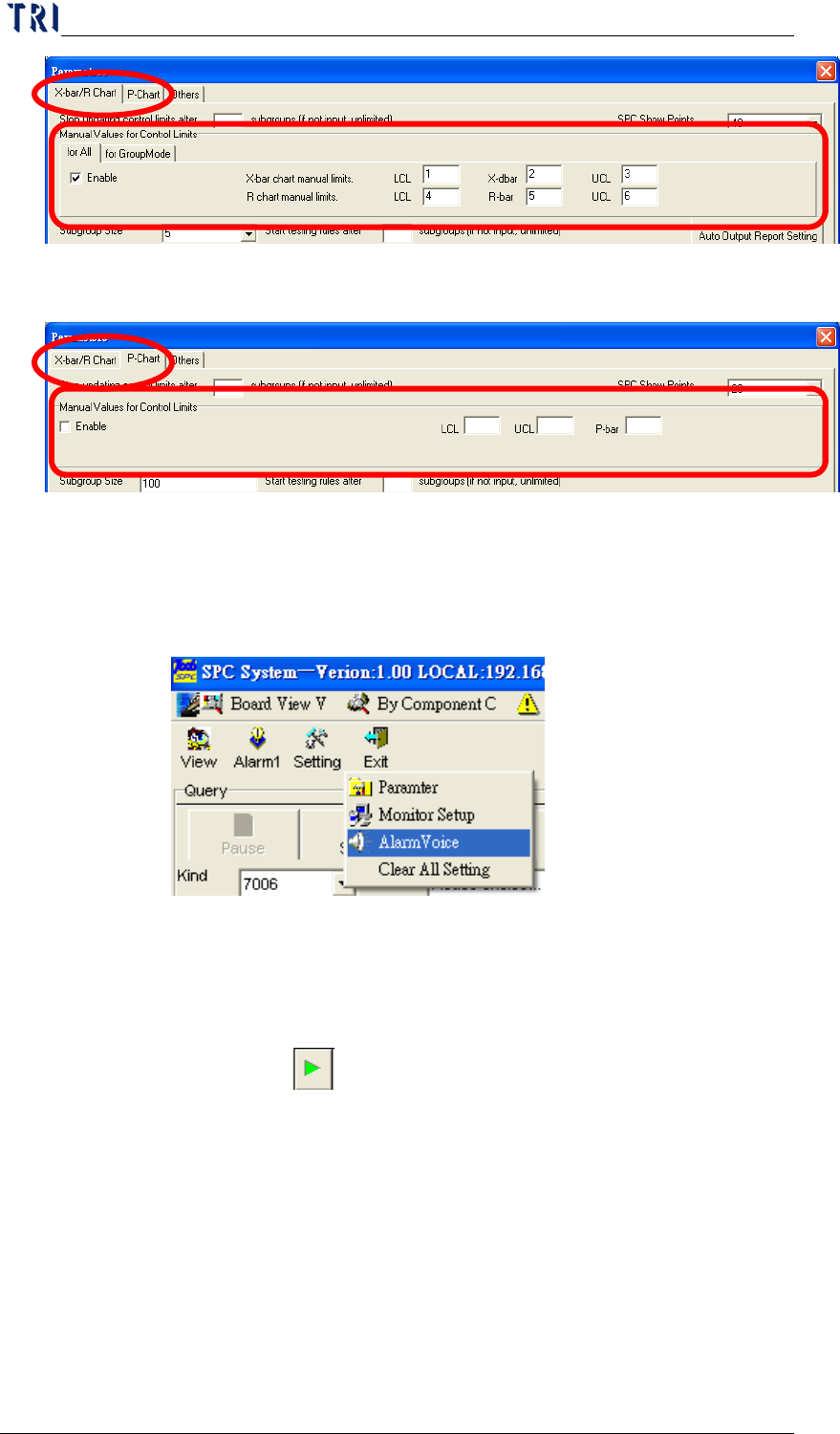
P Chart: Change to [P Chart] to do the setting of P Chart as
the following picture. [Manual Values for Control Limits]
on the top of the table is to set the control limits for P Chart.
7.4.1.4 Alarm Voice
To specify the sound that computer will play when there is an
alarm occurring. Select [Setting/ Alarm Voice] as the following
picture.
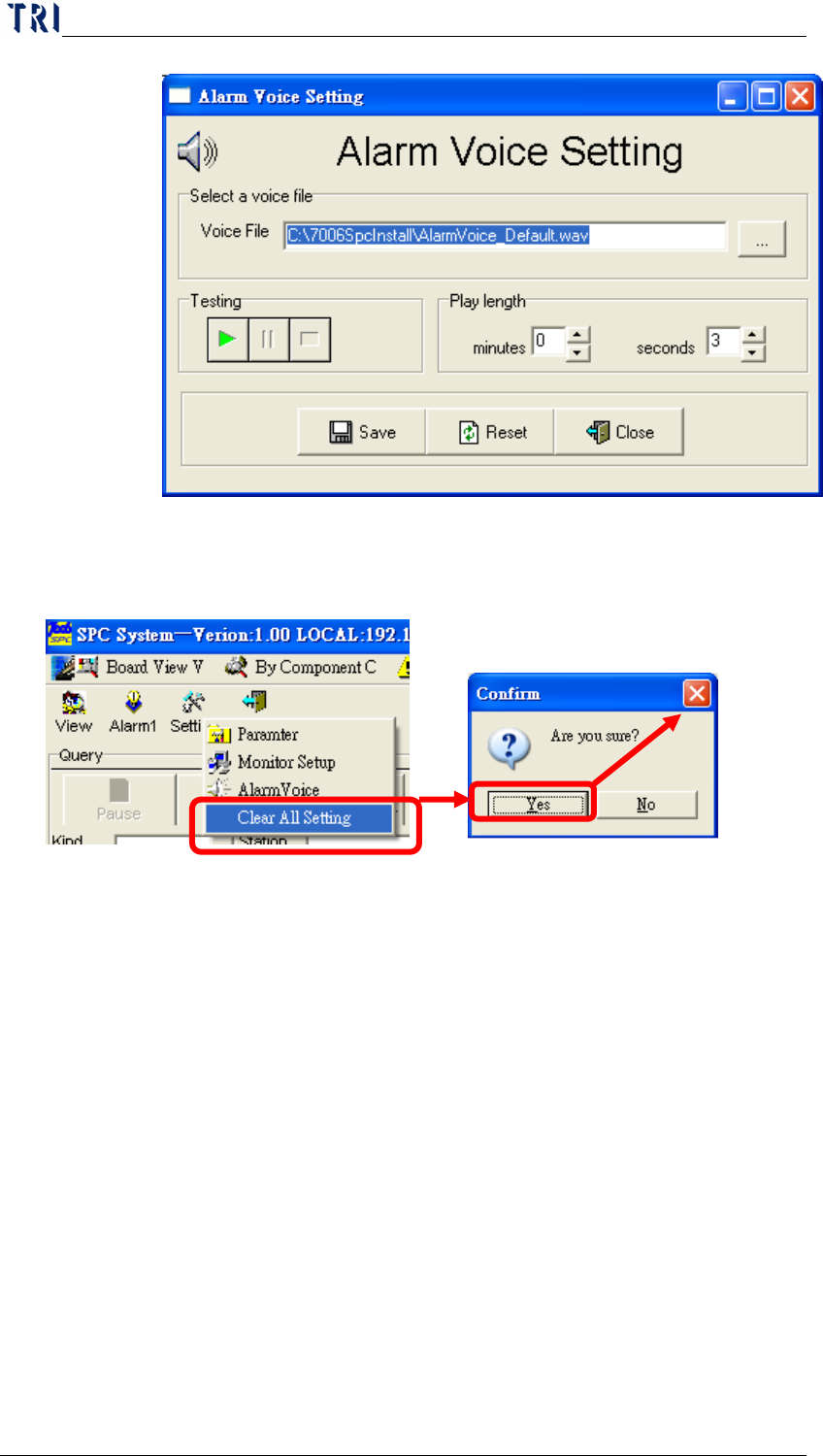
Select a *.wav file in [Select a voice file] field to be the alarm
voice. If the WAV file that you select is not exist or invalid,
system will use the default voice. After selecting a voice, user
can execute [
] to listen the voice. And [Play length] field is
to set the playing time of alarm voice.
Chapter3 SPC User Manual
AOI Repair Station
120
7.4.1.5
Clear All Setting
Use this function to clear all current settings as shown below.
Click on this function and the “Are you sure?” prompt message
will appear. You must click on “
Yes” to clear all settings. When
“OK” appears on the screen, this indicates that the settings are
already cleared.
7.4.1.6 Real-time monitor setup area
Displays the real-time statistical data and control chart for the
desired component and solder. These are the components and
solders selected under the “Query” block in the Main menu, which
we referred to as the “real-time monitor items”. Whereas, the
monitor items selected under “Setting” – “Monitor Setup” are
referred to as “Non-real-time monitor items”. The explanation of
the setting method for this item is as follows.
Chapter3 SPC User Manual
AOI Repair Station
121
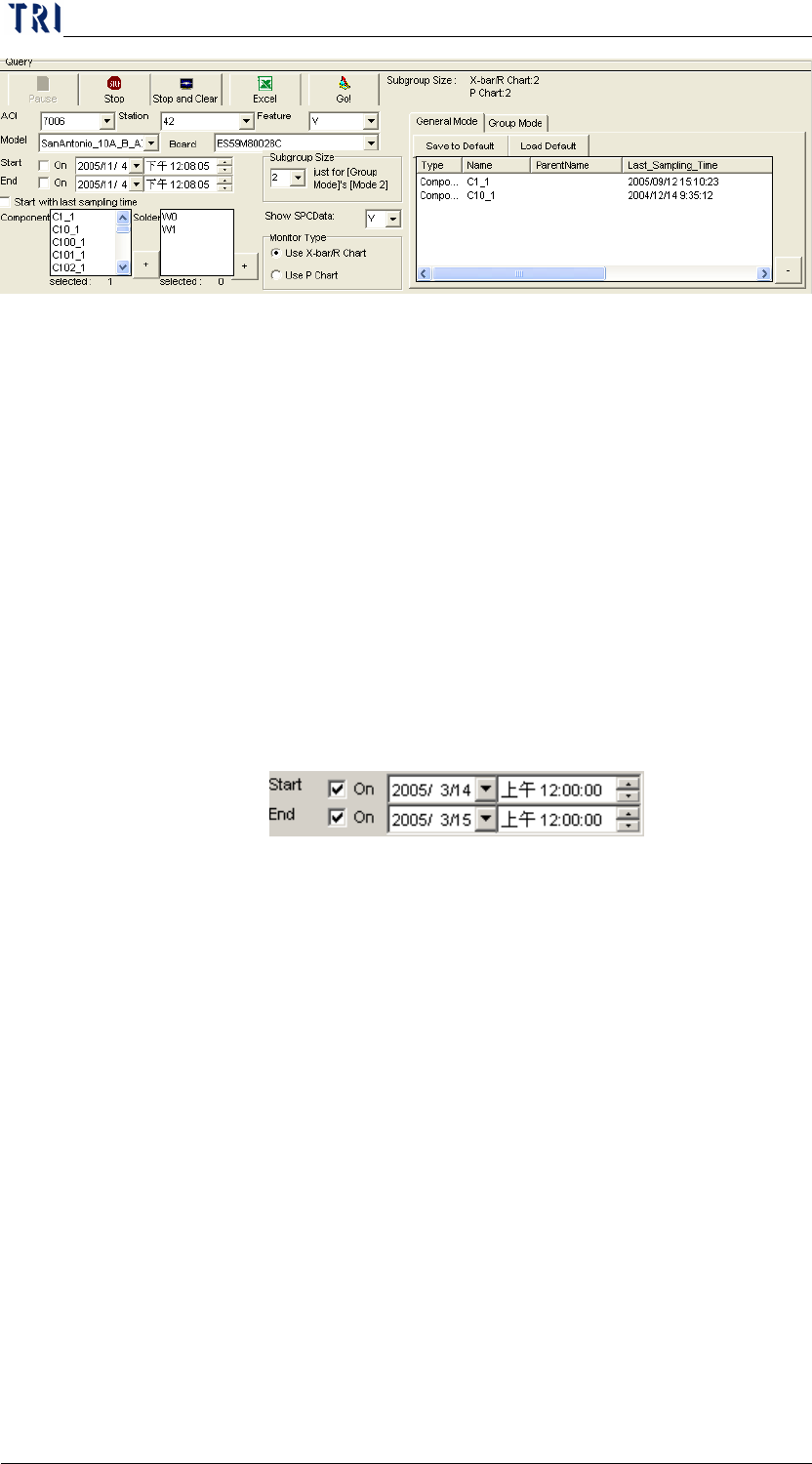
Query Area: The interface for user to find and set the monitoring
items. The all conditions are explained as the followings.
Kind: Select the kind of inspection machine. Now 7006,
7100 and ICT machine could be selected.
Station: Set the Station ID of the machine.
Feature: To set the feature of monitoring. For TR7006, there
are V (Volume), A (Area), H (Height), PX (X shift) and PY
(Y shift), five items could be selected; for 7100 (AOI), there
are X (X shift), Y (Y shift) and Theta (rotating angle), three
items could be selected; for ICT, user only can select Measure
item.
Model: To select a model name that is monitored.
Board: To select the board that the monitored item belongs to.
If user only wants to monitor the data in a period of time, he
has to check [Start] and [End] item, and specify the start time
and end time.
Start with last sampling time: When checked, system samples
the data that is generated after the system closes last time.
Show SPCData: When user select “N” for [Show SPCData],
system will not show the statistic data and only display the
control charts on screen. After user changes the select to
“N”, he has to start to monitor again to refresh the display.