AOI_RS_v85_en - 第137页
Chap ter3 SPC User Ma nual AOI Repair Station 133 Y ou can set the applicabl e monitor items for each alarm by clicking on the “ Select Items…” button on the right of the alarm. At this time, the lower part of the scre…
Chapter3 SPC User Manual
AOI Repair Station
132
on the “Clear All” button on the upper right of the list
to clear all monitor items currently selected for this
alarm. After selecting, click on the “Update” button
on the upper right corner of the list to confirm update of
this alarm. After updating all alarms, just click on the
“Save” button on the lower part of the screen to save
the updates to the setup file. If you want to reset the
settings, just click on the “Reset” button. To exit, just
click on the “Close” button.
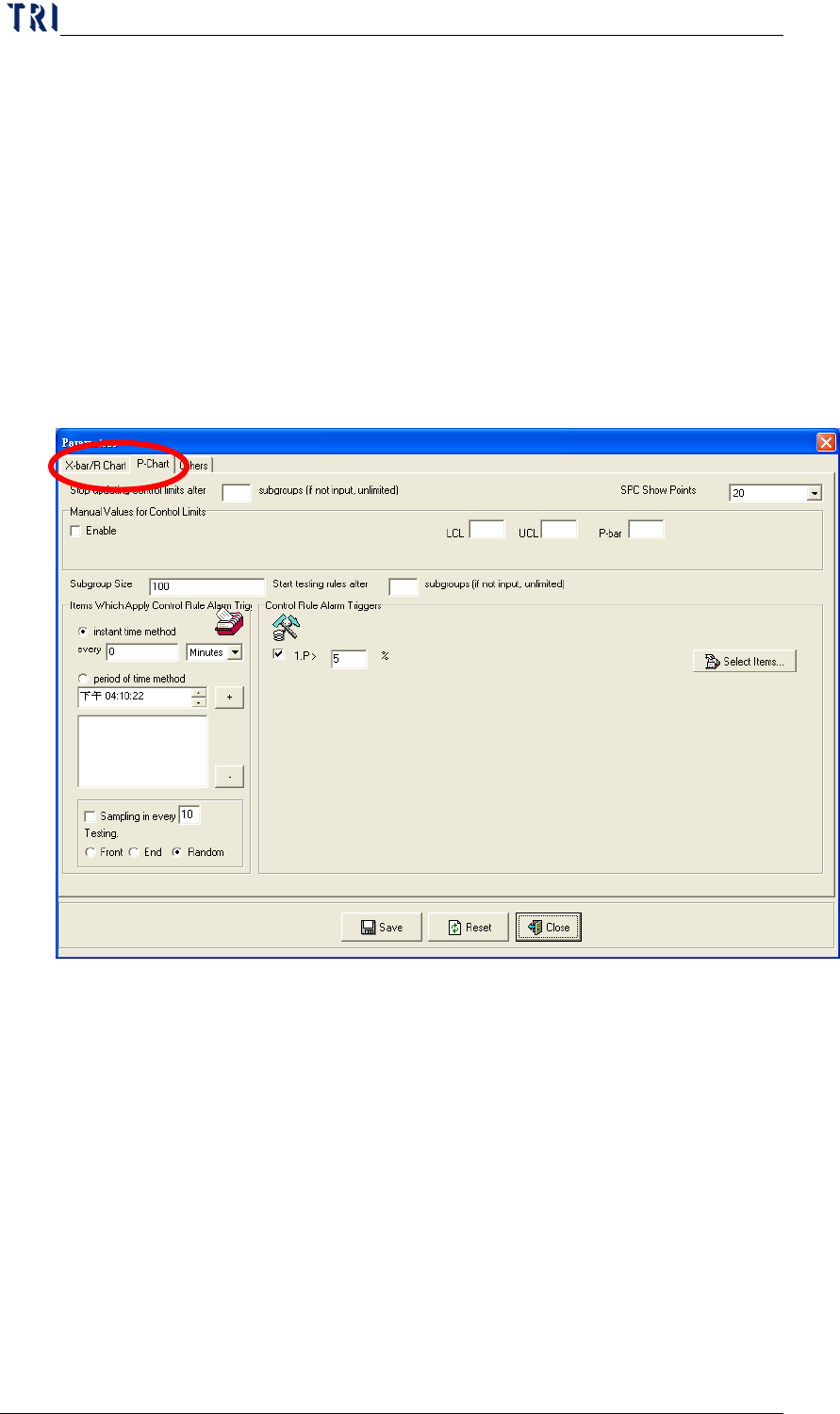
P Chart: Change to page [P Chart] to set parameters.
The “Control Rule Alarm Triggers” area is for setting
the alarm parameters. Check (
√) the check box before
each item if you want to enable this said item. The
description of each item is as follows:
If the P value computed after each sampling is
smaller than the value set in this item, this
indicates that an error has occurred.
Chapter3 SPC User Manual
AOI Repair Station
133
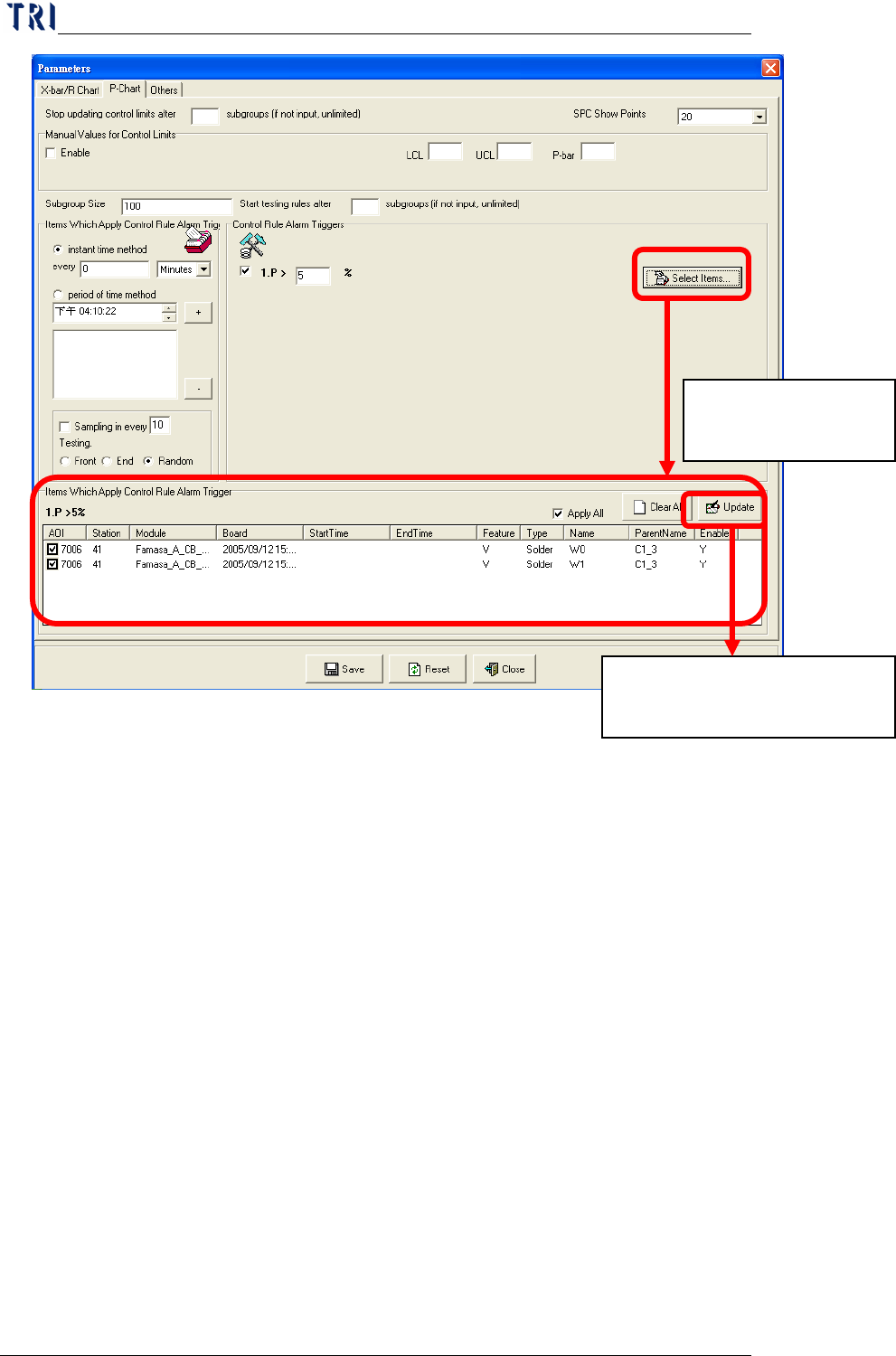
You can set the applicable monitor items for each alarm
by clicking on the “
Select Items…” button on the right
of the alarm. At this time, the lower part of the screen
displays the “Items Which Apply Control Rule Trigger”
block. You can check (
√) the items that are applicable
to this alarm or just click on the “
Apply All” button on
the upper right of the list to indicate that all monitor
items are applicable to this alarm. You can also click
on the “Clear All” button on the upper right of the list
to clear all monitor items currently selected for this
alarm. After selecting, click on the “Update” button
on the upper right corner of the list to confirm update of
this alarm. After updating all alarms, just click on the
“Save” button on the lower part of the screen to save
the updates to the setup file. If you want to reset the
settings, just click on the “
Reset” button. To exit, just
click on the “Close” button.
Click here to display
this setting block.
Click to save data. This block
disappears after saving data.
Chapter3 SPC User Manual
AOI Repair Station
134
The setting of the monitor item list here comes from the
data selected by “Monitor Setup” under “Setting.”
This does not include the components or solders
selected in the Main menu that require the display of
real-time statistical data and control charts.
7.4.1.9 Create Style 3 Report Automatically.
Only for [Mode 2] under [Group Mode], system can output “Style
2” and “Style 3”. “Style 3” is a daily report, system could create the
Style 3 Report automatically. User can set parameters of the Style 3
Report here.
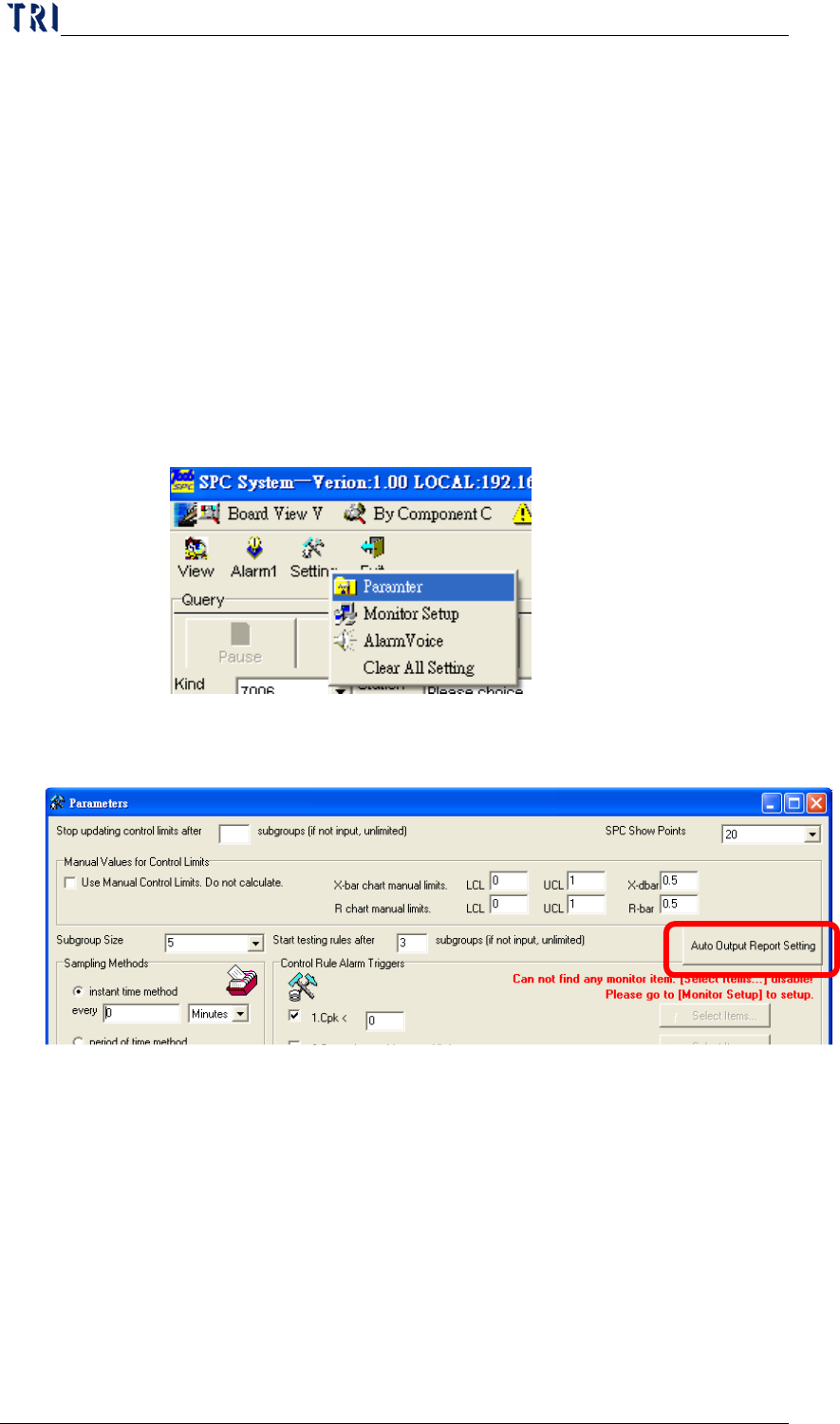
The setting frame is a shown below. Pressing [Auto Output
Report Setting] is to enter the setting window of the Style 3 Report.