AOI_RS_v85_en - 第14页
Chapter 1 Installation Pr ocess AOI Repair Station 10 7 SER VER editi on installation 7.1 Server side 7.1.1 SQL S erver setting Step1. Install SQ L SER VER 2000 ST ANDARD: a. Insert the Disk: select [SQL Server 2000 Comp…
Chapter 1 Installation Process
AOI Repair Station
9
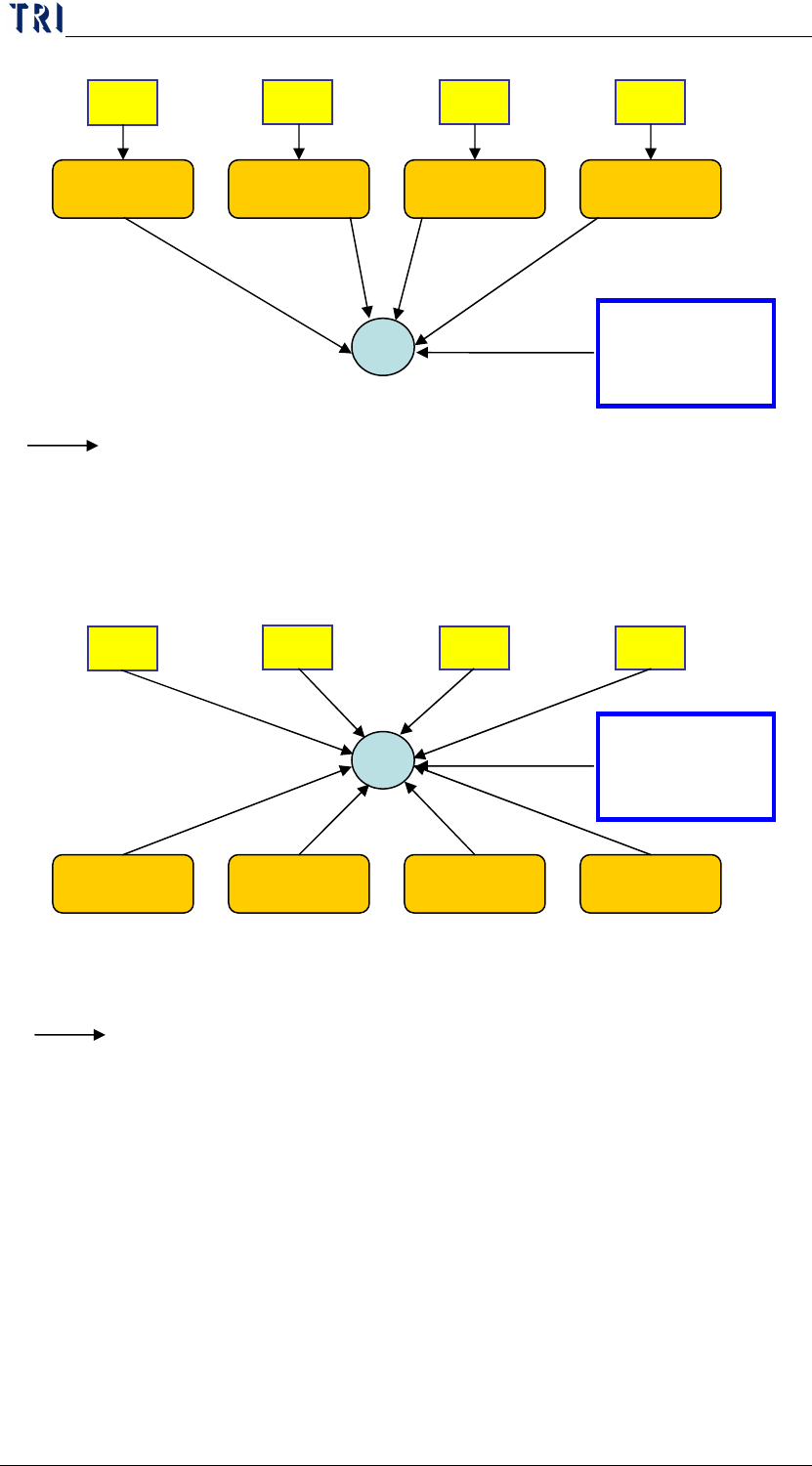
6.2 Model 2
AOI1
AOI2
AOI3
AOI4
Repair Station
(STATION 1)
HUB
192.168.0.6
255.255.255.0
SERVER
192.168.0.1
255.255.255.0
At least 10 ports for Hub (4 for aoi, 4 for repair station, 1 for server)
Repair Station
(STATION 2)
Repair Station
(STATION 3)
Repair Station
(STATION 4)
192.168.0.7
255.255.255.0
192.168.0.8
255.255.255.0
192.168.0.9
255.255.255.0
Means the network cable
192.168.0.2
255.255.255.0
192.168.0.3
255.255.255.0
192.168.0.4
255.255.255.0
192.168.0.5
255.255.255.0
AOI1
AOI2
AOI3
AOI4
Repair Station
(STATION 1)
HUB
192.168.0.6
255.255.255.0
SERVER
192.168.0.1
255.255.255.0
At least 6 ports for Hub (4 for repair station, 1 for server)
Repair Station
(STATION 2)
Repair Station
(STATION 3)
Repair Station
(STATION 4)
192.168.0.7
255.255.255.0
192.168.0.8
255.255.255.0
192.168.0.9
255.255.255.0
Means the network cable
Chapter 1 Installation Process
AOI Repair Station
10
7 SERVER edition installation
7.1 Server side
7.1.1 SQL Server setting
Step1. Install SQL SERVER 2000 STANDARD:
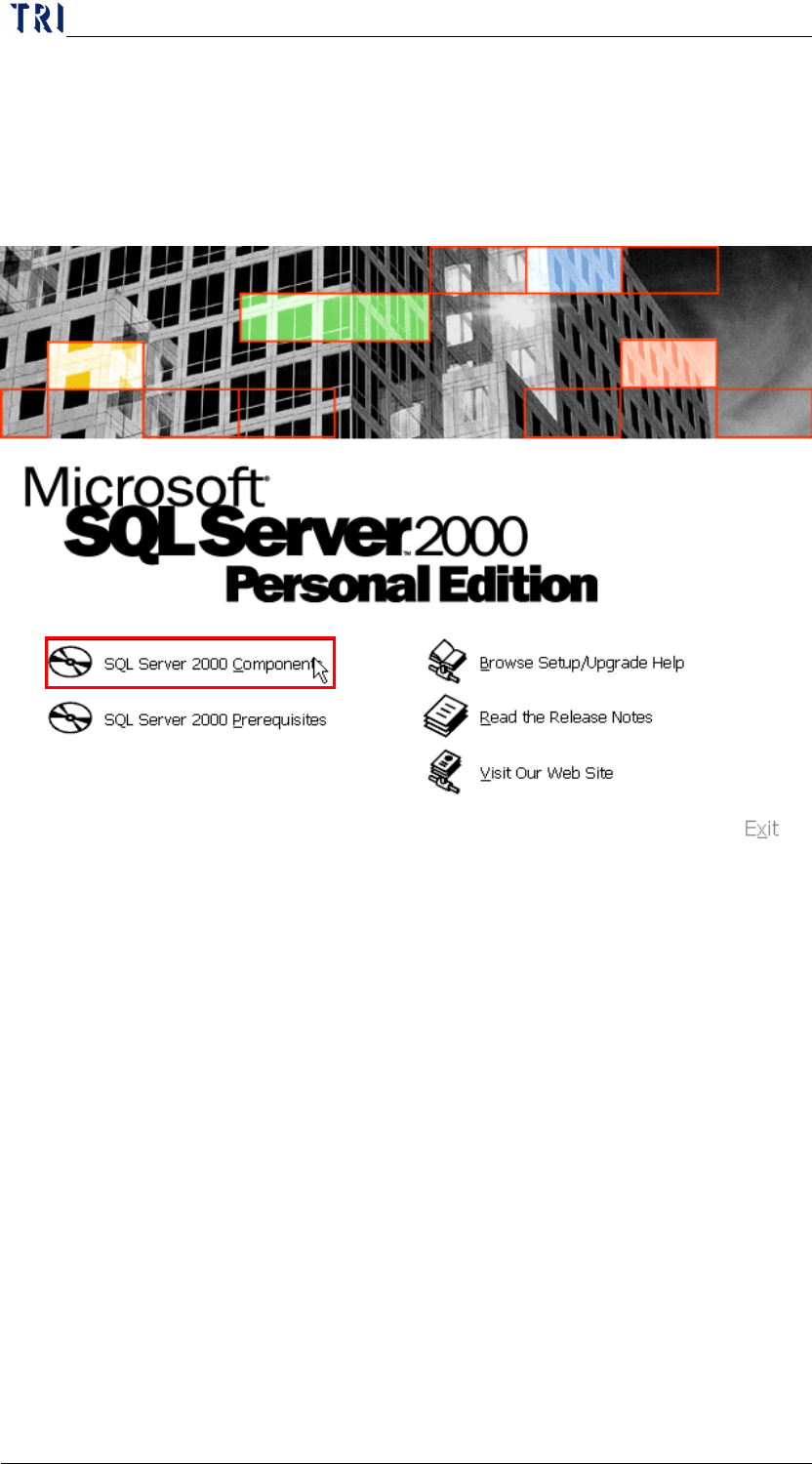
a. Insert the Disk: select [SQL Server 2000 Component].
Chapter 1 Installation Process
AOI Repair Station
11
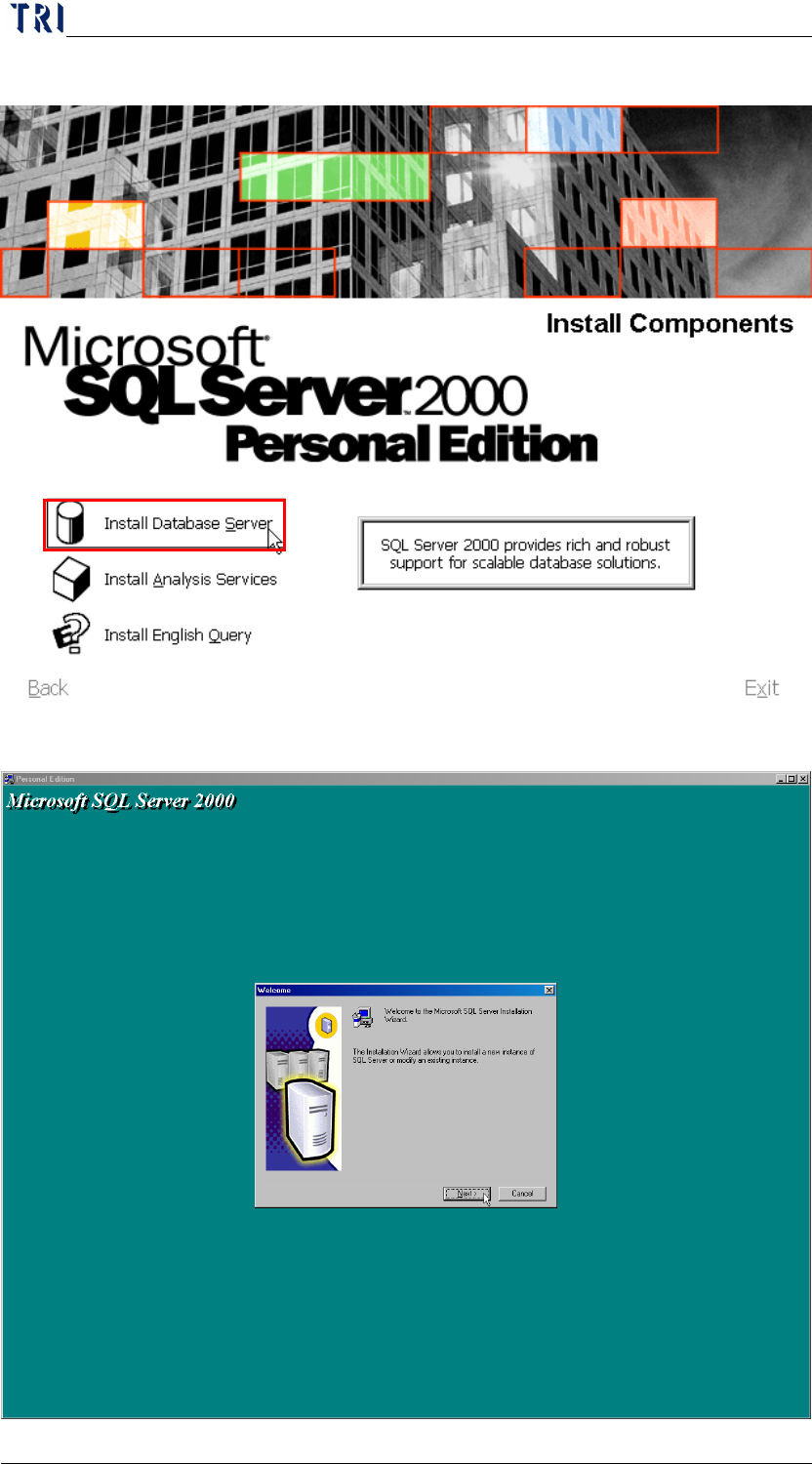
b. Select [Install Database Server]
c. Press [Next]