AOI_RS_v85_en - 第147页
Chap ter3 SPC User Ma nual AOI Repair Station 143 7.4.4 Post Monitoring After you stop monitoring, you can export the results of the current “real-time monitor items” as an Excel sheet as shown below . S tyle 1 Repor…
Chapter3 SPC User Manual
AOI Repair Station
142
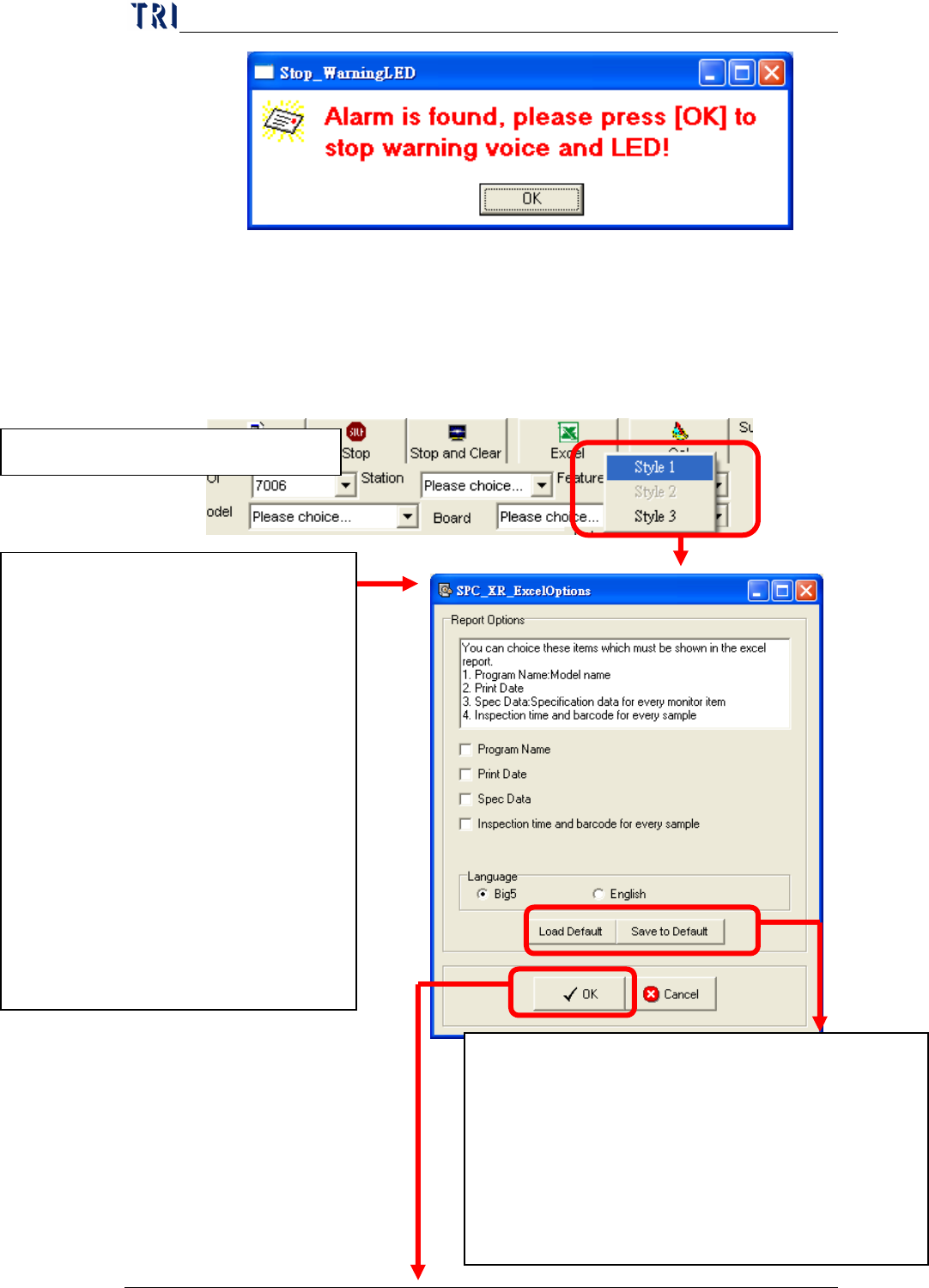
If user has enabled the “Link to Warning LED” function, system will
display this warning window and the signal tower linked to PC will
alarm and light up. User could press [OK] to stop the voice and
lighting.
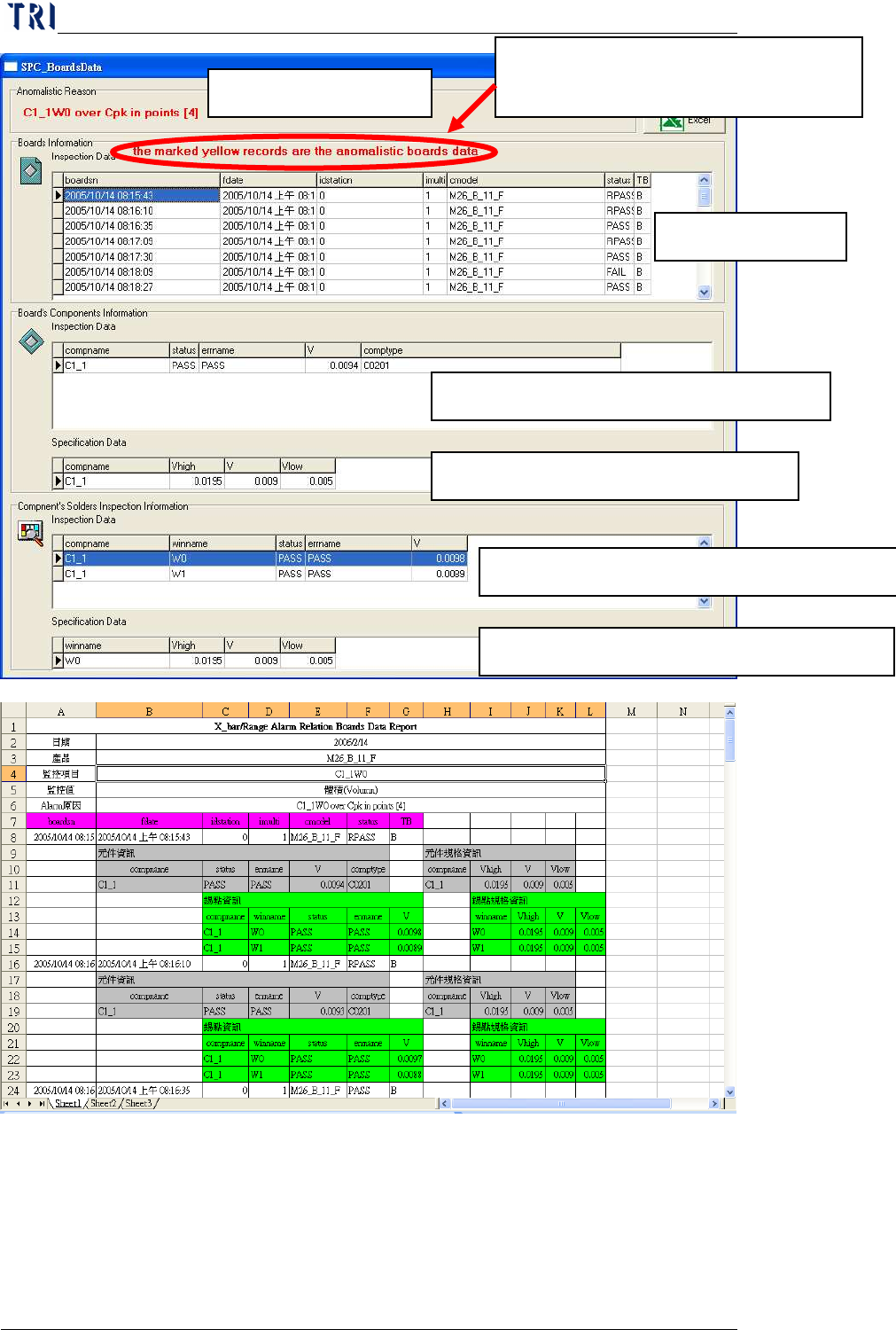
Cause for unusual case
Board Information
Select component information of the board.
The specs of the selected component.
The p
ads information of the selected component.
The specs of the selected pads.
In board information, the data marked
in yellow means abnormal data.
Chapter3 SPC User Manual
AOI Repair Station
143
7.4.4
Post Monitoring
After you stop monitoring, you can export the results of the current
“real-time monitor items” as an Excel sheet as shown below.
Style 1 Report
1. Click on [Excel] and Select Style 1
2. Report Parameters Setting
Select the data that user wants to output
besides statistic data and control chart
in Excel file. User can select:
Program Name
Print Date
Spec Data
Inspection time and barcode for
every sample: the inspection time
and barcode for the board that
every sample belongs to.
Language: The language of the
report; Big5 means Chinese and
English means English.
Save to Default: Save the settings to default.
Then system will use these settings next time.
Load Default: Load the last saved settings.
P.S. System will load the last saved settings
automatically when this window starts. And [Load
Default] is to cancel the current and load the default
setting again.
Chapter3 SPC User Manual
AOI Repair Station
144
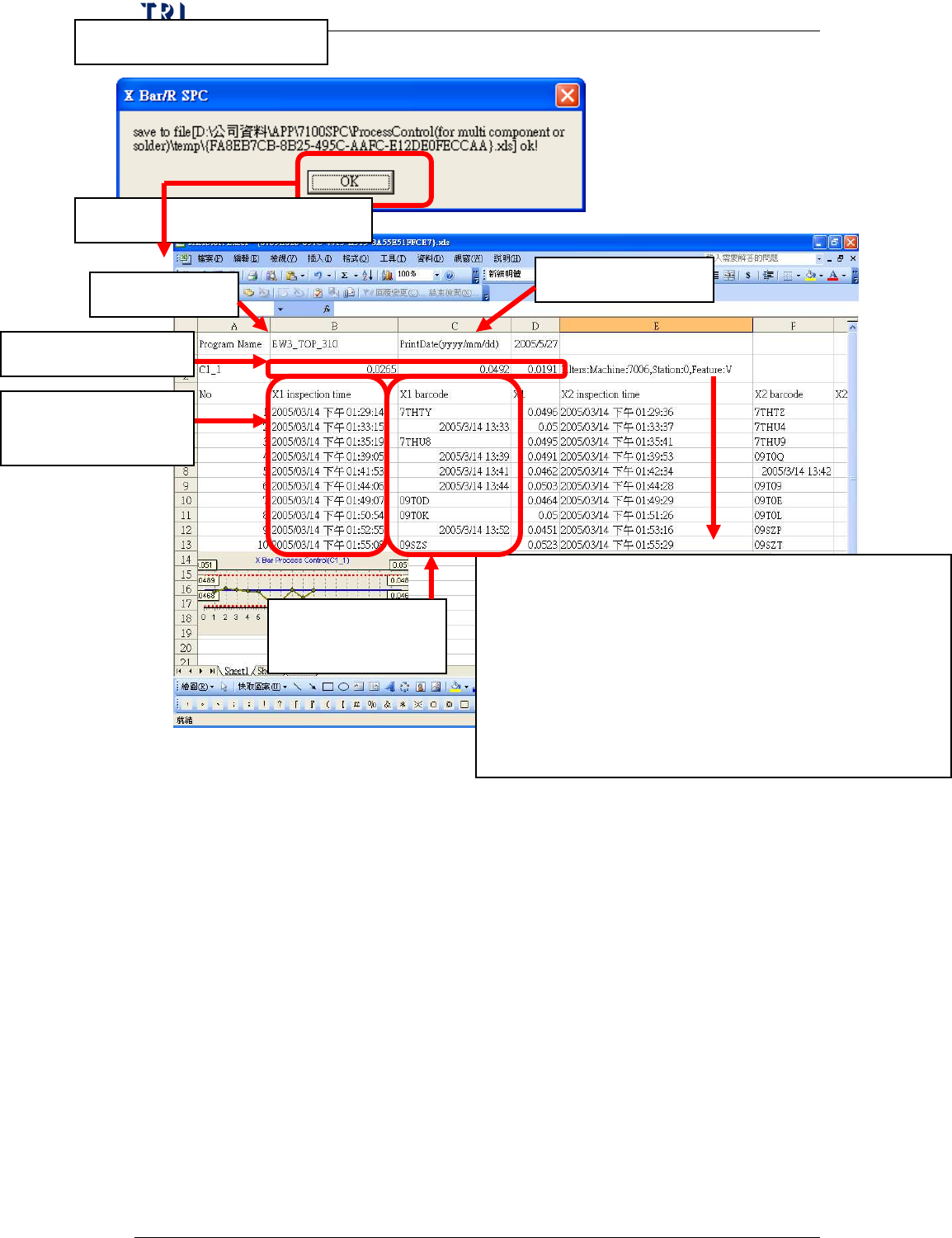
3. The success message
4. Review the Excel file
Display the monitoring condition for the component, contents are:
Machine means the type of machine, 7006, 7100 or ICT.
Station means the Machine ID
Feature means the selected feature, it may be V (Volume), A
(Area), H (Height), PX (X shift) or PY (Y shift) for 7006
(SPI); it may be X (X shift), Y (Y shift) or Theta (rotating
angle) for 7100 (AOI) and may be Measure for ICT.
Program Name
Print Date
Barcode for every
sample
Spec Data for C1_1
Inspection time for
every sample