AOI_RS_v85_en - 第158页
Chap ter3 SPC User Ma nual AOI Repair Station 154 Step1. As the following picture, select the database and Model first; doubl e click on the Cmodel data, then the s y stem will display the defect component data. The exis…
Chapter3 SPC User Manual
AOI Repair Station
153
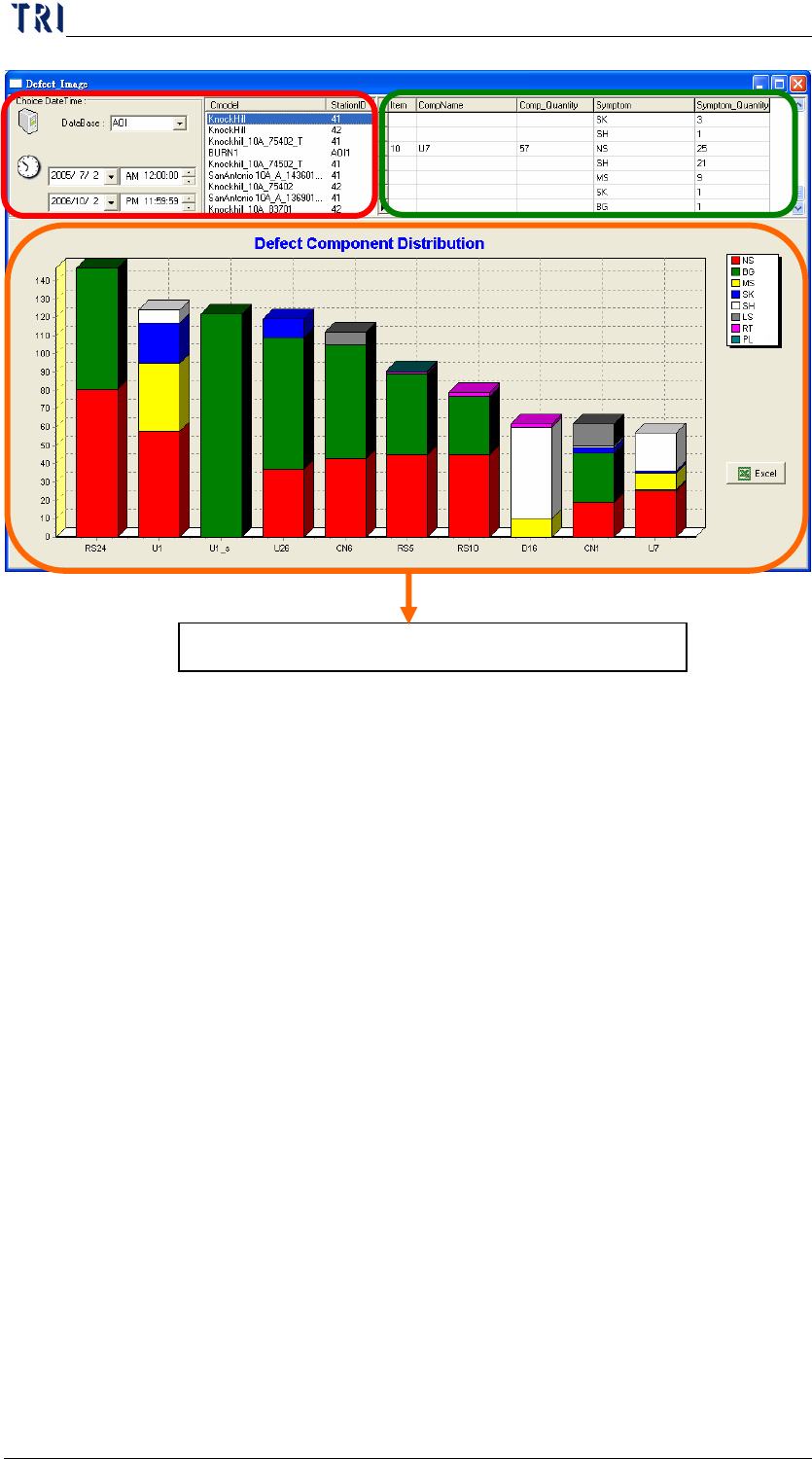
Display the top 10 defect components by bar chart.
Chapter3 SPC User Manual
AOI Repair Station
154
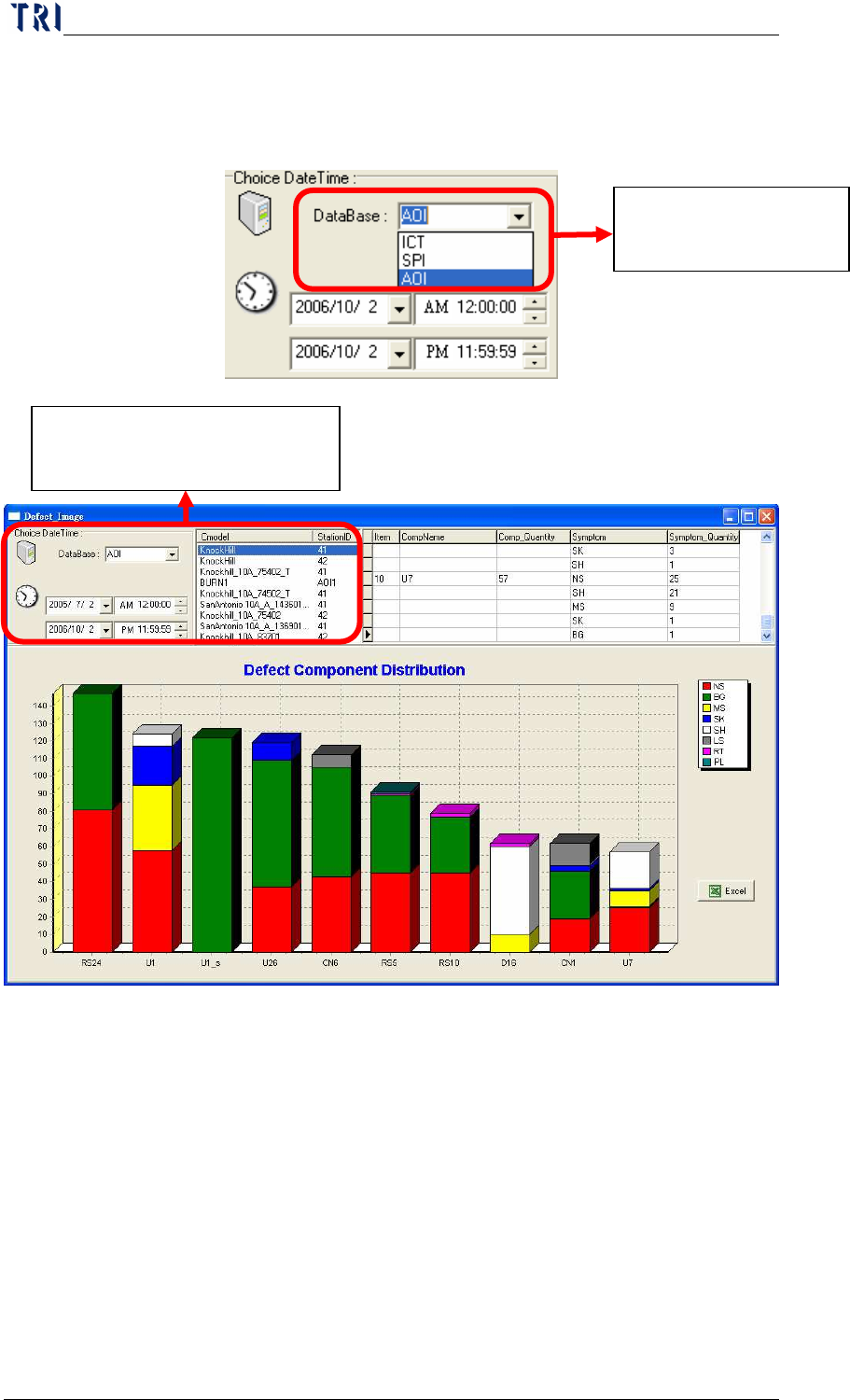
Step1. As the following picture, select the database and Model first; double
click on the Cmodel data, then the system will display the defect
component data.
The existing Database
name.
It displays the data according
to the date and database.
Chapter3 SPC User Manual
AOI Repair Station
155
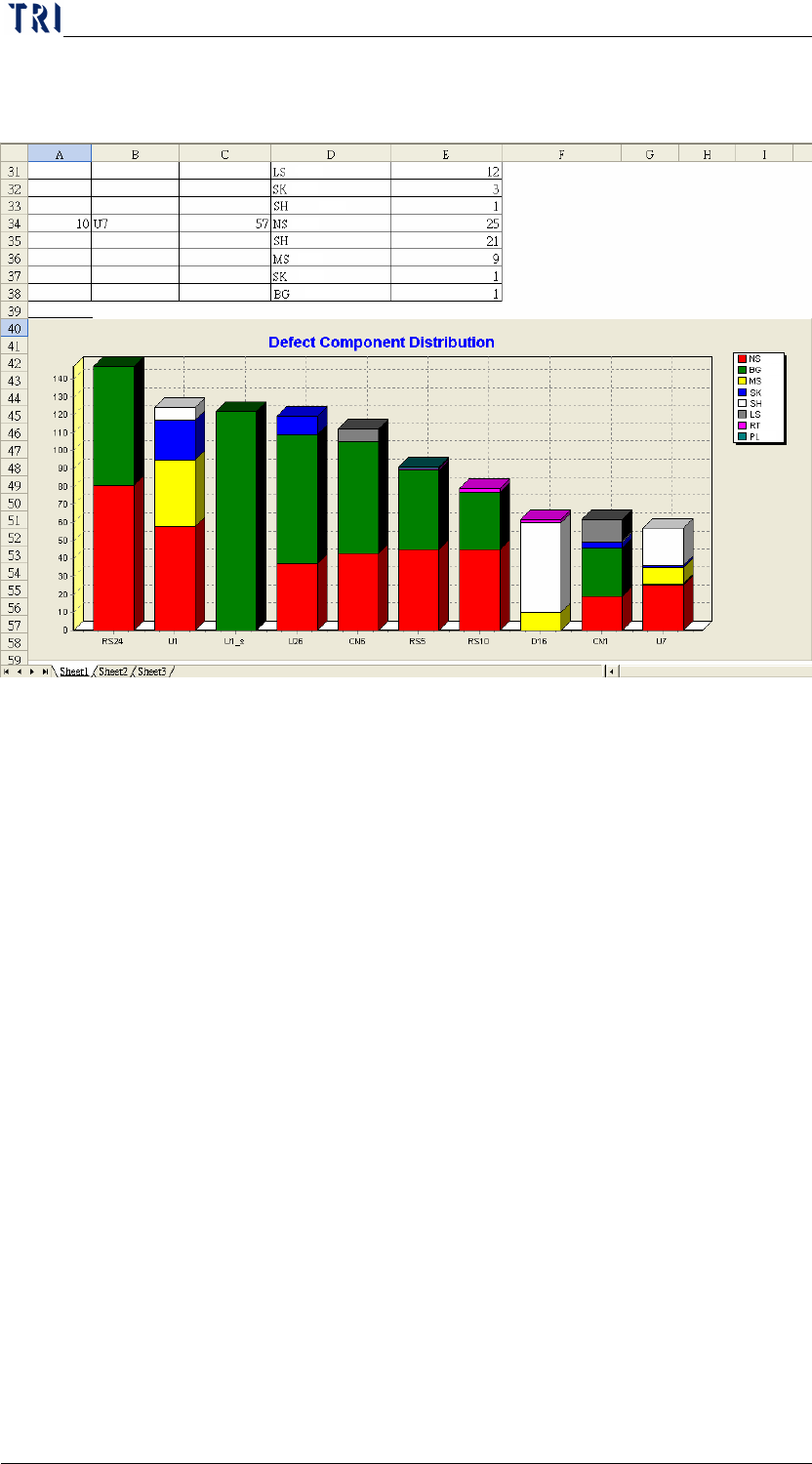
Step2. Pressing [EXCEL] is to create the report automatically in
[C:\rsinstall\DILOG].