AOI_RS_v85_en - 第159页
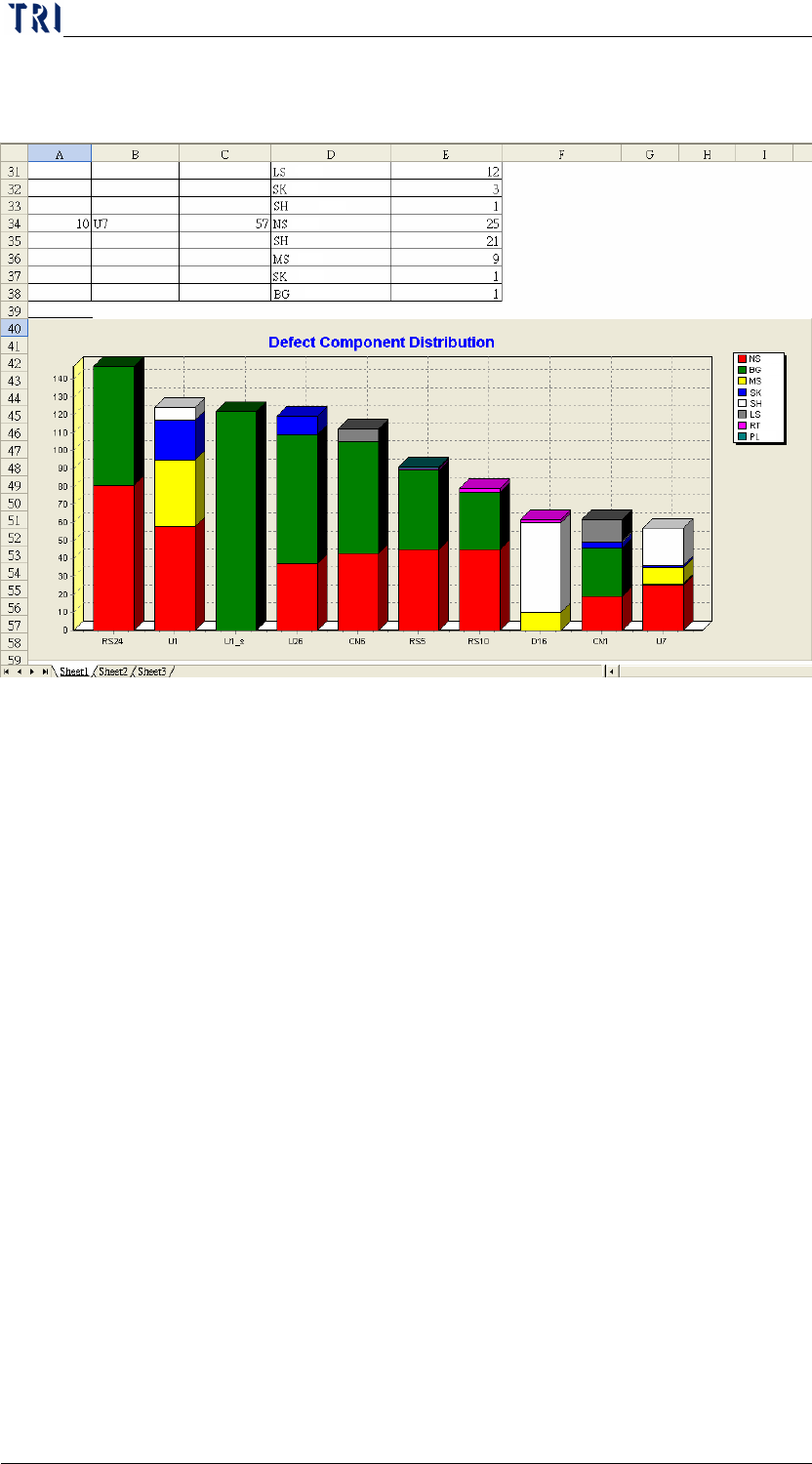
Chap ter3 SPC User Ma nual AOI Repair Station 155 Step2. Pressing [EXCEL] is to create the report automatically in [C:\rsinstall\DILOG].
Chapter3 SPC User Manual
AOI Repair Station
154
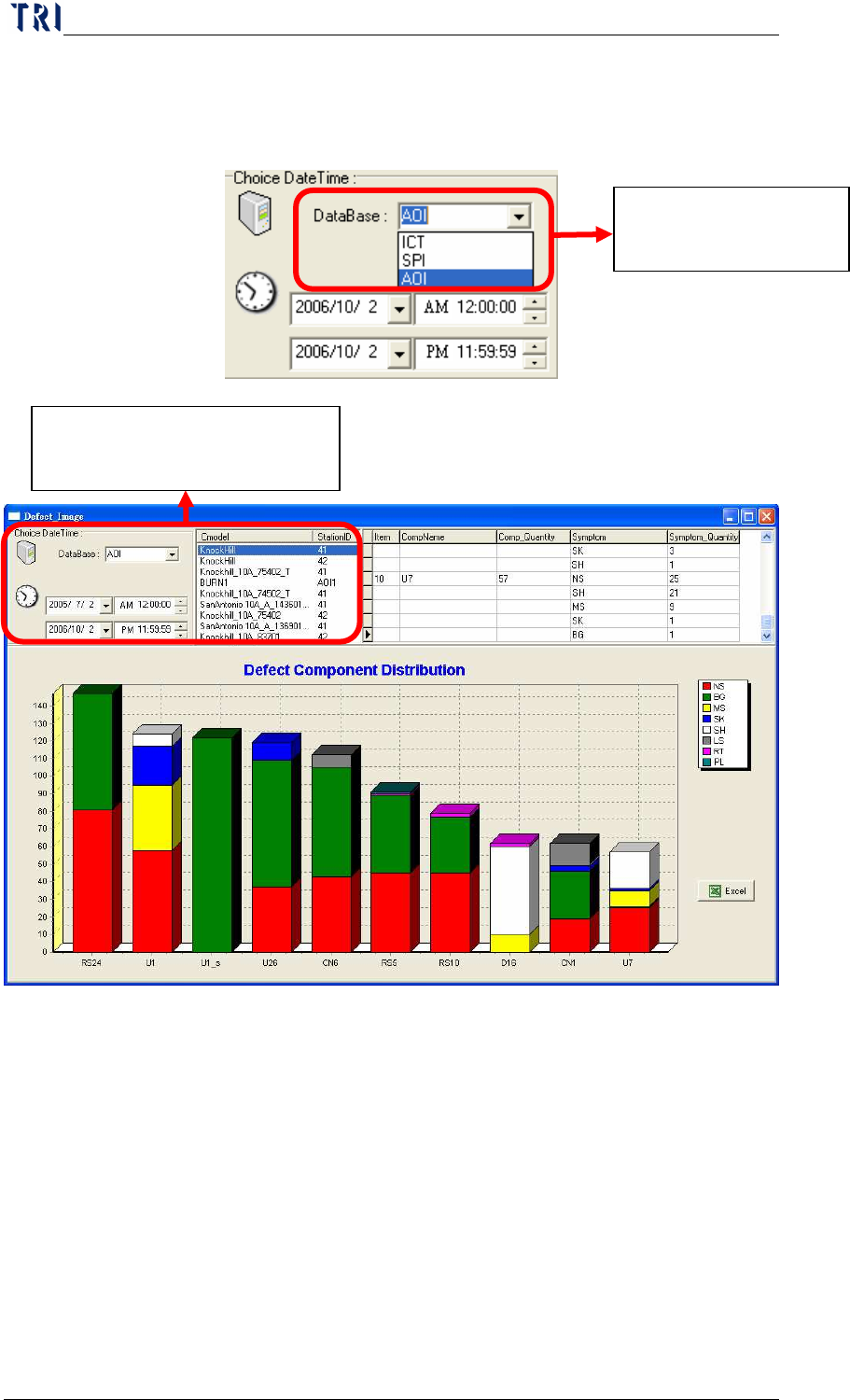
Step1. As the following picture, select the database and Model first; double
click on the Cmodel data, then the system will display the defect
component data.
The existing Database
name.
It displays the data according
to the date and database.
Chapter3 SPC User Manual
AOI Repair Station
155
Step2. Pressing [EXCEL] is to create the report automatically in
[C:\rsinstall\DILOG].
Chapter3 SPC User Manual
AOI Repair Station
156
9 X-Y deviation dispersion diagram
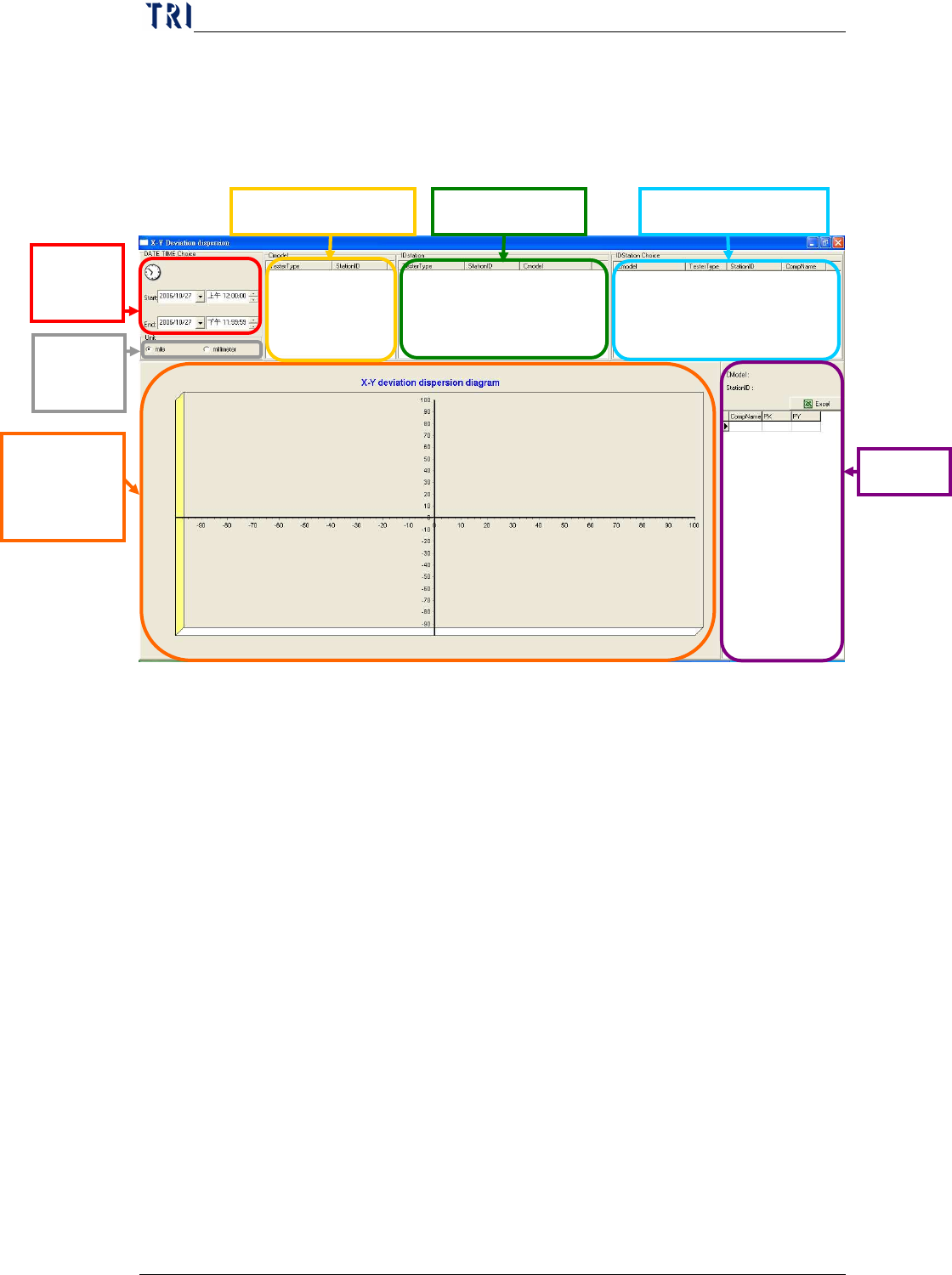
The function is to display X shift and Y shift of the components on AOI
machine. The shift graph is displayed after a user determines the time and
machine ID.
Step1.
The user has to select a period of time and the unit, then all the
existing machine IDs will be displayed. After user selects a
machine he wants to review, system will display all the models
(CModel) in this machine. Then user just has to select a CModel to
review the components tested in this model.
Select
date.
Scatter
Plot of PX
and PY
PX、PY
Select Component Select Machine ID
Select CModel
Select
unit