AOI_RS_v85_en - 第165页
Chap ter3 SPC User Ma nual AOI Repair Station 161 Under the X-bar/R chart, AOI Alarm will not only show the cause and component’ s name, but also t he placer information as the following picture. User can check the def…
Chapter3 SPC User Manual
AOI Repair Station
160
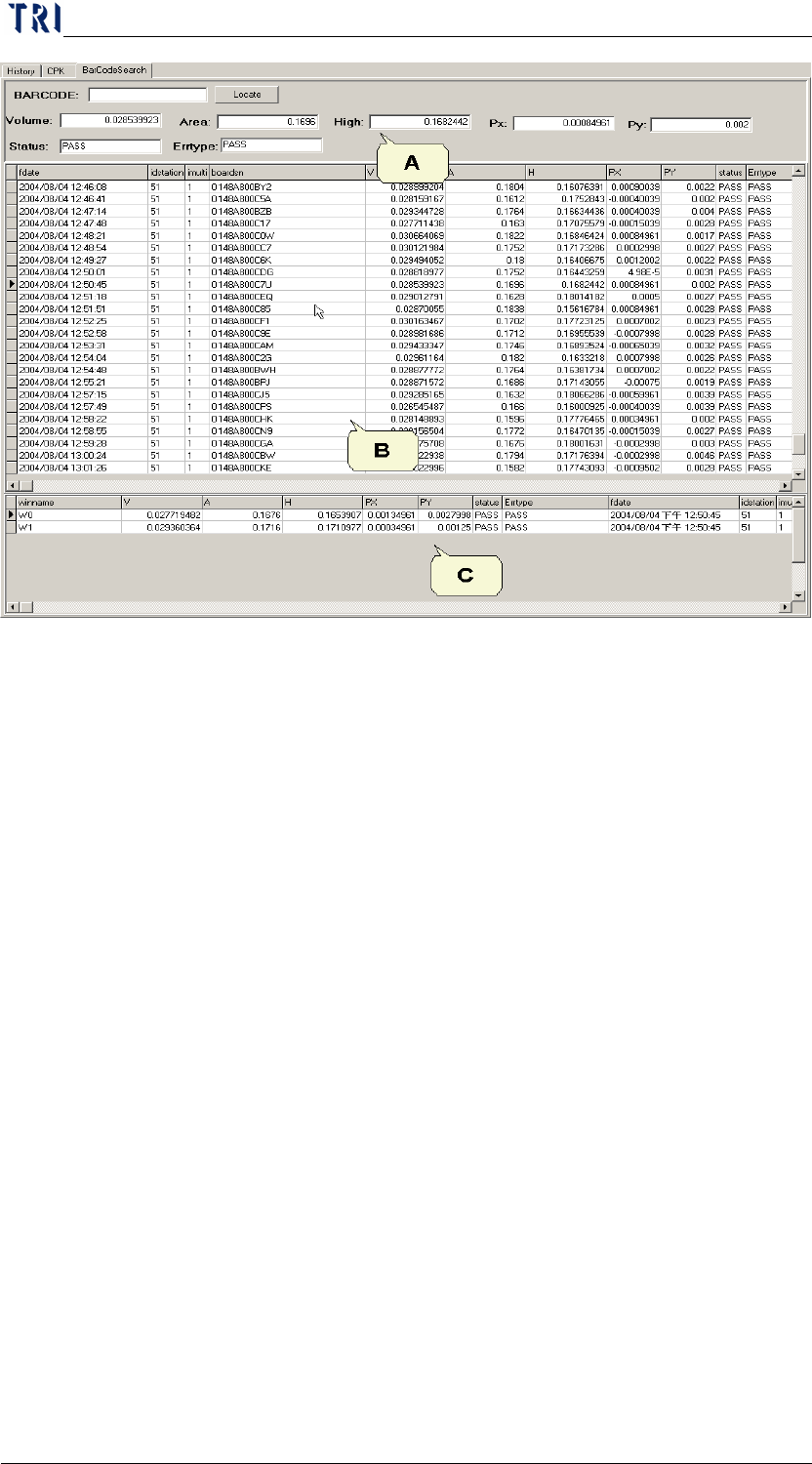
A: the current data information
B: All the data information in real-time
C: the detail information of data in real-time.
11 Top Defect by Placer
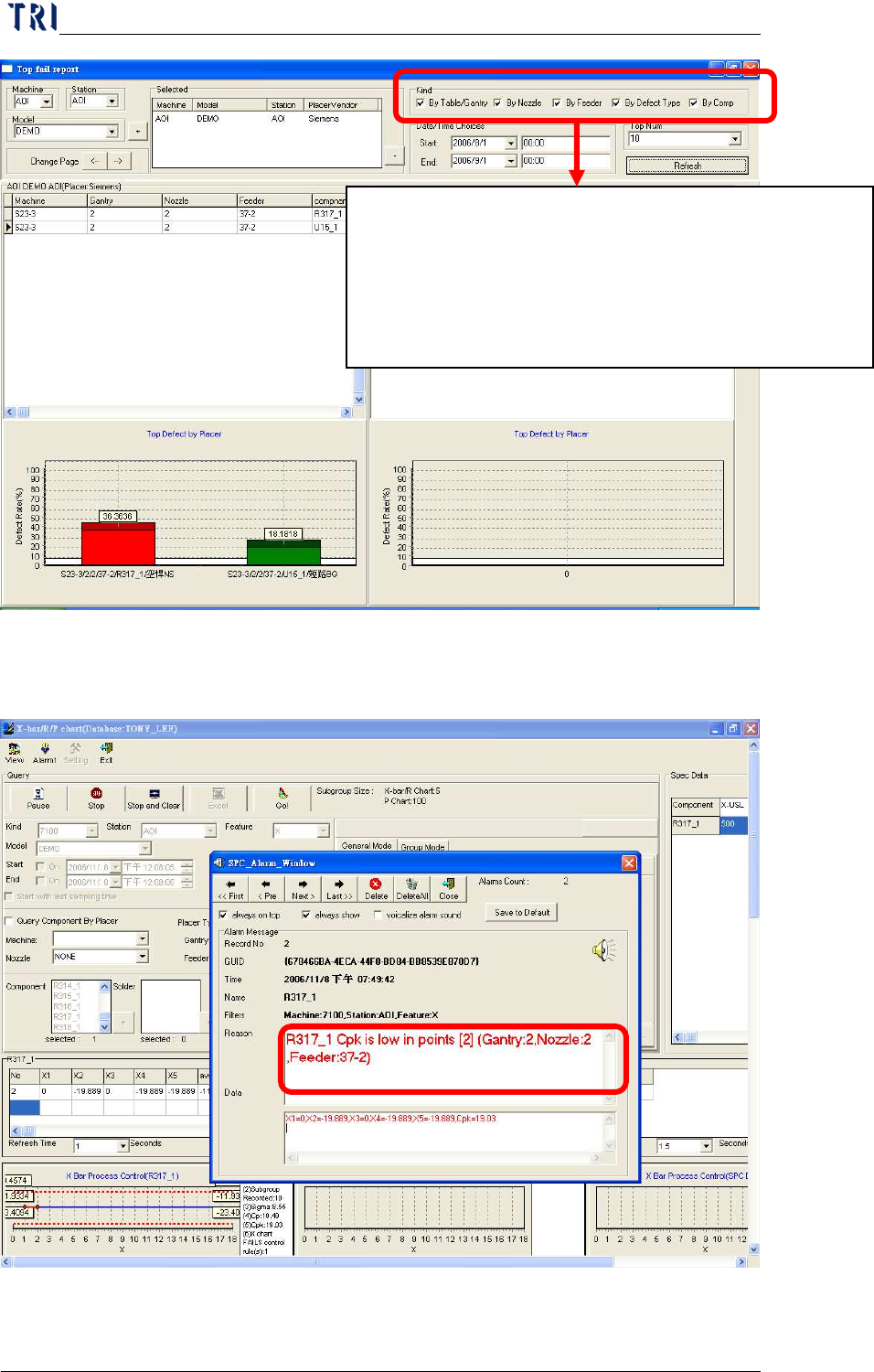
User may check this function to find out the top defect points which may
cause by the placer. The system will compare and analyst defect points
with Placer’s angle data in order to locate the Nozzle or Feeder problem
locations. Please see more details in the following pictures.
Chapter3 SPC User Manual
AOI Repair Station
161
Under the X-bar/R chart, AOI Alarm will not only show the cause and
component’s name, but also the placer information as the following picture.
User can check the defect points with (By Defect Type)
or/and (by Comp), and may also select the (By Nozzle)
or/and (By Feeder) as condition. The following chart
represents the defect component ratio of some Nozzle
or/and Feeder problem.
Chapter3 SPC User Manual
AOI Repair Station
162
12 DEFECT PERCENT
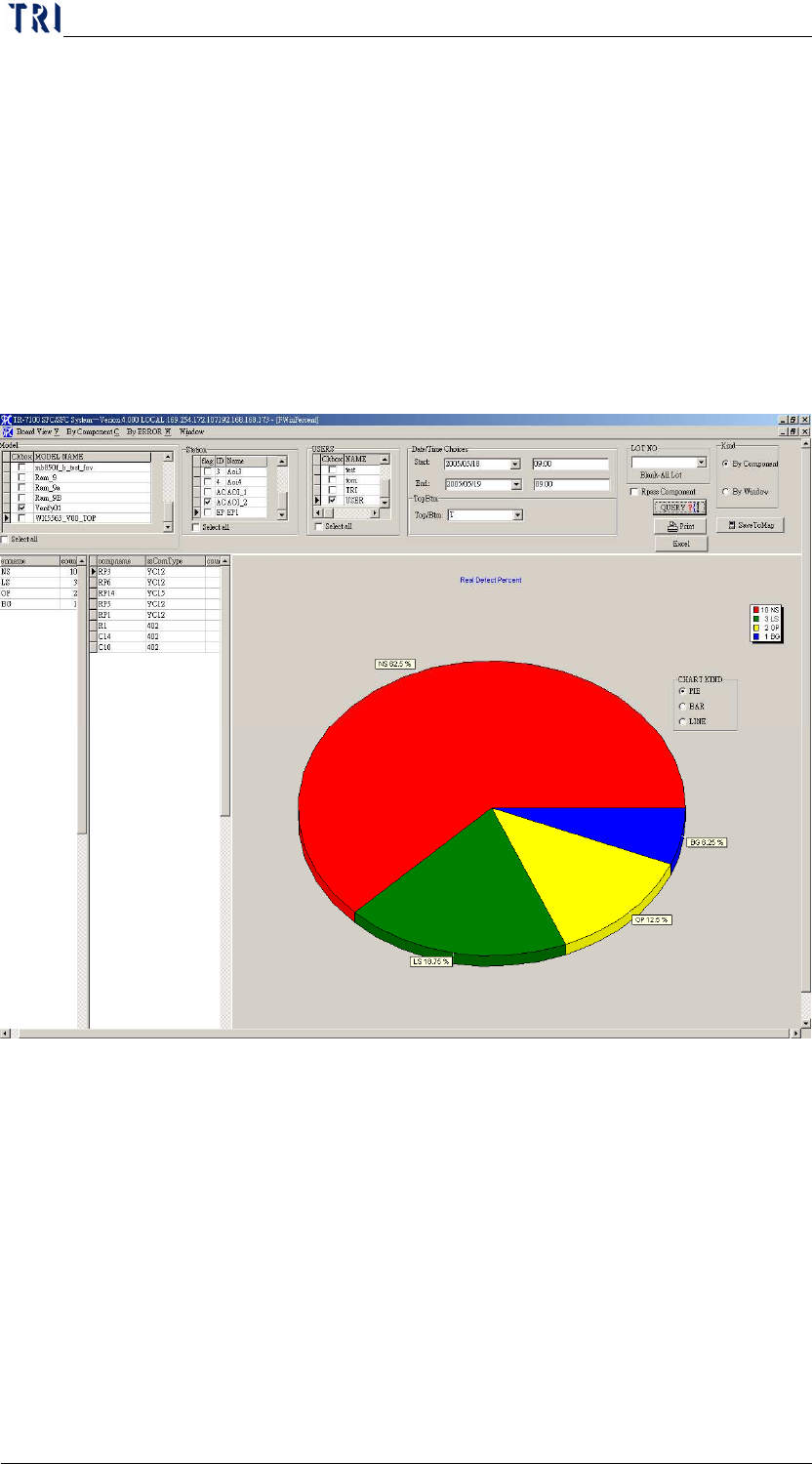
Displays DEFECT KIND, and defect components (100 lists maximum)
under every ERROR KIND, also displays BAR, PIE and LINE graphs
Step3. Select [MODEL], [STATION], [DATE TIME], [Repair staff
(USER)], [TOP/BTM (* no separation of top or bottom)] and
[LOT_NO (deselect for all)]. The false alarm characters will be
filtered when the [FILTER WORDPASS] is check marked.
Step4. Click on [QUERY]. It will display false alarm when [RPASS
COMPONENT] is check marked.
Step5.
Click on [PRINT]