AOI_RS_v85_en - 第27页
Chapter 2 Repair Station Main Progr am AOI Repair Station 23 Chapter 2 Rep air S ta tion Main Program 1 Attention before using the Repair Station Make sure that [InsertData.exe] is runni ng bef ore using, the following…
Chapter 1 Installation Process
AOI Repair Station
22
7.2 CLIENT SIDE
Step1. First install the Stand-alone version on the system.
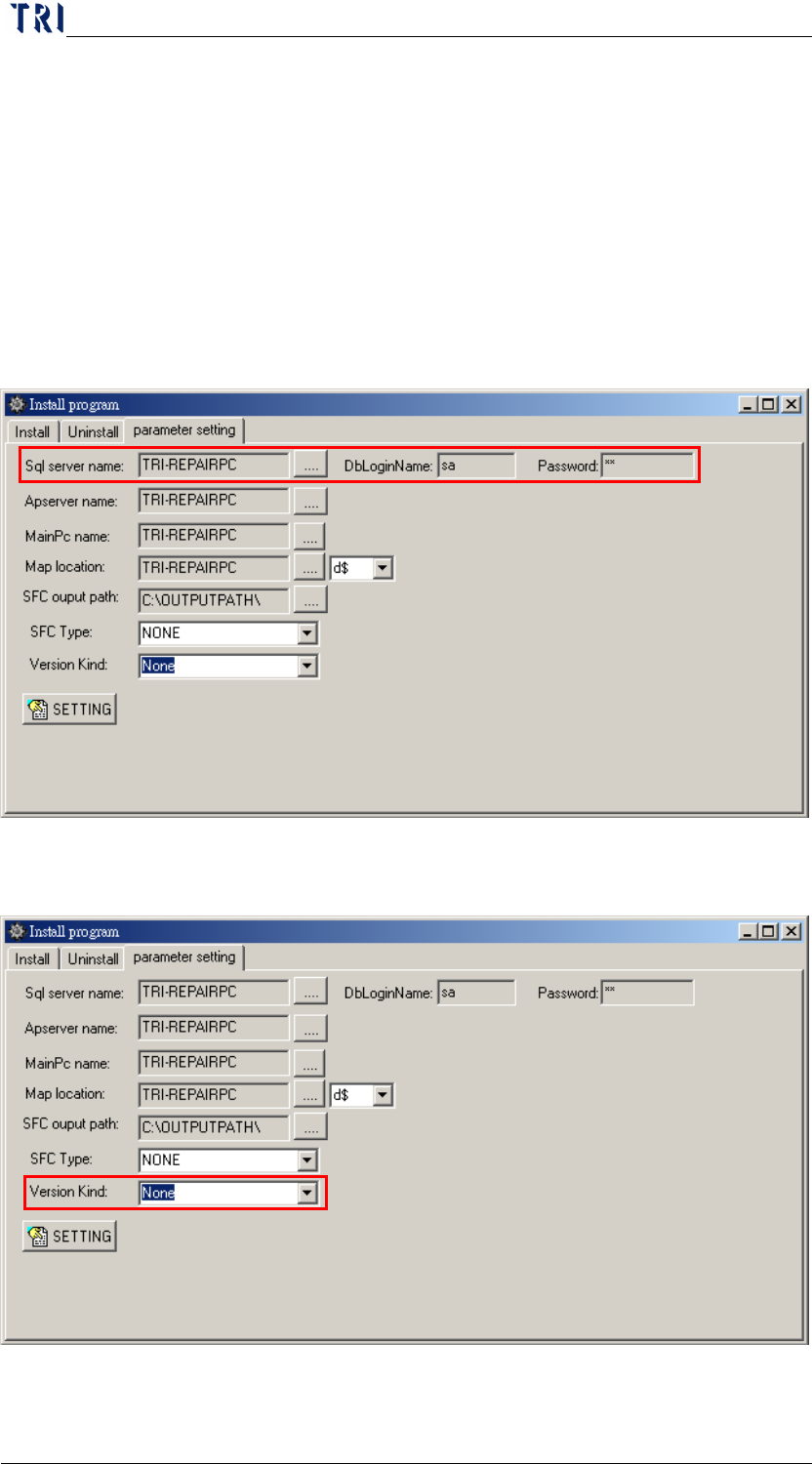
Step2. Appoint name of SQL SERVER, DB LOGIN NAME (EX: sa), and
PASSWORD (EX: sa) to the CLIENT system. The settings are as
follows:
STEP2.1 Run the short cut of [RSSetting] on the desktop (if not,
run [C:\RSINSTALL\PINSTALL.EXE]), type [TRI] for
any password required, the settings are in the red frame
on the following figure.
STEP2.2 For the following figure, the [Version Kind] must be set
to [None] for the SERVER version:
Chapter 2 Repair Station Main Program
AOI Repair Station
23
Chapter 2 Repair Station Main Program
1 Attention before using the Repair Station
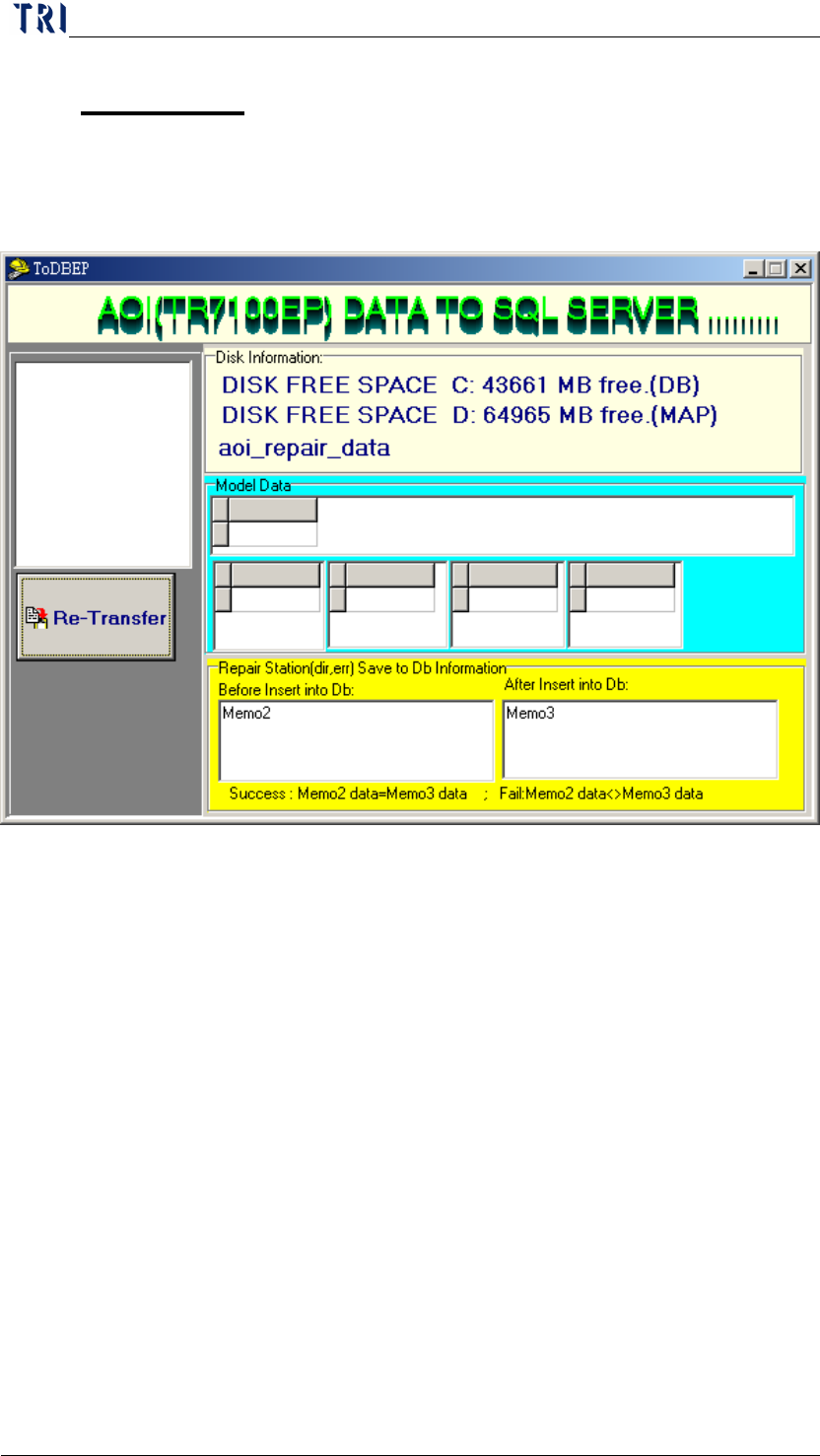
Make sure that [InsertData.exe] is running before using, the following figure
is what it supposed to be while running the program:
NOTE: [Memo2] and [Memo3] will appear same BARCODE number when
each data was successfully inserted into DB, however, there will be current
year, month, day, hour, minute, and second appear in the box if no
BARCODE is detected. There may be a setting problem when the [Memo2]
and [Memo3] show no change while a board was inspected.
Chapter 2 Repair Station Main Program
AOI Repair Station
24
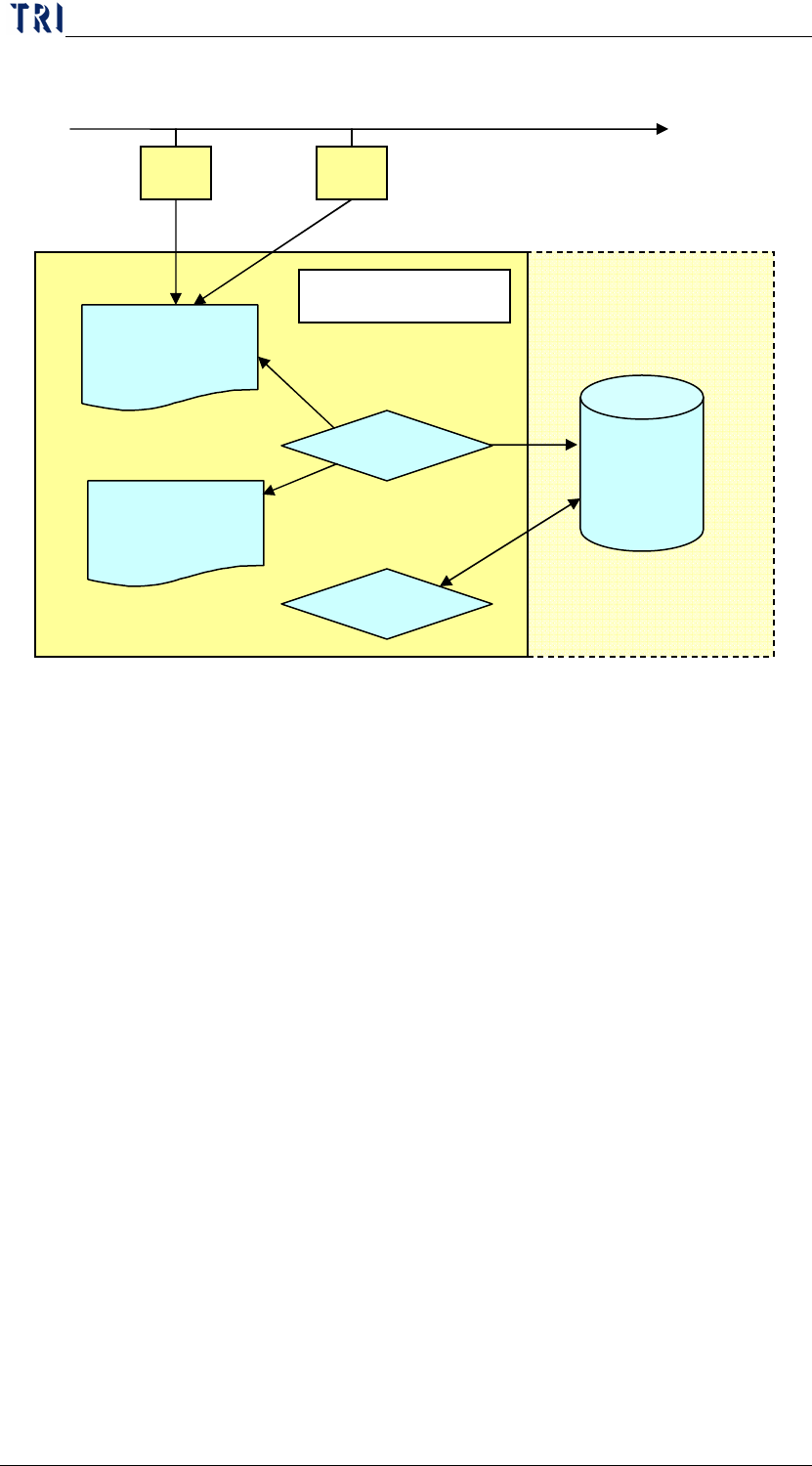
2 The process of reading and writing the data base of the AOI machine.
(1) The result will be send to “AOI_Repair_Data” folder in Repair PC.
(2) “InsertData.exe” starts to transfer the data in “AOI_Repair_Data” folder.
(3) After transferring, the text data and the panel map are saved in the
database(DB), and the FOV images and alternative images are saved in D disc.
(4) Use “Ptril” and “SPC” to capture the data from database.
3 The space disposing of repair station
3.1 C
AOI_Repair_Data folder: The output (*.img, *win, *.dir1, *.bmp,
*.map, *2X2.bmp, *.dir, *.err) form AOI are sent to this folder. When
you start the [InsertData] program, the program catches the original
data in the folder and transfer to SQL server database. The folder must
be clear automatically in normal operating unless the question happens
in the procedure. The [*.dir] data changed into [*.fail] data and save in
this folder when there is a problem. Once there is a [FAIL] data in this
folder the [InsertData] can’t transfer data normally. You should delete
the [FAIL] data then try to transfer again. [*.img] and [*win] are the
information of alternative component; [*.dir1] is the information of
this panel; [*.bmp] is the panel map; [*.map] is the file with
DB
AOI1
AOI2
AOI_Repair_Data
資料夾
D:\SqlserverMap\fovjpg
D:\SqlserverMap\trainImg
InsertData.exe
Ptri1、SPC
1 1
Repair Station PC
2
3 (Map)
3(Data)
4