AOI_RS_v85_en - 第30页
Chapter 2 Repair Station Main Progr am AOI Repair Station 26 Setting/AOI Repair S tation Parameter Setting - Click this to enter the parameter setting screen.
Chapter 2 Repair Station Main Program
AOI Repair Station
25
coordinates of the components; [*2X2.bmp] is the panel map with
double size; [*.dir] and [*.err] are the inspection result.
Placer folder under C:\AOI_Repair_Data: The folder is to save the
information of placer.
AOI_Repair_Data_bk folder: When you check the item, [Setting/AOI
DATA Backup/Save to C:/AOI_Repair_Data_bk], in [Ptril] program,
the original data is copied to this folder for backup after transferring
data.
Aoidata_bk folder: The database files backuped by system or by
personnel are saved in the folder.
rsinatall: Position where the program preserves.
3.2 D
SqlServerMap
Fovjpg-Save FOV images by date. You can backup or delete
files by date.
TrainImg-Saved alternative images by Model Name.
4 Parameter Setting
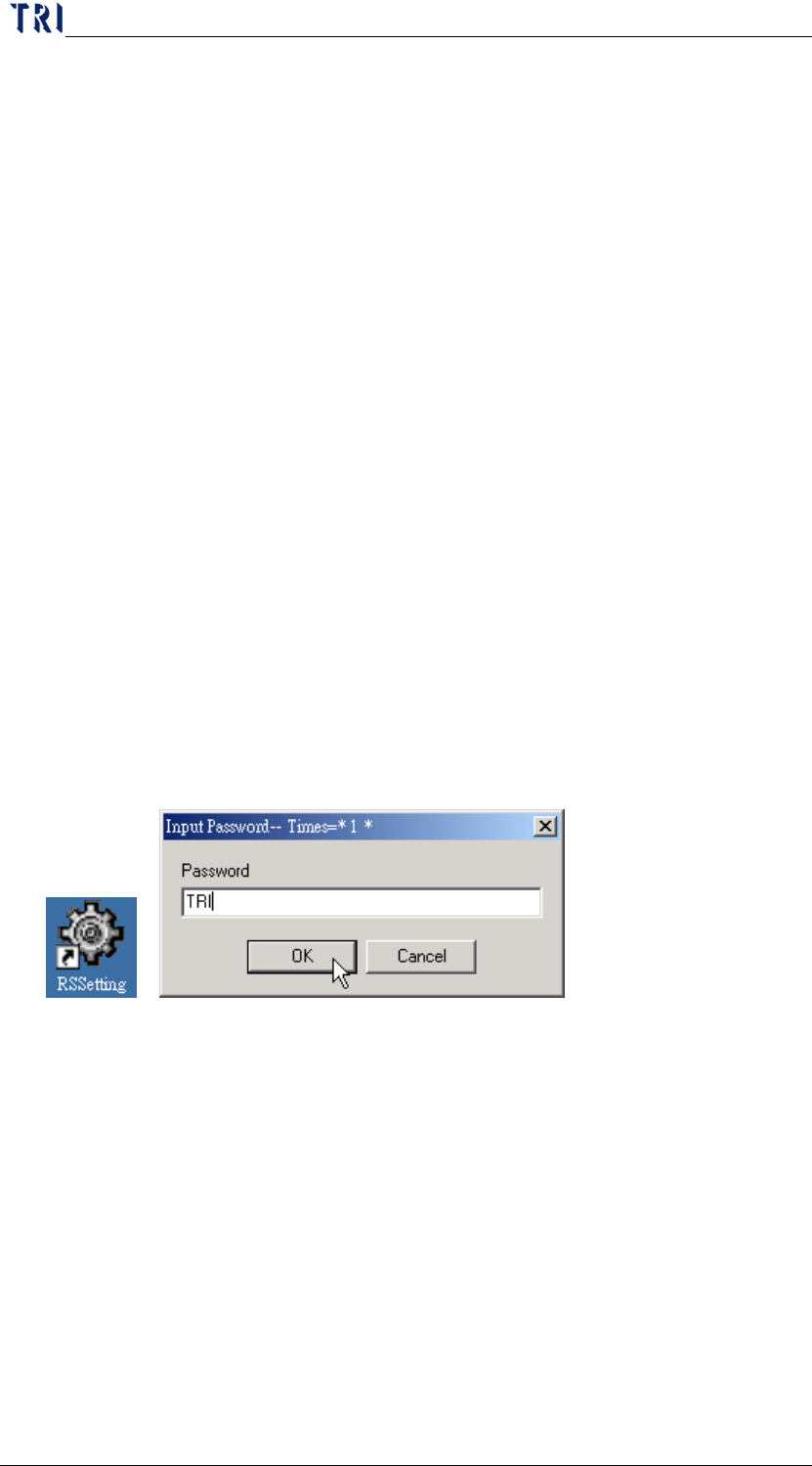
Run the short cut of [RSSetting.exe] on the desktop (if not, run
[C:\RSINSTALL\PINSTALL.EXE]), type [TRI] for any password required.
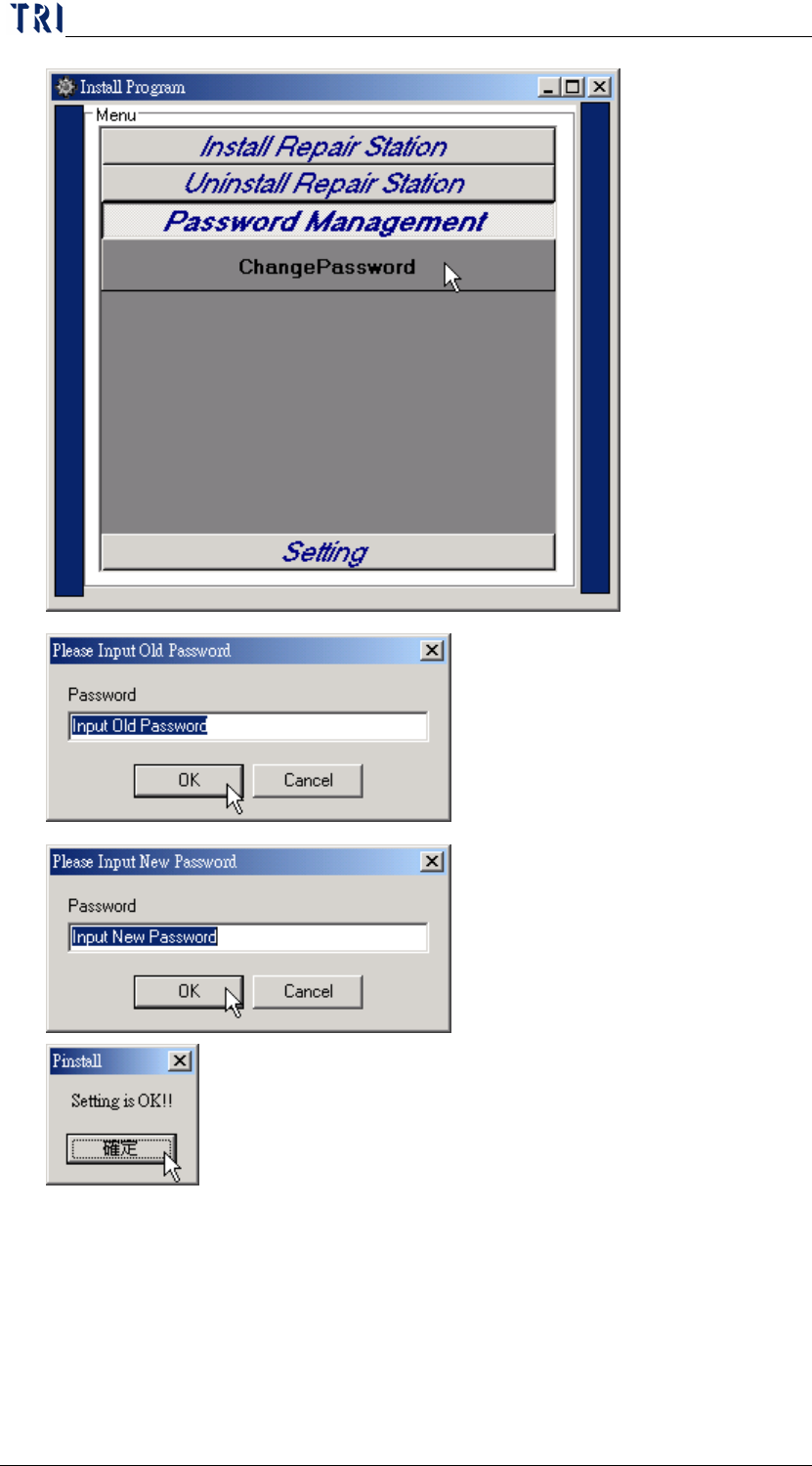
Password Management/Change Password-You can set the password that is
to set parameters here. The default one is [TRI], and you can change it here.
Chapter 2 Repair Station Main Program
AOI Repair Station
26
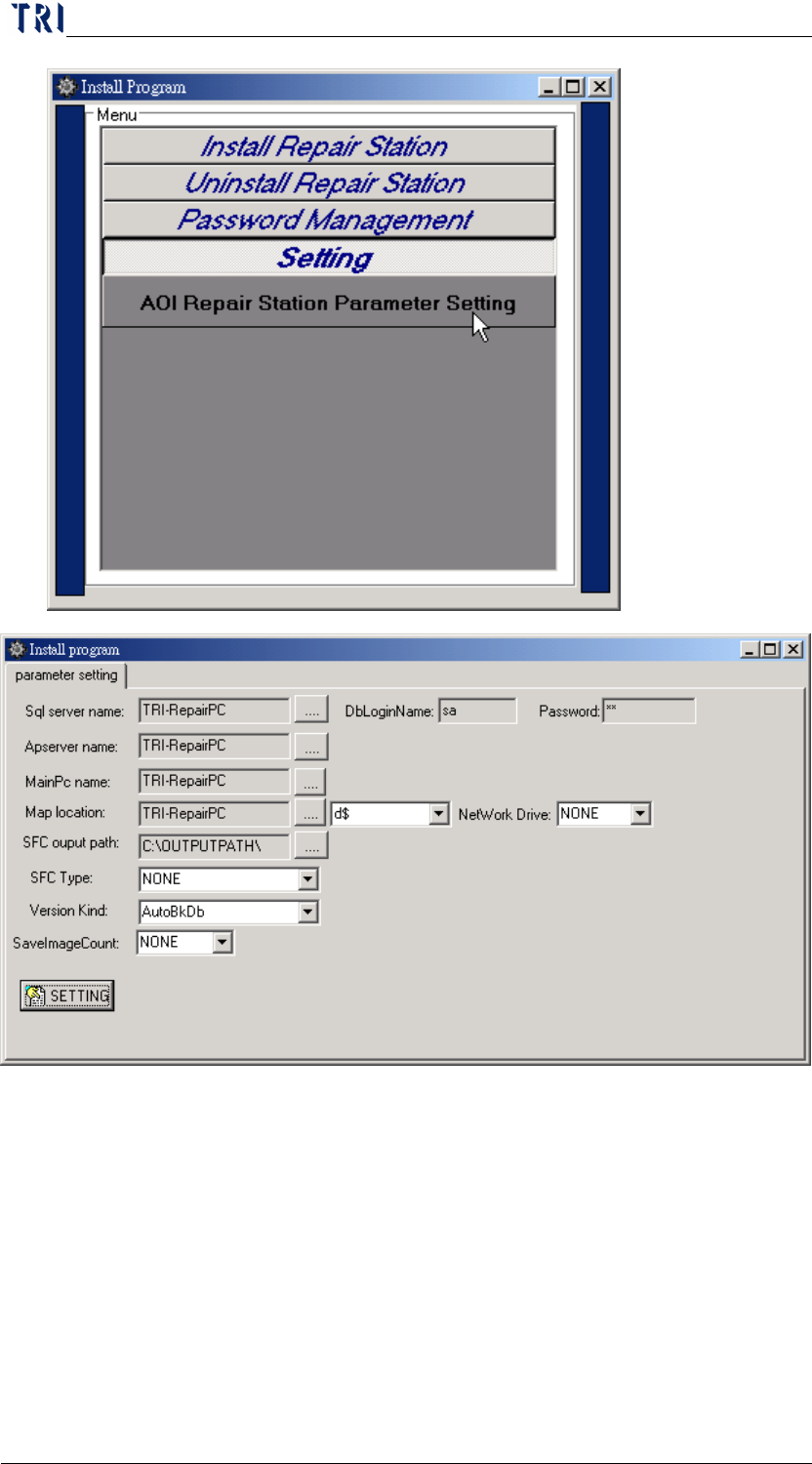
Setting/AOI Repair Station Parameter Setting-Click this to enter the
parameter setting screen.
Chapter 2 Repair Station Main Program
AOI Repair Station
27
4.1 SQL Server Name
The PC name where SQL server is in. This should be the current PC
name for a single version and you don’t have to fill the
[DBLoginName] or [Password]. And this should be the Server PC
Name for server version and you have to fill the [DBLoginName] and
[Password] (Default is Sa, Sa).
4.2 Apserver Name
Apserver Name. It’s usually the same as the SQL server name.