AOI_RS_v85_en - 第32页
Chapter 2 Repair Station Main Progr am AOI Repair Station 28 4.3 Main Pc Name The current Repair PC name. 4.4 Map Location The path that all images save in, including PC name and the hard disk name (Default is D). 4.…
Chapter 2 Repair Station Main Program
AOI Repair Station
27
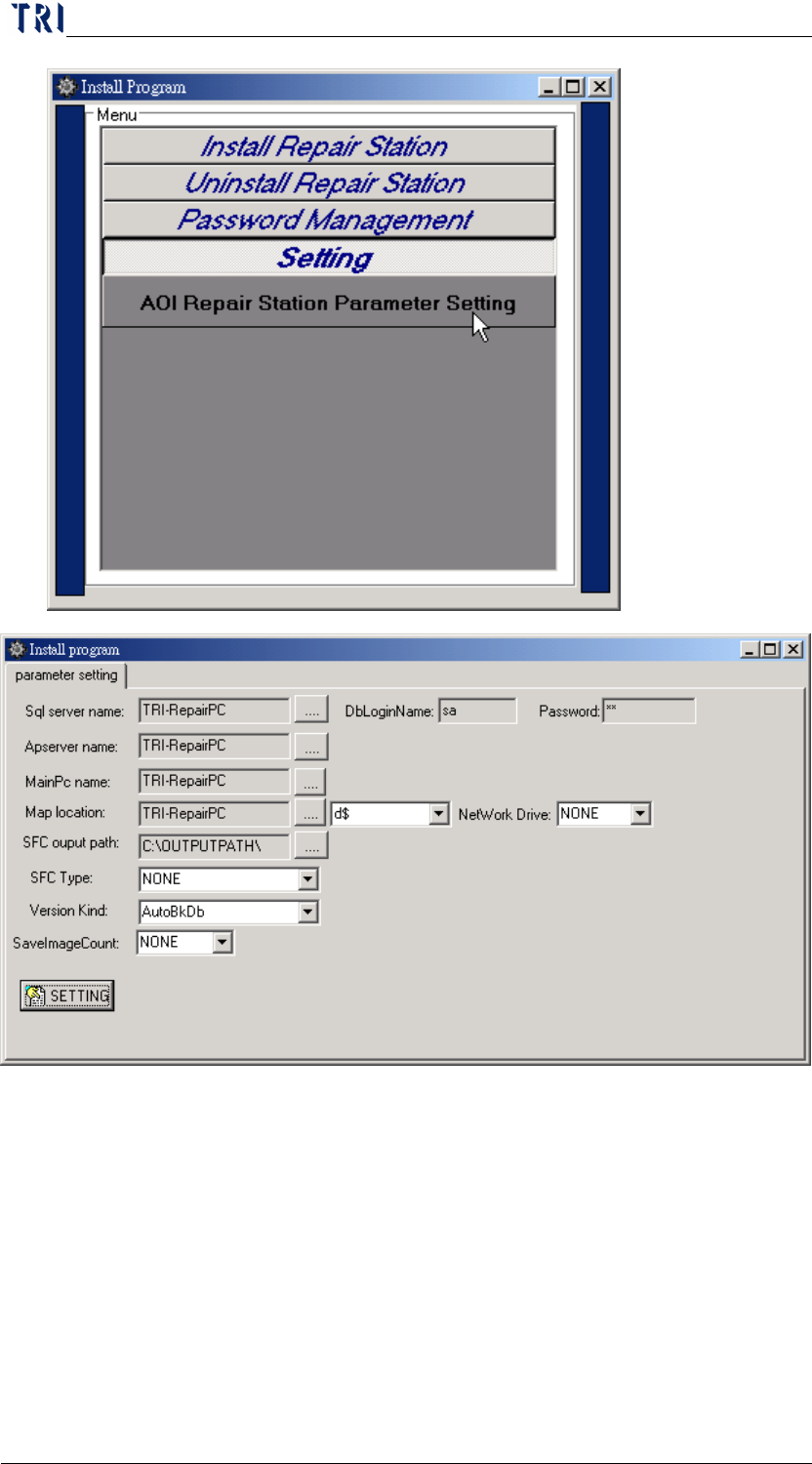
4.1 SQL Server Name
The PC name where SQL server is in. This should be the current PC
name for a single version and you don’t have to fill the
[DBLoginName] or [Password]. And this should be the Server PC
Name for server version and you have to fill the [DBLoginName] and
[Password] (Default is Sa, Sa).
4.2 Apserver Name
Apserver Name. It’s usually the same as the SQL server name.
Chapter 2 Repair Station Main Program
AOI Repair Station
28
4.3 Main Pc Name
The current Repair PC name.
4.4 Map Location
The path that all images save in, including PC name and the hard disk
name (Default is D).
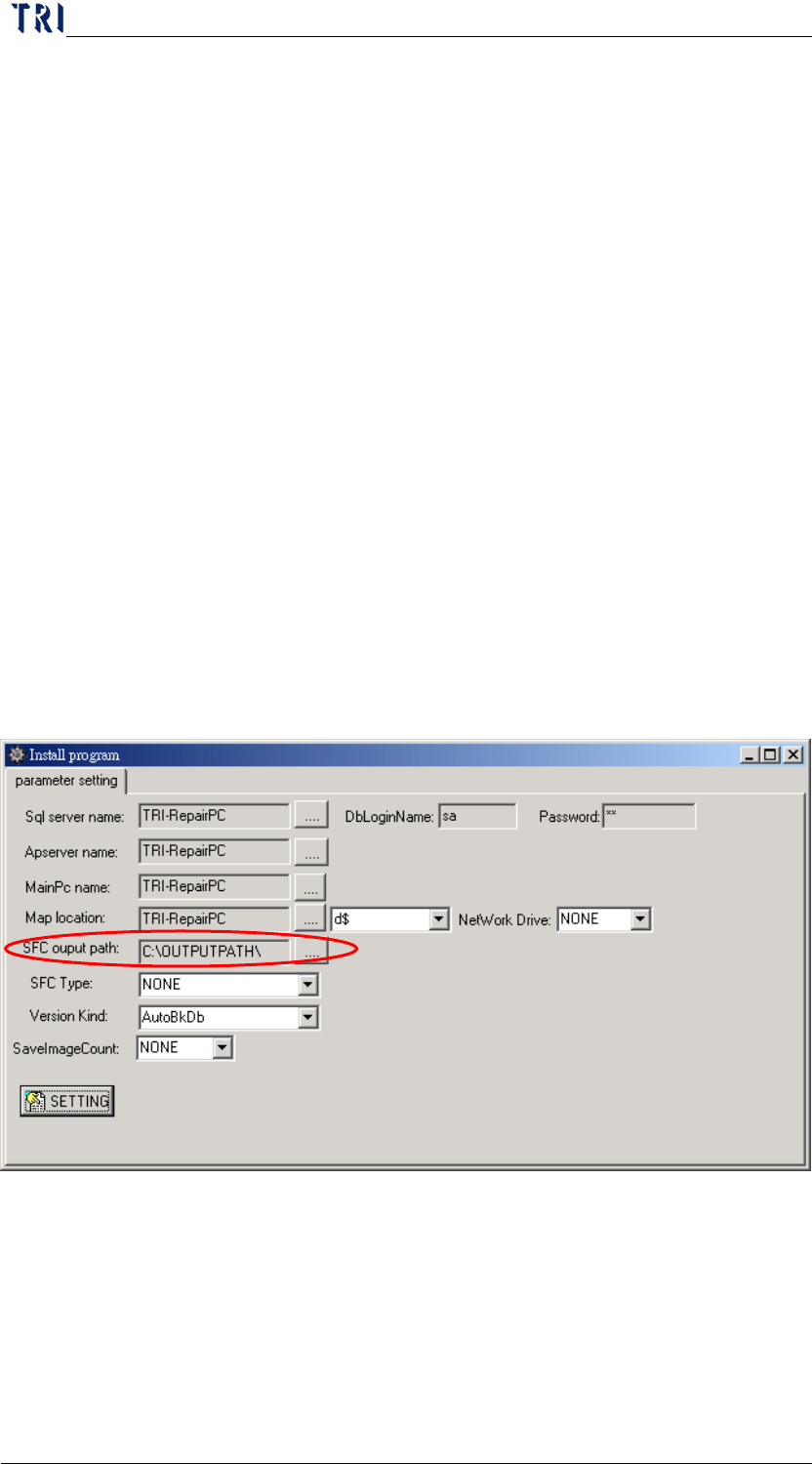
4.5 SFC Output Setting
Turn off the [InsertData.exe] first, and wait till the completion of
following settings to reopen [Insert Data.exe].
Step1. Run [c:\rsinstall\pinstall.exe], and switch to [parameter setting]
page.
Step2. Select the output type of SFC in [SFC Type] field (for example,
[confirm] is component confirming file, [ALL] is component
confirm+original file, [winall] is window confirm+original
file….etc, use the type of setting that user side required).
Step3. Set the path that you want to save the SFC files in at [sfc output
path] field.
Step4. Press [SETTING].
Step5. Press the [ENTER] key will generate a text file under [sfc
output path], while maintaining the data files.
The data file will be saved under [c:\sfcbk] if the shop flow category is
not being connected
System doesn’t output the SFC file when you select [None] at [SFC
Type] field.
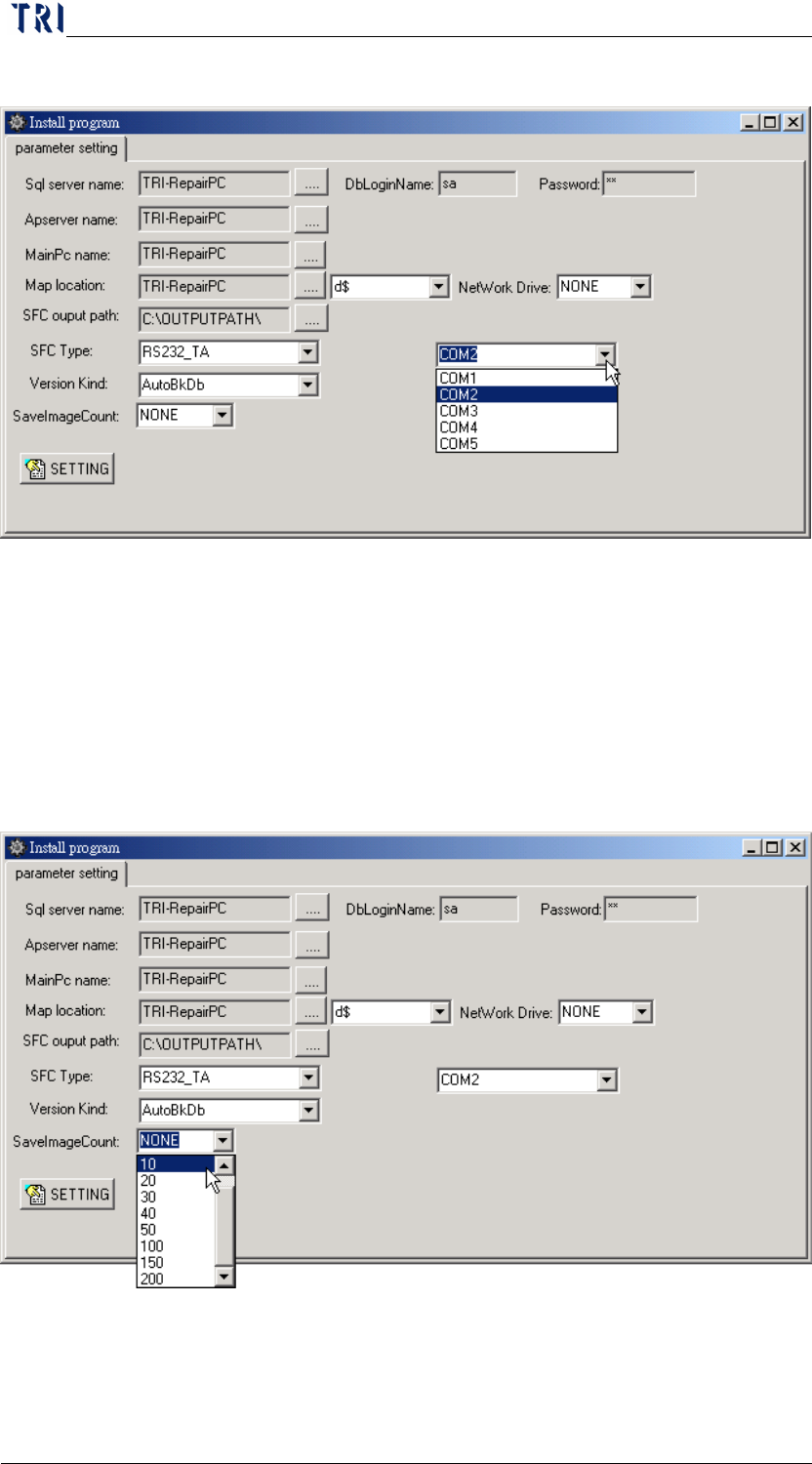
When you select [RS232_TA] at [SFC Type] field, it uses the RS232 as
the output surface and you have to select a corresponding Port Number.
Chapter 2 Repair Station Main Program
AOI Repair Station
29
The Port Number can’t be the same as the barcode reader.
4.6 Version Kind
Select if you want to backup database automatically. The backup files
will be saved in [C:\Aoidata_bk] folder.
AutoBkDb-Enable the auto backup database function.
NONE-Disable the auto backup database function.
4.7 SaveImageCount
It means the constraint of image count that is outputted by YMS
system. [None] means that there is no constraint for image output.
5 Entering Main Program
Double click on the icon to start the main program.