AOI_RS_v85_en - 第47页
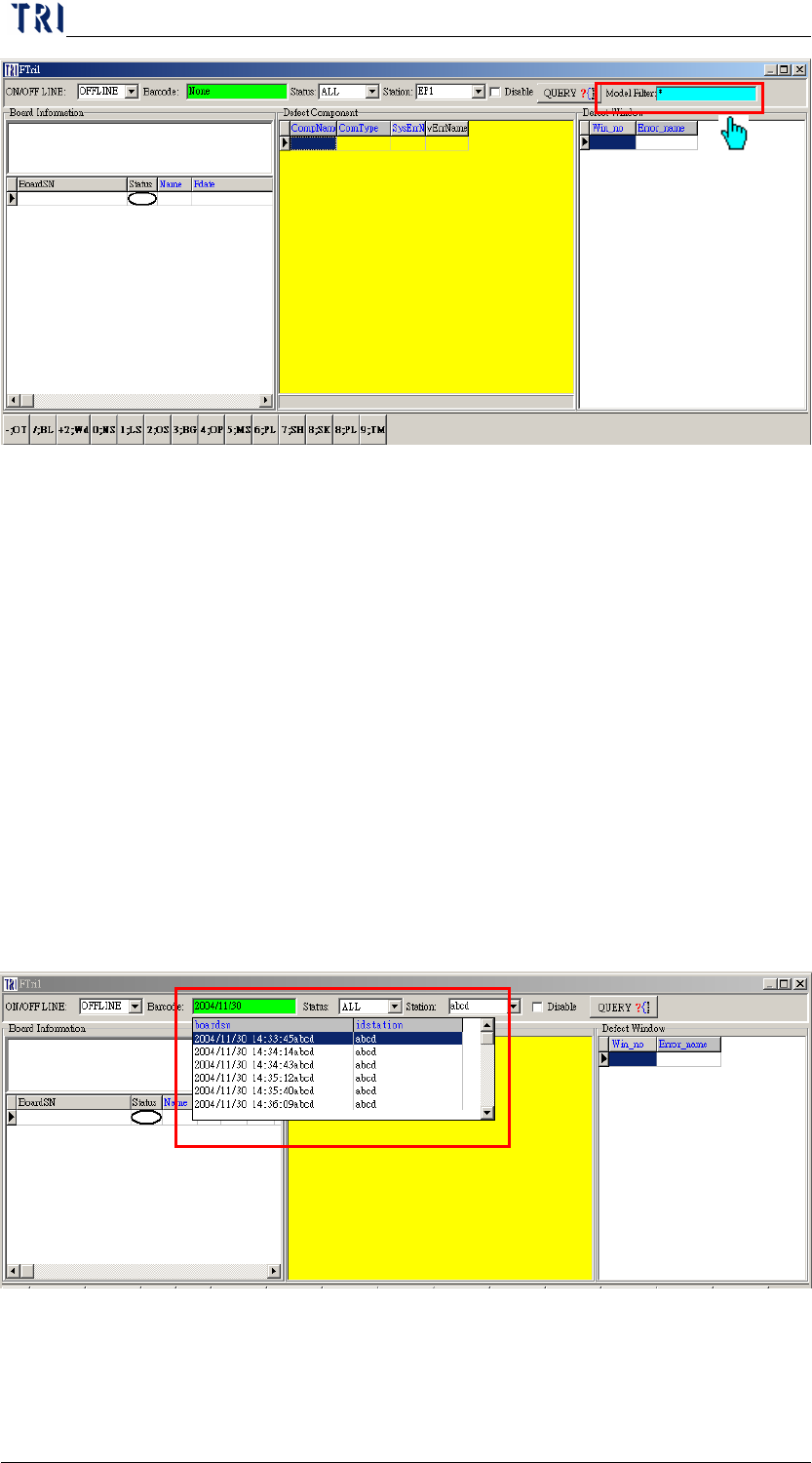
Chapter 2 Repair Station Main Progr am AOI Repair Station 43 6.4.22 Y ou can select the colum n you want to display on [BoardSN] area; see 10.6.3. 7 DEFINE ERROR Go to REP AIR ST A T ION Main Program and double click […
Chapter 2 Repair Station Main Program
AOI Repair Station
42
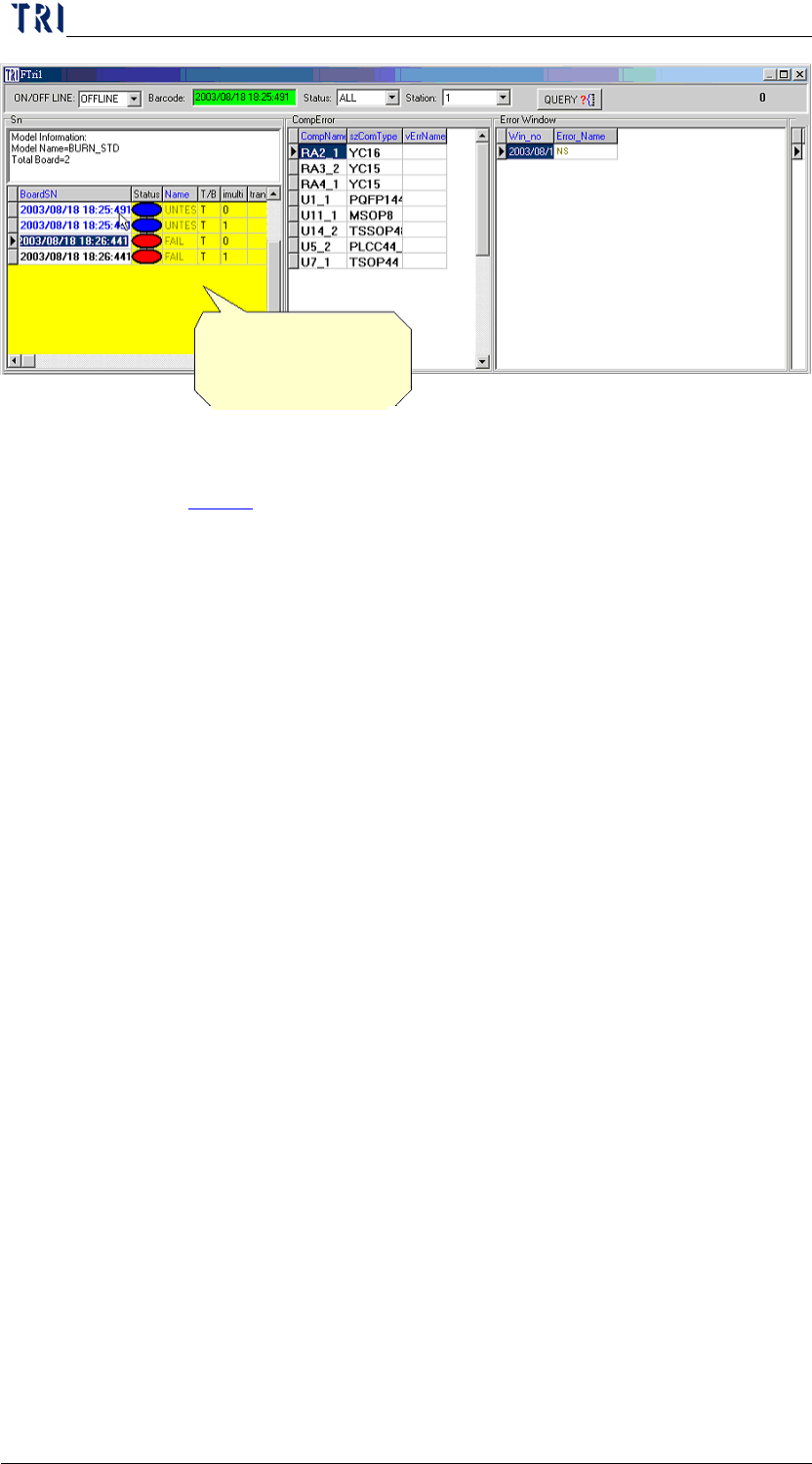
6.4.21 Checking the history of database-When online or offline, you may
see 4 previous data by switching the yellow working area to SN area
and then press the upper arrow key
Step1. Switch to [Offline]
Step2. Enter the barcode data that need to be searched in the
[Barcode] column.
Enter the current date if there is no barcode. The date
format will be like 2004/01/09 13:10:56x, where x is
the station id.
For instance: 2003/08/18 17 has been entered in
barcode. By double click on the green area (Barcode),
all information of 2003/08/18 17 will be listed. Then
select any desired list and click on the [QUERY] icon
for detail like the figure below:
Step3. You may search data by switching the working area to
[BoardSN], and press the down arrow key.
Chapter 2 Repair Station Main Program
AOI Repair Station
43
6.4.22 You can select the column you want to display on [BoardSN] area;
see
10.6.3.
7 DEFINE ERROR
Go to REPAIR STATION Main Program and double click [DEFINE
ERROR].
Click here and press
down arrow key
Chapter 2 Repair Station Main Program
AOI Repair Station
44
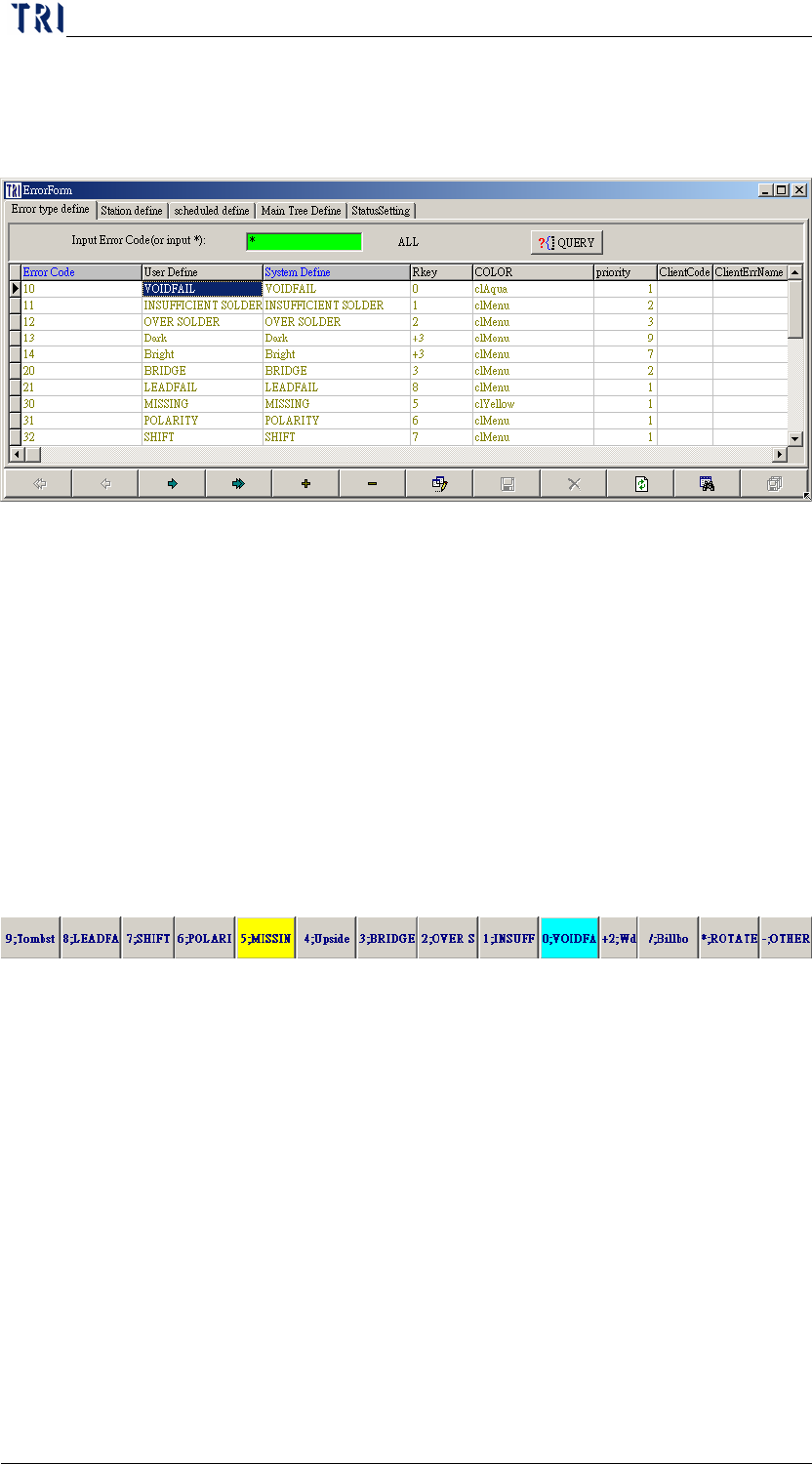
7.1 Error Type Define
You can adjust the color or text of the [Error Area] in Confirm work
frame.
Procedure
Step1. Press[QUERY]
Step2. Edit content
Error Code-The system-defined error code.
SYSTEM Define-The system-defined error name. Do not
modify.
USER DEFINE-May change to ERROR CODE of user
side
RKEY-is the Hotkey of the ERROR CODE.
COLOR-Double click on this field then you can define
the color of every error button.
Priority-Set the priority of ERROR CODE. When there
are more than one defect for a component it shows .It’s only
used in special cases, no setting is necessary
Client Code-User can define the error code at this field.
It’s because clients may want the error code to be the same
with their SFC system; using the field has to select the
corresponding SFC type.
Client Err Name-User can define the error name at this
field. It’s because clients may want the error name to be the
same with their SFC system; using the field has to select the
corresponding SFC type.
Press [+] at the bottom of screen to add other Codes, then