AOI_RS_v85_en - 第50页
Chapter 2 Repair Station Main Progr am AOI Repair Station 46 7.4 Main T ree Define Y ou can define the texts t hat you want to display on the T r ee Diagram. 7.5 Status Setting Modify the displayed name of the board …
Chapter 2 Repair Station Main Program
AOI Repair Station
45
enter a value to it (attention: [Error Code] can not be
identical to any other saved data, [Error Code], [System
Define], [RKEY] and [User Define] field must enter a value,
others may enter values that are the same as other data
Step3. Press [Save] after the modification.
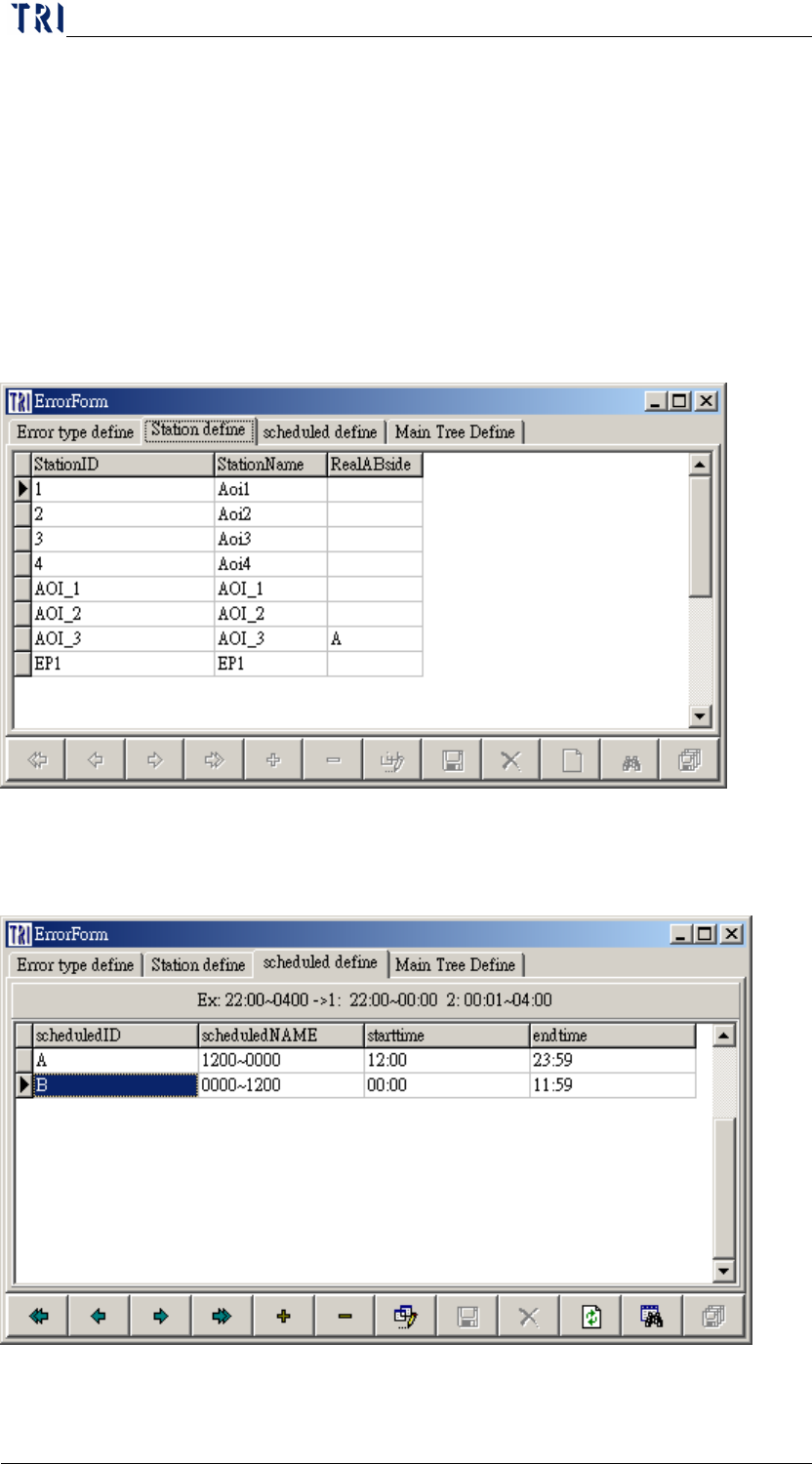
7.2 Station Define
You can query or modify the station ID in this page. SPC program
define station according to this table.
7.3 Schedule Define
You can define the schedule of operator here.
Chapter 2 Repair Station Main Program
AOI Repair Station
46
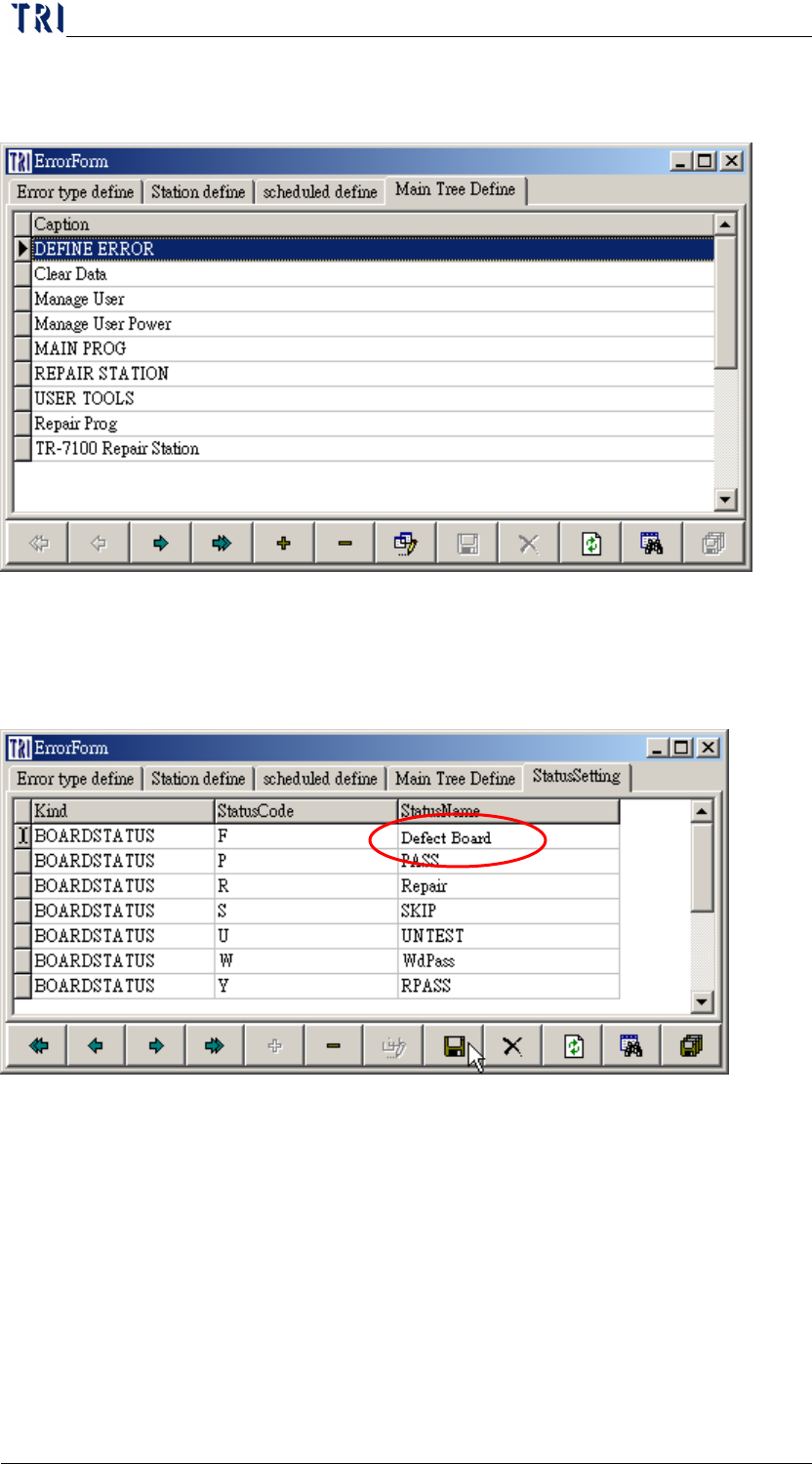
7.4 Main Tree Define
You can define the texts that you want to display on the Tree Diagram.
7.5 Status Setting
Modify the displayed name of the board status. In this setting, there
is only “Status Name” field could be modified.
Chapter 2 Repair Station Main Program
AOI Repair Station
47
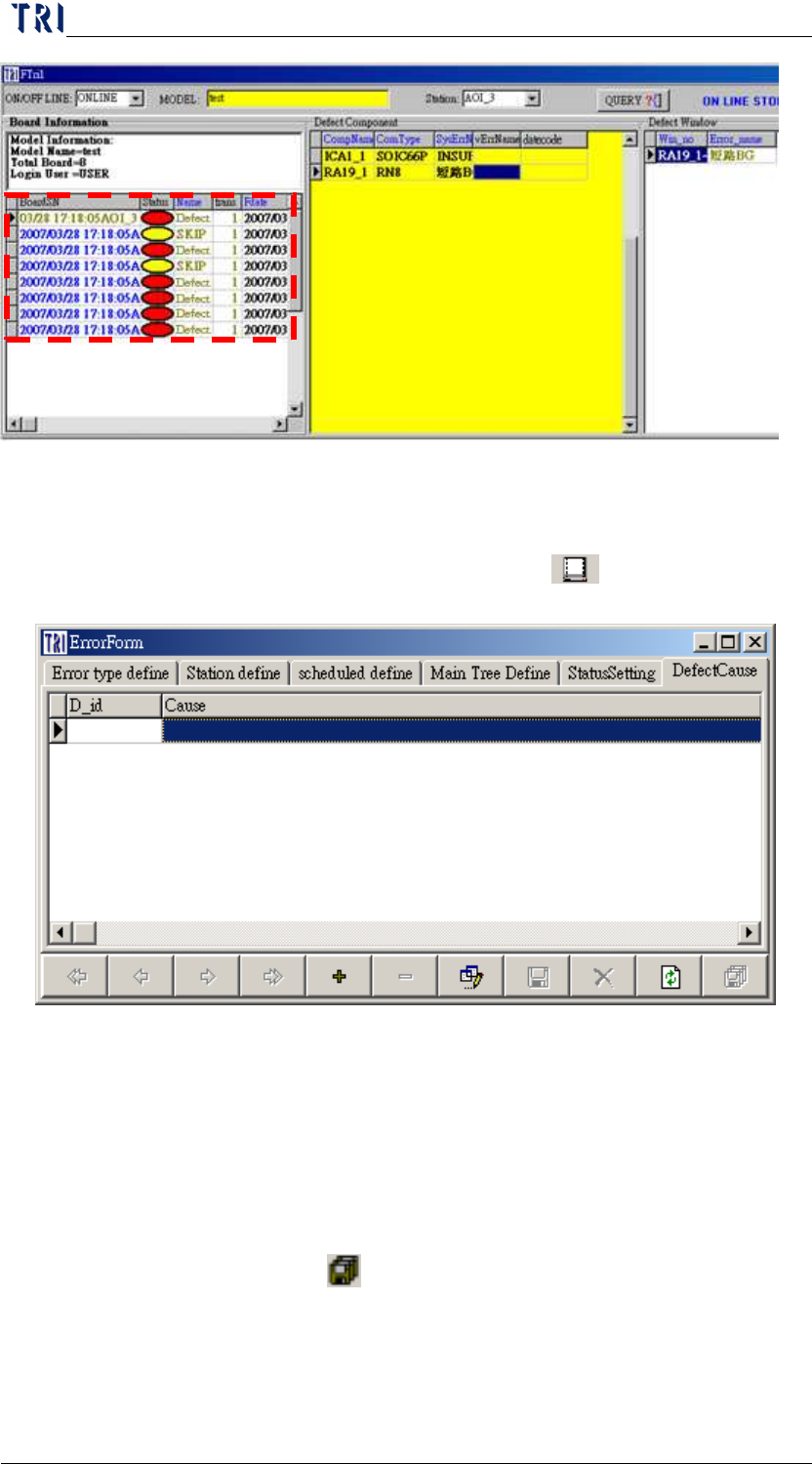
7.6 Defect Cause
User can define the defect ID and the defect cause in this window.
When user confirms a board, he can select [
Key in Defect Cause]
to select a defect cause by a pop-up window.
8 Manage User Power/ Manage User
8.1 Setting up the account privileges
Step1. First use [USER] as [User ID], then type [1234] for the password
to enter the REPAIR STATION Main Program.
Step2. Go to [Main Program/User Tools/Manage User], press [+] to add
new user, then enter the [NAME], [PASSWORD], and the [USER
NAME], press [
save] when finished.