AOI_RS_v85_en - 第58页
Chapter 2 Repair Station Main Progr am AOI Repair Station 54 SA VE T O C:\AOI_REP AIR_DA T A_ BK: When the [InsertData.exe] transfers the data, the system copy the original data to [C:\AOI_REP A IR_DA T A_BK] folder fo…
Chapter 2 Repair Station Main Program
AOI Repair Station
53
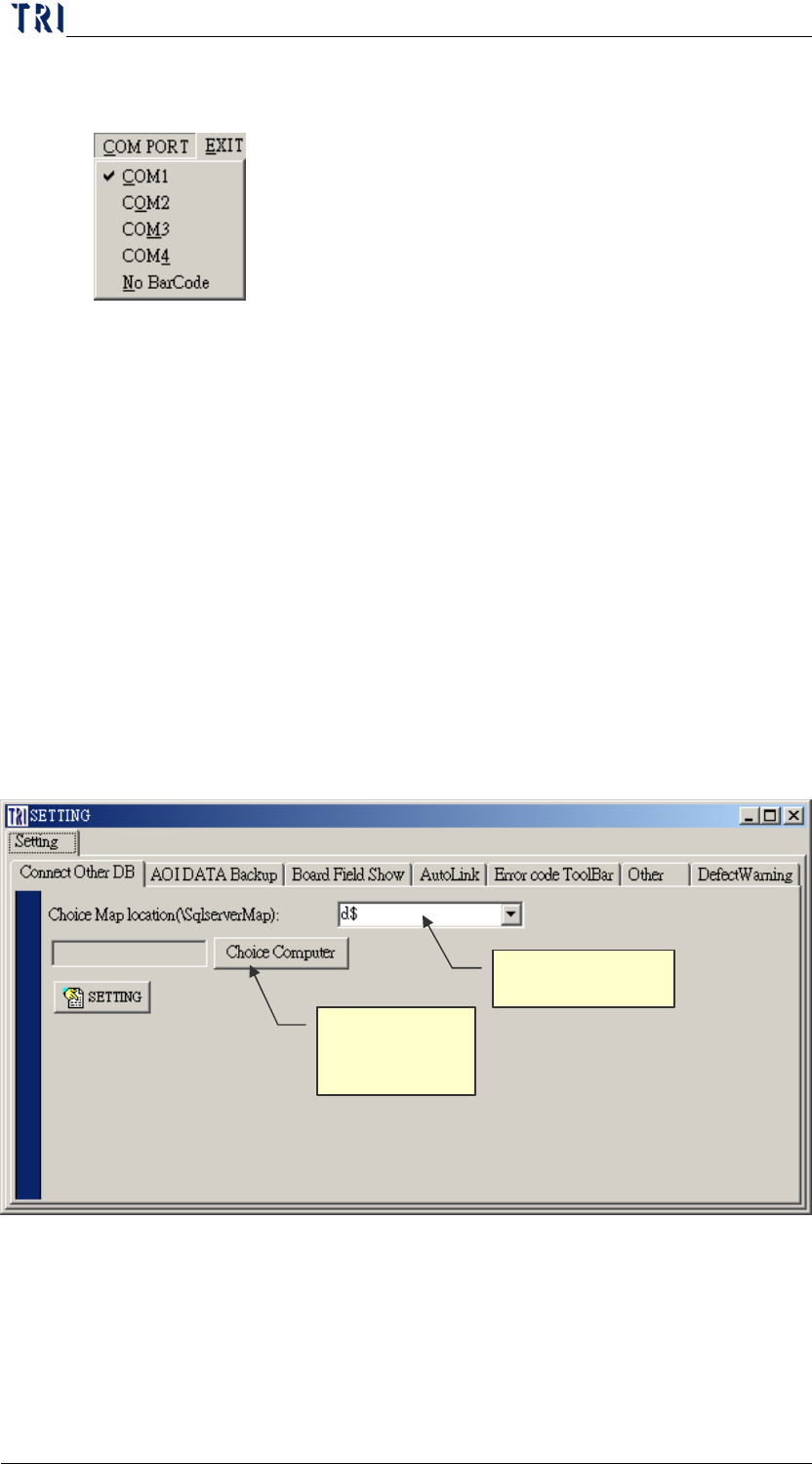
10.4 COM PORT
Select the port of handy barcode.
10.5 EXIT
Press this button then the program is closed immediately.
10.6 SETTING
10.6.1 Connect Other DB
You can use this function to link to other computer to review or
confirm data.
Turn off the [Insertdata.exe], and the [Ptril.exe], [Spcproj.exe]
will wait till the completion of following settings to reopen.
Step1. Input the disc that the images save in at [Choice Map
Location], and press [Choice Computer] to select the
computer name that you want to connect.
Step2. Press [SETTING] to finish.
Step3. Restart [Ptri1.exe] and can see the database in the
other side computer.
10.6.2 AOI DATA Backup
Objective Disk
Objective
Computer Path
Chapter 2 Repair Station Main Program
AOI Repair Station
54
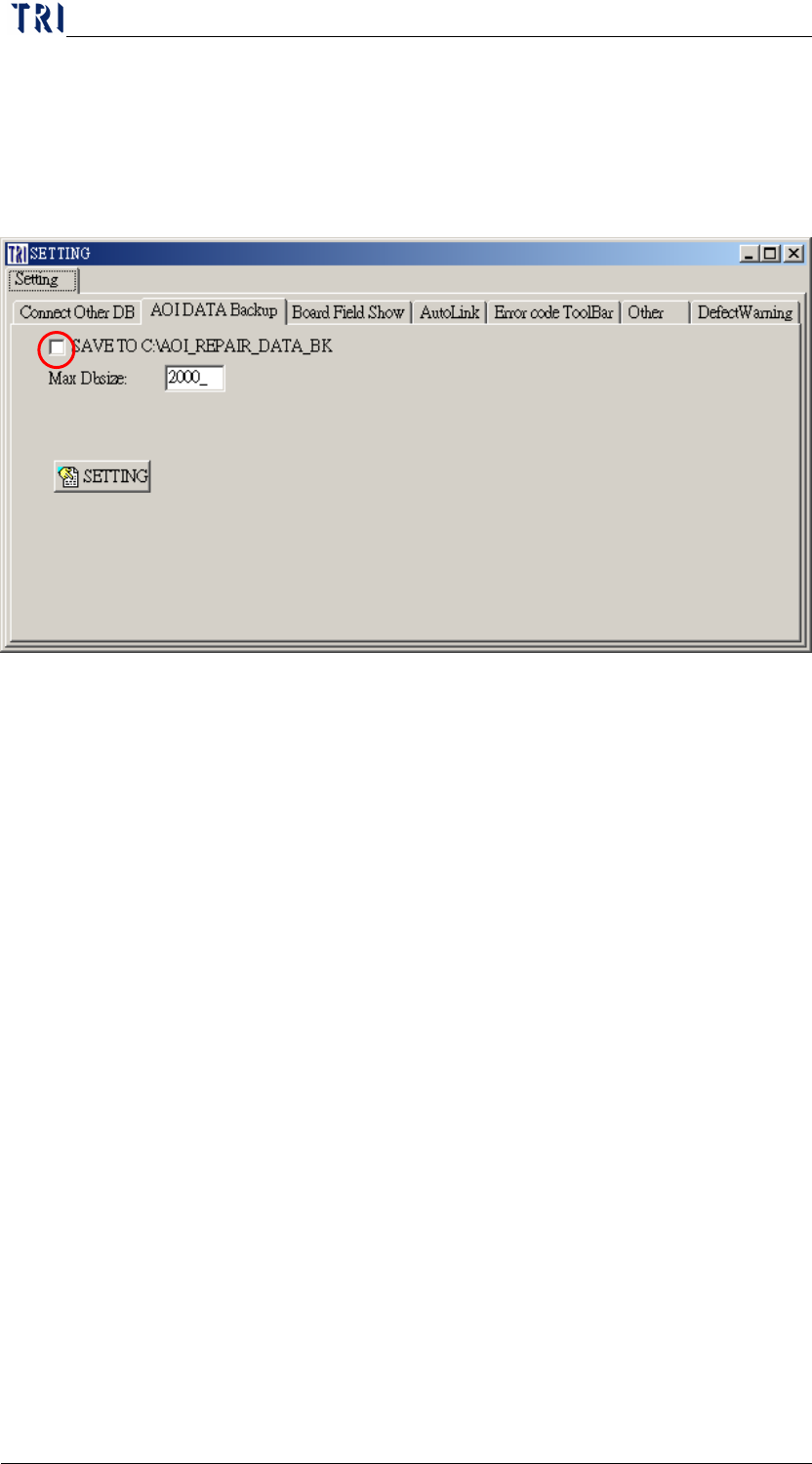
SAVE TO C:\AOI_REPAIR_DATA_BK: When the [InsertData.exe]
transfers the data, the system copy the original data to
[C:\AOI_REPAIR_DATA_BK] folder for backup at the same time.
Turn off the [Insertdata.exe], and wait till the completion of
following settings to reopen.
Step1. Select [SAVE TO C:\AOI_REPAIR_DATA_BK].
Step2. Press [SETTING] to finish the setting.
Step3. Reopen [Insertdata.exe].
Chapter 2 Repair Station Main Program
AOI Repair Station
55
Max Dbsize
Input the maximum of the database. When the size of database is
up to the maximum value, the system shows the warning. If you
have set [Version Kind] as [AutoBkDb], the system would
backup the database automatically when the size is to the limit.
The default setting of [Max Dbsize on the stand-alone version on
the following figure is 2000MB. Do not set size over 2000MB.
You may set the size based on the size of server’s hard disk under
the Server version
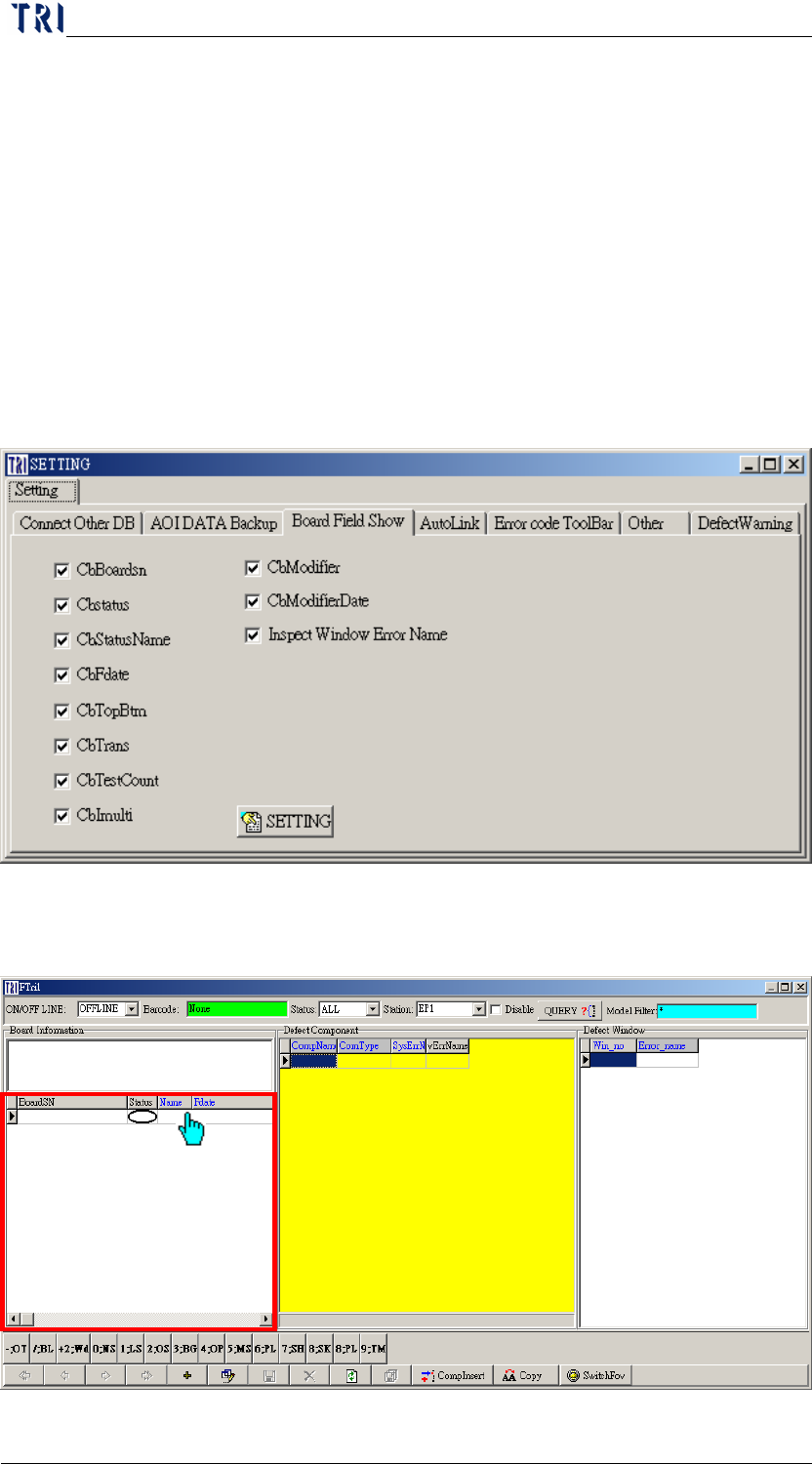
10.6.3 Board Field Show
You can set which columns you want to show on [BoardSN] field at
confirm working.